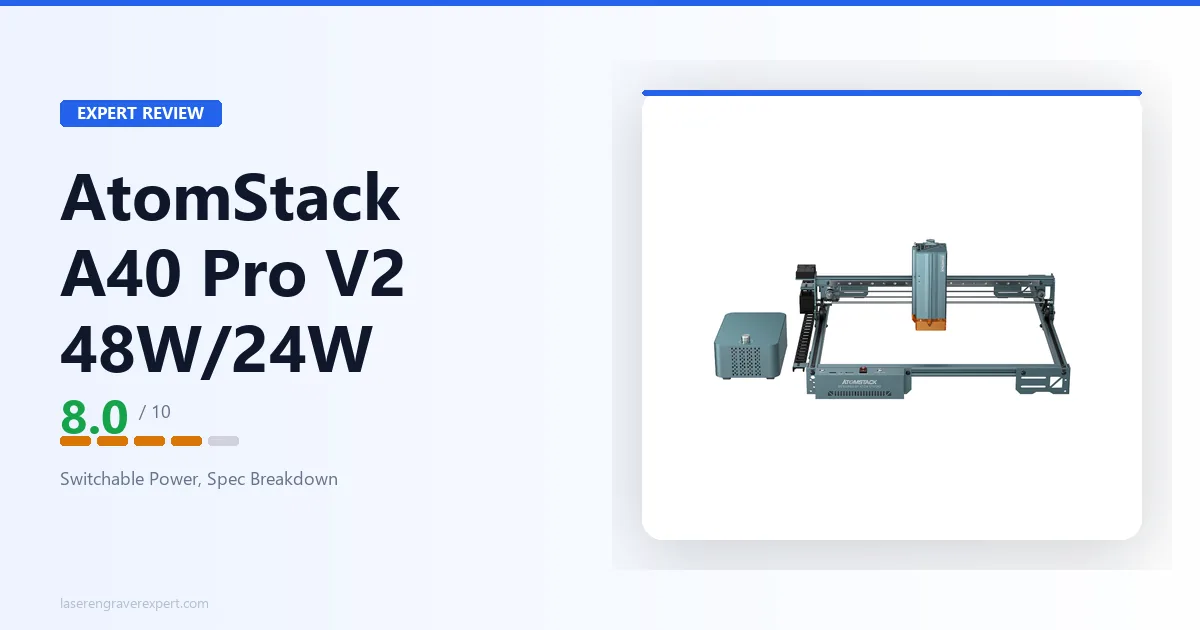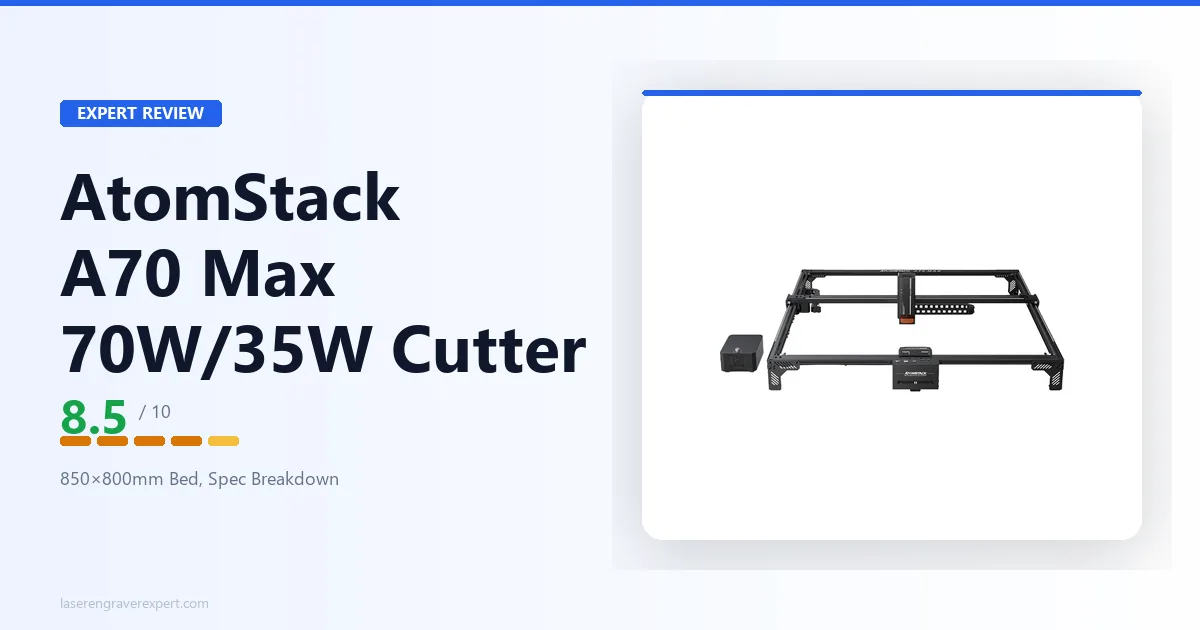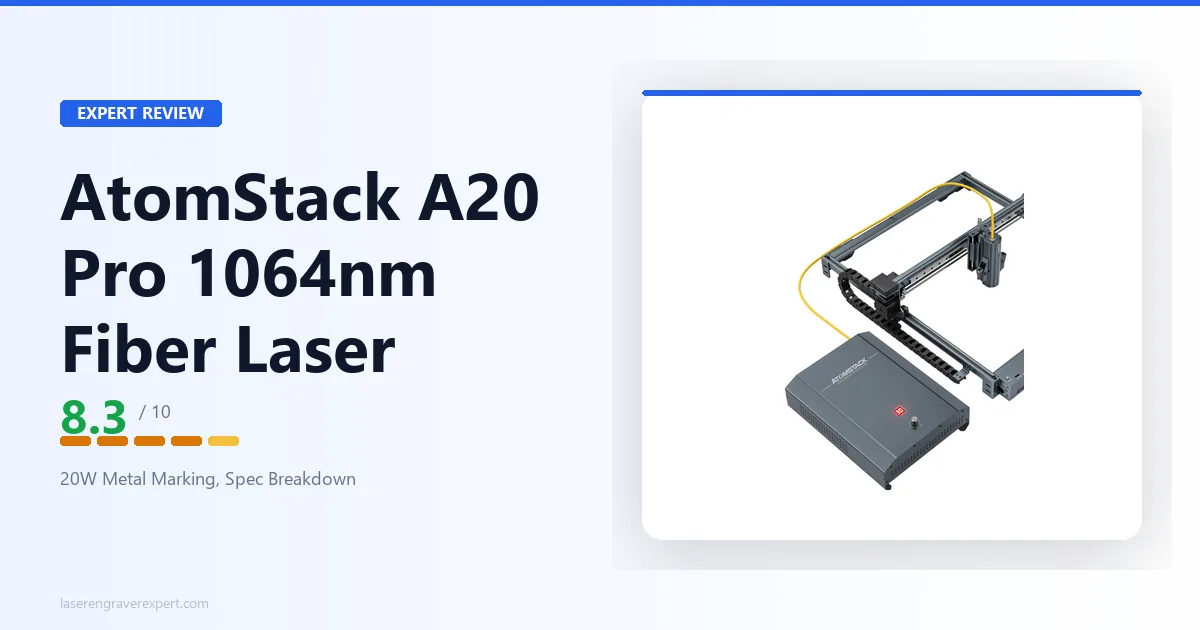
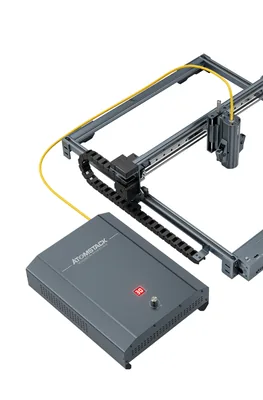
This AtomStack A20 Pro 1064nm review covers AtomStack’s 20W infrared fiber laser for metal: a frame-type machine with a large 400×400mm work area, a fine 0.03×0.06mm spot, and marking across steel, aluminum, brass, and precious metals. It fills a gap in our best fiber laser engraver guide , which currently covers xTool, ComMarker, OMTech, and Monport machines but no AtomStack fiber option. This review walks through the specs, what the fiber source can and can’t do, how it fits the metal-marking landscape, and who should buy it.
This article contains affiliate links. If you purchase through our links, we may earn a commission at no extra cost to you.
Important: This Is the Fiber Model, Not the Diode A20 Pro V2
Before anything else, a naming clarification that trips up a lot of buyers.
AtomStack sells two completely different machines that both carry the “A20 Pro” name:
- AtomStack A20 Pro 1064nm (this review) — an infrared fiber laser for permanently marking bare metal: stainless steel, aluminum, brass, gold, silver. The “1064nm” qualifier is the tell.
- AtomStack A20 Pro V2 — a blue diode laser (455nm) for engraving and cutting wood, leather, and dark acrylic. It has a 400×365mm bed and cannot permanently mark bare metal without a marking compound.
These are different laser types for different jobs, and they are not interchangeable. A diode machine can’t do what a fiber machine does on bare metal, and a fiber machine is the wrong tool for cutting plywood.
If you meant the 20W diode wood-and-acrylic engraver, read our AtomStack A20 Pro V2 review instead. Everything below is about the 1064nm fiber metal-marker.
AtomStack A20 Pro 1064nm Specs at a Glance
| Specification | Value |
|---|---|
| Product model | A20 Pro 1064nm (also sold as A20/K1 Pro 1064nm) |
| Laser type | Infrared fiber laser |
| Laser wavelength | 1064nm |
| Optical output power | 20W |
| Work area | 400 × 400mm |
| Spot size | 0.03 × 0.06mm |
| Max engraving speed | 400mm/s (24,000mm/min) |
| Engraving accuracy | 0.01mm |
| Repeatability | 0.1mm |
| One-pass cutting | 0.2mm aluminum |
| Focus adjustment | Manual focus |
| Resume engraving | Yes (power-loss resume) |
| Limit switches | 3 (1 × X-axis, 2 × Y-axis) |
| Data transmission | USB-C (computer), USB (offline), HDMI (controller) |
| Compatible software | LightBurn, AtomStack Studio |
| Supported file types | NC, BMP, JPG, PNG, DXF |
| Operating system | macOS; Windows XP / 7 / 8 / 10 / 11 |
| Power supply | 24V 7.5A |
| Certifications | CE, FCC, RoHS, FDA, PSE |
| Enclosure | Not listed (open frame-type) |
| Safety class | Not listed |
| Weight / dimensions | Not listed |
| Warranty | 12 months (per AtomStack) |
A note on what’s in that table. AtomStack publishes a detailed parameters list for this machine, and the figures above come straight from it. Where AtomStack does not state a number, this review marks it Not listed rather than guessing: that applies to the machine’s weight, physical dimensions, formal safety class, and any enclosure rating. If one of those details is decision-critical for your workspace, confirm it against AtomStack’s current listing before buying.
What the AtomStack A20 Pro 1064nm Is For
This is a single-purpose machine, and understanding that purpose is the whole point.
A 1064nm fiber laser works at a wavelength that bare metals absorb directly. That’s what lets it leave a permanent mark on steel, aluminum, brass, and precious metals through ablation or oxidation, with no coating, no spray, no marking compound. It’s the same fundamental capability that separates every fiber machine in our best fiber laser engraver guide from diode engravers, which can only mark bare metal with help from a compound like Cermark, and even then produce a surface bond rather than a true mark.
AtomStack positions the A20 Pro 1064nm for daily metal work: it lists copper, iron, aluminum, zinc, and silver among compatible metals, plus 304 mirror stainless steel, anodized aluminum, and plated or lacquered metal surfaces. On top of that it lists a handful of non-metals the infrared source can handle, including PCB board, dark acrylic, glass, ceramic, leather, and slate.
What makes this machine distinctive within the fiber category is its frame-type gantry design with a 400×400mm work area. Most desktop fiber lasers use a fixed galvo scanning head over a small field, typically 110–175mm, because that’s how galvo optics work. By mounting the fiber source on a moving gantry instead, AtomStack trades the blink-fast galvo speed for a dramatically larger bed. That’s an unusual choice, and it’s the single biggest differentiator between this machine and a conventional galvo fiber marker.
The practical implication: if your work involves larger metal pieces, batching many parts across a big bed, or marking items that simply won’t fit a 150mm galvo field, the A20 Pro 1064nm’s bed is a genuine advantage. If your work is tiny, high-volume marking where galvo scanning speed matters most, a traditional galvo machine will move faster per part.
AtomStack A20 Pro 1064nm Performance and Capability
Marking Metal
Marking is where this machine earns its keep. The 20W infrared output paired with an ultra-fine 0.03×0.06mm spot is suited to detailed marks, small text, logos, QR codes, and serial numbers on metal. AtomStack rates engraving accuracy at 0.01mm and repeatability at 0.1mm, which is the kind of consistency you want for product identification and batch work where every piece needs to match.
The relevant comparison isn’t power for power’s sake. A 20W fiber source is more than enough to leave permanent, legible marks on stainless steel, aluminum, brass, and the precious metals used in jewelry work. Where higher-power fiber machines earn their premium is depth and throughput, not basic mark quality. For most marking jobs, 20W is a comfortable, practical level.
Cutting
AtomStack rates the A20 Pro 1064nm to cut 0.2mm aluminum business-card stock in a single pass, and lists thin stainless steel sheet and thin aluminum sheet as cuttable materials. Read that for what it is: this is a marking machine that can also cut very thin metal, not a metal-cutting workhorse. If cutting thicker stock is central to your plans, this isn’t the machine, a higher-power dedicated fiber cutter is.
Speed and Motion
Maximum speed is rated at 400mm/s (24,000mm/min), with AtomStack stating the machine uses an optical axis plus linear guide movement structure to hold accuracy at speed. That’s a gantry-motion figure, and it reflects the design trade-off noted above: a frame-type fiber laser won’t match the five-figure scanning speeds of a galvo head, but it buys you the large bed in return.
Three limit switches (one on the X-axis, two on the Y-axis) handle homing and travel limits, and power-loss resume means an interrupted job can continue rather than being scrapped, which matters on longer marking runs.
Additional Capabilities AtomStack Highlights
AtomStack describes a few features worth naming, framed as the manufacturer presents them. It markets the machine as suited to laser rust removal on metal surfaces, and to relief engraving on flat slate for a raised-relief effect. The listing also calls it the “world’s first professional 1064nm 20W frame-type fiber laser engraver”, which is a marketing claim rather than an independently confirmed fact, so weigh it as such.
AtomStack A20 Pro 1064nm Software and Connectivity
The A20 Pro 1064nm supports LightBurn alongside AtomStack’s own AtomStack Studio. LightBurn is the practical choice for most buyers: it’s the most widely used software across the fiber category, and if you already run it on another machine, your workflow and muscle memory carry straight over. Every other fiber machine in our best fiber laser engraver guide runs it too, so moving between them is friction-free.
Connectivity is handled over USB-C for computer data, a USB interface for offline jobs, and HDMI for controller data. The machine accepts NC, BMP, JPG, PNG, and DXF files and runs on macOS as well as Windows XP through Windows 11. Focus is manual, set by hand rather than by an autofocus probe, which adds a setup step at each material-thickness change but is standard on machines in this price class.
AtomStack A20 Pro 1064nm in the Fiber Laser Landscape
The A20 Pro 1064nm occupies an unusual position among the machines in our best fiber laser engraver guide . Where those picks are overwhelmingly compact galvo markers, the A20 Pro 1064nm is a large-bed, frame-type machine. The table below is about design philosophy as much as raw numbers.
| AtomStack A20 Pro 1064nm | Typical galvo fiber marker (e.g. ComMarker B4) | |
|---|---|---|
| Laser type | 20W fiber, 1064nm | 20W fiber, 1064nm |
| Beam delivery | Frame-type gantry | Fixed galvo scan head |
| Work area | 400 × 400mm | 110–175mm |
| Spot size | 0.03 × 0.06mm | ~0.02–0.03mm |
| Max speed | 400mm/s | Several thousand mm/s (galvo) |
| Best for | Large or oversized metal pieces | Small, high-volume marking |
| Software | LightBurn / AtomStack Studio | EZCad2 / LightBurn |
The honest read: a galvo machine like the ComMarker B4 20W will out-run the A20 Pro 1064nm on throughput for small parts, because galvo scanning is simply faster than moving a gantry. What the A20 Pro 1064nm offers that galvo machines can’t is bed size, a 400×400mm area is in a different league from a 150mm galvo field. If your parts are big, or you want to tile many items across one bed, that’s a real and specific advantage.
For color marking on stainless steel, neither this machine nor a standard fiber laser is the answer; that requires a MOPA source with adjustable pulse width, like the Sculpfun Iris 20W MOPA covered in the fiber guide. The A20 Pro 1064nm is a standard (not MOPA) fiber laser, so expect black and grey marks rather than color oxidation.
Within AtomStack’s own range, this fiber machine sits apart from the brand’s diode lineup. The AtomStack A70 Max is a large-format diode cutter for wood and dark acrylic, and the A20 Pro V2 is a diode engraver, neither marks bare metal. The A20 Pro 1064nm is AtomStack’s answer for buyers who specifically need metal marking.
AtomStack A20 Pro 1064nm Pros and Cons
Pros:
- True 1064nm fiber source: permanently marks bare metal (steel, aluminum, brass, gold, silver) with no coating or compound.
- Large 400×400mm frame-type work area, far bigger than the 110–175mm field of a typical galvo fiber marker.
- Fine 0.03×0.06mm spot with 0.01mm rated engraving accuracy and 0.1mm repeatability for detailed, consistent marks.
- Runs LightBurn as well as AtomStack Studio, with power-loss resume for long jobs.
- Broad published certification list: CE, FCC, RoHS, FDA, PSE.
Cons:
- Frame-type motion is slower than a galvo head (400mm/s vs several thousand mm/s), so small-part throughput trails a galvo marker.
- Manual focus only, no autofocus, adds a setup step at each thickness change.
- Standard fiber source, not MOPA, so no color marking on stainless steel.
- AtomStack does not publish an enclosure rating, safety class, or machine weight; you supply your own 1064nm eye protection and ventilation.
- Cutting is limited to very thin metal (rated 0.2mm aluminum single-pass), not a metal-cutting workhorse.
The large bed, true fiber metal marking, and LightBurn support are the real strengths; the slower gantry motion, manual focus, and incomplete published safety specs are the trade-offs to weigh.
AtomStack A20 Pro 1064nm
8.3/10- True 1064nm fiber: marks bare metal with no coating or compound
- Large 400×400mm frame-type bed, far bigger than a galvo field
- Fine 0.03×0.06mm spot, 0.01mm rated accuracy
- Runs LightBurn plus AtomStack Studio, with power-loss resume
- CE, FCC, RoHS, FDA, PSE certified
- Gantry motion slower than a galvo head for small-part throughput
- Manual focus only, no autofocus
- Standard fiber, not MOPA: no color marking on stainless
- Enclosure rating, safety class, and weight not published
- Cutting limited to very thin metal
Who Should Buy the AtomStack A20 Pro 1064nm?
The maker who needs affordable, large-bed metal marking. If your work is permanent marks on steel, aluminum, brass, or precious metals, and your pieces are too big for a 150mm galvo field, the 400×400mm bed is the specific reason to choose this machine over a conventional galvo marker.
The jewelry or product-ID maker working across many part sizes. The fine 0.03×0.06mm spot and 0.01mm rated accuracy suit small text, logos, serial numbers, and QR codes, and the big bed lets you tile multiple parts per setup.
The LightBurn user adding metal capability. If you already run LightBurn on a diode or CO2 machine and want to add bare-metal marking without learning a new ecosystem, the LightBurn support here keeps your workflow intact.
Who Should Skip the AtomStack A20 Pro 1064nm?
Anyone who wants small-part throughput above all. Gantry motion can’t match galvo scanning speed. For high-volume marking of small identical parts, a galvo machine like the ComMarker B4 20W will be faster per piece.
Buyers who need color marking on stainless steel. That requires a MOPA fiber laser with adjustable pulse width. This is a standard fiber source; consider the Sculpfun Iris 20W MOPA if color is part of your work.
Buyers whose work is wood, leather, or acrylic. A 1064nm fiber laser is the wrong tool for organic materials. You want a diode or CO2 machine, and if you landed here by mistake, the diode AtomStack A20 Pro V2 is the sibling model for exactly that.
Anyone who requires a published safety class and enclosure rating up front. AtomStack doesn’t publish those for this model. If desk-safe, certified-enclosure operation is a hard requirement, confirm the current documentation with AtomStack first, or look at an enclosed Class 1 fiber machine instead.
AtomStack A20 Pro 1064nm Review: Final Verdict
The AtomStack A20 Pro 1064nm is a focused machine that does one thing and does it with an unusual twist. It’s a true 20W fiber laser for permanently marking bare metal, and it pairs that capability with a 400×400mm frame-type bed that’s far larger than the galvo field of almost any competing desktop fiber marker.
That bed size is the reason to buy it. If your metal pieces are large, or you want to batch many parts across one setup, the A20 Pro 1064nm solves a problem that compact galvo machines simply can’t. The fine 0.03×0.06mm spot, 0.01mm rated accuracy, LightBurn support, and power-loss resume round out a practical marking workflow.
Where it asks something of you: the gantry motion is slower than a galvo head, so small-part throughput trails a dedicated galvo marker; focus is manual; and AtomStack leaves the safety class, enclosure rating, and weight unpublished, so you’ll supply your own 1064nm eye protection and ventilation and confirm the details that matter to you. It’s a standard fiber source too, so color marking on stainless isn’t in scope.
Rating: 8.3/10. A strong, well-specified fiber metal-marker with a genuinely differentiated large bed, held back from a higher score only by the slower gantry throughput and the gaps in AtomStack’s published safety documentation. For a maker who needs affordable, large-area metal marking and already knows they want fiber, it’s an easy machine to recommend, just make sure you’re buying the 1064nm fiber model and not the A20 Pro V2 diode engraver .
Ready to buy?
See the AtomStack A20 Pro 1064nm on Amazon →Still comparing metal machines? Our best fiber laser engraver guide covers the full field of galvo and MOPA options alongside this large-bed alternative.