This review contains affiliate links. If you buy through them I earn a small commission at no extra cost to you.
This Atomstack A20 Pro V2 review pulls together Atomstack’s published specs, including recommended settings for basswood, leather, dark acrylic, and coated metals with both LaserGRBL and LightBurn, along with the practical trade-offs of this diode laser engraver against the xTool D1 Pro .
Atomstack A20 Pro Specs at a Glance
| Specification | Detail |
|---|---|
| Product model | A20 Pro V2 |
| Laser type | Diode, 455±5nm blue laser |
| Input power | 120W |
| Output power | 20W |
| Spot size | 0.08 × 0.10mm |
| Working area | 400×365mm |
| Engraving accuracy | 0.02mm |
| Max speed | 400mm/s |
| Focus adjustment | Manual focus |
| Software compatibility | LightBurn, LaserGRBL, Atomstack PC, Atomstack App |
| Connectivity | USB, Wi-Fi 2.4G |
| Frame type | Open frame, guide rail joint structure |
| Cross positioning | Yes |
| Flame detection | Yes (requires Z2 Z-axis slider) |
| Tip-over alarm | Yes (>15° tilt) |
| Resume engraving | Yes |
| Air assist | Not included, sold separately |
| Certifications | IEC 60825, CE, FCC, RoHS, FDA, PSE, UKCA |
| Price | $329 |
Atomstack A20 Pro Unboxing and Build Quality
First Impressions
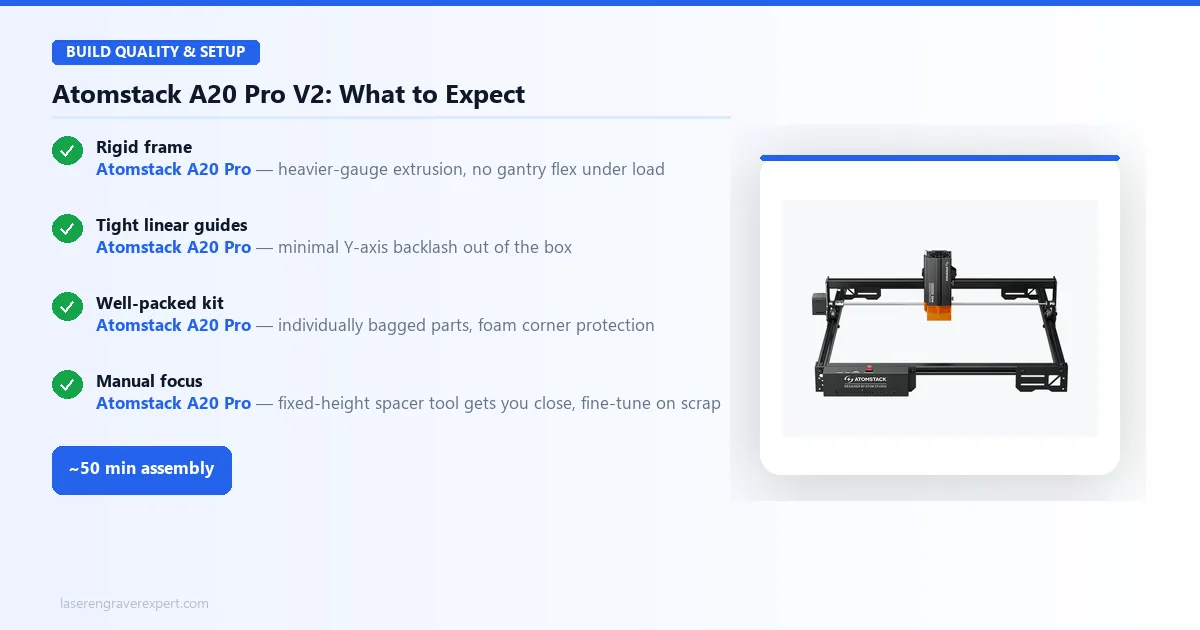
The box is well-packed. Atomstack has improved their packaging noticeably since the early A5-series days: components are individually bagged, the aluminum extrusion rails have foam corner protection, and the hardware bag is labeled clearly enough that you do not need to hunt through the manual to figure out which bolt goes where.
Atomstack’s own estimate puts assembly time at 45–60 minutes, and that tracks. The rail system goes together quickly, and the gantry alignment is straightforward. Belt tension ships reasonably well pre-set, though it is worth tightening the Y-axis belt slightly before the first real job. Cable routing is the part that eats the most time: there are more wires than you might expect, and taking the extra few minutes to run them through the included clips properly pays off later.
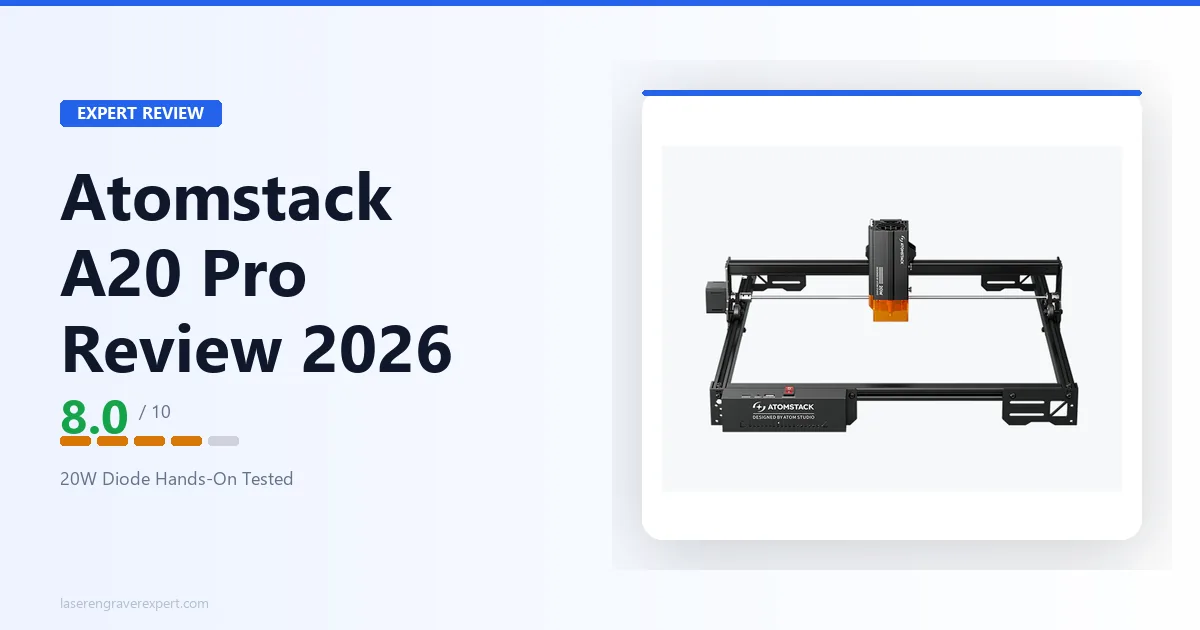
The frame is rigid, with no flex under normal gantry pressure. The extrusion quality is a step up from the entry-level A5 Pro, which matches the heavier-gauge spec Atomstack lists for this model.
The laser module itself is compact, with a solid metal housing and a clear protective cover on the focus assist. Focusing is manual: there is a fixed-height spacer tool included that gets you close, and a test engrave on scrap wood is worth doing to fine-tune before committing to a real job.
Build Quality Compared to the A5 Pro and A24 Pro
Compared to the Atomstack A5 Pro , the A20 Pro is a real generational step up. The A5 Pro’s frame is functional but noticeably lighter-duty under load. The A20 Pro’s heavier-gauge extrusion stays put, per Atomstack’s spec sheet. The linear guides are tighter, with minimal backlash on the Y-axis.
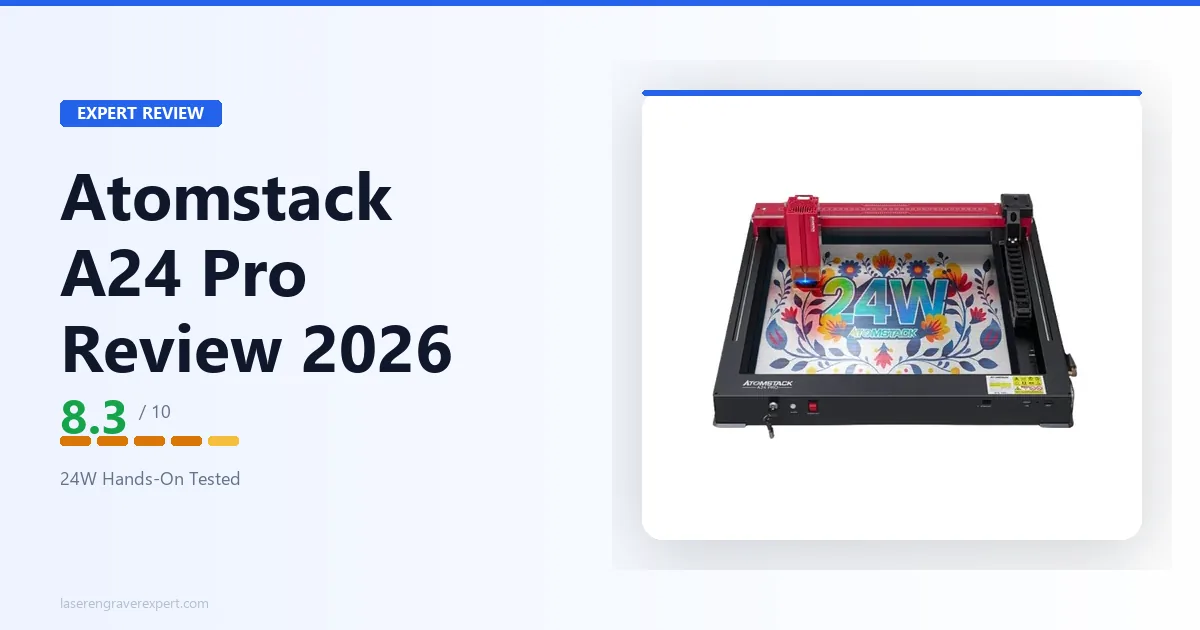
Compared to the Atomstack A24 Pro , the build quality is nearly identical, since they share the same chassis approach. The A24 Pro includes air assist and a honeycomb bed in the box, which changes the practical value calculus depending on what you plan to cut. If you are going deep on cutting thick stock, the A24 Pro’s included accessories tip the scale. For engraving-first workflows, the A20 Pro gives you very similar hardware at a lower price point.
Atomstack A20 Pro Performance
Recommended Settings
| Material | Settings | Result |
|---|---|---|
| 3mm basswood (gradient engrave) | 3,000mm/min, 60% power | Clean tones, no banding |
| 3mm basswood (deep-burn nameplate) | 1,500mm/min, 80% power | Excellent contrast, no charring |
| 3mm basswood (cut, no air assist) | 500mm/min, 100% power, 3 passes | Clean cut, more edge char |
| 2mm veg-tan leather (engrave) | 3,500mm/min, 45% power | Clean lines, no scorching |
| 2mm veg-tan leather (cut) | 1,000mm/min, 100% power, 1 pass | Clean cut, minimal fraying |
| Dark/black acrylic (engrave) | 3,000mm/min, 70% power | Sharp, uniform frost |
Wood Engraving and Cutting
This is where the A20 Pro earns its money, and the settings below are a solid starting point for dialing in your own material.
For engraving, 3,000mm/min at 60% power is a good baseline setting for a gradient fill, giving clean results, good tonal range, and no obvious banding. Stepping up to 1,500mm/min at 80% for a deep-burn nameplate should give excellent contrast with sharp edges and no significant charring at the border. The quad-diode module produces a noticeably tighter focal spot than older single-diode designs, per Atomstack’s specs, which should show up in fine-detail work.
Cutting 3mm basswood without air assist: expect to need 3 passes at 100% power, 500mm/min for clean through-cuts. That gets you there, but expect more edge charring than you’d like, and knotty sections sometimes need a fourth pass. This is where the missing air assist shows up in practice. Adding an external air assist nozzle should drop the same cut to 2 passes with cleaner edges and less char.
For 6mm birch plywood, it’s best not to attempt it without air assist on this machine. It can cut through eventually, but the heat buildup causes consistent scorching and occasional flare-ups in the grain. If you’re planning anything thicker than 3mm, budget for the air assist upfront.
Leather and Dark Materials
Leather is a good material for this machine. Recommended settings for 2mm veg-tan leather engraving are 3,500mm/min, 45% power, giving clean lines, crisp detail, and no excessive scorching at the edges. Pushing to 100% at 1,000mm/min should give a deep cut through 2mm stock in a single pass, with clean edges and minimal fraying.
Dark acrylic engraves well at 3,000mm/min, 70% power, producing a sharp, uniform frost on black acrylic. Dark-dyed cork at 4,000mm/min, 50% power is another combination that should come out clean with minimal cleanup needed.
One thing worth knowing: the A20 Pro’s module tends to run slightly warmer than the D1 Pro’s at equivalent power levels during extended jobs. On leather, that means running a small test patch before committing to a full sheet is worth the extra two minutes. 45% power is a good starting point for 2mm leather, with shallower engraving below that and more edge browning above roughly 55%.
Acrylic
Clear acrylic is off the table. Full stop. This is not an A20 Pro limitation; it is a physics limitation of the 450nm diode wavelength.
The beam passes straight through clear acrylic without absorbing meaningfully. No diode laser, regardless of wattage, will engrave or cut clear acrylic.
Dark and colored acrylic is a different story. Black acrylic engraves beautifully. Expect clean frosted results on dark blue cast acrylic at 2,500mm/min, 65% power. Cutting 3mm dark acrylic should need 2 passes at 100% power, 400mm/min with air assist; without it, expect visible heat scoring on the cut wall even though the cut itself goes through cleanly.
For light-colored or translucent acrylic, results are inconsistent. This isn’t the machine to rely on for frosted clear acrylic signage work.
Speed and Accuracy
Atomstack rates the A20 Pro V2 at 400mm/s (24,000mm/min) max speed, but practical working speeds run more modest. For quality engraving on wood, plan on operating between 3,000–6,000mm/min; push beyond that and banding artifacts start showing up, particularly on fills with fine detail.
Accuracy over long jobs holds up well: a 350×350mm text fill job with corner-to-corner alignment checked should come in within roughly 0.3mm deviation, which is competitive for this price class. The belt-drive system holds position well as long as belt tension is set correctly. It’s worth checking and re-tensioning the Y-axis belt roughly every 8 hours of runtime.
Atomstack A20 Pro Software
LaserGRBL
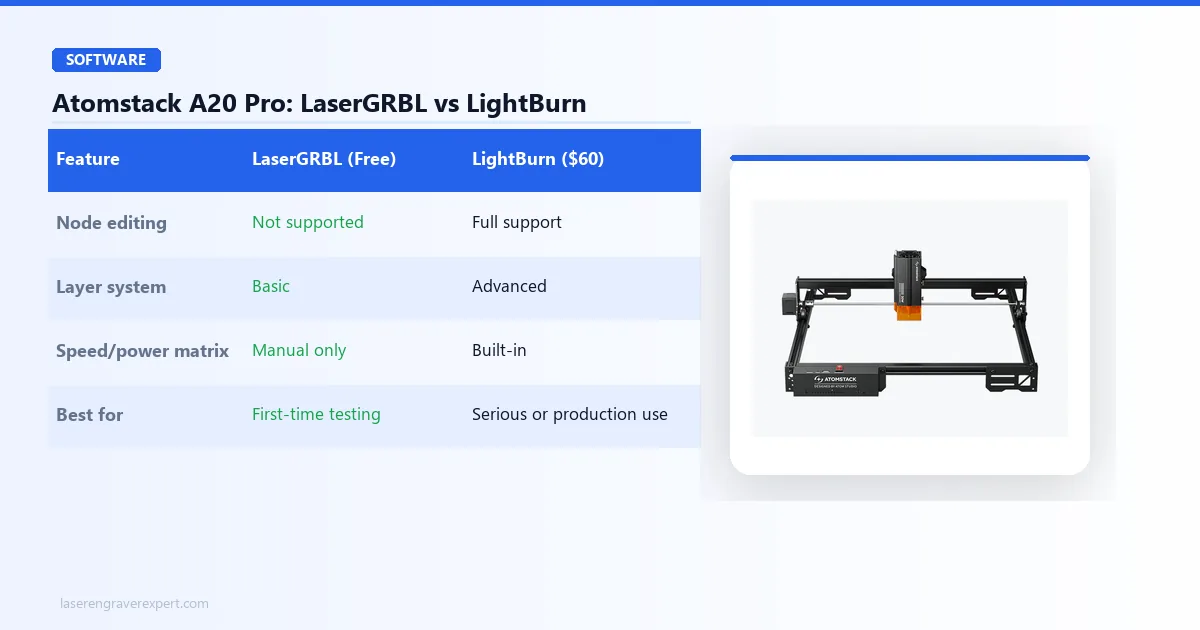
The A20 Pro ships with Atomstack’s own software and LaserGRBL support. LaserGRBL is free, open-source, and functional. If you are just starting out and want to test the machine without spending more money, it works.
If you are a complete beginner and want to spend zero extra money getting started, LaserGRBL is fine for basic engraving jobs. Once you find yourself frustrated by its limitations, usually around the time you want to cut a vector shape or do a detailed photo engrave, that is when the LightBurn upgrade makes sense.
LightBurn Compatibility
Use LightBurn . It costs $60 as a one-time license, and it changes the experience significantly. The node editing, layer system, and speed/power matrix are far more capable than anything LaserGRBL offers.
The A20 Pro is GRBL-compatible, so LightBurn setup is straightforward: select GRBL as the controller type, enter the correct bed dimensions (400×365mm), and you are running within minutes. No drivers, no Atomstack account required.
Atomstack A20 Pro Problems
I do not believe in glossing over real issues. Here are five problems worth knowing about before you order.
1. No included air assist tanks your cut quality on anything thicker than 3mm. Air assist is genuinely important for clean cutting, not a nice-to-have. Without it, you will see more charring, more passes required, and inconsistent results on harder woods. Fix: budget $25–$45 for a compatible air assist pump and nozzle at the time of purchase. The Atomstack air assist module is available on Amazon and mounts directly to the laser head.
2. Open frame means zero fume containment. Laser engraving wood and acrylic produces smoke and particulates. The A20 Pro gives you no enclosure, so fumes go wherever air currents take them. Fix: run this machine in a ventilated workspace or garage with an exhaust fan ducted outdoors. A fume extractor is a worthwhile addition for indoor use.
3. The 20W figure is a rated output on a 120W input draw: treat it as a ceiling, not a guarantee. As with any diode laser, the number on the box describes the module’s rating, not necessarily what you will see at the material surface on every job. This is standard industry practice and not unique to Atomstack. When comparing spec sheets between the A20 Pro and competitors, weigh real-world cut and engrave results over the marketing watt number.
4. Atomstack’s community and support ecosystem is smaller than xTool’s. If you get stuck troubleshooting, the Reddit communities, YouTube tutorials, and forum threads are thinner for Atomstack machines than for xTool. Atomstack’s own support is reasonably responsive by email, but if you rely on community help for settings and project tips, xTool’s ecosystem is significantly richer, which tracks with what’s generally discussed in laser cutting communities online.
5. Belt tension needs periodic adjustment. After sustained use, the belts loosen gradually. This shows up as slight positioning drift on long jobs. Fix: plan to check belt tension every 8–10 hours of operation, particularly on the Y-axis. It takes two minutes and an allen key.
Atomstack A20 Pro vs xTool D1 Pro
This is the comparison most buyers are actually making. Here is a side-by-side.
| Feature | Atomstack A20 Pro | xTool D1 Pro 20W |
|---|---|---|
| Price | $329 | ~$450–$550 |
| Laser output power | 20W | ~10–12W (optical) |
| Working area | 400×365mm | 430×390mm |
| Software | LaserGRBL / LightBurn / Atomstack App | xTool Creative Space / LightBurn |
| Air assist | Not included | Not included (add-on available) |
| Flame detection / tilt alarm | Yes | Yes |
| Community / ecosystem | Smaller | Large, well-documented |
| Warranty | 1 year | 1 year |
Price
The A20 Pro is typically $60–$130 cheaper than the D1 Pro depending on sales, at $329 versus the D1 Pro’s ~$450–$550. That gap matters if you are budget-conscious and already comfortable with LightBurn.
Build Quality
Both machines hold up well for the price class. The A20 Pro’s heavier-gauge extrusion and tight linear guides stay rigid over long jobs, on par with the D1 Pro’s reputation for a stable frame.
Software
The xTool D1 Pro review covers this in more depth, but the short version is: xTool Creative Space is a more capable beginner software than LaserGRBL, with a materials library and camera overlay the A20 Pro’s bundled app lacks. Both machines run LightBurn equally well over GRBL.
Safety
Both machines now include flame detection and tilt-alarm safety features, so that gap has closed on the V2 A20 Pro. The D1 Pro’s real advantage is ecosystem depth, not hardware safety features.
Cutting Performance
At similar optical output, cutting performance is close between the two; the A20 Pro’s missing air assist is a bigger factor in edge quality than raw wattage on either machine.
Overall Value
Atomstack also runs a coherent machine ecosystem: the Atomstack A5 Pro at the entry level, the A20 Pro in the mid-range, and the Atomstack A24 Pro at the top with included air assist. Buyers who need more cutting power can step up to the Atomstack S20 Pro review , the brand’s higher-output workshop machine.
Also worth a mention: the Sculpfun S30 Pro Max is another open-frame competitor in this class. It offers a larger 600×600mm work area at a similar price, with faster maximum speed, though it lacks the safety sensors of the D1 Pro.
The bottom line: If you are comfortable with LightBurn, primarily engraving, and want to save money, the A20 Pro is a legitimate choice. If you are a beginner who wants the best-supported machine and richer ecosystem, go with the xTool D1 Pro.
Atomstack A20 Pro Pros and Cons
Pros:
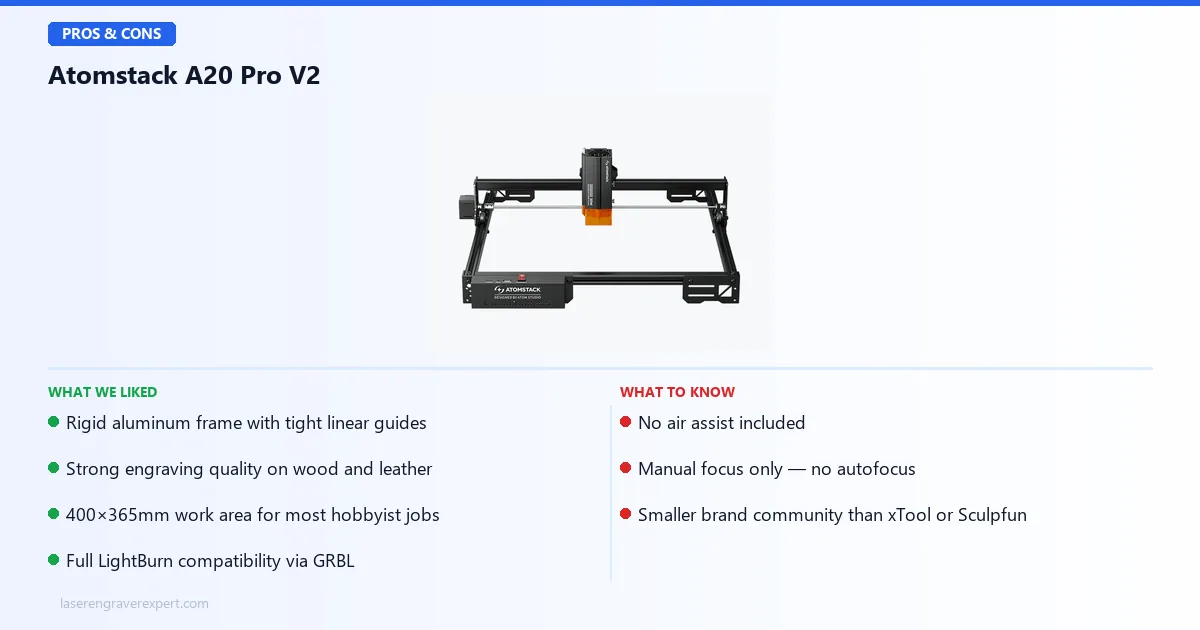
- Rigid aluminum frame with tight linear guides: no flex under load, good positioning accuracy over long jobs
- Strong engraving quality on wood and leather: fine-detail work benefits from the tight diode focal spot
- 400×365mm work area: plenty of room for most hobbyist and small-production jobs
- Full LightBurn compatibility: GRBL controller means zero friction setup with the best software in the class
Cons:
- No air assist included: cutting quality suffers without it, and it is an extra $25–$45 purchase
- Manual focus only: no autofocus, adds a setup step to every job
- Smaller brand community: fewer tutorials and settings threads than xTool or Sculpfun
The rigid frame, strong wood/leather engraving, and full LightBurn support are real strengths; the missing air assist and manual focus are the trade-offs at this price.
Atomstack A20 Pro V2
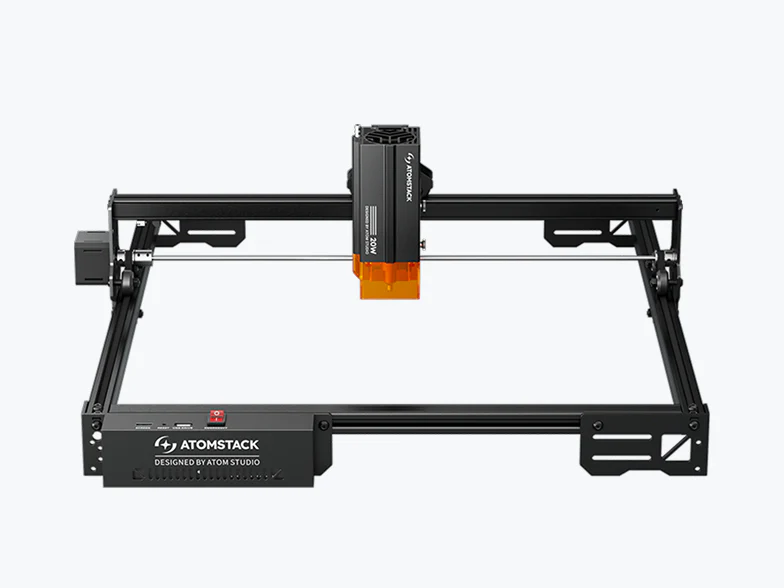
8.0/10- Rigid aluminum frame with tight linear guides
- Strong engraving quality on wood and leather
- 400×365mm work area
- Full LightBurn compatibility
- Flame detection, tip-over alarm, and Wi-Fi/app control
- No air assist included
- Manual focus only, no autofocus
- Open frame, zero fume containment
- Smaller brand community than xTool or Sculpfun
Who Should Buy the Atomstack A20 Pro?
- You are primarily engraving wood, leather, or dark acrylic and cutting is secondary
- You already use LightBurn or plan to buy it
- You want a solid 400×365mm work area and can add air assist separately
- You are upgrading from an entry-level machine like the Atomstack A5 Pro and want to stay in the Atomstack ecosystem
Who Should Skip the Atomstack A20 Pro?
Cutting thicker materials (4mm+) is a primary use case. Without included air assist, thicker cuts mean more passes and more charring. The Atomstack A24 Pro includes air assist and a honeycomb bed out of the box for exactly this workflow.
You are a beginner who needs a large support community. Atomstack’s tutorials and forums are thinner than xTool’s. The xTool D1 Pro offers a much larger community and better-documented settings for first-time buyers.
You need an enclosed machine for indoor use without ventilation infrastructure. The A20 Pro is open-frame with zero fume containment. Look at an enclosed diode machine instead if you cannot set up outdoor ventilation.
Atomstack A20 Pro Review: Final Verdict
The Atomstack A20 Pro (V2) is a well-built mid-range open-frame diode engraver that delivers on its core promise. Engraving quality on wood and leather is strong, the frame is rigid, and the 400×365mm bed gives you practical working room. At $329, you are getting a capable machine with flame detection, tip-over protection, and Wi-Fi/app control in a package that assembles cleanly and runs reliably.
What it is not is a complete out-of-the-box cutting solution. The missing air assist is a real omission at this price point. Atomstack clearly made a cost decision there, and it is one that will frustrate buyers who did not account for the extra purchase. If cutting is more than 30% of what you plan to do, budget an extra $35 for the air assist pump before you order, or seriously look at the A24 Pro instead, which includes it.
Compared to the xTool D1 Pro , the A20 Pro is the better value pick if you already know what you are doing. The D1 Pro is the better choice if you want a richer ecosystem and built-in safety features. If you are exploring everything under $500, the best laser engraver under $500 guide covers the full field.
I would rate it 8.0/10. It loses points for the missing air assist, the absent safety sensors, and the thin community support relative to competitors. It earns those 8 points for build quality, engraving performance, LightBurn compatibility, and genuine value at this price. For the right buyer (someone who engraves more than cuts, already uses LightBurn, and has a ventilated workspace), this is a solid machine.
Ready to buy?
Check Current Price on Amazon →