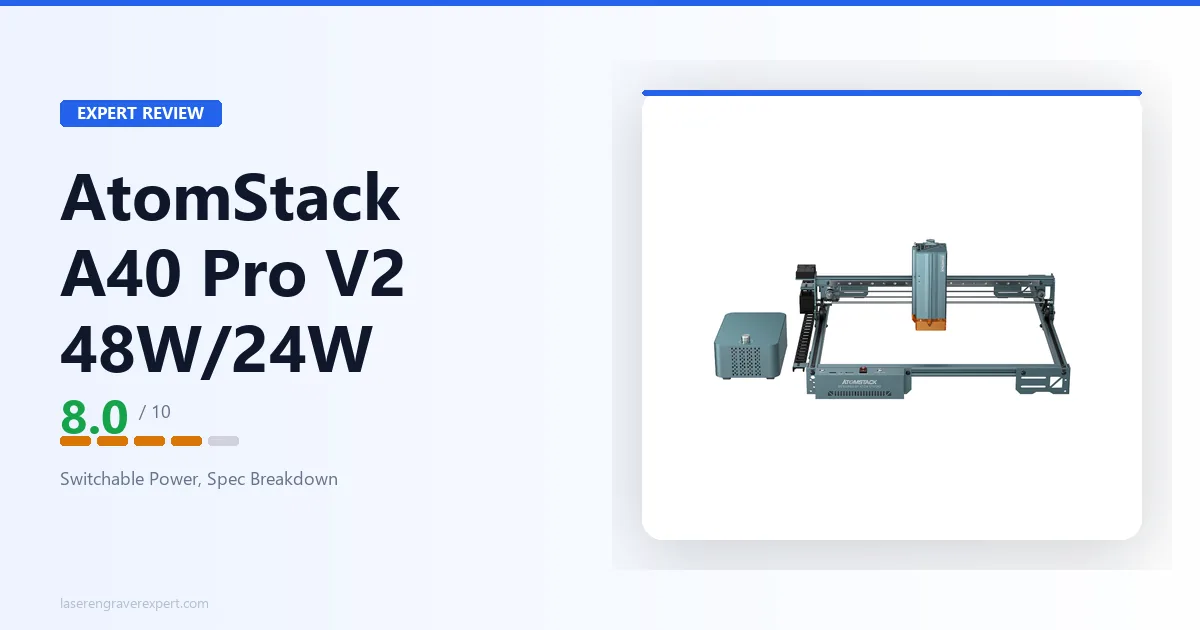
This AtomStack A40 Pro V2 review looks at where the switchable-power member of AtomStack’s open-frame A-series fits: a one-switch 48W/24W diode laser paired with a 385 × 400mm work area, a rated top speed of up to 500mm/s, and built-in auto focus and air assist. It is a higher-power open-frame engraver rather than an entry machine, and this review covers what that switchable power and mid-size bed actually get you, how it compares to AtomStack’s A24 Pro and A20 Pro V2 siblings, and who should buy it.
This article contains affiliate links. If you purchase through our links, we may earn a commission at no extra cost to you.
Check Current Price on Amazon →
AtomStack A40 Pro V2 Specs at a Glance
| Specification | Value |
|---|---|
| Laser Type | Diode (blue, open-frame A-series) |
| Optical Output Power | Switchable 48W / 24W |
| Spot Size | 0.08 × 0.1mm |
| Work Area | 385 × 400mm |
| Max Engraving Speed | Up to 500mm/s |
| Autofocus | Built-in auto focus |
| Air Assist | Built-in (listing bundles F60 Air Assist Kit) |
| Enclosure | No (open frame) |
| Safety Features | Limit switches, flame detection |
| Laser Wavelength | Not listed |
| Safety Class | Not listed |
| Camera | Not listed |
| Connectivity | Not listed |
| Compatible Software | Not listed (LightBurn not confirmed) |
| Supported File Types | Not listed |
| Machine Dimensions | Not listed |
| Weight | Not listed |
| Certifications | Not listed |
| Configurations | Machine Only, Basic, Extension, Pro, All-in-1 bundles (US & EU plug) |
| Warranty | 12-month |
| Availability | In stock (US machine-only + some bundles; several EU/bundle configs unavailable) |
Check Current Price on Amazon →
A word on what’s in that table. AtomStack does not publish a full structured spec sheet for the A40 Pro V2, so this review is built on the figures AtomStack does state plainly: a switchable 48W/24W laser, a 0.08 × 0.1mm spot size, a 385 × 400mm bed, a rated top speed of up to 500mm/s, built-in auto focus and air assist, and safety features in the form of limit switches and flame detection. Where a figure is not published, this review marks it Not listed rather than guessing. Laser wavelength, safety class, camera, connectivity, the exact software path, certifications, machine dimensions, and weight all fall into that category. If a specific one of those is decision-critical for you, confirm it against AtomStack’s current listing for this exact model before buying.
What the AtomStack A40 Pro V2 Is For
The A40 Pro V2’s position in AtomStack’s range is set by two things: it’s an open-frame machine, and it’s built around a switchable 48W/24W laser. Put those together and the picture is clear. This is a higher-power engraver and cutter for makers who want real diode cutting headroom in the familiar, affordable open-frame format, rather than stepping up to an enclosed or large-format machine.
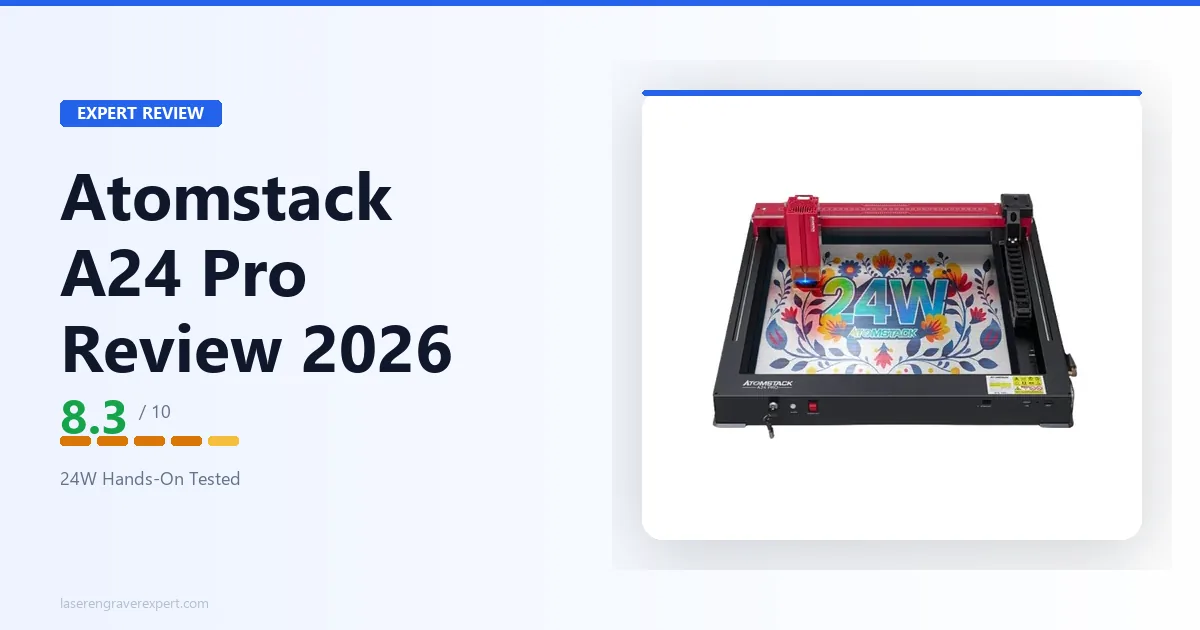
Most of AtomStack’s open-frame engravers, including the A20 Pro V2 and the A24 Pro , live in the 20–24W optical class aimed at engraving-first hobby use with light-to-moderate cutting. The A40 Pro V2 roughly doubles the headline power with its 48W mode, which changes what the machine is comfortable doing: thicker stock, fewer passes, and faster cutting on the same material.
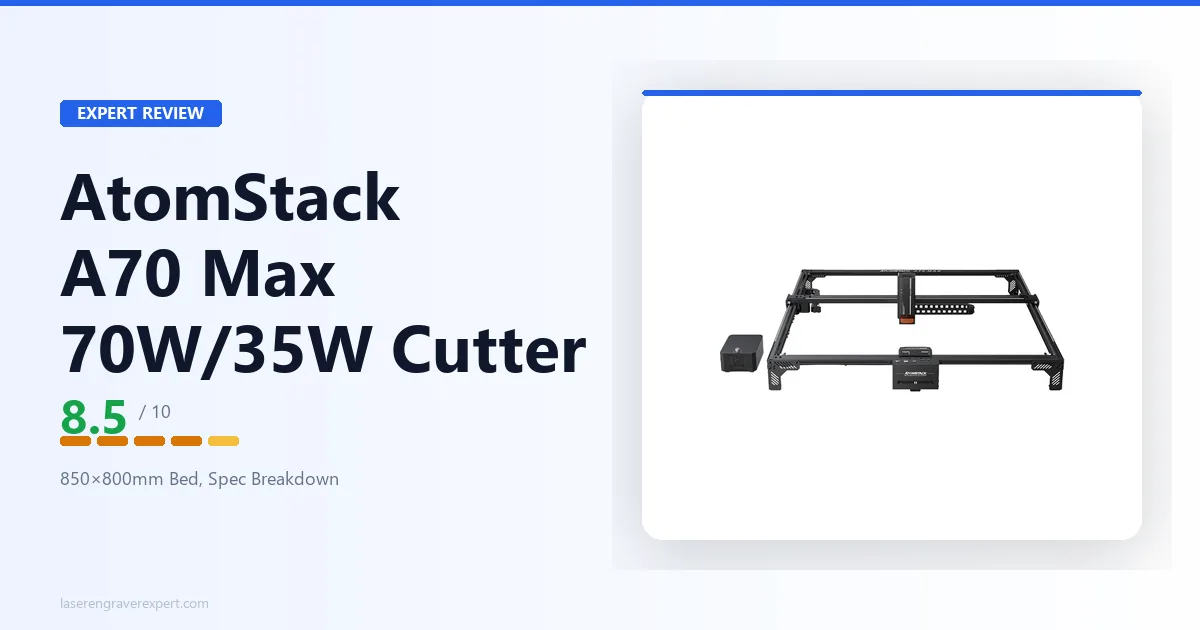
The switchable power is the heart of the design. The 48W mode is for aggressive cutting: denser or thicker wood, more cut-through in a single pass, better throughput on production runs. The 24W mode drops to a finer, lower-heat beam better suited to detailed engraving, photo work, and delicate linework where too much power scorches or over-burns. You move between the two from the machine rather than swapping a hardware module, so a single engraver covers both heavy cutting and fine detail. It’s the same switchable-power concept AtomStack uses on its large-format A70 Max (70W/35W), scaled down to a desktop-class open-frame bed.
What rounds out the workflow:
- A 385 × 400mm work area, a mid-size open-frame bed that handles plaques, signage, trays of smaller items, and mid-size cutting jobs without re-registering material.
- Built-in auto focus, which removes one of the most repetitive friction points on open-frame machines: re-setting focus by hand at every material-thickness change.
- Built-in air assist, bundled in this listing with AtomStack’s F60 Air Assist Kit, for cleaner cut edges and less charring.
- Safety features: limit switches and flame detection, sensible inclusions on a higher-power open-frame machine.
AtomStack A40 Pro V2 in the AtomStack Lineup
The most useful way to understand the A40 Pro V2 is by where it sits relative to its siblings.
| AtomStack A24 Pro | AtomStack A40 Pro V2 | AtomStack A70 Max | |
|---|---|---|---|
| Laser power | 20–24W optical | Switchable 48W / 24W | Switchable 70W / 35W |
| Work area | 365 × 305mm | 385 × 400mm | 850 × 800mm |
| Max speed | 600mm/s | Up to 500mm/s | Up to 400mm/s |
| Autofocus | No | Built-in auto focus | One-key auto focus |
| Air assist | Not listed | Built-in | Built-in |
| Enclosure | Open frame | Open frame | Open frame |
| Best for | Hobby engraving/cutting | Higher-power desktop cutting | Large-format & production |
The A24 Pro and A20 Pro V2 are the machines many AtomStack buyers start with: capable 20–24W open-frame diode engravers at budget-friendly prices, with smaller beds aimed at hobby engraving and light cutting. The A40 Pro V2 is a step up in the same family, not a different kind of machine. You’re paying for more diode power and a larger bed, in the same open-frame format.
At the other end, the A70 Max is the large-format production machine: a far bigger 850 × 800mm bed and a switchable 70W/35W laser for full-sheet cutting and batch work. The A40 Pro V2 sits comfortably between those tiers: more power and bed than the hobby engravers, far less footprint and investment than the large-format cutter.
Two honest points stand out in that comparison. First, the A24 Pro is rated to a higher top engraving speed (600mm/s vs up to 500mm/s). On pure raster-engraving throughput for a fixed design, the smaller, lower-power machine can actually move faster; the A40 Pro V2’s advantage is cutting power and bed area, not top line speed. Second, and more important for buyers who care about documentation: AtomStack publishes a much more complete spec sheet for the A24 Pro (wavelength, spot size, certifications, materials all stated) than it does for the A40 Pro V2, where several decision-critical fields are simply not published.
AtomStack A40 Pro V2 Materials and Cutting Capability
As a blue-diode laser, the A40 Pro V2 follows the same material rules as the rest of the diode category, just with more power behind them than a 20–24W machine.
Where the 48W mode earns its place is cutting. More optical power means thicker stock in fewer passes and faster cutting on the same material. Wood, plywood, MDF, leather, card, and dark or opaque acrylics are all well within the diode-friendly range, and the extra headroom over a 20–24W engraver is exactly what you want if your work leans toward cutting rather than surface engraving. AtomStack does not publish a specific maximum cut thickness for the A40 Pro V2 in the available data, so this review won’t quote a hard “cuts Xmm wood in one pass” figure, but a switchable 48W diode sits near the top of the open-frame diode class for cutting capability.
Where the 24W mode comes in is fine engraving. Dropping to the lower-power setting gives a cooler, more controllable beam for detailed work, photo engraving, fine linework, and delicate contrast, where full power would over-burn. Combined with the stated 0.08 × 0.1mm spot size, the lower-power mode is where the machine does its precision work. Being able to switch without swapping hardware is the practical win.
The hard limits are the same as every diode laser. Clear acrylic does not cut cleanly on any diode: the blue-diode wavelength passes through clear material rather than being absorbed, regardless of wattage. Glass engraving is outside the diode range, and a diode cannot mark bare metal the way a fiber or IR laser can. If clear acrylic, glass, or direct bare-metal work is central to your projects, a diode isn’t the right tool: a CO2 machine handles clear acrylic and glass, and a fiber or IR machine handles bare metal. Our best CO2 laser engraver guide covers the step across for buyers who need those capabilities.
One honest caveat on materials: AtomStack doesn’t publish a detailed material-compatibility list or recommended settings for the A40 Pro V2 in the available information. The categories above follow from it being a high-power blue diode, which is a well-understood laser type, but for any unusual material, confirm suitability before committing a project to it.
AtomStack A40 Pro V2 Workflow: Auto Focus, Air Assist, and Safety
For an open-frame machine at this power level, the workflow features matter as much as raw watts, and the A40 Pro V2 includes the three that make the biggest day-to-day difference.
Built-in auto focus is the standout convenience. On an open-frame machine without it, such as the A24 Pro, you re-set focus by hand at every material-thickness change, which gets tedious fast when you’re batching mixed-thickness jobs. Auto focus addresses that directly and speeds up setup between jobs. (AtomStack states “auto focus” but doesn’t publish the focusing mechanism or ranging precision, so those specifics are Not listed.)
Built-in air assist is the right inclusion on a cutting-capable machine, and this listing bundles AtomStack’s F60 Air Assist Kit. Air assist clears smoke and debris from the cut line, which improves edge quality and reduces charring, and matters more the more cutting you do. Having it built in rather than as a separate purchase is appropriate given the machine’s cutting focus, though because AtomStack sells the A40 Pro V2 in several bundle tiers, you should confirm exactly which air-assist and accessory components come with the specific configuration you’re buying.
Safety features include limit switches and flame detection. Flame detection is a genuinely useful safeguard on a higher-power machine that will be cutting combustible materials like wood, and limit switches protect the motion system. As with any open-frame laser, though, these are complements to proper practice, not a substitute for it: you still need eye protection, active supervision, and a fire-safe setup.
What the published information doesn’t detail is connectivity and the exact software path. AtomStack’s open-frame machines are generally LightBurn-friendly, and most buyers at this level will want to run LightBurn, but the A40 Pro V2’s specific controller and confirmed software list aren’t published in the available data. If LightBurn is a hard requirement, confirm it for this exact model before purchase rather than assuming it carries over from other AtomStack machines.
The Open-Frame Trade-Off
The A40 Pro V2 is an open-frame machine, and that format decision deserves an honest section because it’s the single biggest thing to weigh before buying.
Open frame is why machines like this cost less than enclosed equivalents, and it’s also why they ask more of your workspace. There’s no enclosure to contain fumes, no sealed body to block stray laser light, and no door interlock. Cutting wood, leather, and acrylic produces smoke and fine particulate that must be vented outside or run through a filtration setup, and the beam path is exposed, so laser-rated eye protection and keeping people and pets clear of the work area are non-negotiable.
Flame detection, which the A40 Pro V2 includes, is a meaningful safeguard here, but it doesn’t change the fundamentals: an open-frame cutting laser needs a ventilated, fire-safe space and active supervision while it runs. If you have a garage, workshop, or a room you can properly ventilate, an open-frame machine like this delivers more cutting power per dollar than an enclosed one. If you need to run a laser in a shared living space, a classroom, or anywhere the uncontained fumes and beam would be a problem, an enclosed machine is the better fit, even though it costs more for comparable power.
This isn’t a knock on the A40 Pro V2 specifically: it’s the open-frame trade-off that applies to the whole A-series, including the A24 Pro and A20 Pro V2. The point is simply to buy it with eyes open about what the format requires.
AtomStack A40 Pro V2 Pros and Cons
Pros:
- Switchable 48W/24W laser covers aggressive cutting and fine engraving from a single machine, no module swap.
- Meaningful diode cutting headroom over AtomStack’s 20–24W open-frame engravers.
- 385 × 400mm mid-size bed suits plaques, signage, trays of items, and mid-size cutting jobs.
- Built-in auto focus and air assist (listing bundles the F60 Air Assist Kit) streamline real-world workflow.
- Flame detection and limit switches are sensible safety inclusions on a higher-power open-frame machine.
Cons:
- Open frame: no fume or beam containment out of the box, so a ventilated, fire-safe workspace is required.
- AtomStack publishes very little structured spec detail: wavelength, software/LightBurn, connectivity, certifications, dimensions, and weight are all unconfirmed.
- Rated top engraving speed (up to 500mm/s) trails some smaller AtomStack siblings whose strength is raster speed.
- Clear acrylic, glass, and bare metal are off the table (diode-laser limitations).
The switchable power, cutting headroom, and bundled workflow features are the real strengths; the open frame and the thin published spec detail are the trade-offs to weigh.

AtomStack A40 Pro V2
8.0/10- Switchable 48W/24W laser: aggressive cutting and fine engraving from one machine
- More diode cutting headroom than AtomStack's 20–24W open-frame engravers
- 385×400mm mid-size bed for plaques, signage, and mid-size cutting
- Built-in auto focus and air assist (listing bundles the F60 Air Assist Kit)
- Flame detection and limit switches for safer open-frame operation
- Open frame: no fume or beam containment out of the box
- Very little published spec detail: wavelength, software, connectivity unconfirmed
- Rated top speed (up to 500mm/s) trails some smaller siblings
- Clear acrylic, glass, and bare metal are off the table (diode limitations)
AtomStack A40 Pro V2 vs AtomStack A24 Pro
The most natural in-brand comparison is against the AtomStack A24 Pro , the open-frame engraver many buyers would be stepping up from.
These are machines for overlapping but different jobs. The A24 Pro is a hobby-focused open-frame engraver: a 20–24W module, a 365 × 305mm bed, and a budget-friendly price that fits a first or second laser. It’s ideal for coasters, plaques, signs, and cutting up to mid-thickness plywood in a home workshop. The A40 Pro V2 is a power-and-bed step up: the switchable 48W mode cuts more aggressively than 24W, and the 385 × 400mm bed handles larger pieces.
Two things cut the other way, though, and both favor the A24 Pro for the right buyer. First, the A24 Pro is rated to a higher top engraving speed (600mm/s vs up to 500mm/s), so for small-format, speed-sensitive raster engraving, the cheaper machine may genuinely suit better. Second, and more significant: AtomStack publishes a far more complete spec sheet for the A24 Pro: wavelength, spot size, certifications, and a detailed cutting-capacity rating are all stated, where the A40 Pro V2’s equivalent fields are unpublished.
Decision framework: if your work is cutting-heavy or involves larger pieces and you want the extra diode power, the A40 Pro V2 is the step up. If you’re engraving-first, budget-sensitive, or you need every spec confirmed before buying, the better-documented A24 Pro remains the smarter choice.
AtomStack A40 Pro V2 vs AtomStack A20 Pro V2
The AtomStack A20 Pro V2 is the other obvious sibling comparison, and it tells a similar story from the entry end of the range.
The A20 Pro V2 is a 20W open-frame diode engraver with a 400 × 365mm bed, manual focus, and a well-documented spec sheet (AtomStack publishes its wavelength, spot size, certifications, and feature set in detail). It’s an engraving-first machine with light-to-moderate cutting capability, aimed at hobbyists who want a capable, affordable open-frame laser.
The A40 Pro V2 shares the same open-frame DNA and a similar-size bed, but adds two things the A20 Pro V2 lacks: roughly double the headline power in its 48W mode, and built-in auto focus (the A20 Pro V2 uses manual focus). If your bottleneck on a 20W machine is cutting, thicker stock taking too many passes, or too much manual re-focusing between jobs, those are exactly the pain points the A40 Pro V2 addresses.
The same documentation caveat applies here as with the A24 Pro: the A20 Pro V2 is the better-specified machine on paper. For buyers who want maximum confidence in published numbers, that’s a point in the A20 Pro V2’s favor; for buyers who prioritize cutting power and auto focus, the A40 Pro V2 is the upgrade.
Who Should Buy the AtomStack A40 Pro V2?
The maker who has outgrown a 20–24W engraver on cutting. If your projects have shifted from surface engraving toward cutting thicker wood, plywood, and dark acrylic, and a 20–24W machine is taking too many passes, the switchable 48W mode is the headroom you’re after, in a format you already know.
The buyer who wants one machine for both cutting and fine engraving. The switchable 48W/24W laser is the whole pitch: heavy cutting at full power, cooler and finer engraving at half power, from a single machine without swapping hardware. If your work mixes both, that flexibility is genuinely useful.
The hobbyist or small workshop with a ventilated space. As an open-frame machine, the A40 Pro V2 delivers more cutting power per dollar than an enclosed equivalent, as long as you can supply proper ventilation and a fire-safe setup. If you’re building toward a laser-based business, our best laser engraver for small business guide covers how an open-frame machine like this fits alongside enclosed and CO2 options.
Who Should Skip the AtomStack A40 Pro V2?
Anyone without a ventilated, fire-safe workspace. This is an open-frame cutting laser. Fumes, particles, and the beam path are uncontained, and it needs active supervision while it runs. If you can’t ventilate properly or can’t supervise, an enclosed machine is the safer choice.
Buyers who need clear acrylic, glass, or bare metal. As a diode laser, the A40 Pro V2 can’t cut clear acrylic, can’t engrave glass, and can’t mark bare metal. If any of those is central to your work, go CO2 (clear acrylic and glass) or fiber/IR (bare metal) instead; see our best CO2 laser engraver guide for the clear-acrylic path.
Engraving-first, speed-sensitive, or budget-focused buyers. If your work is small-format raster engraving where top speed matters, or you simply want maximum value, the A24 Pro or A20 Pro V2 deliver strong engraving performance for less, and the A24 Pro is rated faster on top speed.
Buyers who need every spec confirmed up front. AtomStack publishes very little structured spec detail for the A40 Pro V2. If you require published wavelength, certified software compatibility, dimensions, and weight before committing, either confirm those directly with AtomStack for this exact model first, or choose a better-documented machine like the A24 Pro or A20 Pro V2.
AtomStack A40 Pro V2 Review: Final Verdict
The AtomStack A40 Pro V2 is a focused machine with a clear pitch: a higher-power open-frame diode engraver and cutter, built around a switchable 48W/24W laser, for makers who want more cutting headroom than a 20–24W machine without changing format.
Here’s how to think about it. If your work leans toward cutting, if you want one machine that does both aggressive cutting and fine engraving via the power switch, and if you have a ventilated, fire-safe space for an open-frame laser, the A40 Pro V2 is built for exactly that combination. The switchable power, the 385 × 400mm bed, and the built-in auto focus and air assist are the features that justify stepping up from a hobby engraver.
Where it asks something of you: it’s open frame, so ventilation and safe practice are on you, and AtomStack publishes so little structured spec detail that spec-sensitive buyers will need to confirm key numbers directly before buying. Several fields, wavelength, software, connectivity, certifications, dimensions, and weight, are simply unpublished in the available data, and this review marks them Not listed rather than guessing.
Rating: 8.0/10. A solid higher-power open-frame diode for makers who want the cutting headroom and the switchable-power flexibility, held back from a higher score mainly by the thin published spec detail rather than by the hardware itself.
Ready to buy?
See the AtomStack A40 Pro V2 on Amazon →Still mapping out the right machine for a growing workflow? Our best laser engraver for small business roundup and best CO2 laser engraver guide cover the full field of open-frame, enclosed, and CO2 options, and our AtomStack A24 Pro review and AtomStack A20 Pro V2 review cover the lower-power siblings in the same brand.