This review contains affiliate links. If you purchase through our links, we may earn a commission at no extra cost to you.
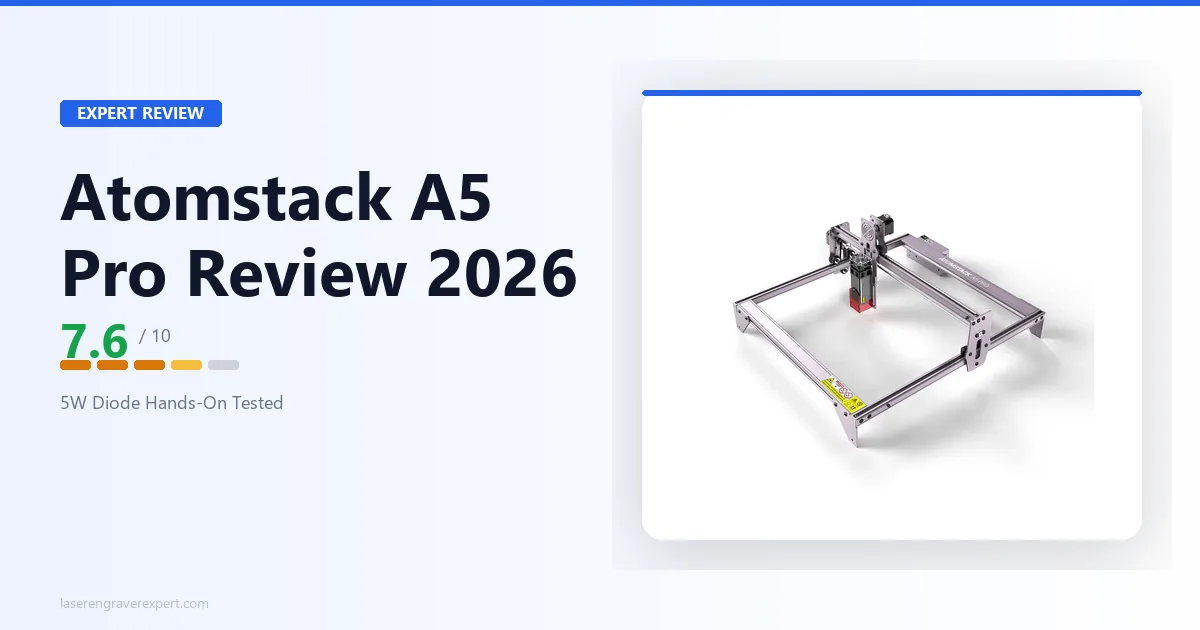
This Atomstack A5 Pro review (sometimes searched as “Atom Stack A5”) pulls together Atomstack’s specs and expected results across six material categories for this open-frame 5–5.5W diode laser engraver — what it engraves well on wood, leather, and cardboard, where its fixed-focus lens and low optical output fall short, and how it compares to the Sculpfun S9 and Ortur Laser Master 3 .
Atomstack A5 Pro Specs
| Specification | Value |
|---|---|
| Laser Type | Blue Diode, 455±5nm |
| Laser Module Power | 40W |
| Optical Output Power | 5–5.5W |
| Spot Size | ~0.2mm² |
| Work Area | 410 × 400mm |
| Engraving Accuracy | 0.01mm |
| Focusing Method | Fixed focus |
| Controller | GRBL |
| Software | LaserGRBL (free), LightBurn ($60) |
| Enclosure | None (open frame, all-aluminum anodized) |
| Air Assist | Not included |
| Machine Dimensions | 570 × 600 × 270mm |
| Net Weight | 3.43kg |
| Price | $279 |
The Atomstack A5 Pro is a GRBL-based open-frame diode laser. That sentence tells you almost everything important. GRBL means broad software compatibility — both LaserGRBL (free) and LightBurn ($60 license) work with it natively. Open frame means no built-in fume management, no light containment, and no protection from the laser beam beyond whatever glasses you are wearing.
Atomstack now markets this machine as the “A5 Pro 40W,” but that number refers to the laser module’s rated power draw, not what reaches the material. The actual optical output is 5–5.5W — what you get at the material surface — which is enough for engraving, not enough for serious cutting. See our diode vs CO2 vs fiber laser guide if you want the full breakdown of what these numbers mean in practice.
What Can the Atomstack A5 Pro Actually Do?
Material Compatibility at a Glance
| Material | Verdict | Notes |
|---|---|---|
| Basswood, plywood, MDF | Handles well | Clean engraving at moderate speeds |
| Leather | Handles well | Good depth and contrast with the right settings |
| Cardboard, paper | Handles well | Almost trivially easy at this wattage |
| Thin wood (2–3mm) | Cuts, with limits | Multiple passes, some edge charring |
| Wood 5mm+ | Not practical | Too many passes, heavy charring |
| Anodized aluminum | Marginal | Requires Cermark; text/simple logos only |
| Clear acrylic | Cannot do | Wavelength issue — no diode laser can cut it |
| Stone, glass | Cannot do natively | Requires CO2 wavelength |
Materials It Handles Well
The Atomstack A5 Pro is a capable engraver for porous and dark materials. Wood is its strongest category — basswood, plywood, and MDF all respond cleanly at moderate speeds. Leather engraves well with the right settings. Cardboard and paper are almost trivially easy.
For context on where this fits in the broader material picture, our laser engraver vs Cricut comparison covers exactly this kind of workflow question — when a laser outperforms a cutting machine and when it does not.
One thing the Atomstack A5 Pro does that smaller machines cannot: the 410 × 400mm work area lets you engrave full-size cutting boards, large plaques, or multiple small items in a single job. That is a real advantage at this price point, and most reviewers gloss over it.
Limitations
Cutting is where the Atomstack A5 Pro runs into the wall of physics. At 5W optical output, you are dealing with a machine that struggles to cut anything thicker than 2–3mm cleanly. Forget 6mm birch plywood — that requires many passes and produces heavily charred, rough edges. If cutting is a priority in your workflow, check out our best laser cutter for beginners guide instead.
The fixed-focus lens is a real limitation. Unlike machines with adjustable focus or autofocus, the Atomstack A5 Pro requires your material to be precisely at the calibrated focal distance. Slight warping in a sheet of plywood — which is common — results in noticeably softer engraving lines across the board. You can buy a focus block to help, but it adds a step to every job.
Anodized aluminum engraving is technically possible with Cermark marking compound, but results are inconsistent at 5W. Clear acrylic cannot be cut by any diode laser regardless of wattage — this is a wavelength issue, not a power issue. Stone and glass require CO2 wavelengths to engrave natively.
Atomstack A5 Pro Engraving Performance
Safety note before we go further: The Atomstack A5 Pro is an open-frame laser, and its beam is a Class 4 hazard that will damage your eyes and skin without proper protection. You must wear OD5+ 450nm laser safety glasses while the machine is running.
You also need adequate ventilation — fumes from burning wood and leather contain compounds you do not want to breathe. A window fan exhausting to outside is the minimum; a proper fume extractor is better. Do not skip this.
Recommended Settings Summary
| Material | Settings | Result |
|---|---|---|
| 3mm basswood (engrave) | 200mm/s, 60% power | Clean tone separation, minimal charring |
| 3mm birch plywood (cut) | 150mm/s, 100% power, 3 passes | Cut through, moderate edge charring |
| Vegetable-tanned leather | 300mm/s, 50% power | Clean, sharp engraving |
| Cardboard (cut) | 500mm/s, 30% power | Clean cut, no scorching |
| Paper (cut) | 500mm/s, 15% power | Clean stencil-quality cut |
| Anodized aluminum (with Cermark) | 200mm/s, 100% power | Usable but soft on fine detail |
Plywood & Basswood
This is where the Atomstack A5 Pro performs best. Running the standard 100-step grayscale gradient test at 200mm/s, 60% power should give clean tone separation, good contrast, and minimal charring on the perimeter. Dropping to 150mm/s at 80% power should produce deeper engraving with a slight brown tint on pale wood, which most buyers actually prefer for the contrast.
On 3mm birch plywood at 100% power, 150mm/s, expect the Atomstack A5 Pro to cut through in 3 passes with moderate edge charring. Interestingly, two-pass cuts at 80mm/s tend to produce worse results than three faster passes — counterintuitive, but a consistent pattern with this laser type. For dedicated wood engraving and cutting projects, see our best laser engraver for wood roundup for context on where the Atomstack A5 Pro sits in that field.
Leather
Vegetable-tanned leather at 3mm thickness: 300mm/s, 50% power should give clean, sharp engraving with good depth. Pushing to 400mm/s at 70% should produce a slightly shallower result but faster throughput — acceptable for text logos and simple designs.
Chrome-tanned leather performs similarly in terms of engraving quality, but produces significantly more fumes due to the chromium compounds in the tanning process. If you are working with chrome-tanned leather, ventilation becomes non-negotiable. For a full breakdown of leather-specific laser considerations, see our best laser engraver for leather guide.
Cardboard & Paper
At 500mm/s, 30% power, expect the Atomstack A5 Pro to cut through standard cardboard cleanly without scorching. Paper at 500mm/s, 15% power should cut well for stencils or paper art projects. These are the materials where 5W is more than enough — you are actually dialing the power down to avoid burning through too aggressively.
This category is a strong fit for the price. If you make paper templates, cardboard prototypes, or craft stencils, the Atomstack A5 Pro should handle these tasks with no issues.
Anodized Aluminum (With Cermark)
With Cermark spray applied (the marking compound that makes anodized aluminum reactive to a diode laser), expect to use settings around 200mm/s, 100% power. Results should be usable — text and simple logos come out legible with decent contrast — but the quality ceiling is noticeably lower than what a 20W machine produces on the same material. Fine details at small font sizes (below 8pt) tend to fill in or blur.
If anodized aluminum marking is important to your workflow, the 5W output is marginal. It works for simple tags and labels. It is not the right tool for high-resolution logo engraving on metal.
What Doesn’t Work
Clear acrylic is not happening at any diode wavelength, regardless of wattage. Slate is technically possible but expect to need 5–6 passes at 100% power for results that a 20W machine achieves in one pass — not practical. Glass produces no result without a CO2 wavelength.
Ceramic tile with black paint masking at 100% power, 100mm/s tends to come out patchy and inconsistent — not a use case worth recommending for the Atomstack A5 Pro.
Atomstack A5 Pro Software
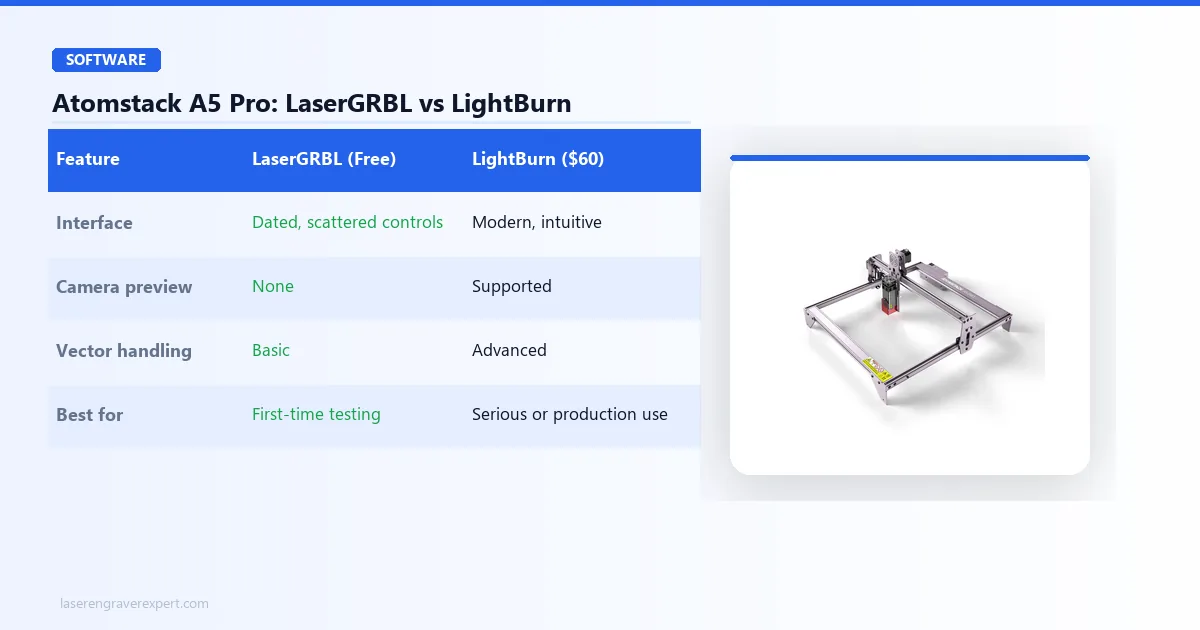
LaserGRBL
LaserGRBL runs on Windows only (no Mac support) and is legitimately free. Setup with the Atomstack A5 Pro is straightforward: connect via USB, select the COM port, set the baud rate to 115200, and you are running. The software handles basic image engraving and simple vector cutting — more than enough for a beginner testing the waters.
The interface is not intuitive by modern standards. Controls are scattered, there is no camera preview, and the workflow for importing images requires manual dithering selection. For engraving photos, Floyd-Steinberg dithering at 254 DPI should give the best tonal results on basswood.
LightBurn Compatibility
Yes, without any hacks or workarounds. The Atomstack A5 Pro’s GRBL controller is on LightBurn’s supported devices list. You connect the same way — USB, same COM port — and LightBurn auto-detects the machine profile.
LightBurn costs $60 as a one-time license. At $279 for the machine, that adds roughly 20% to your total outlay. Whether it is worth it depends on how seriously you take the hobby. The common pattern is starting with LaserGRBL, hitting its limitations around month two (usually when you want to engrave a photo with real tonal depth or start doing vector work), and then buying the LightBurn license. If you already know you are going to use LightBurn, just factor the $60 in upfront.
Atomstack A5 Pro vs Sculpfun S9: Which Budget Laser Wins?
These two machines used to be the most-compared pair in the sub-$150 budget category — but that comparison has changed. Here’s how the Sculpfun S9 and Atomstack A5 Pro stack up on specs and expected performance.
| Feature | Atomstack A5 Pro | Sculpfun S9 |
|---|---|---|
| Laser Power | 5–5.5W optical | 5.5W optical |
| Work Area | 410 × 400mm | 410 × 420mm |
| Air Assist | Not included | Not included |
| LightBurn Support | Yes (GRBL) | Yes (GRBL) |
| Fixed Focus | Yes | Yes |
| Price | $279 | ~$100–$140 |
| Best For | First-touch engraving on wood/leather | Similar; slight edge on engraving quality, at roughly half the price |
On paper, the hardware is nearly identical. On price, it is not — and that changes the recommendation.
When to Choose the Atomstack A5 Pro
Honestly, the case for the Atomstack A5 Pro over the S9 is much weaker now than it used to be. At $279 versus the S9’s $100–$140 for essentially the same optical output and work area, you would need a specific reason to pick the Atomstack A5 Pro — a steep sale price, a bundle deal, or a strong preference for Atomstack’s community and support over Sculpfun’s.
The Atomstack A5 Pro does have slightly stronger community documentation on LaserGRBL forums and Facebook groups — not because it is a better machine, but because it has been on the market longer. For a beginner who is going to need help troubleshooting, that community depth has some value, but it does not close a $140–$180 price gap on its own.
When the Sculpfun S9 Is the Better Buy
Almost always, at current pricing. The S9 has slightly better out-of-box assembly instructions and a marginally cleaner laser module design in the current production version. At roughly half the Atomstack A5 Pro’s price for the same core capability, it is the more sensible buy for nearly every budget-conscious beginner.
Neither machine competes with the Ortur Laser Master 3 review or ACMER S1 review at their respective price points — those machines offer more capability for a comparable or lower price. If you are looking at the Atomstack A5 Pro’s $279 price tag, it is worth cross-shopping the LM3’s 10W module at $329.99 first, since it delivers roughly double the optical output for not much more money.
Atomstack A5 Pro Pros and Cons
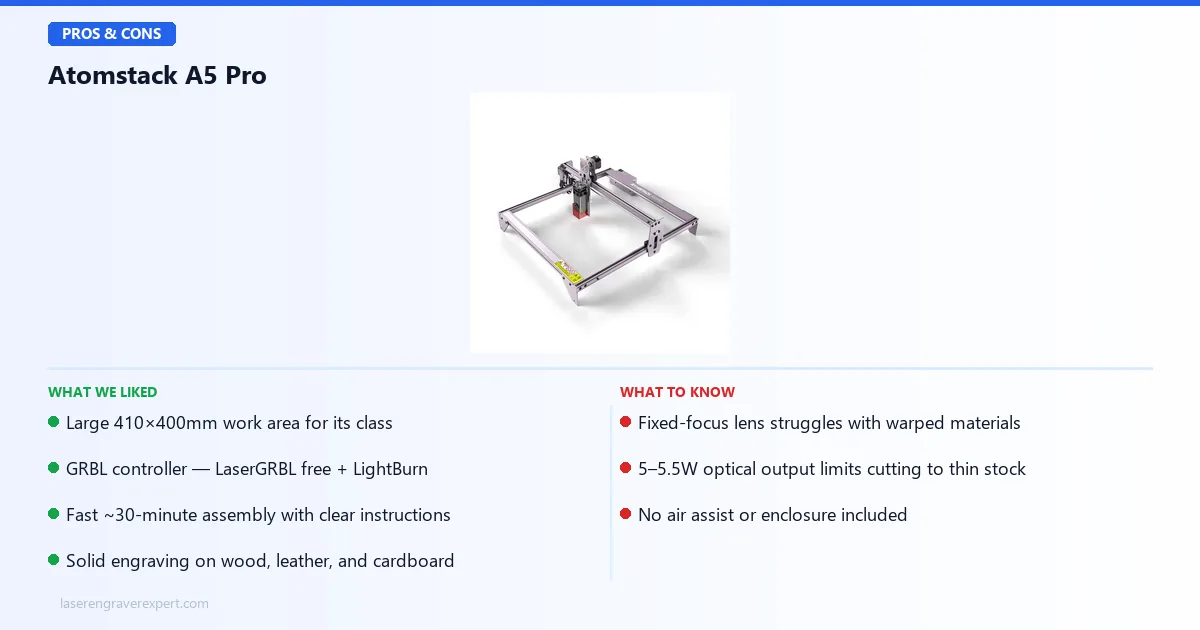
Pros:
- 410 × 400mm work area — genuinely large for this class of machine
- Fast, clean assembly — around 30 minutes per Atomstack’s own estimate, with no missing parts
- GRBL controller means LaserGRBL and LightBurn both work natively, with no vendor lock-in
Cons:
- Fixed-focus lens drifts on warped or uneven materials, adding setup time to every job
- No cutting capability beyond thin stock — struggles past 3mm, cannot handle 5mm
- No safety features beyond the power button — no flame detection, no tilt sensor, no automatic shutoff
The work area and GRBL flexibility are real strengths, but the fixed focus and thin cutting ceiling are the trade-offs you are accepting at this price.
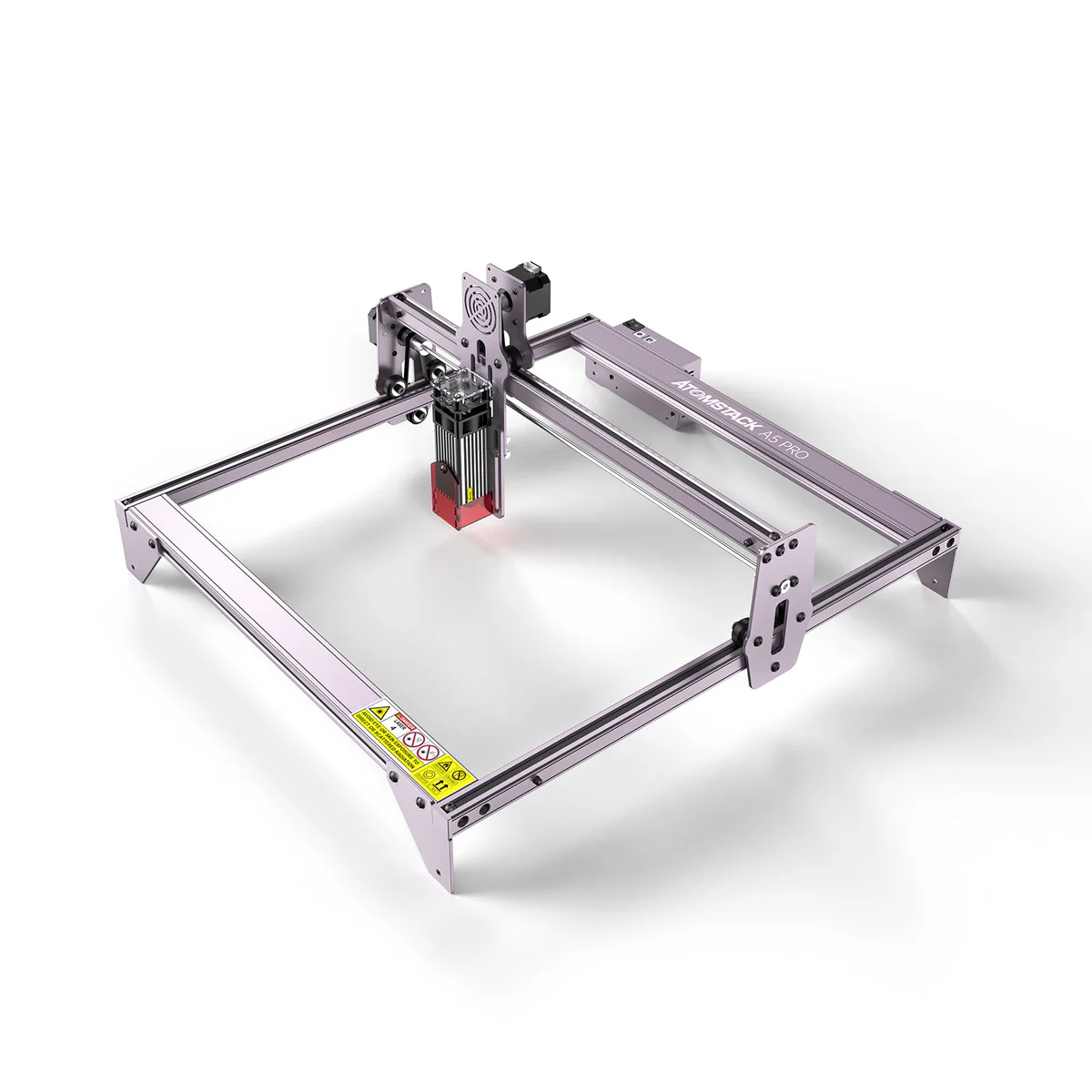
Atomstack A5 Pro 40W
7.6/10- Large 410×400mm work area
- GRBL controller works with both LaserGRBL (free) and LightBurn
- Fast ~30-minute assembly with clear instructions
- Solid engraving on wood, leather, and cardboard
- Fixed-focus lens struggles with warped or uneven materials
- 5–5.5W optical output limits cutting to very thin stock only
- No enclosure — requires safety glasses and ventilation setup
- No air assist included, which affects cutting edge quality
- Windows-only LaserGRBL; LightBurn costs an additional $60
- At $279, the Sculpfun S9 offers nearly identical output for roughly half the price
Who Should Buy the Atomstack A5 Pro?
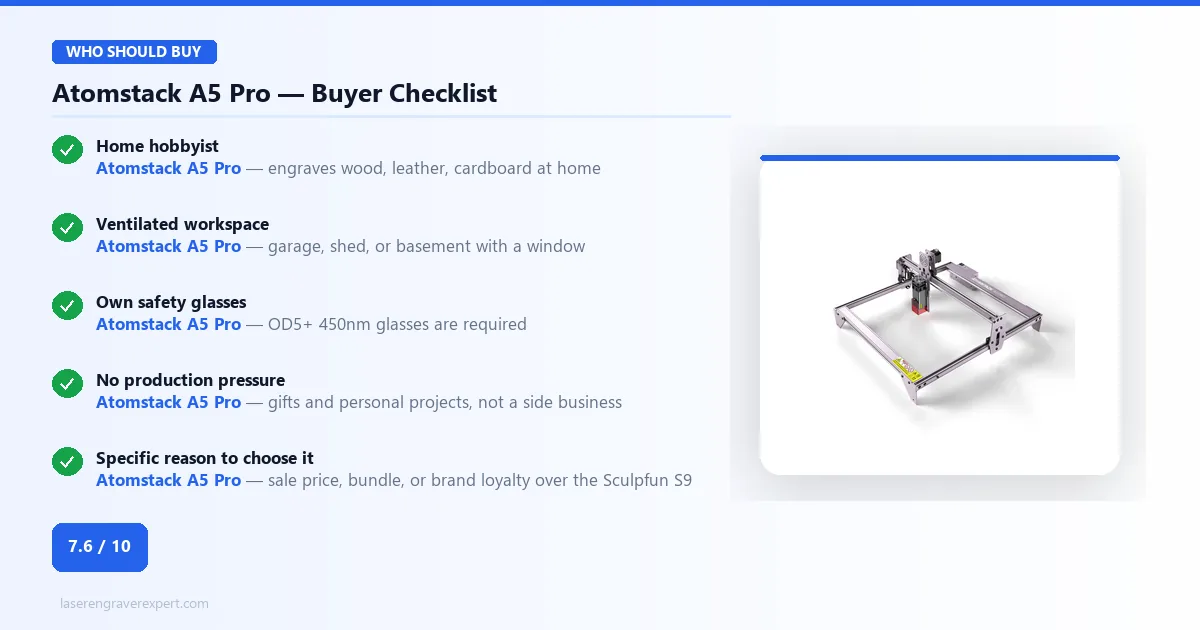
This machine makes sense for a specific person: you want to engrave wood, leather, or cardboard at home, you have a well-ventilated workspace (garage, shed, basement with a window), you already own or will buy laser safety glasses, and you have a specific reason to prefer this exact machine — a sale price, a bundle, or brand loyalty — over the Sculpfun S9’s near-identical specs at roughly half the cost.
That is a narrower buyer than this machine used to serve at its old $80–$120 pricing.
If you want to engrave gifts, personalized items for your own use, and the occasional custom project for a friend — with no enclosure safety requirement and no production pressure — the Atomstack A5 Pro handles that well.
Who Should Skip the Atomstack A5 Pro?
Anyone considering a side income or small business. The 5W output is too slow for production volume and too limited for the material range that makes a laser engraving business viable — it will bottleneck you within weeks. Check our best laser engravers overall roundup or the best laser engraver for small business guide for machines built for that instead.
Anyone who wants real cutting capability. The Sculpfun S30 Pro Max review covers a machine with significantly more cutting power in the same open-frame category. The Atomstack A24 Pro review is the upgrade path within the Atomstack brand — 24W versus 5W is not a marginal difference.
Anyone who wants better engraving quality and software. The xTool D1 Pro review covers a machine with 20W output, included air assist, a proper safety sensor suite, and a software ecosystem that supports serious work. It costs more, but it is a machine you will not need to replace in six months.
Anyone who needs an enclosed machine for indoor use. The Creality Falcon 2 Pro review covers a fully enclosed diode laser at a reasonable price point. If you cannot set up outdoor ventilation, an enclosed machine is the only sensible choice.
Anyone who wants maximum portability at a similar price. The Hanboost T1 is a fully enclosed mini engraver — 380g, 115mm cube, USB-C powered including power bank — launching at ~$89 Early Bird on Kickstarter June 24, 2026. It trades the Atomstack A5 Pro’s 400×400mm work area for genuine portability and a built-in OD4+ safety enclosure.
The honest truth: at $279, you are already in the price range where meaningfully more capable machines exist. Check our best laser engraver under $500 guide before committing. The Atomstack A5 Pro’s value proposition made the most sense when it sold for $80–$120; at its current price, it needs to be cross-shopped carefully.
Final Verdict — Atomstack A5 Pro Review
The Atomstack A5 Pro is not a machine I recommend to most people who ask me what laser to buy. It has real limitations — fixed focus, 5–5.5W output, no safety features, no enclosure — that more current machines at similar or lower prices have solved. At its current $279 price, the value case is noticeably weaker than it used to be: the Sculpfun S9 delivers essentially the same hardware for roughly half the cost, and the Ortur LM3’s 10W module is only about $50 more for double the optical output.
It engraves wood and leather well. Assembly is fast. The large work area is a genuine plus. And the GRBL controller means you are not locked into proprietary software if you decide to upgrade later. Those things haven’t changed — only the price has.
If you have a specific reason to choose this machine over its cheaper, near-identical competitor — a sale price, a bundle, brand loyalty — the Atomstack A5 Pro earns its 7.6 out of 10 on hardware merit alone. But go in comparing prices first.
If you have already committed to laser engraving and are shopping for something worth keeping, start at our best laser engraver under $1,000 guide instead. The Atomstack A5 Pro is a stepping stone, not a destination.
Ready to buy?
Check Price on Amazon →