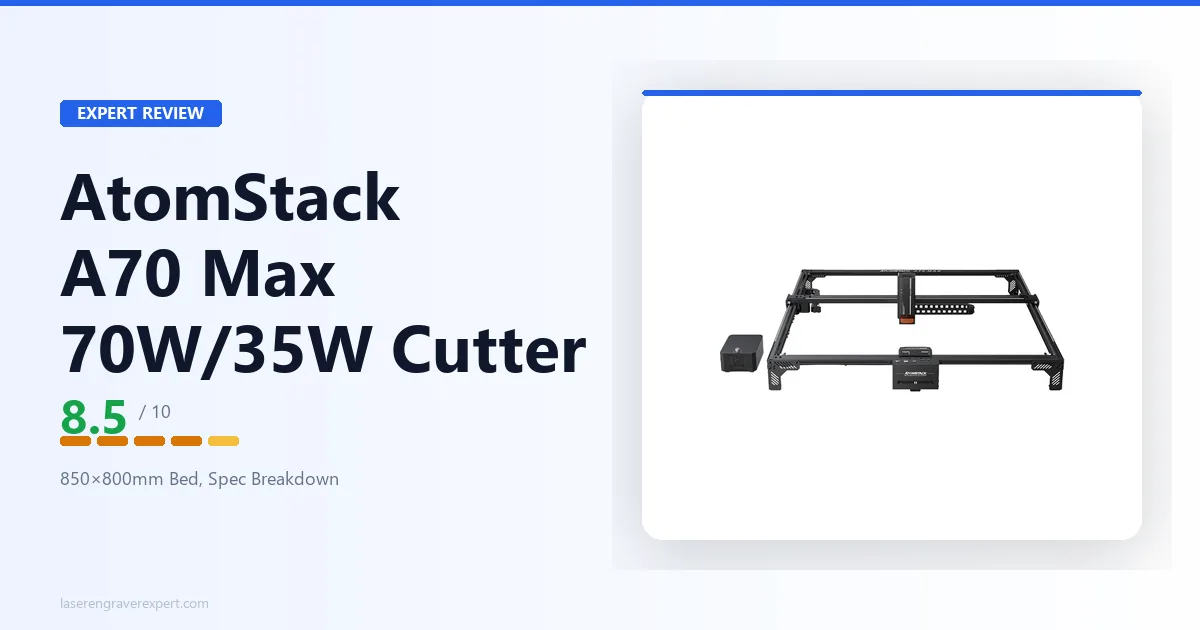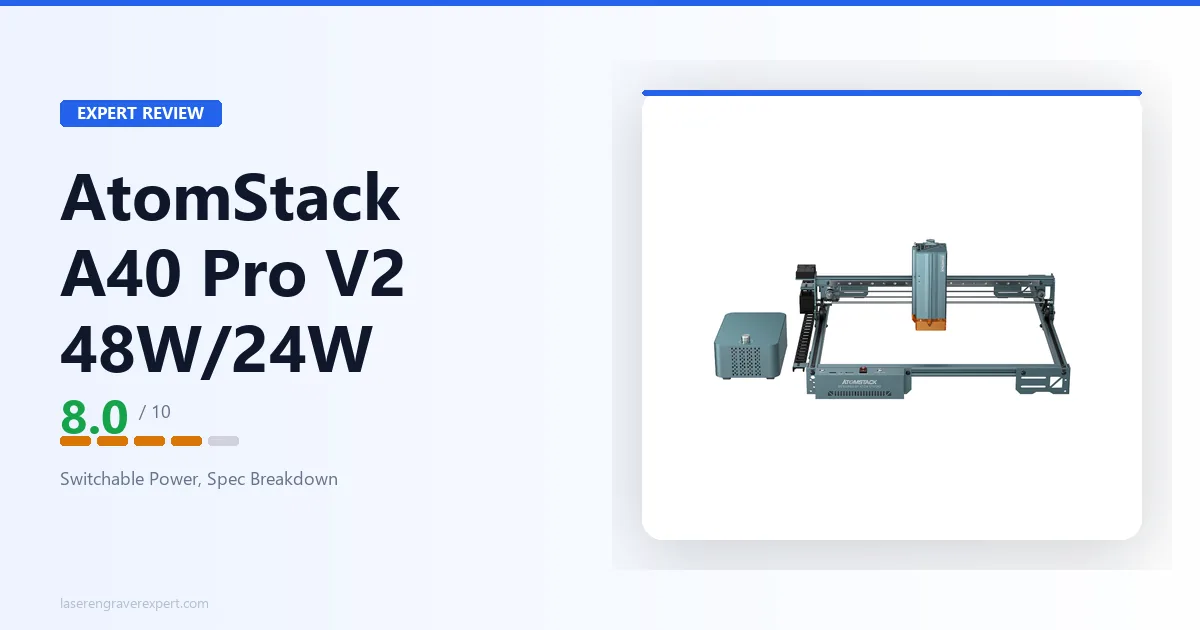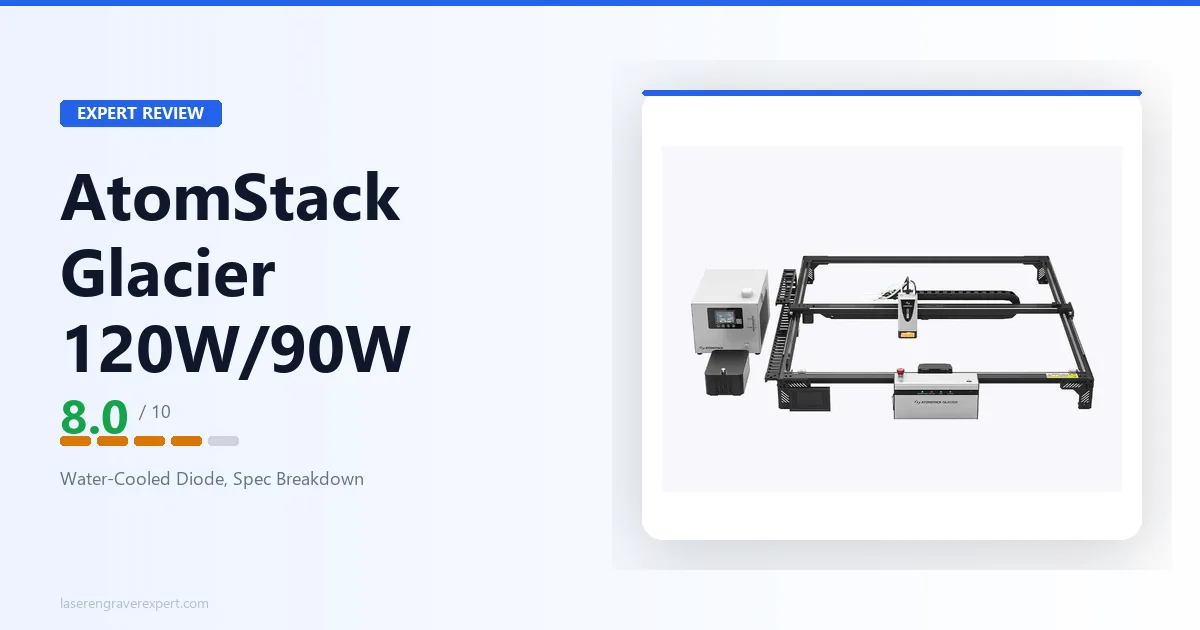
This AtomStack Glacier review looks at something new for the brand: a water-cooled diode laser, in a lineup where every other AtomStack diode machine is air- or fan-cooled. That one design choice is the entire reason the Glacier exists as a separate model, and it’s what this review is really about. Offered in 90W and 120W tiers with a large 800 × 800mm bed, the Glacier is positioned as a sustained-production machine, and the question for any buyer is simple: is water cooling worth the extra complexity it brings? This review covers what water cooling actually buys you, where the Glacier sits against the air-cooled AtomStack A70 Max and AtomStack A24 Pro , and who should buy it versus skip it.
This article contains affiliate links. If you purchase through our links, we may earn a commission at no extra cost to you.
AtomStack Glacier Specs at a Glance
AtomStack’s published listing for the Glacier leads with capability and the water-cooling story rather than a full spec sheet, so this table reflects only what AtomStack actually confirms. Where a figure is not stated in AtomStack’s published data, it’s marked as such rather than guessed, as AtomStack confirms more specs, we’ll update this review.
| Specification | Value |
|---|---|
| Laser Type | Diode (water-cooled) |
| Cooling | Water-cooled (circulating coolant loop) |
| Laser Power | 90W or 120W (tier-dependent) |
| Work Area | 800 × 800mm |
| Duty Cycle | Built for sustained continuous operation (AtomStack states up to 24-hour running) |
| Power Stability Claim | “Zero power decay” (AtomStack’s stated marketing claim, not independently verified) |
| Configurations | Machine Only, Basic, Diode+IR, Enclosure, Pro, All-In-One bundles (90W & 120W, US/EU plug) |
| Warranty | 12 months on new products |
| Availability | In stock (Machine Only and several bundles; some configurations unavailable at time of writing) |
| Laser Wavelength | Not listed in AtomStack’s published data |
| Spot Size | Not listed in AtomStack’s published data |
| Max Engraving Speed | Not listed in AtomStack’s published data |
| Autofocus | Not listed in AtomStack’s published data |
| Air Assist | Not listed in AtomStack’s published data |
| Controller / Software | Not listed in AtomStack’s published data |
| Connectivity | Not listed in AtomStack’s published data |
| Machine Dimensions | Not listed in AtomStack’s published data |
| Weight | Not listed in AtomStack’s published data |
| Certifications | Not listed in AtomStack’s published data |
| Max Cutting Capacity | Not listed in AtomStack’s published data |
A note on the gaps: this is a machine AtomStack is selling primarily on its water-cooling story, and its listing currently leads with that differentiator and the bundle lineup rather than a detailed spec sheet. Rather than fill those rows with numbers borrowed from similar machines, this review flags them as unconfirmed. The things that are confirmed, that it’s a water-cooled diode laser in 90W/120W tiers, with an 800 × 800mm bed, built for sustained continuous operation, are enough to say a great deal about what this machine is for and who should want it. If a specific unlisted detail is decision-critical for you, confirm it against AtomStack’s current listing for this exact model before buying.
Why This Machine Is Different: AtomStack’s Water-Cooled Diode
If you’ve followed AtomStack, you know them for air-cooled and fan-cooled diode engravers: the A-series machines, the quad-diode cutters, the large-format A70 Max . Every one of those relies on moving air to carry heat away from the laser module. The Glacier breaks from that: it circulates coolant through a water loop instead. That isn’t a cosmetic change, it’s the whole reason the machine exists as a distinct model, and it’s the only lens through which the Glacier makes sense.
To understand why it matters, it helps to understand the problem water cooling solves. A diode laser module generates heat whenever it fires, and the hotter it gets, the less efficiently it runs. On a long job, an air-cooled module’s temperature climbs, and to protect itself the system can thermally throttle, automatically reducing power to stay within a safe temperature band. In practice that can mean the back half of a long run cuts shallower or slower than the front half, or that the machine needs cooldown breaks between heavy jobs.
Water cooling attacks that directly. A circulating coolant loop carries heat away from the module far more effectively than air can, keeping the module temperature stable even under continuous load. That stability is what lets AtomStack rate the Glacier for sustained, high-duty-cycle operation, the listing specifically calls out continuous running and a 24-hour operation claim. AtomStack also uses the phrase “zero power decay” in its marketing; that’s the company’s own stated claim about output consistency over a long run, not an independently verified measurement, and it’s worth reading as a marketing description of the water-cooling benefit rather than a hard spec.
So the Glacier isn’t competing with AtomStack’s air-cooled machines on bed size or raw power alone, it’s offering a different thermal answer for a specific kind of buyer. If you’ve ever had a long job degrade as the machine heated up, the Glacier’s water loop is the design meant to fix exactly that.
What Water Cooling Actually Buys a Buyer
It’s easy to read “water-cooled” as simply “better,” but the honest picture is more specific: water cooling buys you stability under sustained load, and that benefit only shows up under the right workload.
Where water cooling earns its place:
- Long continuous jobs. A single large cut or engraving that runs for a long stretch is exactly where an air-cooled module heats up and may throttle. The water loop holds output steady from start to finish.
- Back-to-back production. If you’re running job after job all day, an air-cooled machine may want cooldown gaps; a water-cooled one is designed to keep going.
- All-day / 24-hour operation. This is the workload AtomStack explicitly positions the Glacier for. Sustained runtime without thermal backoff is the entire value proposition.
- Consistency across a run. Because the module temperature stays stable, the output should stay consistent, the depth and quality at the end of a long run matching the start.
Where it doesn’t matter: short or occasional jobs. If your typical use is a few engravings here and there, you will rarely, if ever, hit the thermal wall that water cooling is designed to overcome. In that case you’re carrying all of water cooling’s complexity for a benefit you won’t actually use, and a simpler air-cooled machine is the smarter buy.
That’s the key framing for the whole machine: the Glacier is a duty-cycle play, not a general-purpose upgrade. The right buyer is someone whose bottleneck is runtime.
The Tradeoffs: What Water Cooling Costs You
A fair review has to put the costs next to the benefit, because water cooling is not free, it brings real, ongoing responsibilities that an air-cooled machine simply doesn’t.
Setup complexity. A water-cooled system needs a coolant reservoir and a pump, and that’s more to connect, fill, and configure than plugging in an air-cooled machine and starting. First-time setup is a genuine step up in fiddliness.
Maintenance. This is the big one. Coolant has to be kept clean and topped up. The loop has to stay sealed and leak-free, a leak around electronics is exactly the kind of problem you want to avoid. And in a cold workshop you have to think about the coolant’s temperature so it doesn’t freeze. None of this is exotic, but it is a recurring chore that an air-cooled machine never asks of you.
Space. The tank and pump take up bench or floor space beyond the machine’s own footprint. On a large-format machine that already needs a dedicated area, that’s additional room to plan for.
The honest bottom line on the tradeoff: you are buying sustained-run stability and paying for it in setup, maintenance, and space. For a production workshop where the machine runs hard and often, that trade is easy to justify, the stability is worth the upkeep. For a casual or occasional user, the math flips: you’d be taking on real maintenance overhead for a thermal benefit you’ll seldom reach. Knowing which of those two users you are is the single most important decision in whether the Glacier is right for you.
AtomStack Glacier in the AtomStack Lineup
The clearest way to understand the Glacier is to place it against its air-cooled siblings, because the comparison isolates exactly what water cooling adds.
| AtomStack A24 Pro | AtomStack A70 Max | AtomStack Glacier | |
|---|---|---|---|
| Cooling | Air / fan | Air / fan | Water-cooled |
| Laser power | 20–24W optical | Switchable 70W / 35W | 90W or 120W |
| Work area | 365 × 305mm | 850 × 800mm | 800 × 800mm |
| Duty cycle focus | Hobby / intermittent | Large-format production | Sustained continuous (24h claim) |
| Setup complexity | Low | Moderate | Higher (coolant loop + pump) |
| Ongoing maintenance | Minimal | Minimal | Coolant upkeep, leak checks |
| Enclosure | Open frame | Open frame | Not listed |
| Best for | Hobbyist cutting/engraving | Large-format & production | High-duty-cycle production |
The A24 Pro is where most AtomStack buyers start: a capable 24W open-frame engraver with a hobbyist-sized bed and essentially no maintenance burden. The A70 Max is the large-format step-up, the biggest diode bed AtomStack makes, with switchable 70W/35W power for cutting and engraving. Both are air-cooled, and for most users that’s completely fine.
The Glacier sits beside the A70 Max as the other large-bed AtomStack option, but the two solve different problems. The A70 Max’s headline is bed size and switchable power; the Glacier’s headline is sustained runtime via water cooling. Their beds are close (850 × 800mm vs 800 × 800mm), so this isn’t a size decision, it’s a thermal one. If you need the biggest possible bed and flexible power modes, the A70 Max is the pick. If your defining need is running the machine hard for long, continuous stretches without thermal throttling, that’s precisely what the Glacier adds over the A70 Max, at the cost of the coolant-loop maintenance the A70 Max doesn’t have.
A note on honest gaps in this comparison: AtomStack publishes a max engraving speed for the A70 Max (up to 400mm/s) but not for the Glacier, and doesn’t publish wavelength or spot size for either. Where the Glacier’s figures aren’t stated, this table leaves them out rather than assuming they match a sibling.
AtomStack Glacier Materials and Cutting Capability
As a diode laser, the Glacier follows the same material rules as the rest of the diode category. More optical power (90W or 120W) means more cutting headroom, but the fundamental material behavior is the same as any blue-diode machine.
Where the Glacier’s power helps is cutting. Higher optical output means thicker stock in fewer passes and faster cutting on diode-friendly materials, wood, plywood, MDF, leather, and dark acrylics. Combined with the large 800×800mm bed, you can cut large pieces without splitting a job across multiple setups. And because it’s water-cooled, that cutting power should hold up across a long production run rather than fading as the machine heats.
The hard limit is the same as every diode laser: clear acrylic. Blue-diode light passes through clear material rather than being absorbed, so clear acrylic doesn’t cut cleanly no matter the wattage, 90W, 120W, or otherwise. This is physics, not a flaw specific to the Glacier. If clear acrylic, glass cutting, or similar is central to your work, a CO2 machine is the right tool, and our best CO2 laser engraver guide covers the step-up options. Within AtomStack’s own range, the Hurricane 55W CO2 is the brand’s answer for clear-acrylic and glass work.
One honest caveat on materials: AtomStack does not publish cut charts (single-pass thickness figures) for the Glacier in its launch listing. The general rule, more power cuts thicker and faster, holds, but if you need a specific guaranteed cutting capacity for a given material and thickness, confirm it against AtomStack’s documentation for the exact tier (90W or 120W) before buying rather than relying on a general expectation.
AtomStack Glacier Configurations and Bundles
AtomStack offers the Glacier across a wide set of configurations, which tells you something about how the brand positions it: as a build-to-your-workshop machine rather than a one-size box.
The lineup spans both power tiers (90W and 120W), both regional plugs (US and EU), and several bundle levels: Machine Only, Basic Bundle, Diode+IR Bundle, Enclosure Bundle, Pro Bundle, and an All-In-One Bundle. A few points worth knowing:
- The Diode+IR bundle pairs the diode laser with an IR module, which adds some metal-marking capability (IR modules can mark certain metals that a blue diode can’t). If coated or bare-metal marking is on your list, that’s the configuration to look at, though confirm the exact IR module’s capabilities with AtomStack.
- The Enclosure bundle matters for an open-format diode machine: an enclosure helps with fume containment and beam safety, which you otherwise have to handle yourself. On a machine built for long, sustained runs, containment is worth taking seriously.
- Availability varies by configuration. At the time of writing, the Machine Only and several bundles are in stock, while some bundle and EU-plug configurations show as unavailable. Because stock and bundle contents shift, check the current listing for the exact configuration you want before committing.
All configurations carry AtomStack’s standard 12-month warranty on new products.
AtomStack Glacier Pros and Cons
A fair assessment has to separate the genuine, differentiated strength (water cooling) from the real costs it brings and the data gaps in the launch listing. Here’s the honest balance.
Pros:
- Water cooling is a genuine, differentiated feature in AtomStack’s otherwise air-cooled diode lineup, built specifically for sustained high-duty-cycle operation
- Rated for long, continuous running (AtomStack states up to 24-hour operation), the right answer if thermal throttling on long jobs is your bottleneck
- Large 800 × 800mm bed handles full-sheet and large-format work in a single setup
- Offered in 90W and 120W tiers, giving a choice of cutting headroom
- Wide configuration range (including Enclosure and Diode+IR bundles) lets you build toward a more complete, contained setup
- Backed by AtomStack’s standard 12-month warranty
Cons:
- Water cooling adds real ongoing cost: coolant maintenance, leak risk, freeze considerations, and a tank/pump that take extra space
- Higher setup complexity than a plug-and-go air-cooled machine
- The “zero power decay” claim is AtomStack’s own marketing language, not an independently verified figure
- Many specs (wavelength, spot size, max speed, software/controller, connectivity, certifications) are not published in AtomStack’s launch listing
- As a diode laser, it cannot cut clear acrylic or engrave glass (inherent to all diode lasers, not a Glacier-specific defect)
- Overkill for short or occasional jobs, where you’d carry the maintenance overhead without reaching the thermal benefit
The water-cooled, sustained-duty design is the real strength; the maintenance overhead, the thin launch spec sheet, and the diode-category material limits are the trade-offs to weigh.

AtomStack Glacier
8.0/10- Water-cooled diode: unique in AtomStack's lineup, built for sustained high-duty-cycle running
- Rated for long continuous operation (AtomStack states up to 24 hours)
- Large 800×800mm bed for full-sheet and large-format work
- Offered in 90W and 120W tiers for different cutting headroom
- Wide bundle range including Enclosure and Diode+IR options
- 12-month warranty on new products
- Water cooling adds coolant maintenance, leak risk, and extra space for tank and pump
- Higher setup complexity than an air-cooled machine
- Key specs (wavelength, speed, software, certifications) not published at launch
- Cannot cut clear acrylic (inherent diode-laser limitation)
- Overkill for short or occasional jobs
AtomStack Glacier vs AtomStack A70 Max
The most useful in-brand comparison is against the AtomStack A70 Max , because the two are the brand’s large-bed options and the comparison isolates exactly what the Glacier’s water cooling adds.
These are close on the dimension most buyers check first, bed size: the A70 Max is 850 × 800mm, the Glacier 800 × 800mm, effectively the same large-format class. So the decision between them is not about area. It’s about two things: cooling and power format.
The A70 Max is air-cooled with a switchable 70W/35W laser, you flip between an aggressive cutting mode and a finer engraving mode from the controller, and it has essentially no cooling-maintenance burden. The Glacier is water-cooled in 90W/120W tiers, built for sustained runtime but carrying the coolant-loop upkeep.
Choose the Glacier if your defining need is running the machine hard for long, continuous stretches, all-day production, long single jobs, back-to-back batches, and you want output that holds steady rather than throttling as the machine heats. The water cooling is the entire reason to pay the complexity cost.
Choose the A70 Max if you want the largest bed AtomStack offers and the flexibility of switchable power modes, and your runs aren’t long enough to hit thermal throttling. You get large-format capability without any coolant maintenance.
One honest data note: AtomStack publishes a max engraving speed for the A70 Max (up to 400mm/s) but not for the Glacier, so a head-to-head on raw speed isn’t possible from published figures. If line speed is a deciding factor, confirm the Glacier’s figure with AtomStack directly.
AtomStack Glacier vs AtomStack A24 Pro
Worth covering briefly, because some buyers will be weighing a big step up from a hobbyist machine. The AtomStack A24 Pro is the air-cooled 24W open-frame engraver many AtomStack owners start with: a 365 × 305mm bed, minimal maintenance, and a price that fits a first or second laser.
These are machines for completely different users. The A24 Pro is a hobbyist engraver for coasters, plaques, signs, and mid-thickness plywood in a home workshop. The Glacier is a production machine, far larger bed, far more power, and above all the water cooling for sustained runtime. If you’re cutting occasional small projects, the A24 Pro covers you with none of the Glacier’s complexity. If you’ve outgrown a hobbyist bed and you run the machine hard enough that heat is limiting your long jobs, that combination of large-format and sustained-duty is exactly where the Glacier steps in.
Decision framework: hobbyist-sized, occasional work, the A24 Pro is the smarter, simpler buy. Large-format production where runtime is the bottleneck, that’s the Glacier’s territory, and the water cooling is what justifies the step up over any air-cooled machine.
Who Should Buy the AtomStack Glacier?
The production workshop where runtime is the bottleneck. This is the Glacier’s core buyer. If your machine runs long, continuous jobs or back-to-back batches all day, and you’ve felt an air-cooled laser throttle or need cooldown breaks, the water-cooled design is a direct, differentiated fix. The sustained-duty rating is the entire reason to want this machine.
The buyer who needs large-format and sustained duty together. The 800 × 800mm bed handles full sheets and large pieces, and the water cooling keeps the laser consistent across the long runs that a bed that size invites. That pairing, big bed plus sustained runtime, is what sets the Glacier apart from the A70 Max.
The small-production business running the machine hard. If you’re building a laser-based business and your workflow is heavy, continuous use, the Glacier’s duty-cycle focus fits that. See our best laser engraver for small business guide for how a machine like this fits alongside enclosed and CO2 options, and weigh the maintenance overhead against how hard you’ll actually run it.
Who Should Skip the AtomStack Glacier?
Anyone whose jobs are short or occasional. This is the most important skip case. Water cooling solves thermal throttling on long, sustained runs. If your work is a few engravings at a time, you’ll rarely reach that thermal wall, and you’d be taking on coolant maintenance and extra setup for a benefit you won’t use. An air-cooled A70 Max or A24 Pro is the better, simpler choice.
Anyone who doesn’t want ongoing maintenance. A coolant loop is a recurring responsibility: top-ups, cleanliness, leak checks, freeze protection in cold spaces. If you want a machine you plug in and forget, water cooling is the opposite of that.
Buyers who need clear acrylic or glass. As a diode laser, the Glacier can’t cut clear acrylic. If that’s central to your work, go CO2, see our best CO2 laser engraver guide or AtomStack’s own Hurricane 55W CO2 .
Buyers who need every spec confirmed up front. AtomStack’s launch listing leaves wavelength, spot size, speed, software, and certifications unpublished for the Glacier. If you require a complete, published spec sheet before committing, confirm those details directly with AtomStack for this exact model first.
AtomStack Glacier Review: Final Verdict
Rating: 8.0/10. A genuinely differentiated machine for the right buyer, AtomStack’s water-cooled diode built for sustained production, held back from a higher score only by the maintenance overhead water cooling imposes and a thin launch spec sheet. For a high-duty-cycle workshop, the water cooling is the whole point and it earns its place.
Ready to buy?
See the AtomStack Glacier on Amazon →Still mapping out the right large-format machine? Our AtomStack A70 Max review covers the air-cooled large-bed alternative, our AtomStack A24 Pro review covers the standard hobbyist diode option, and our best laser engraver for small business and best CO2 laser engraver guides cover the full field of production-capable machines across diode and CO2.