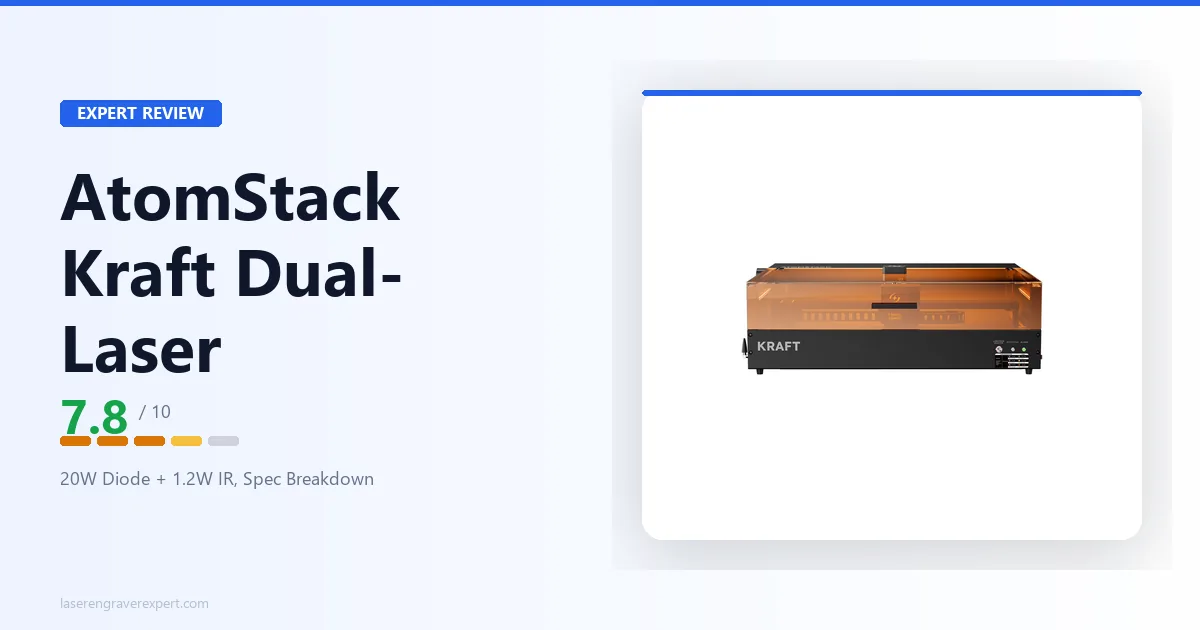
This AtomStack Kraft Dual-laser review looks at an enclosed desktop engraver built around a specific idea: putting two laser sources in one Class-1 body so you can engrave wood, leather, and acrylic and also mark metal, without switching machines. The Kraft pairs a 20W blue diode with a 1.2W infrared laser, runs three laser modes from a one-button switch, and backs that with a 19.6" × 12.6" bed that extends via a conveyor feeder and a built-in 16MP camera. It’s the same two-wavelength concept as the portable AtomStack M4 Pro and the LaserPecker LP4, but in a larger enclosed form. This review covers what that dual-source design gets you, where AtomStack’s published specs run out, and who should buy it, with an honest note on availability.
This article contains affiliate links. If you purchase through our links, we may earn a commission at no extra cost to you.
AtomStack Kraft Dual-Laser Specs at a Glance
| Specification | Value |
|---|---|
| Laser sources | 20W diode + 1.2W IR (synchronized dual-laser) |
| Laser modes | Three modes, one-button switch |
| Work area | 19.6" × 12.6" (~498 × 320mm) |
| Work area (with conveyor feeder) | 19.6" × 31.5" |
| Enclosure | Yes (enclosed) |
| Safety class | Class 1 (IEC certified) |
| Camera | Built-in 16MP HD |
| Compatible software | AtomStack Studio, LightBurn |
| Laser wavelengths | Not listed |
| Max engraving speed | Not listed |
| Spot size | Not listed |
| Connectivity | Not listed |
| Operating system | Not listed |
| Supported file types | Not listed |
| Positioning accuracy | Not listed |
| Machine dimensions | Not listed |
| Weight | Not listed |
| Upgrade path | Optional 40W diode laser module |
| Warranty | 12-month |
| Availability | Out of stock (US); in stock (CA) at time of writing |
A word on that table, because the gaps in it matter. AtomStack’s product listing for the Kraft Dual is light on structured specifications. The confirmed, listed figures are the dual-source configuration (20W diode + 1.2W IR), the three-mode one-button switch, the 19.6" × 12.6" bed and its conveyor-extended 19.6" × 31.5" size, the Class-1 enclosed design with IEC certification, the 16MP built-in camera, AtomStack Studio and LightBurn software support, the optional 40W module upgrade, and the 12-month warranty. Everything marked Not listed, engraving speed, exact laser wavelengths, spot size, dimensions, weight, connectivity, operating systems, and file types, is genuinely absent from the published information, and this review does not guess at it. If any of those is decision-critical for you, confirm it against AtomStack’s current listing for this exact machine before buying.
What the Dual-Laser Design Actually Does
The name is the feature, so it’s worth being exact about what “dual-laser” means on the Kraft, because it’s easy to confuse with other two-in-one setups.
The Kraft carries two laser sources of two different wavelengths in one enclosed machine:
- A 20W blue diode laser. Blue-diode light is absorbed well by organic and coated materials, wood, bamboo, leather, paper, dark acrylic, and coated or treated metal surfaces. This is the workhorse for the bulk of craft engraving and for cutting diode-friendly materials.
- A 1.2W infrared (IR) laser. Infrared light behaves differently: it’s absorbed by bare metals that a blue diode passes straight over, so it can mark raw and coated metal directly.
That pairing solves a real, physics-level problem. No single laser wavelength does everything. A blue diode is excellent on organics but physically cannot mark most bare metals. An IR laser marks metal but is poor on many organics. By carrying both, the Kraft lets you engrave a wooden sign and then mark a stainless tag without owning two machines, you switch which source fires.
The Kraft manages that with three laser modes and a one-button switch, so changing between the diode, the IR source, and combined operation happens from the machine itself rather than through a hardware swap. That’s the convenience half of the story: the capability is two wavelengths, and the one-button switch is how you actually use it day to day.
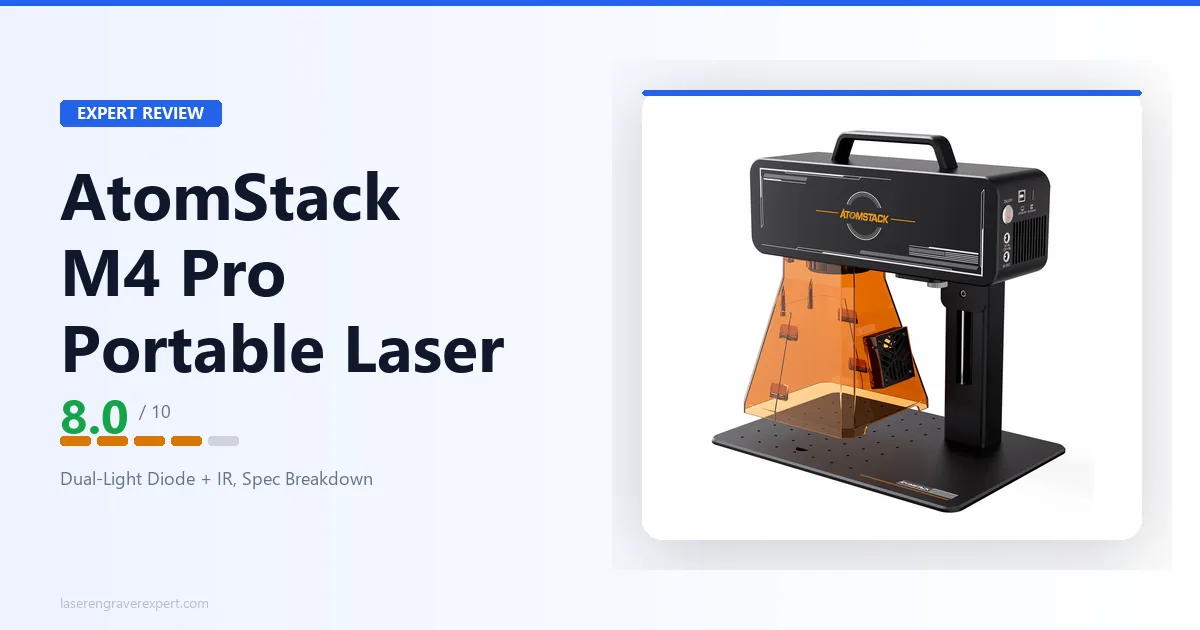
This is the same concept, a diode paired with an IR laser, used by the portable AtomStack M4 Pro and the LaserPecker LP4. The important distinction is the IR source’s job: at 1.2W it’s a light-duty metal marker. It’s genuinely useful for marking names, logos, serial numbers, and small plaques on metal, but it is not a fiber laser and not a substitute for one on deep or high-volume metal work. If you want the background on why wavelength governs what a laser can mark and cut, our diode vs CO2 vs fiber laser guide covers it in full.
The Enclosed, Class-1 Design
The second thing that defines the Kraft is that it’s enclosed and Class-1 certified to the IEC standard, a sharp contrast with most of AtomStack’s lineup, which is open-frame.
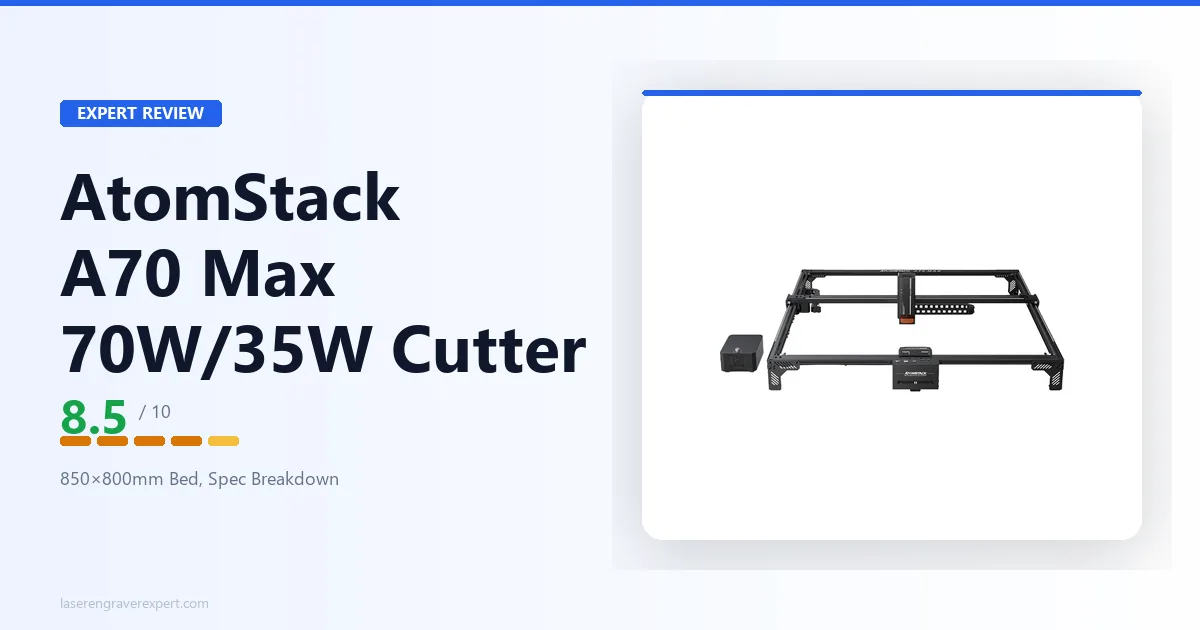
That difference is bigger than it sounds. Open-frame machines like the AtomStack A24 Pro and the large-format A70 Max expose the beam path and require laser goggles plus a dedicated, ventilated space to run safely. A Class-1 enclosed machine contains the beam within the body under normal operation, which means it’s safe to be around without separate eye protection and far more appropriate for a home office, a classroom, a shared studio, or any space where an exposed beam isn’t acceptable.
Two honest clarifications. First, Class-1 refers to beam safety, not fumes. Engraving and cutting still produce smoke and particulates, and you still need to deal with them, either by venting the machine outdoors or running an air purifier. AtomStack lists an air purifier among the Kraft’s accessories for exactly this. Second, an enclosure adds convenience but also constrains the maximum material size to what fits inside the body, which is where the conveyor feeder comes in (more on that below).
For a lot of buyers, the enclosed Class-1 design is the single biggest reason to look at the Kraft over an open-frame AtomStack. It makes a dual-source, metal-capable machine something you can run in a normal room rather than a dedicated, goggled, heavily ventilated workshop.
Work Area: The 19.6" × 12.6" Bed and Conveyor Extension
The Kraft’s bed is 19.6" × 12.6" (roughly 498 × 320mm). That’s a mid-to-large enclosed-desktop work area, comfortably bigger than compact enclosed markers and sized for the kind of work most buyers at this level want to do:
- Signs, address boards, and larger plaques
- Batches of smaller items (coasters, tags, ornaments) tiled across the bed
- Most common craft blanks and cutting-board-scale pieces
- Mixed jobs where you want room to lay out several pieces at once
For comparison, that bed is in the same class as enclosed diode machines like the xTool S1 , which puts the Kraft firmly in general-purpose enclosed-desktop territory rather than the small-item-only category of a compact marker like the M4 Pro.
The standout bed feature is conveyor extendability to 19.6" × 31.5". A conveyor feeder passes longer material through the machine, so you can run pieces longer than the fixed bed, long signage, strips of material, or repeated designs down a long workpiece, by feeding them through in stages. That’s a capability most enclosed desktop machines don’t offer, and it meaningfully widens what the Kraft can handle without stepping up to a large-format open-frame cutter.
What isn’t published is the detail around that extension: the maximum passed-through length beyond the quoted figure, the feeder’s handling of thickness and weight, and how registration works across feed stages. If long-material or production-feed work is central to your plans, confirm those specifics with AtomStack rather than assuming from the headline figure.
AtomStack Kraft Dual-Laser Materials and Capability
Because the Kraft has two laser sources, its material capability splits by which source you’re using.
On the 20W diode side, the Kraft follows the standard diode-material rules, with a reasonably strong diode behind them. Diode-friendly engraving and cutting materials, wood, plywood, MDF, bamboo, leather, paper, dark and opaque acrylic, and coated or treated metal surfaces like anodized aluminum and painted metal, are all in scope. A 20W diode has real cutting capability on wood and similar stock, though AtomStack doesn’t publish specific cutting depths for the Kraft, so treat cutting thickness as something to confirm rather than assume.
On the 1.2W IR side, the capability is direct metal marking. The IR wavelength is absorbed by metal itself, so it marks bare and coated metals the diode can’t touch. This is the practical reason to buy a dual-source machine: names on stainless tools, logos on metal blanks, serial numbers on parts. Keep the 1.2W rating in mind, this is light-duty marking, not deep engraving.
The standard diode limit still applies. Clear acrylic and plain uncoated glass are not diode-cuttable, blue-diode light passes through clear materials rather than being absorbed. The Kraft’s IR source doesn’t change that; it’s a metal marker, not a clear-material cutter. If clear acrylic or glass cutting is central to your work, that’s CO2 territory, and our best CO2 laser engraver guide covers the right tools for it. AtomStack’s own Hurricane 55W CO2 is one such path within the same brand for buyers who need clear-material capability.
AtomStack lists the Kraft’s compatible materials in general terms, wood, acrylic, coated metal, plastic, and other craft materials, in its product description, and publishes LightBurn parameter tables for both the diode and IR modules to help with initial settings. It does not publish an exhaustive, per-material cutting-and-engraving depth chart for this machine, so for any specific material-and-thickness combination that’s decision-critical, check AtomStack’s parameter tables or confirm directly.
Camera, Software, and Workflow
The Kraft includes a built-in 16MP HD camera, which is a genuine workflow convenience on an enclosed machine. An overhead camera lets you see the bed and place your design on the material visually rather than by trial-and-error positioning, which speeds up layout and reduces wasted material, especially useful when you’re tiling many small items or aligning a design onto an irregular blank.
On software, the Kraft works with both AtomStack Studio (AtomStack’s own application) and LightBurn. LightBurn support is a real point in its favor. A lot of machines lock you into a single proprietary app; LightBurn compatibility means experienced users can bring the design tools, layer control, and workflow habits they already rely on. AtomStack also publishes LightBurn parameter tables for the Kraft’s 20W diode and 1.2W IR modules, which give you a starting point for material settings rather than dialing everything in from scratch.
Where the published information stops is connectivity and the finer software details. AtomStack doesn’t list the Kraft’s connection methods (such as USB or Wi-Fi), its supported operating systems, or its supported file types in the material available. Given the LightBurn and AtomStack Studio support, a standard desktop workflow is clearly intended, but if a specific connection method or OS is a hard requirement for you, confirm it for this exact machine before buying rather than assuming it carries over from other AtomStack models.
Rounding out the workflow, AtomStack lists an accessory ecosystem for the Kraft: a fire-extinguishing air pump, rotary roller and rotary chuck for cylindrical and spherical objects, a riser base, and an air purifier. The rotary accessories are how you work around the flat bed for round items like tumblers and rings; the air purifier is the fume-management piece that pairs with the enclosure.
AtomStack Kraft Dual-Laser Pros and Cons
Pros:
- Dual-source design: a 20W blue diode for organics and coated surfaces plus a 1.2W IR laser for direct bare-metal marking, switched through three modes with one button.
- Enclosed, Class-1 (IEC certified) body, far more suitable for home, classroom, or shared spaces than an open-frame machine, and no separate laser goggles needed under normal use.
- Large 19.6" × 12.6" bed that extends to 19.6" × 31.5" with a conveyor feeder for long material, unusual on an enclosed desktop machine.
- Built-in 16MP HD camera for visual layout and positioning.
- LightBurn support alongside AtomStack Studio, with published LightBurn parameter tables for both laser modules.
- Accessory ecosystem (air purifier, rotary roller and chuck, riser base, fire-extinguishing air pump) and an optional 40W diode module upgrade path.
Cons:
- The 1.2W IR source is a light-duty metal marker, not a fiber laser; it suits marking, not deep or high-volume metal engraving.
- AtomStack publishes very little structured spec detail: engraving speed, wavelengths, spot size, dimensions, weight, connectivity, OS, and file types are all unlisted.
- As a diode machine, the diode side can’t cut clear acrylic or plain glass (inherent to the wavelength, not a defect).
- Availability is region-dependent and currently out of stock in the US at the time of writing.
The dual-source flexibility and the enclosed Class-1 design are the real strengths; the light-duty IR source and the thin published spec sheet are the trade-offs to weigh.
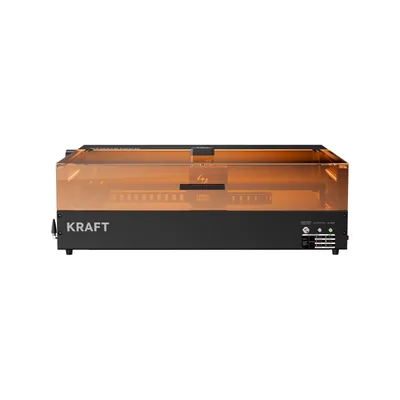
AtomStack Kraft Dual-Laser
7.8/10- Dual-source: 20W diode for organics plus 1.2W IR for direct bare-metal marking, three modes on one button
- Enclosed Class-1 (IEC) design suits home and shared spaces without separate goggles
- Large 19.6" × 12.6" bed, extendable to 19.6" × 31.5" with a conveyor feeder
- Built-in 16MP HD camera for visual layout
- LightBurn support plus AtomStack Studio, with published parameter tables
- Air purifier, rotary, riser accessories and an optional 40W module upgrade
- 1.2W IR laser is light-duty marking, not a fiber-laser replacement
- Very thin published specs: speed, wavelengths, spot size, dimensions, weight all unlisted
- Diode side can't cut clear acrylic or glass (inherent diode limitation)
- Region-dependent availability; US configuration out of stock at time of writing
AtomStack Kraft Dual-Laser vs AtomStack M4 Pro
The most natural in-brand comparison is against the AtomStack M4 Pro , because the two machines share the same fundamental idea, a diode paired with an IR laser, but execute it for completely different users.
| AtomStack Kraft Dual-Laser | AtomStack M4 Pro | |
|---|---|---|
| Laser sources | 20W diode + 1.2W IR | 10W diode (450nm) + 2W IR (1064nm) |
| Work area | 19.6" × 12.6" (extends to 19.6" × 31.5") | 100 × 100mm |
| Form factor | Enclosed desktop | Desktop & handheld 2-in-1 |
| Enclosure | Yes (Class 1, IEC) | Open (portable head) |
| Camera | Built-in 16MP | Not listed |
| Software | AtomStack Studio + LightBurn | AtomStack Maker + LightBurn |
| Best for | Larger enclosed bench work + metal marking | Small items, handheld & non-flat marking |
These are machines for different jobs. The M4 Pro is small, portable, and handheld-capable, a 100 × 100mm marker you can pick up and aim at objects that won’t lie flat. Its whole value is portability and reaching curved or installed surfaces, on small items.
The Kraft Dual is the opposite priority: a fixed, enclosed desktop machine with a much larger bed, a stronger 20W diode, Class-1 safety, and a camera for layout. It’s built for bench work on larger pieces in a contained body you can run in a normal room.
Decision framework: if you need portability, handheld marking, or you work almost entirely on small items, the M4 Pro is the better fit. If you want a larger enclosed bed, Class-1 safety, and general-purpose desktop engraving with metal-marking capability, the Kraft Dual is the one. They’re complementary rather than direct rivals, the Kraft is the bench machine, the M4 Pro is the portable marker.
AtomStack Kraft Dual-Laser in the AtomStack Lineup
Placing the Kraft against its siblings is the clearest way to understand it, because AtomStack’s range is otherwise mostly open-frame diode machines.
The open-frame engravers, the A24 Pro and the large-format A70 Max , are about raw diode power and, in the A70 Max’s case, a very large bed, but they expose the beam and demand a ventilated, goggled workspace. The Kraft flips that: it trades the open frame for a Class-1 enclosure and adds the 1.2W IR source for metal marking that a pure diode machine can’t do. You give up the A70 Max’s huge bed and switchable high-wattage diode; you gain enclosure safety, dual-wavelength capability, and a camera.
Against the portable M4 Pro, as covered above, the Kraft is the larger, enclosed, bench-oriented take on the same dual-source concept.
And for buyers whose real need is clear acrylic or glass, which no diode machine can cut, the relevant sibling is AtomStack’s CO2 direction rather than the Kraft at all.
The Kraft’s niche within the brand is specific and genuinely useful: it’s AtomStack’s enclosed, camera-equipped, dual-wavelength desktop machine, the one you choose when you want diode-plus-metal capability in a safe, contained body rather than an exposed open frame.
A Note on Price, Region, and Availability
The Kraft Dual is sold in regional configurations, and the practical differences between them are plug type and regional pricing, not the machine itself. The US and Canadian listings describe the identical product, same design, same dual-source configuration, same bed, same certification, so there’s one machine here, not two, and the regional listing you buy from comes down to where you are.
What does differ right now is availability. At the time of writing the US configuration is listed as out of stock, while the Canadian listing shows stock available. Because stock status on a machine like this moves with production runs, treat that as a snapshot: confirm the current availability and lead time for your region against AtomStack’s live listing before planning a purchase. There is also an optional 40W diode laser module offered for the Kraft, a higher-power upgrade path for buyers who want more diode cutting headroom down the line.
In keeping with how we cover machines on this site, we don’t quote specific prices here, they shift with promotions and region, so the current listing is always the authority. The CTA links go to the live listing where you can check the real, current figure for your region.
Who Should Buy the AtomStack Kraft Dual-Laser?
The maker who wants one enclosed machine for both organics and metal. If your work moves between wood, leather, and acrylic on one hand and metal marking on the other, the Kraft’s dual-source design covers both in a single safe, contained body. That’s the core buyer.
Anyone who needs an enclosed, home-friendly machine. The Class-1 IEC enclosure is the feature that makes a dual-source, metal-capable laser something you can run in a home office, classroom, or shared studio without an exposed beam. If an open-frame machine isn’t acceptable in your space, this solves that.
The buyer who wants a larger enclosed bed with camera layout. The 19.6" × 12.6" bed, its conveyor extension, and the 16MP camera together make the Kraft a practical general-purpose desktop engraver for signs, boards, and batched work, not just a small-item marker.
The LightBurn user who wants metal-marking capability. Because the Kraft supports LightBurn and publishes parameter tables for both modules, experienced engravers can carry a familiar workflow into a dual-wavelength, enclosed machine.
Who Should Skip the AtomStack Kraft Dual-Laser?
Buyers who need heavy or high-volume metal work. The 1.2W IR laser is a light-duty marker. For deep metal engraving, fast throughput, or production metal marking, a dedicated fiber laser is the correct tool, not the Kraft.
Buyers who need clear acrylic or glass cutting. As a diode machine, the Kraft’s diode side can’t cut clear acrylic or plain glass, and the IR source doesn’t change that. If that’s central to your work, go CO2, see our best CO2 laser engraver guide .
Buyers who need every spec confirmed up front. AtomStack publishes very little structured detail for this machine. If you require published engraving speed, wavelengths, spot size, dimensions, and certified software/connectivity details before committing, you’ll need to confirm those directly with AtomStack for this exact model first.
Buyers who need portability or handheld marking. The Kraft is a fixed enclosed bench machine. If you need to carry a laser to a job or mark objects that can’t lie flat, the portable AtomStack M4 Pro is the right tool instead.
AtomStack Kraft Dual-Laser Review: Final Verdict
Rating: 7.8/10. A capable, home-friendly enclosed dual-source engraver whose dual-wavelength design and Class-1 body are the real draw, held back from a higher score mainly by a thin published spec sheet and a light-duty IR source, plus region-dependent availability to check before you buy.
Ready to buy?
See the AtomStack Kraft Dual-Laser on Amazon →Still weighing your options? Our AtomStack M4 Pro review covers the portable, handheld take on the same dual-source idea, our AtomStack A70 Max review covers the large-format open-frame direction, and our best CO2 laser engraver guide is the right place to look if clear acrylic or glass cutting is on your list.