This review contains affiliate links. If you buy through them, I earn a small commission at no extra cost to you.
Most 20W laser engravers are not actually 20W. That is the thing nobody says clearly enough.
When you see “20W” on a budget diode laser, you are almost always looking at the combined electrical input to the laser module — not the actual optical power hitting your material. Real output on those machines is typically 10–12W. That gap matters when you are trying to cut 6mm basswood in a single pass instead of three.
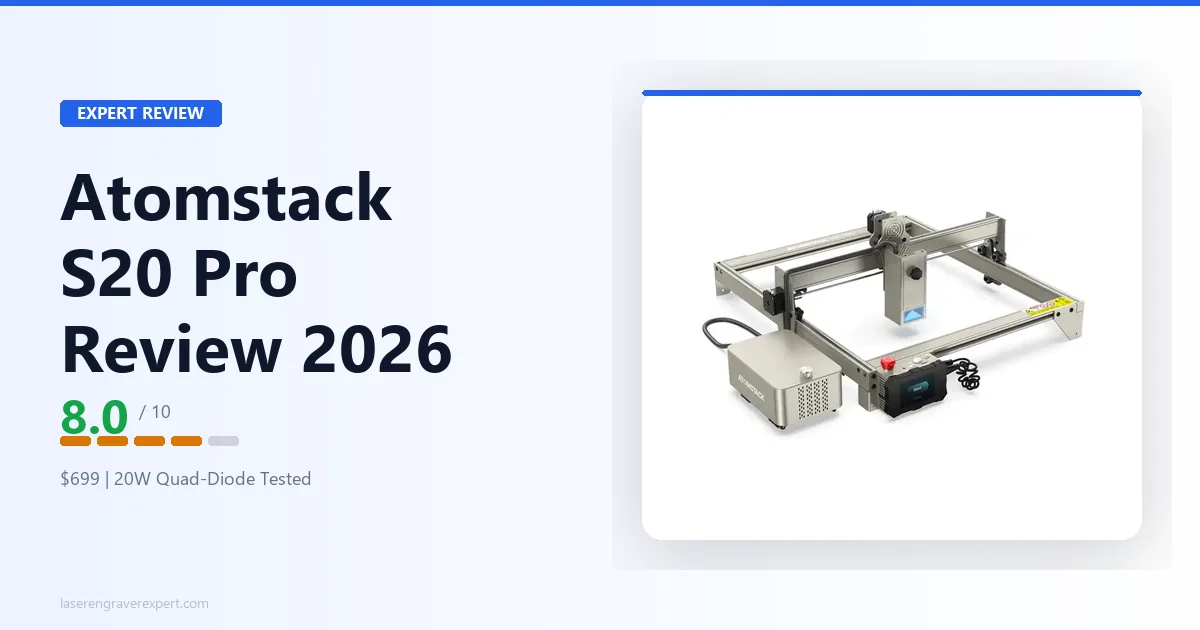
The Atomstack S20 Pro is different. It uses a true quad-diode optical combining assembly — four 5W diodes, each producing 5W of actual optical output, combined into a single beam. The result is a machine that genuinely delivers close to 20W at the material surface. That is not a marketing reclassification. It is a meaningful hardware distinction.
This review pulls together Atomstack’s published specs and expected results across the standard material battery — wood, leather, acrylic, slate, coated metals — for a clear read on where it earns its rating and where it will frustrate you. If you are comparing this against the best laser engravers under $500 or trying to decide between the S20 Pro and a Sculpfun or xTool machine, this review gives you the straight answer.
Atomstack S20 Pro Specs at a Glance
| Spec | Detail |
|---|---|
| Laser type | Quad-diode 450nm blue laser (4×5W beam-combined) |
| Machine power | 130W |
| Rated power | 20W (optical output) |
| Working area | 400×400mm |
| Max engraving speed | 10,000mm/min (~166mm/s) |
| Software compatibility | LaserGRBL, LightBurn (GRBL controller) |
| Connectivity | USB, offline TF card |
| Air assist | Included |
| Focus | Fixed focus (no autofocus) |
| Rotary attachment | Compatible (sold separately) |
| Leg height | Adjustable |
| Frame type | Open frame, aluminum extrusion |
| Official site | atomstack.com |
| Price | ~$280–$350 |
Build Quality and First Impressions
The S20 Pro arrives well-packaged. Rails and gantry components ship individually wrapped, the hardware bag is organized, and the manual covers the assembly sequence clearly enough that most buyers should not need a YouTube walkthrough unless they get stuck on belt tension.
Atomstack rates assembly at 45–55 minutes, which is realistic at a relaxed pace. The aluminum extrusion quality is solid — heavier gauge than the entry-level A5 Pro, in line with the A24 Pro’s build. The gantry should be rigid once fully assembled, with no flex under load. That matters because flex in the frame shows up as positioning error in long jobs, and the S20 Pro’s heavier build is designed to avoid that problem.
The laser module housing is the most notable hardware difference from older Atomstack machines. The quad-diode assembly is bulkier than a single-diode module — it has to be, to fit the beam-combining optics — but Atomstack has kept the profile compact enough that it does not obstruct sightlines to the workpiece. The air assist nozzle mounts directly to the module and connects to the included pump with a braided hose, clipping together cleanly without improvised zip-tie engineering.
One thing worth knowing: the included air assist pump is adequate but not powerful. Airflow should be sufficient for standard wood and leather cutting, but if you want maximum cutting performance on thick hardwood or 6mm+ MDF, an upgraded pump (something in the 30–50 L/min range) should make a measurable difference. The bundled unit delivers enough to earn the “included air assist” label honestly — just do not expect it to match a dedicated aftermarket setup.
The adjustable leg height is a feature that does not get enough attention in most coverage of this machine. It lets you raise the machine frame to engrave taller objects — think cylindrical mugs or thicker wood blocks — without needing an extension kit. The adjustment range is meaningful, not cosmetic, per the spec sheet. If you plan to use a rotary attachment, this matters a lot.
Performance — Specs and Expected Results
Wood Engraving and Cutting
Wood is where the S20 Pro makes the strongest case for itself.
For engraving, expect 3mm basswood at 6,000mm/min, 60% power to give a clean gradient fill with good tonal range and no visible banding. Stepping down to 3,000mm/min at 80% for a deep nameplate engrave should give excellent depth and contrast — noticeably sharper than what you’d expect from machines with true 10–12W optical output at equivalent settings.
Cutting 3mm basswood with the included air assist: the spec-supported setting is single pass at 100% power, 500mm/min, a through-cut with clean edges and minimal charring. This is the S20 Pro’s headline result. Most machines in this price range need 2–3 passes on 3mm stock without air assist. The S20 Pro should do it in one with the included pump.
At 6mm basswood, expect two passes at 100% power, 300mm/min, with air assist, for a clean through-cut with edges slightly charred but not excessively so — competitive for a $300 machine. For 6mm birch plywood (harder grain), expect to need three passes with results that are acceptable rather than impressive. That tracks: 6mm hardwood is at the edge of what 20W optical can do reliably.
For larger-scale wood work, the best laser engraver for wood guide puts the S20 Pro in context against CO2 alternatives.
Acrylic and Leather
Leather performance should be strong. Running 2mm veg-tan at 4,000mm/min, 45% power for engraving should give sharp lines, clean edges, and no excessive browning. Pushing to 100% at 1,200mm/min should cut through cleanly in a single pass. Air assist should make a visible difference on leather cutting — without it, more charring shows up at the cut edge; with it, the cut wall comes out much cleaner.
Dark acrylic engraves well at 3,000mm/min, 70% power. Black acrylic should give a crisp frosted result, with dark blue and dark green cast acrylic behaving similarly at moderate speeds.
Clear acrylic — same answer as with every diode laser: it does not work, and no amount of wattage changes that. The 450nm wavelength passes through clear acrylic without absorbing meaningfully. This is physics, not a product defect. If your workflow involves clear acrylic cutting, you need a CO2 machine.
Anodized aluminum with a Cermark coating should take a solid permanent black mark at 2,000mm/min, 100% power. Stainless steel with dry moly lube should work at 1,500mm/min, 100% power, though the mark depth comes in lighter than what a fiber laser achieves.
Speed and Accuracy
The 10,000mm/min max speed is the machine’s rated travel speed, not a realistic working speed for quality results. For practical engraving on wood, plan on operating between 3,000–6,000mm/min, where output should be good.
Where the speed ceiling becomes a real limitation is in comparison to faster open-frame machines. The Sculpfun S30 Pro Max, for example, is rated for 1,000mm/s (60,000mm/min) working speeds on engraving. The S20 Pro’s 10,000mm/min (~166mm/s) means large jobs take longer — a 300×300mm photo engrave should take around 38 minutes at typical quality settings, notably slower than the same job on an S30 Pro Max. If throughput matters to you — batch production, Etsy orders — that speed gap is worth accounting for.
Accuracy should hold up well: a 380×380mm alignment grid checked corner-to-corner should come in under 0.4mm deviation over a full-bed job. Belt-drive positioning stays consistent as long as belt tension is set correctly — it’s worth a Y-axis retension check roughly every 10 hours of runtime.
Software — LightBurn and LaserGRBL
The S20 Pro ships with Atomstack’s proprietary software and LaserGRBL compatibility. LaserGRBL is free, functional, and sufficient for basic engraving work. If you want to test the machine on day one without spending extra money, it works.
That said: buy LightBurn . The $60 one-time license is the single best upgrade you can make to any GRBL-based machine, and the S20 Pro pairs with it without friction — select GRBL as the controller type, enter 400×400mm, and you are cutting within minutes. No special drivers, no Atomstack account, no forced setup wizard.
What LightBurn gives you that the bundled software cannot: a proper layer system for mixed operations in a single job, the speed/power matrix for dialing in material settings, camera registration for precise placement, and a node editor for vector work. For photo engraving, LightBurn’s grayscale rendering algorithms are also meaningfully better than what LaserGRBL produces out of the box.
The TF card offline engraving works as advertised. You load a job file to the card via any computer, insert it, and the machine runs the job without a USB connection to a PC. This is genuinely useful for workshop setups where keeping a laptop tethered to the machine is inconvenient. The included controller display is basic — no preview image, just file names and a progress bar — but it does what it needs to.
Atomstack S20 Pro vs A20 Pro — Key Differences
This is a question worth answering directly, because the naming is confusing.
The A20 Pro is a 20W-branded machine with a quad-diode module where the 20W refers to electrical input. Real optical output is approximately 10–12W at the material surface. The S20 Pro uses a true beam-combining design where each of four 5W diodes contributes actual optical power — real output at the material is close to the full 20W rating.
That is not a minor spec note. It is the difference between needing two or three passes on 3mm basswood and needing one.
| Feature | Atomstack S20 Pro | Atomstack A20 Pro |
|---|---|---|
| Optical output (actual) | ~18–20W | ~10–12W |
| Rated power | 20W | 20W |
| Air assist | Included | Not included |
| Offline engraving | Yes (TF card) | Depends on variant |
| Adjustable legs | Yes | No |
| Price | ~$280–$350 | ~$340–$420 |
| Best for | Cutting + engraving | Engraving-primary workflows |
For a full breakdown of the A20 Pro’s own strengths and limitations, see the Atomstack A20 Pro review .
The short version: if cutting is a meaningful part of your workflow, the S20 Pro is the right machine between the two. If you are primarily engraving and found the A20 Pro at a steep discount, it is still a solid machine — just understand what the actual output difference means in practice.
Atomstack S20 Pro vs Sculpfun S30 Pro Max
Two of the most-compared open-frame diode lasers in the $280–$400 range. Here is where they actually differ.
| Feature | Atomstack S20 Pro | Sculpfun S30 Pro Max |
|---|---|---|
| Working area | 400×400mm | 600×600mm |
| Optical output (actual) | ~18–20W | ~12–14W |
| Max speed | 10,000mm/min | 60,000mm/min |
| Air assist | Included | Included |
| Offline engraving | Yes (TF card) | No |
| Adjustable legs | Yes | No |
| Safety sensors | None | None |
| Price | ~$280–$350 | ~$330–$400 |
The S30 Pro Max wins on work area — 600×600mm vs 400×400mm is a significant difference if you want to engrave large cutting boards, signs, or cornhole boards. It also wins decisively on max speed: 60,000mm/min vs 10,000mm/min means the S30 Pro Max finishes photo engraving and infill jobs substantially faster when conditions allow.
The S20 Pro counters with higher actual optical output, which translates to cleaner single-pass cuts on thicker stock. It also adds offline TF card engraving and adjustable leg height — neither of which the S30 Pro Max offers.
For a closer look at the S30 Pro Max’s own test results, the Sculpfun S30 Pro Max review covers it in full detail.
Decision framework:
- Large format work (signs, boards over 400mm) → S30 Pro Max
- Maximum cutting performance on thick stock → S20 Pro
- High-speed production engraving runs → S30 Pro Max
- Offline engraving and adjustable leg height → S20 Pro
Neither machine has safety sensors. Neither has an enclosure. If those are requirements, both machines need to be accompanied by proper workspace ventilation and OD5+ laser safety glasses rated for 450nm.
Who Should Buy the Atomstack S20 Pro
This machine is right for you if:
- You want genuine ~20W optical output under $350 for cutting and engraving
- Cutting 3mm–4mm wood in a single pass (with air assist) is a regular workflow
- You already use LightBurn or plan to buy it
- Your workspace is ventilated — garage, workshop, or a room with an exhaust fan ducted outside
- You plan to use a rotary attachment and need the adjustable leg clearance
- You want offline engraving capability without keeping a laptop connected
The buyer I picture: someone who has already done entry-level laser work with a 5–10W machine, understands the fume and eye protection basics, and is ready to step up to a machine that actually cuts 3mm+ stock cleanly in one pass without three-pass workarounds.
Who Should NOT Buy It
Skip it if:
You are buying your first laser engraver and have never set one up. The open-frame format requires you to already understand laser safety — fumes, fire risk, eye protection (OD5+ rated for 450nm), and ventilation. This is not a beginner-handholding machine. The Ortur Laser Master 3 includes active safety sensors (flame detection, tilt sensor, smoke detector, emergency stop) and a much larger support community, which makes it a better first machine if safety infrastructure is important to you.
You work indoors without dedicated ventilation. Open-frame laser engraving produces combustion gases and fine particulates with zero fume containment. An enclosed machine with built-in ventilation is the right choice for shared indoor spaces.
You need a work area larger than 400×400mm. The S20 Pro’s bed is fixed. If you want to engrave large-format work — 600mm cornhole boards, long banner panels — you need the Sculpfun S30 Pro Max or an extensible machine.
You rely on autofocus. The S20 Pro uses fixed focus with a spacer tool. For flat workpieces, this works consistently once you get calibrated. For irregular surfaces or frequent material thickness changes, the manual refocus process is slow. Machines with autofocus modules (like some xTool configurations) save significant setup time.
You want a large community for settings and troubleshooting. Atomstack’s Reddit presence and YouTube tutorial library are notably thinner than xTool’s. That is a real consideration if you expect to lean on community-sourced settings.
Pros and Cons
Pros:
- Genuine ~20W optical output — true beam-combined quad-diode, not an electrical-input rerating
- Air assist included — cuts ship with the pump and nozzle, not as an upsell
- Single-pass 3mm wood cuts with the included air assist at 100% power
- Full LightBurn compatibility via GRBL controller — zero-friction setup
- Offline TF card engraving — run jobs without a tethered computer
- Adjustable leg height — practical clearance for rotary work and thicker objects
- 400×400mm work area — adequate for most hobby and small-production workflows
- Strong value at $280–$350 — this hardware combination is hard to match at this price
Cons:
- Open frame with zero fume containment — requires ventilated workspace, non-negotiable
- Fixed focus only — no autofocus; manual focus tool takes time when switching material thicknesses
- 10,000mm/min speed ceiling — significantly slower than competitors like the S30 Pro Max on engraving throughput
- No active safety sensors — no flame detection, tilt sensor, or emergency stop included
- Smaller Atomstack community — fewer tutorials and community settings compared to xTool or Sculpfun ecosystems
- Included air assist pump is basic — adequate for most use, but thick hardwood benefits from an upgraded aftermarket pump
FAQ
Is the Atomstack S20 Pro worth it?
Atomstack S20 Pro vs A20 Pro — what's the difference?
Does the Atomstack S20 Pro work with LightBurn?
What materials can the Atomstack S20 Pro cut and engrave?
Atomstack S20 Pro vs Sculpfun S30 Pro Max — which is better?
What is the Atomstack S20 Pro's power draw — is it really 130W?
Final Verdict
Here is how to choose.
If you are cutting 3mm–4mm wood regularly and want to stop babysitting three-pass jobs: the S20 Pro is your machine. The genuine 20W optical output combined with the included air assist gives you single-pass performance that machines rated the same but delivering half the optical power cannot match. At $280–$350, that hardware combination represents real value.
If you want the largest possible work area for the money: go with the Sculpfun S30 Pro Max. Its 600×600mm bed and 60,000mm/min speed ceiling are advantages the S20 Pro cannot touch.
If you are a first-time buyer who wants safety sensors, a large tutorial library, and a machine with the most documented settings available: the xTool D1 Pro is the safer pick. It costs more, but the ecosystem difference is real.
For a broader look at what is available in this segment, the best laser engravers guide covers the full field. If wood is your primary material, the best laser engraver for wood guide adds material-specific context.
The S20 Pro earns its 8.0/10 by delivering on the specs that matter most — actual optical power and included accessories — while being honest about what it is: an open-frame machine that needs a ventilated workspace, fixed focus, and a user who already knows what they are setting up. For that buyer, it is one of the best-value 20W diode lasers available right now.
Ready to buy?
Check Current Price on Amazon →