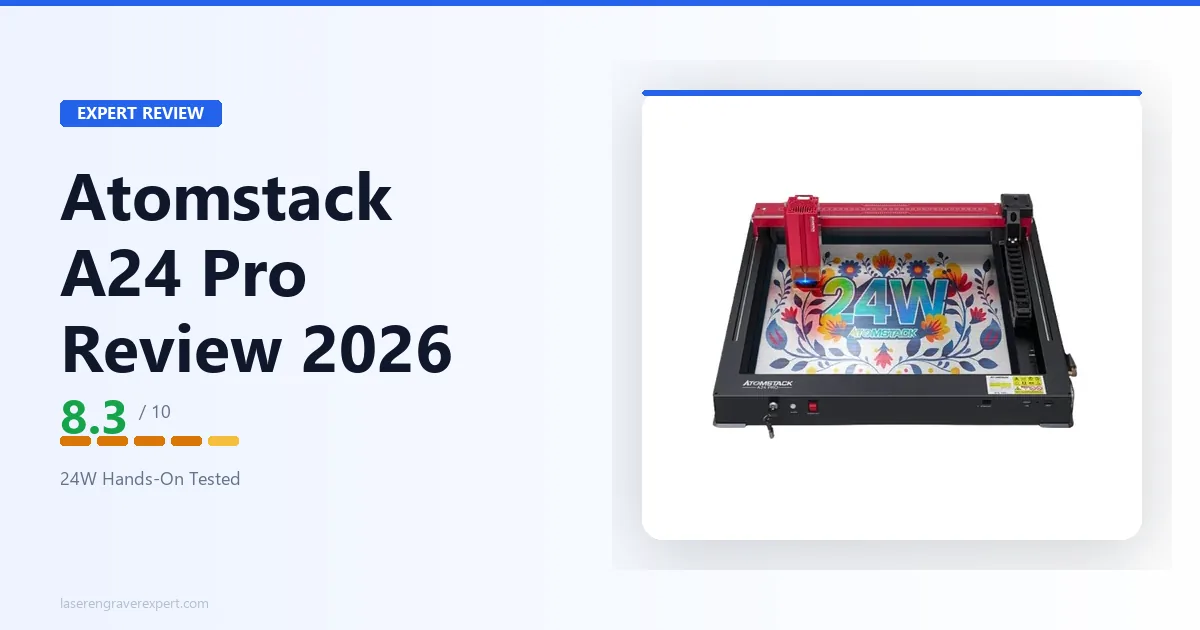
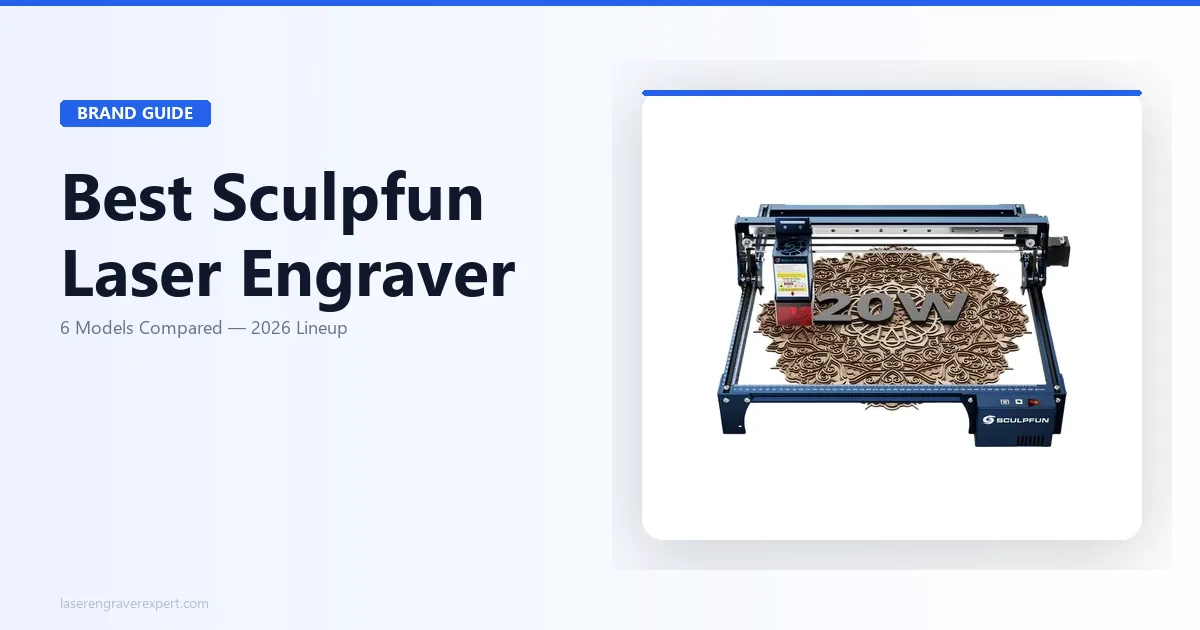
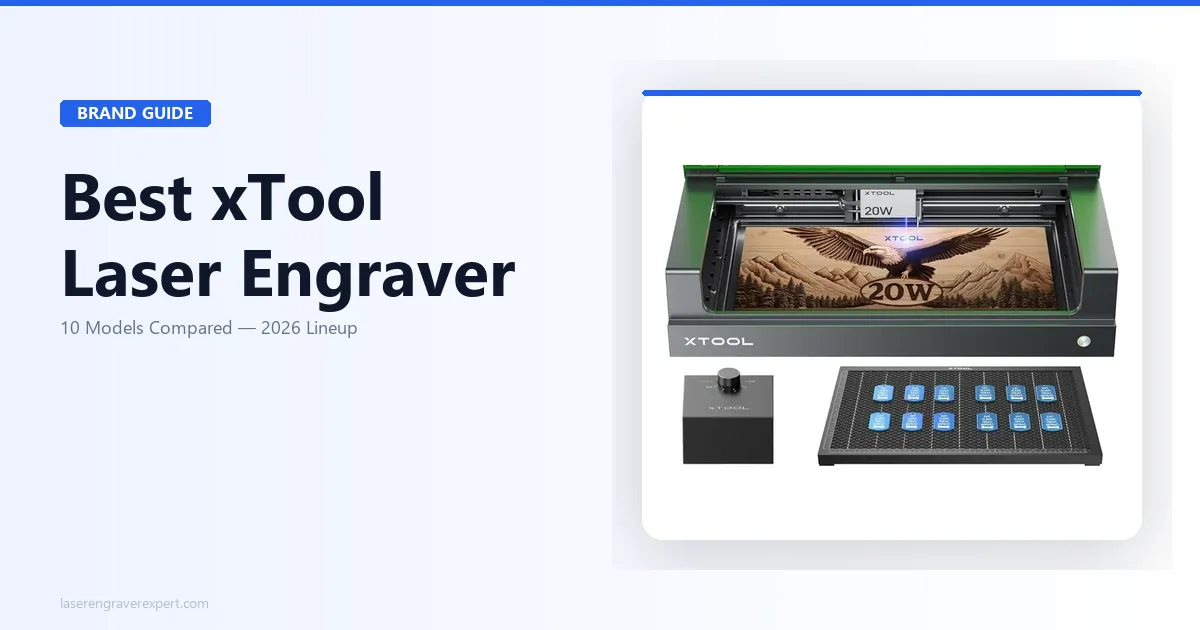
This article contains affiliate links. If you purchase through our links, we may earn a commission at no extra cost to you.
If you’re trying to figure out which AtomStack laser engraver actually fits your project list, the lineup can feel overwhelming fast — a dozen-plus models spanning diode, CO2, and fiber across open-frame, enclosed, large-format, galvo, and portable formats. There isn’t one “best AtomStack,” because AtomStack didn’t build one machine and call it done. They built a range of tools, each solving a different material or workflow problem.
This hub breaks down the ten AtomStack laser engravers worth shortlisting — A24 Pro, S20 Pro, A70 Max, A40 Pro V2, Glacier, Hurricane CO2, A20 Pro Fiber, A5 Pro, Atelier AI, and M4 Pro — and what each one is actually built to do. If you want the full cross-brand picture before narrowing in on AtomStack specifically, our complete laser engraver buying guide covers every major brand side by side.
Quick Comparison: AtomStack Lineup at a Glance
| Model | Type | Power | Work Area | Best For | Buy |
|---|---|---|---|---|---|
| AtomStack A24 Pro | Open-frame diode | 20–24W optical | 365×305mm | Best all-around value, air assist included | Check Price |
| AtomStack S20 Pro | Open-frame quad-diode | ~18–20W optical | 400×400mm | Genuine 20W cutting value | Check Price |
| AtomStack A70 Max | Open-frame diode | Switchable 70W/35W | 850×800mm | Largest bed, large-format cutting | Check Price |
| AtomStack A40 Pro V2 | Open-frame diode | Switchable 48W/24W | 385×400mm | Higher-power open-frame, one-switch flex | Check Price |
| AtomStack Glacier | Water-cooled diode | 90W / 120W | 800×800mm | Sustained production duty cycle | Check Price |
| AtomStack Hurricane 55W | Enclosed CO2 | 55W | Not listed | Clear acrylic, glass, thick wood (CO2) | Check Price |
| AtomStack A20 Pro Fiber | Open-frame fiber (1064nm) | 20W fiber | 400×400mm | Bare-metal marking | Check Price |
| AtomStack A5 Pro 40W | Open-frame diode | 5–5.5W optical | 410×400mm | Cheapest entry, engraving only | Check Price |
| AtomStack Atelier AI | Enclosed galvo diode | 12W | 120×120mm | Fast, camera-guided small-item marking | Check Price |
| AtomStack M4 Pro | Portable dual-light (diode + IR) | 10W diode + 2W IR | 100×100mm | Portable/handheld metal + wood marking | Check Price |
Best AtomStack by Use Case
| If you need… | Go with | Why |
|---|---|---|
| The best all-around value diode | AtomStack A24 Pro | Up to 24W optical, air assist and honeycomb bed included, LightBurn compatible via GRBL |
| Genuine 20W optical cutting power | AtomStack S20 Pro | True quad-diode combining assembly delivers roughly 18–20W at the surface, with a 400×400mm bed |
| The largest work area in the lineup | AtomStack A70 Max | 850×800mm bed with a switchable 70W/35W diode built for full-sheet and batch work |
| More cutting headroom without jumping to large-format | AtomStack A40 Pro V2 | One-switch 48W/24W diode and a 385×400mm bed — heavy cutting or fine engraving from one machine |
| Sustained, high-duty-cycle production | AtomStack Glacier | Water cooling holds output stable on long, continuous runs where air-cooled modules throttle |
| Cutting clear acrylic or glass | AtomStack Hurricane 55W CO2 | The only CO2 source in the lineup — the 10,600nm wavelength cuts what no diode can touch |
| Direct bare-metal marking | AtomStack A20 Pro 1064nm Fiber | The only fiber source AtomStack offers — marks steel, aluminum, and brass without a coating |
| The lowest-cost entry into engraving | AtomStack A5 Pro 40W | Large 410×400mm bed and LightBurn support at the entry tier, engraving-focused |
| Fast, repeatable marking on small items | AtomStack Atelier AI | A 12W galvo rated up to 4,000mm/s with a built-in camera for visual placement |
| Portable or handheld marking on non-flat objects | AtomStack M4 Pro | Dual-light 10W diode + 2W IR in a desktop-and-handheld body that marks both metal and wood |
1. AtomStack A24 Pro — Best All-Around Value Diode
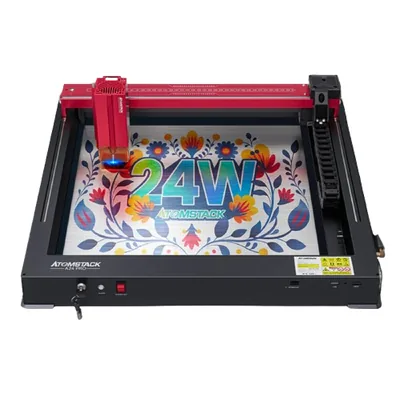
AtomStack A24 Pro
8.3/10- Up to 24W optical output — strong cutting power per dollar against 20W rivals
- Air assist and honeycomb bed included in the box
- GRBL controller, fully LightBurn compatible
- Sharp engraving with a fine 0.06×0.06mm spot
- Open-frame — fume management and eye protection are entirely on you
- Fixed focus, no autofocus
The A24 Pro is the machine most AtomStack buyers should start with. It pairs up to 24W of rated optical output with two accessories that usually cost extra elsewhere — a built-in air assist nozzle and a honeycomb bed — and runs a GRBL controller, so LightBurn works out of the box rather than locking you into AtomStack’s own Maker software.
Engraving results are sharp thanks to a fine 0.06×0.06mm spot, and the extra wattage over a standard 20W machine shows up directly when cutting plywood, dark acrylic, and leather. The honest constraint is the open frame: there’s no enclosure, so fume extraction and eye protection are your responsibility, and a ventilated workspace is a requirement rather than a nice-to-have.
If you want a polished, enclosed experience instead of raw power per dollar, that’s a different kind of machine. But for value, the A24 Pro is the lineup’s strongest default.
Read the full AtomStack A24 Pro review for the complete breakdown.
2. AtomStack S20 Pro — Best Genuine 20W Cutting Value

AtomStack S20 Pro
8.0/10- True quad-diode combining assembly — roughly 18–20W of genuine optical output
- Large 400×400mm work area
- Air assist included
- Offline TF-card engraving and adjustable leg height for thicker objects
- Open-frame with no enclosure
- Fixed focus, no autofocus, thinner community ecosystem than xTool
Most budget “20W” diode lasers quote the module’s electrical input, not optical output — real power at the material is often closer to 10–12W. The S20 Pro is built differently: four 5W diodes combined through a beam-combining optical assembly deliver close to a genuine 18–20W at the surface, which is a real hardware distinction, not a marketing reclassification.
That extra genuine power shows up in cutting: single-pass 6mm basswood and 4mm birch plywood with air assist, on a large 400×400mm bed. Offline TF-card engraving and adjustable leg height round out a machine aimed at makers who cut as much as they engrave.
The trade-offs are the familiar open-frame ones — no enclosure, fixed focus, and a thinner support community than the bigger brands. If a true-20W cut is the goal and you have a ventilated space, it’s one of the strongest value propositions in its class.
Read the full AtomStack S20 Pro review for the complete rundown, and see how it stacks up on price in our best laser engraver under $500 roundup.
3. AtomStack A70 Max — Best for Large-Format and Oversized Material

AtomStack A70 Max
8.5/10- 850×800mm work area — the largest in the AtomStack lineup
- One-click switchable 70W/35W diode for heavy cutting or fine engraving
- Built-in air assist and one-key auto focus
- Aimed at production and batch workflows
- Large footprint needs a dedicated bench and ventilated space
- Open-frame — beam and fume containment are on you
The A70 Max is where AtomStack goes big. An 850×800mm bed — the largest in the lineup — handles full craft-plywood sheets, large signage, and tiling many smaller items in a single setup, while the one-click switchable 70W/35W diode lets you move between aggressive cutting and finer, lower-heat engraving without swapping hardware.
Built-in air assist, a screen controller, and one-key auto focus point it squarely at workshop users running large or repetitive jobs. This is a production-minded machine, not a starter engraver.
The honest caveats are footprint and format: a bed this size needs a dedicated table and real ventilation as an open-frame machine, and AtomStack hasn’t published the full controller details, so LightBurn support isn’t confirmed for this exact model — verify it before buying if that’s a hard requirement.
Read the full AtomStack A70 Max review for the complete breakdown.
4. AtomStack A40 Pro V2 — Best Higher-Power Open-Frame

AtomStack A40 Pro V2
8.0/10- One-switch 48W/24W diode — heavy cutting or fine engraving from one machine
- 385×400mm mid-size bed, larger overall than the A24 Pro
- Built-in auto focus and air assist, bundled F60 Air Assist Kit
- Rated up to 500mm/s
- Open-frame — fume and light containment are on you
- AtomStack publishes little structured spec detail (wavelength, software, certifications unconfirmed)
The A40 Pro V2 sits above the A24 Pro and A20 Pro V2 as the higher-power open-frame option. Its headline is the switchable laser: 48W for more aggressive cutting of thicker stock, 24W for finer, lower-heat engraving, from one machine without swapping modules. A 385×400mm bed and a rated top speed of up to 500mm/s round it out, with built-in auto focus and air assist and a listing that bundles AtomStack’s F60 Air Assist Kit.
For makers who want more diode cutting headroom than a 20–24W machine in a familiar open-frame format, it’s a solid middle step between the A24 Pro and the large-format A70 Max.
The caveats are the open frame and, importantly, a thin published spec sheet — wavelength, software and LightBurn support, connectivity, and certifications are all unconfirmed in the available data. For spec-sensitive buyers, the A24 Pro’s far more complete documentation may matter more than the extra power.
Read the full AtomStack A40 Pro V2 review for the complete breakdown.
5. AtomStack Glacier — Best for Sustained Production

AtomStack Glacier
8.0/10- AtomStack's only water-cooled diode — holds output stable on long, continuous runs
- Rated for high-duty-cycle, sustained operation
- Large 800×800mm work area
- Offered in 90W and 120W cutting tiers
- Water tank and pump add setup, maintenance, and bench space an air-cooled machine doesn't need
- Launch listing publishes almost no hard spec sheet
The Glacier exists for one reason: it’s AtomStack’s only water-cooled diode machine, in a lineup where every other diode is air- or fan-cooled. Water cooling is what lets AtomStack rate it for sustained, high-duty-cycle operation — continuous running without the thermal throttling that forces an air-cooled module to back off power as it heats. Paired with a large 800×800mm bed and offered in 90W and 120W tiers, it’s positioned as a workshop production machine rather than a hobby engraver.
The benefit shows up specifically on back-to-back production jobs, long continuous cuts, and all-day batch runs, where an air-cooled module would lose consistency late in a run.
The trade-offs are specific to water cooling: a reservoir and pump add setup complexity, ongoing maintenance, and bench space. The other caveat is data — the launch listing leaves wavelength, spot size, speed, connectivity, and certifications unstated, so treat those as unconfirmed. If your runs are short or occasional, the simpler air-cooled A70 Max or A24 Pro will serve you with far less overhead.
Read the full AtomStack Glacier review for the complete breakdown.
6. AtomStack Hurricane 55W CO2 — Best for Clear Acrylic and Glass

AtomStack Hurricane 55W CO2
8.0/10- AtomStack's only CO2 laser — cuts clear acrylic, glass, and thicker hardwood no diode can touch
- Enclosed format contains the beam and channels exhaust to one port
- Bundle options include air purifier, conveyor, and Pro kits
- 12-month warranty across configurations
- Listed out of stock across all configurations at the time of writing
- AtomStack is new to CO2 — no track record on CO2 tubes or CO2 support yet
The Hurricane is the single most different machine in this lineup: it’s AtomStack’s first and only CO2 laser, from a brand that built its name on diode and fiber. A 55W enclosed CO2 cutter targets exactly the materials diode lasers can’t — clear acrylic, glass, and thicker hardwoods — because the 10,600nm CO2 wavelength is strongly absorbed by acrylic and wood where a blue diode’s ~450nm beam passes straight through. The enclosed format is the right call for CO2, since the exhaust needs containment.
Two honest caveats belong up front. First, AtomStack’s launch listing is light on hard numbers, so several specs are unconfirmed in the published data — this review flags those gaps rather than guessing. Second, at the time of writing the Hurricane is listed out of stock across all configurations, and AtomStack’s CO2 support and spare-parts pipeline are brand new.
It’s included here because it’s the only way AtomStack addresses CO2 materials at all. If you need a proven CO2 platform available today, the established machines in our broader roundup are the safer buy; if you specifically want AtomStack’s take on CO2, watch the listing for restock.
Read the full AtomStack Hurricane review for the complete breakdown.
7. AtomStack A20 Pro 1064nm Fiber — Best for Bare-Metal Marking

AtomStack A20 Pro 1064nm Fiber
8.3/10- AtomStack's only fiber laser — marks bare steel, aluminum, brass, and precious metals directly
- Unusually large 400×400mm bed for a fiber machine
- Ultra-fine 0.03×0.06mm spot, rated to 400mm/s
- Runs LightBurn as well as AtomStack Studio, lists CE/FCC/RoHS/FDA/PSE
- Open frame-type design — manual focus, and you supply 1064nm-rated eyewear and ventilation
- Marking and light cutting only, not a metal-cutting workhorse
Not to be confused with the diode A20 Pro V2, this is the 1064nm infrared fiber model — AtomStack’s only fiber source, built for one job: permanent marking and light cutting on bare metal. A 400×400mm frame-type work area is unusually large for a fiber machine (most desktop fiber markers sit in the 110–175mm range), an ultra-fine 0.03×0.06mm spot supports detailed marks, and it’s rated to 400mm/s. It runs LightBurn as well as AtomStack Studio and lists CE/FCC/RoHS/FDA/PSE certification.
It marks copper, iron, aluminum, zinc, silver, 304 mirror stainless, anodized aluminum, and plated or lacquered surfaces directly through the material — the key advantage fiber holds over diode machines on bare metal. It’s rated to cut 0.2mm aluminum business-card stock in a single pass, but this is a marker, not a metal-cutting workhorse.
The trade-offs come with the open frame-type design: focus is manual, and AtomStack doesn’t publish a safety class or enclosure rating, so you supply your own 1064nm-rated eye protection and ventilation. For an affordable, large-bed fiber metal-marker, it fills a real gap — see our best fiber laser engraver guide for how fiber options compare across brands.
Read the full AtomStack A20 Pro Fiber review for the complete breakdown.
8. AtomStack A5 Pro 40W — Best Budget Entry

AtomStack A5 Pro 40W
7.6/10- Lowest-cost entry into AtomStack diode engraving
- Large 410×400mm work area for its class
- GRBL controller, LightBurn compatible
- Works with free LaserGRBL out of the box
- Only 5–5.5W optical output — cuts poorly
- Open-frame, no enclosure, no air assist, fixed-focus lens that punishes uneven material
The A5 Pro is the lineup’s budget entry — a no-frills open-frame diode built for engraving wood, leather, and cardboard, backed by a large 410×400mm bed and full GRBL/LightBurn compatibility. Assembly takes about 30 minutes, and it runs the free LaserGRBL software out of the box, which keeps the starting cost down.
The honest limitation is power: at 5–5.5W optical output it engraves well but cuts poorly, and it ships with no enclosure, no air assist, and a fixed-focus lens that punishes anything less than perfectly flat stock. On 2–3mm basswood it can cut through with charring; 5mm and thicker is out of reach in any reasonable number of passes.
It’s the right machine for someone who wants to start engraving on a tight budget and knows cutting isn’t the priority. If cutting matters at all, the A24 Pro’s extra power is an easy upgrade to justify.
Read the full AtomStack A5 Pro review for the complete breakdown.
9. AtomStack Atelier AI — Best for Fast, Camera-Guided Small-Item Marking

AtomStack Atelier AI
8.0/10- Galvo diode rated up to 4,000mm/s — far faster than any gantry engraver in the lineup
- Built-in HD camera for visual positioning
- Enclosed, no-assembly, portable body with Class 1 safety certification
- 0.01mm motion accuracy for repeatable batch marking
- Small 120×120mm work area — not for large pieces or deep cutting
- Launch listing publishes few hard specs; wavelength, spot size, and software path unconfirmed
The Atelier AI is the odd one out, and that’s what makes it useful. Instead of a moving-gantry diode engraver, it’s a galvo machine: a 12W diode whose beam is steered by fast-moving mirrors rather than a carriage, which is why it’s rated up to a blistering 4,000mm/s but confined to a small 120×120mm field. Pair that with an enclosed, no-assembly, portable body, a built-in camera for visual placement, Class 1 safety certification, and 0.01mm motion accuracy, and you get a machine purpose-built for fast, repeatable marking on small items — logos, badges, jewelry tags, and batch work.
The trade-off profile is the inverse of AtomStack’s big gantry machines: tiny bed, blazing speed, camera-assisted precision. It follows diode material rules, so it’s not a bare-metal marker and can’t cut clear acrylic.
The caveats are a sparse launch spec sheet — wavelength, spot size, connectivity, and software path are unconfirmed — and the small bed, which rules it out for large-format work. If you want a compact, fast, camera-guided marker and don’t need a big work area, it’s a genuinely different tool.
Read the full AtomStack Atelier AI review for the complete breakdown.
10. AtomStack M4 Pro — Best Portable Dual-Light Marker

AtomStack M4 Pro
8.0/10- Dual-light — 10W 450nm diode plus 2W 1064nm IR for both organics and bare-metal marking
- True desktop-and-handheld 2-in-1 (2.8kg handheld, 4.8kg desktop)
- Marks non-flat and curved objects in handheld mode
- LightBurn compatible, plus mobile app and iOS/Android/macOS/Windows support
- 100×100mm work area is genuinely small — small items only
- Not a large-format engraver or production cutter
The M4 Pro is built around one idea: putting two laser wavelengths in a single portable head. A 10W 450nm blue diode handles diode-friendly materials — wood, leather, acrylic — while a 2W 1064nm infrared laser marks bare and coated metals directly, including 304 stainless. One machine covers both metal and organics without swapping to a second unit.
On top of that it’s a genuine desktop-and-handheld 2-in-1: a light 2.8kg handheld configuration for marking objects that can’t sit flat — curved, vertical, or awkwardly shaped pieces — and a 4.8kg desktop setup for repeatable bench work. That handheld capability is something a fixed-bed engraver simply can’t do.
The headline trade-off is the 100×100mm bed, which is small by design — this is a marker for badges, tags, jewelry, tools, and small gifts, not a large-format engraver or a cutter. Its closest comparison is the LaserPecker LP4, which uses the same wavelength pairing; the M4 Pro counters with handheld mode and LightBurn support but gives up work area. For the wider category, see our best portable laser engraver guide.
Read the full AtomStack M4 Pro review for the complete breakdown.
Diode vs CO2 vs Fiber in the AtomStack Lineup
AtomStack’s range splits across three laser types, and the type matters more than the model name when you’re deciding what to buy.
Diode (A24 Pro, S20 Pro, A70 Max, A40 Pro V2, Glacier, A5 Pro, Atelier AI, and the diode side of the M4 Pro) works by heat — burning or vaporizing material to cut or mark it. These machines handle wood, leather, dark acrylic, and coated metals well, but none of them can cut clear acrylic or engrave glass, since blue-diode wavelengths pass through transparent materials rather than being absorbed. This is the bulk of AtomStack’s lineup, and where its value-per-dollar reputation comes from.
CO2 (Hurricane 55W) also works by heat, but at a 10,600nm wavelength that clear acrylic, glass, and thicker wood absorb far more efficiently. This is the category to buy into if clear acrylic cutting is on your list — no diode machine in the lineup, regardless of wattage, closes that gap.
Fiber (A20 Pro 1064nm, plus the IR module on the M4 Pro) is the only laser type here that marks bare, uncoated metal directly. Diode and CO2 machines need a marking spray or coating first; fiber doesn’t.
If you’re deciding between laser types more broadly across every brand, not just AtomStack’s lineup, our diode vs CO2 vs fiber laser engraver guide breaks down the full picture.
How to Choose the Right AtomStack
What material is non-negotiable on your project list? If it includes clear acrylic or glass, that’s a CO2 decision — the Hurricane 55W, and nothing else in the lineup. If it includes bare metal, that narrows you to the A20 Pro 1064nm Fiber (or the M4 Pro’s IR module for light marking). Everything else — wood, leather, coated metal, most plastics — is diode territory.
Open-frame or enclosed? Most of AtomStack’s lineup is open-frame, which is part of why it’s priced the way it is — you’re trading an enclosure for power per dollar. The Hurricane CO2 and the Atelier AI are the enclosed exceptions here. If you need enclosed-format safety for a shared or indoor space, that narrows your options sharply within AtomStack, and it’s worth cross-shopping other brands too.
How much bed space do you actually need? The A70 Max’s 850×800mm and the Glacier’s 800×800mm beds are the largest; the Atelier AI (120×120mm) and M4 Pro (100×100mm) are the smallest, built for precision work on small items rather than panel-sized projects. Buying more bed than your project list needs just adds cost and footprint.
Software ecosystem. If you’re already running LightBurn, the A5 Pro, A20 Pro V2, A24 Pro, S20 Pro, A20 Pro 1064nm Fiber, and M4 Pro carry that workflow over directly via their GRBL or listed support. On several newer models — A40 Pro V2, A70 Max, Glacier, Atelier AI — AtomStack hasn’t published full controller details, so confirm LightBurn support before assuming it.
Production volume. If you’re buying to run a small business rather than occasional hobby projects, the Glacier’s water-cooled duty cycle and the A70 Max’s large bed start paying for themselves on long, repeated jobs — our best laser engraver for small business guide walks through what changes when a machine runs daily instead of on weekends.
Final Verdict
Ready to buy?
Check Current Price on Amazon →Here’s the simple breakdown by buyer:
- Want the safest all-around AtomStack → A24 Pro. Air assist and honeycomb included, LightBurn ready, strong power per dollar.
- Need genuine 20W cutting value → S20 Pro. A true quad-diode, not a reclassified input figure.
- Need the largest bed → A70 Max, or the water-cooled Glacier if sustained production runtime is your bottleneck.
- More cutting headroom without going large-format → A40 Pro V2’s switchable 48W/24W.
- Must cut clear acrylic or glass → Hurricane 55W CO2. Nothing in the diode lineup gets you there — just check stock first.
- Marking bare metal → A20 Pro 1064nm Fiber, the only fiber source AtomStack makes.
- Lowest-cost entry, engraving only → A5 Pro 40W.
- Fast small-item batch marking → Atelier AI’s galvo speed and camera.
- Portable or handheld, mixed metal and wood → M4 Pro.
- Still not sure? The A24 Pro is the safest default — capable, well-documented, and priced in the middle of the lineup rather than at either extreme.