This article contains affiliate links. If you purchase through our links, we may earn a commission at no extra cost to you.
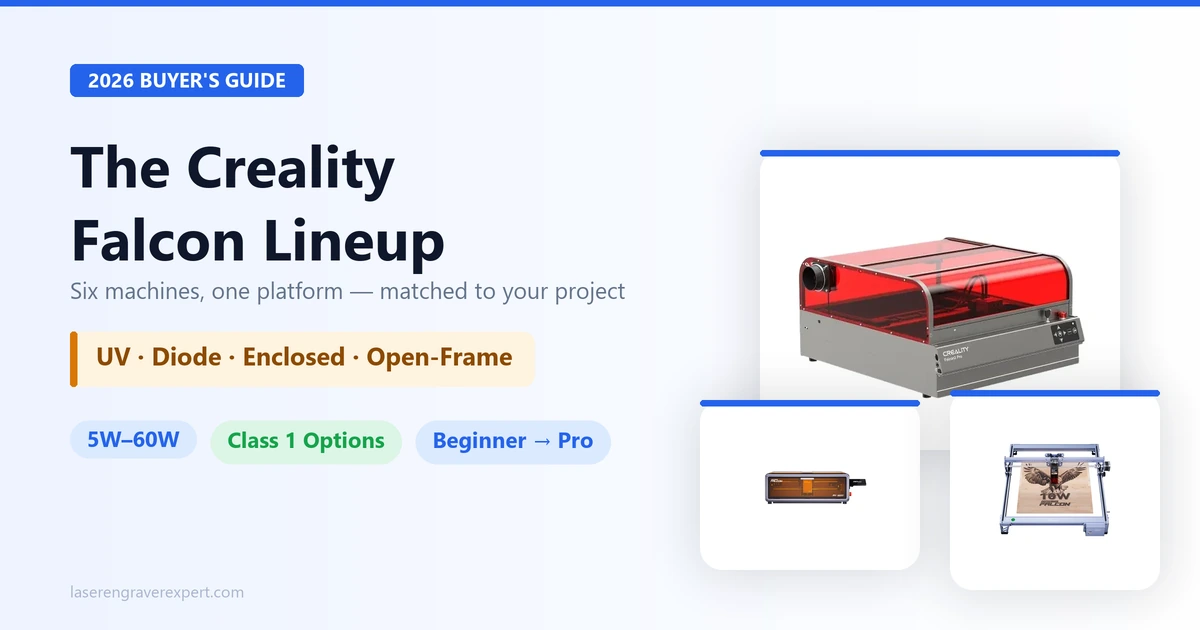
If you’re trying to figure out which Creality Falcon laser engraver actually fits your workspace, you’re in the right spot — and probably the wrong mindset. Most people searching for the best Creality laser engraver assume there’s one “best” model. There isn’t. Creality built the Falcon lineup as six distinct tools for six distinct jobs, from a 5W UV machine that etches crystal to a fully open-frame 10W cutter built for garage use.
This hub breaks down every current Creality Falcon model — the Falcon2 Pro 60W, the Falcon T1 UV, the A1, the A1 Pro, the Falcon2 Pro S, and the CR-Falcon — and what each one is actually built to do. We cut through the marketing to show what matters for your project list and which model matches which buyer. If you want the full cross-brand picture before narrowing in on Creality specifically, our complete laser engraver buying guide covers every major brand and category side by side.
Quick Comparison: Creality Falcon Lineup at a Glance
| Model | Type | Power | Work Area | Best For | Buy |
|---|---|---|---|---|---|
| Creality Falcon2 Pro 60W | Enclosed diode | 60W optical + 1.6W fine-detail | 400×400mm | Enclosed cutting power | Check Price |
| Creality Falcon T1 UV | Enclosed UV | 5W (355nm) | 175×175mm | Glass, crystal, heat-sensitive materials | Check Price |
| Creality Falcon A1 | Enclosed diode | 10W (Creality-listed) | — (Creality-listed) | Plug-and-play beginners | Check Price |
| Creality Falcon A1 Pro | Enclosed dual-source | 20W diode + 2W IR | — (Creality-listed) | Diode + IR marking in one machine | Check Price |
| Creality Falcon2 Pro S | Enclosed diode | 40W (Creality-listed) | — (Creality-listed) | Mid-power enclosed cutting | Check Price |
| Creality CR-Falcon | Open-frame diode | 10W (Creality-listed) | 400×415mm (Creality-listed) | Budget open-frame cutting | Check Price |
Best Creality Laser Engravers by Use Case
| If you need… | Go with | Why |
|---|---|---|
| Max cutting power in an enclosure | Falcon2 Pro 60W | 60W optical output rated to cut 22mm wood and 0.2mm stainless per Creality’s spec sheet |
| Glass, crystal, or ceramic engraving | Falcon T1 UV | UV diode doesn’t rely on heat, so it marks heat-sensitive materials without cracking them |
| Simplest setup for a first machine | Falcon A1 | Pre-assembled, enclosed, camera auto-positioning — Creality markets it as plug-and-play |
| Metal or plastic part marking alongside wood/acrylic work | Falcon A1 Pro | Dual-source: 20W diode for cutting/engraving plus a 2W IR module built for metal and plastic marking |
| Mid-range enclosed power without jumping to 60W | Falcon2 Pro S 40W | Creality lists it as a fully enclosed 40W diode engraver/cutter with adjustable power |
| Largest work area on a budget | CR-Falcon 10W | Creality-listed 400×415mm bed, open-frame, no enclosure cost built into the price |
1. Creality Falcon2 Pro 60W — Best for Enclosed Cutting Power
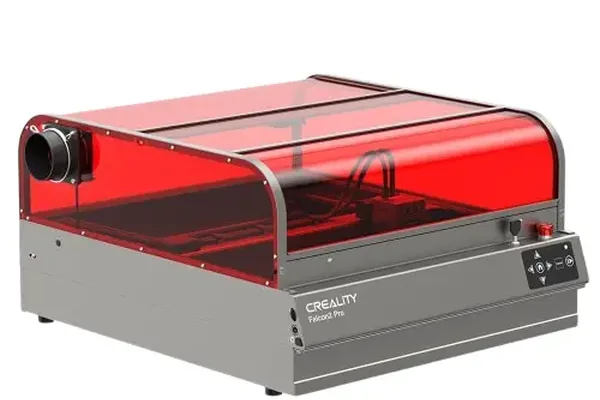
Creality Falcon2 Pro 60W
4.9/10- 60W optical + 1.6W fine-detail module for detail work
- Fully enclosed Class 1 (FDA) safety rating
- Built-in HD camera with vision positioning
- Modular quick-swap laser head (~1 min per Creality)
- Largest footprint in the enclosed lineup
- 400×400mm work area limits oversized sheet goods
The Creality Falcon 2 Pro 60W is the flagship of the enclosed lineup, and the spec sheet backs that up. Creality rates the optical output at 60W with a secondary 1.6W fine-detail module for the kind of fine engraving work that a high-power head usually can’t handle cleanly. The CoreXY motion system is rated for speeds up to 600mm/s, and the stated spot size — 0.08×0.15mm — is tight enough for detailed line work, not just bulk cutting.
What separates this from a hobby-grade diode machine is the Class 1 enclosure (FDA-compliant per Creality’s documentation), meaning you’re not standing over an open beam for hours. Pair that with the built-in HD camera and vision positioning system, and material placement becomes a software step instead of a tape-measure exercise. Creality’s cut ratings — 22mm wood, 30mm acrylic, 0.2mm stainless in a single or multi-pass — put it in the same conversation as machines costing significantly more.
The honest limitation: this is a 400×400mm bed. If your projects lean toward oversized signage or large sheet batching, this isn’t the model built for that. Owner feedback sits at 4.86 out of 5 across 49 reviews, which is a useful secondary signal, though we’d point you to the spec sheet first.
We’ve already published a full breakdown of this machine, including how it stacks up against its main diode competitor. Read our full Creality Falcon2 Pro review for the complete rundown, or see how it compares directly in our xTool S1 vs Creality Falcon2 Pro comparison.
2. Creality Falcon T1 UV 5W — Best for Glass, Crystal & Heat-Sensitive Materials
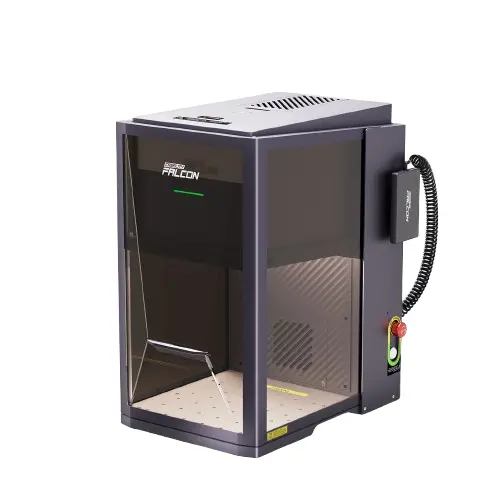
Creality Falcon T1 UV
4.8/10- 355nm UV diode marks without heat damage
- 0.014mm spot size per Creality's spec sheet
- Accuracy rated to ≤0.01mm
- 4.3-inch touchscreen, no computer required for basic jobs
- 175×175mm work area is the smallest in the lineup
- Not suited for cutting — this is an engraving-only tool
The Falcon T1 UV solves a problem diode and CO2 lasers can’t: engraving materials that crack, yellow, or scorch under heat. A UV laser at 355nm transfers far less thermal energy into the material, which is why Creality markets this machine specifically for glass, crystal, ceramics, acrylic, PU leather, and cardboard — surfaces where a standard diode laser would leave burn marks or hairline fractures.
The numbers on paper are genuinely tight: a 0.014mm spot size and accuracy rated to ≤0.01mm, running at speeds up to 10,000mm/s. Creality’s Falcon Design Space software (alongside LightBurn compatibility) includes five engraving modes — Flat, Relief, Deep, 3D-Internal, and Internal — which is why this machine shows up constantly in crystal-engraving and awards/trophy shop setups rather than general wood or acrylic work.
The trade-off is obvious from the work area alone: 175×175mm is small. This isn’t a machine for batch-engraving large panels — it’s a precision tool for small, high-value items. If that’s your use case, it’s close to unmatched in this lineup. If it isn’t, look elsewhere in the Falcon family.
Read our full Creality Falcon T1 review for a deeper look at the UV engraving modes, or check our best UV laser engraver roundup to see how it stacks up against other UV options on the market.
3. Creality Falcon A1 10W — Best Plug-and-Play Enclosed Option
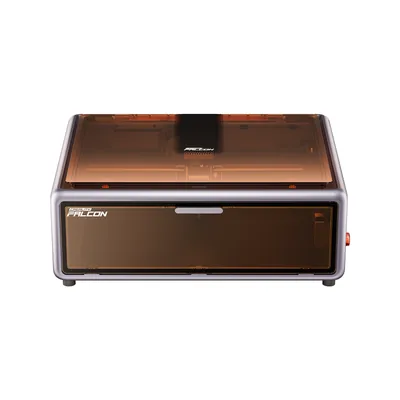
Creality Falcon A1 10W
4.6/10- Pre-assembled out of the box per Creality
- Built-in HD camera for auto-positioning
- Fully enclosed, Class 1 safety rating
- Rated up to 600mm/s per Creality's spec sheet
- Creality hasn't published a fixed work-area figure for this model
- 10W ceiling means thicker cuts will need multiple passes
The Creality Falcon A1 is positioned as the easiest on-ramp into the enclosed Falcon lineup. Creality lists it as pre-assembled and plug-and-play, which matters more than it sounds like — a huge share of first-time laser buyers get stuck at the assembly and calibration stage before they ever cut anything. The built-in HD camera handles auto-positioning, so you’re dragging your design onto a live preview of your material instead of eyeballing placement.
It’s a CoreXY machine, same motion architecture as its bigger Falcon2 Pro sibling, and Creality rates it for speeds up to 600mm/s. Being Class 1 enclosed also means it’s one of the few sub-entry-level machines where you’re not told to clear the room and wear laser safety glasses for every job — a real consideration if this is going in a home office or a shared space.
Where Creality gets soft on specifics is the work area and spot size — those figures aren’t published, so we won’t invent them here. Owner reports (4.8 stars across 55 reviews) suggest it handles everyday engraving and light cutting fine, but that’s a secondary signal, not a spec claim. If you need confirmed cutting depth numbers before buying, that’s worth a direct question to Creality support.
Who should buy this: someone who wants their first enclosed machine running the same day it arrives, without calibrating belts or leveling a bed. If you need confirmed thick-material cutting specs up front, the Creality Falcon 2 Pro 60W gives you documented numbers instead. For a wider view of what else qualifies as a solid first machine, see our best laser engraver for beginners roundup.
4. Creality Falcon A1 Pro 20W — Best Dual-Source (Diode + IR)
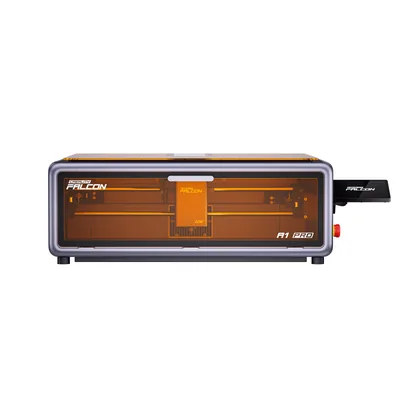
Creality Falcon A1 Pro 20W
4.5/10- Dual-source: 20W diode plus 2W IR module per Creality
- AI visual auto-focus
- Flame detection and tilt/drop stop built in
- Smoke-filtering enclosure
- Owner review base is the smallest in the lineup (18 reviews)
- Creality hasn't published the diode spot size or IR work-area figures
The A1 Pro is the only machine in the Falcon lineup built around two separate laser sources instead of one. Creality lists a 20W diode module for standard cutting and engraving work, paired with a 2W IR (infrared) module specifically for marking metal and plastic — materials a diode laser generally can’t mark cleanly without a coating or pre-treatment.
That dual-source design is the whole pitch here. If your project list includes metal tumblers, anodized aluminum, or plastic components alongside the usual wood and acrylic work, switching laser sources on one enclosed machine beats owning two separate tools — see our best laser engraver for tumblers guide if tumbler marking is your main use case. Creality also lists AI visual auto-focus, which — on paper — removes manual focus-height adjustment between materials of different thickness, and a touchscreen/app control pairing for job setup without a laptop tethered to the machine.
The safety feature set stands out on the spec sheet too: flame detection paired with tilt and drop-stop sensors, plus a smoke-filtering enclosure design. That’s a more complete safety package than most entry-tier diode machines list. The honest con: with only 18 owner reviews on record (4.5 stars), this is the newest and least-reviewed machine in the lineup, and while Creality lists a 268×358mm engraving area, it still hasn’t published the diode spot size or IR work-area figures. Our full Creality Falcon A1 Pro review breaks down the dual-source workflow and exactly which specs Creality has and hasn’t confirmed.
Who should buy this: makers who specifically need metal or plastic marking without buying a dedicated fiber laser. If metal marking isn’t on your list, the standard A1 or Falcon2 Pro S will cost you less complexity for the same wood/acrylic work.
5. Creality Falcon2 Pro S 40W — Best Mid-Power Enclosed
Creality Falcon2 Pro S 40W
4.9/10- Fully enclosed diode engraver/cutter per Creality
- Adjustable power output
- Same enclosed safety tier as the 60W flagship
- Positioned as the mid-power option in the Falcon2 line
- Creality hasn't published work-area or spot-size specifics separate from the 60W model
- Sits in a power gap between the A1 Pro and the full 60W
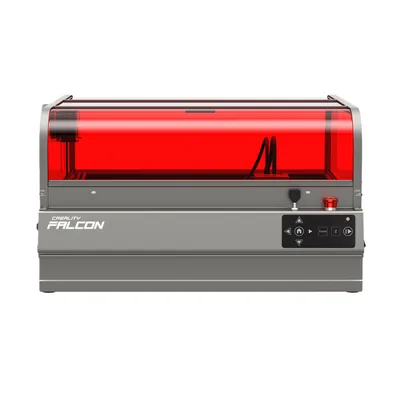
The Falcon2 Pro S fills the gap between the beginner-friendly A1 series and the full-power Falcon2 Pro 60W. Creality lists it as a fully enclosed 40W diode engraver/cutter with adjustable power output — meaning you’re not locked into running every job at full power, which matters for thinner materials where 60W would be overkill and risk scorching.
It shares the enclosed Class 1 safety tier with its bigger sibling, so if the appeal of the Falcon2 Pro 60W was the enclosure and build quality rather than the raw 60W ceiling, the Pro S is the more measured route to the same core platform. Owner reports put it at 4.86 stars across 49 reviews — identical to the 60W’s review profile, which suggests Creality is selling these through overlapping customer bases rather than two distinct audiences.
The catch is specificity: Creality’s public listings don’t break out a separate work-area or spot-size figure distinct from the 60W model, which makes it harder to compare like-for-like on paper. If exact numbers matter to your decision, it’s worth confirming directly with Creality before ordering — we won’t guess at figures that aren’t published.
Who should buy this: buyers who want the enclosed Falcon2 platform but don’t need to cut 0.2mm stainless or 22mm hardwood regularly. If you do need that ceiling, step up to the full 60W. For how this machine’s mid-power tier stacks up against other enclosed options, our mid-range laser engraver guide is a useful cross-reference.
6. Creality CR-Falcon 10W — Best Budget Open-Frame
Creality CR-Falcon 10W
4.6/10- 400×415mm work area — largest bed in the Falcon lineup per Creality
- 0.06×0.08mm spot size
- Rated up to 10,000mm/min
- Creality lists compatibility with 300+ materials
- Open-frame — no enclosure, so eye protection and a controlled workspace are required
- No camera-based auto-positioning
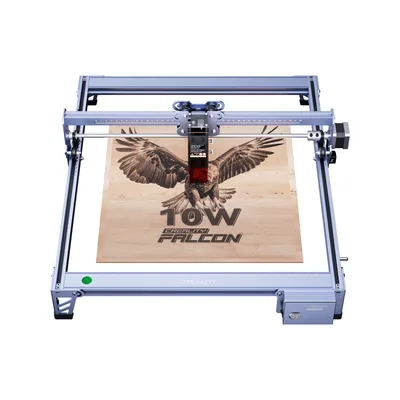
The CR-Falcon is the budget entry point into the Falcon family, and the trade-off is upfront and obvious: it’s open-frame. There’s no enclosure, which means lower manufacturing cost but also means you’re responsible for laser safety glasses, a ventilated space, and keeping the beam path clear — none of the Class 1 “walk away safely” benefits the enclosed Falcon models offer.
In exchange, Creality lists the largest work area in the entire lineup at 400×415mm, edging out even the Falcon2 Pro 60W’s enclosed bed. The spot size — 0.06×0.08mm per Creality’s spec sheet — is tighter than you’d expect at this tier, and the rated speed of up to 10,000mm/min keeps batch engraving jobs moving. Creality also lists compatibility with 300+ materials and a single-pass cut rating of 6mm wood, which is respectable for a 10W open-frame diode.
The honest limitation here isn’t power — it’s the missing enclosure and the lack of camera-based auto-positioning that the A1 and Falcon2 lines include. You’re manually aligning material and manually managing safety. Owner reports sit at 4.67 stars across 43 reviews, a reasonable secondary signal for a budget-tier open-frame machine.
Who should buy this: garage or workshop users who already have ventilation and safety glasses sorted, and want the largest bed in the lineup without paying for an enclosure. If you need the machine to live in a shared or indoor space without extra safety setup, one of the enclosed models is the safer call. It’s also worth checking our budget laser engraver picks if an entry-level machine is what you’re after.
Diode vs UV in the Creality Falcon Lineup
Five of the six Falcon models are diode lasers. One — the Falcon T1 — is UV. That distinction matters more than the wattage numbers do, because it determines what the machine can physically engrave without damaging it.
Diode lasers work by heat. They burn, vaporize, or scorch material to create a mark or cut, which is why Creality’s diode-based Falcon models (A1, A1 Pro, Falcon2 Pro S, Falcon2 Pro 60W, CR-Falcon) are rated primarily for wood, acrylic, leather, and — at higher wattages — thin metal cutting via oxidation marking. The heat is the tool.
UV lasers, like the one in the Falcon T1, work through a photochemical reaction rather than heat transfer. That’s the entire reason it can mark glass and crystal without cracking them and engrave heat-sensitive materials like PU leather without yellowing the edges. It’s a narrower use case — no cutting, smaller work area — but for the materials it’s built for, there’s no diode substitute.
If you’re trying to decide between laser types more broadly — including where CO2 and fiber lasers fit relative to diode and UV — our diode vs CO2 vs fiber laser engraver guide breaks down the full picture.
How to Choose the Right Creality Falcon
Four questions narrow this lineup down fast, and they matter more than brand loyalty or wattage alone.
Enclosure or open-frame? This is a workspace decision as much as a budget one. Enclosed models (A1, A1 Pro, Falcon2 Pro S, Falcon2 Pro 60W, T1 UV) let you run jobs in shared or indoor spaces without constant safety-glasses vigilance. The CR-Falcon’s open-frame design means you need dedicated ventilation and a space where you control who’s nearby during a job.
How much power do you actually need? A 10W machine single-pass cuts around 6mm wood per Creality’s listed rating; the 60W Falcon2 Pro is rated for 22mm wood and 0.2mm stainless. Buying more wattage than your project list requires just adds cost and a bigger footprint — most hobbyist engraving and light cutting doesn’t need 60W.
Work area vs. desk space. The CR-Falcon’s 400×415mm bed is the largest in the lineup, but it’s also the least space-efficient since there’s no enclosure trimming the footprint. If you’re engraving small, detailed items (jewelry, awards, nameplates), the T1 UV’s 175×175mm bed is plenty — don’t pay for bed space you won’t use.
Software. Every Falcon model pairs with LightBurn, the industry-standard laser control software, and Creality’s own Falcon Design Space handles basic jobs without a third-party license. If you’re already running LightBurn on another machine, that compatibility carries over cleanly to any Falcon you choose — you’re not relearning a workflow.
Production volume. If you’re buying for resale or batch output rather than hobby projects, enclosure safety ratings and duty-cycle considerations matter more than they do for occasional use — our best laser engraver for small business guide walks through what changes when you’re running a machine daily instead of on weekends.
If wood is your primary material regardless of which Falcon you land on, our best laser engraver for wood guide covers material-specific settings and finish considerations worth checking before your first cut.
Final Verdict
Ready to buy?
Check Price on Amazon →Here’s the simple breakdown by buyer:
- Want the most documented cutting power in an enclosure → Falcon2 Pro 60W. It’s the only model here with fully verified work-area, spot-size, and material-cutting specs from Creality.
- Working with glass, crystal, or heat-sensitive materials → Falcon T1 UV. Nothing else in the lineup — or arguably in this tier — handles those materials as cleanly.
- First enclosed machine, want it running same-day → Falcon A1. Pre-assembled and camera-guided per Creality’s listing.
- Need metal or plastic marking alongside normal engraving → Falcon A1 Pro, for the dual diode/IR source.
- Want the enclosed Falcon2 platform without the 60W step-up → Falcon2 Pro S 40W.
- Budget-conscious, have ventilation sorted, want the biggest bed → CR-Falcon 10W.
- Still not sure? The Falcon2 Pro 60W is the safest default — it’s the most thoroughly documented machine in the lineup, with verified specs across every category that matters.