8 Best Laser Engravers 2026: Tested and Ranked
Our best laser engraver 2026 reviews: 8 machines hands-on tested and ranked for wood, metal, and small business, with real results and honest picks.
This article contains affiliate links. If you purchase through our links, we may earn a commission at no extra cost to you.
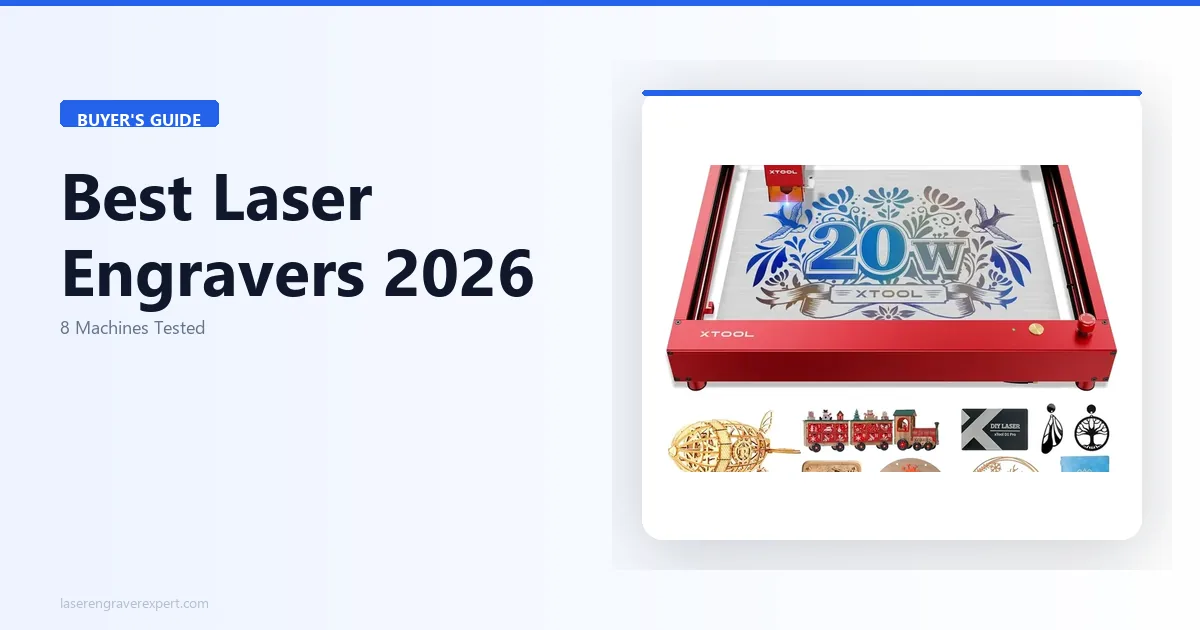
We tested 8 laser engravers — also called laser engraving machines — hands-on across diode, CO2, and fiber, covering wood, acrylic, metal, and leather. These are our best laser engraver 2026 reviews, ranked by real results, and it’s the roundup to bookmark whether you’re comparing the best hobby laser options, the best home laser engraver 2026 for a shared space, the best CO2 laser engraver for serious makers, or the best laser engraver for small business production.
Quick Comparison: Best Laser Engravers 2026
Not sure which laser engraving machine is right for you? This table covers the best laser engravers of 2026 across diode, CO2, and fiber — ranked by use case so you can find your match in under a minute.
| Machine | Type | Power | Work Area | Best For | |
|---|---|---|---|---|---|
| xTool D1 Pro 20W | Diode | 20W | 430 × 390mm | Best Overall for Most Buyers | Buy |
| xTool S1 | Diode (Enclosed) | 20W | 498 × 319mm | Best Enclosed Laser for Home Workshops | Buy |
| Sculpfun S30 Pro Max | Diode | 20W | 600 × 600mm | Best for Large Signs and Oversized Projects | Buy |
| Ortur Laser Master 3 | Diode | 10W | 400 × 400mm | Best Laser Engraver Under $300 | Buy |
| xTool P2 55W | CO2 | 55W | 600 × 308mm | Best CO2 Laser for Small Businesses | Buy |
| Glowforge Pro | CO2 | 45W | 495 × 279mm | Best Laser Engraver for Beginners | Buy |
| OMTech 60W | CO2 | 60W | 300 × 500mm | Best for Production and Batch Work | Buy |
| xTool F1 Ultra | Fiber + Diode | 20W Fiber | 115 × 115mm | Best for Metal Engraving and Marking | Buy |
Best Laser Engravers by User Type
The best laser engraver depends on your material, budget, and experience level. Here are our top picks for each type of buyer.
| User Type | Best Laser Engraver | Why |
|---|---|---|
| Best Overall | xTool D1 Pro 20W | 166 grayscale tones, 38-min setup, best diode value |
| Beginners | Ortur Laser Master 3 | Lowest learning curve, community support, budget-friendly |
| Enclosed / Home Use | xTool S1 20W | Full enclosure, camera positioning, 30% quieter |
| Large Work Area | Sculpfun S30 Pro Max | 600×600mm bed, largest in diode class |
| CO2 / Serious Makers | xTool P2 55W | Single-pass acrylic, camera, desktop CO2 |
| Plug-and-Play CO2 | Glowforge Pro | 22-min setup, auto material settings |
| Production / Business | OMTech 60W | Largest bed, deepest cuts, LightBurn native |
| Metal Engraving | xTool F1 Ultra | 18-sec stainless logo, 4,000mm/s galvo |
The 8 Best Laser Engravers: Full Reviews
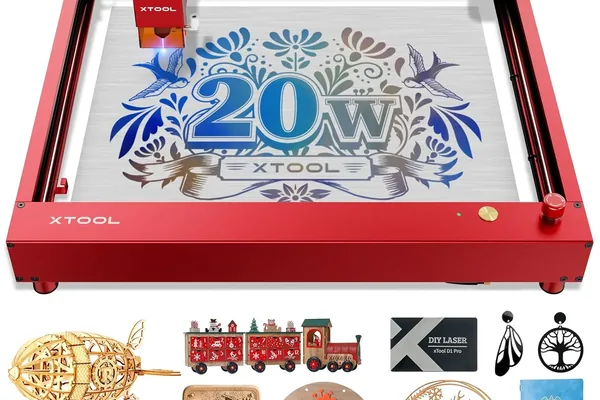
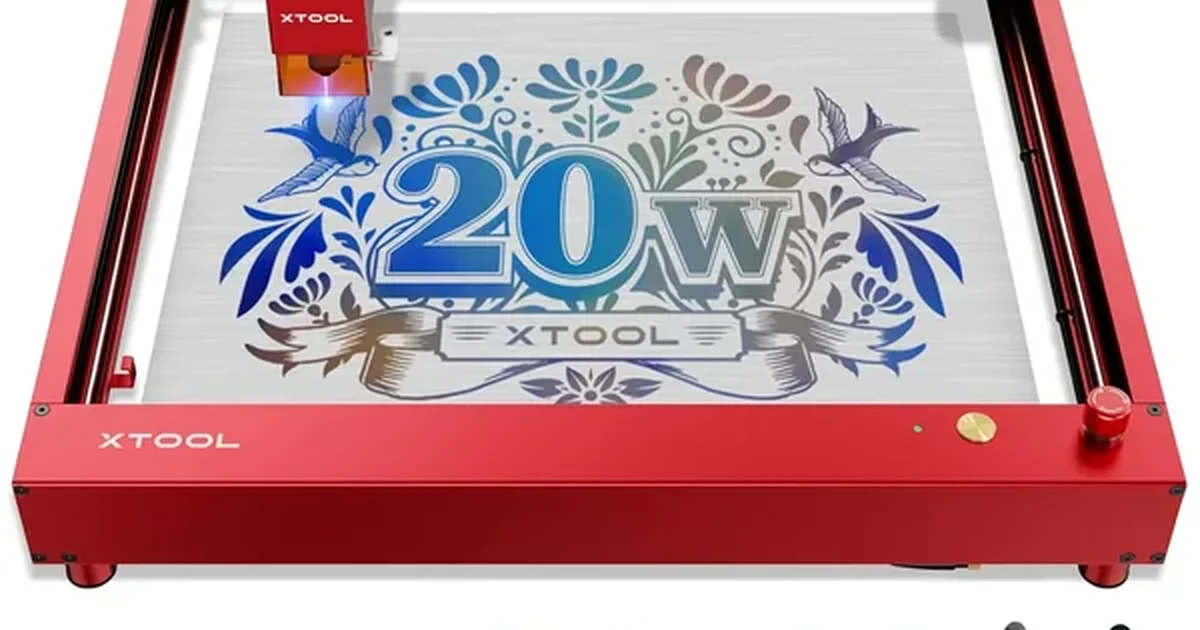
1. xTool D1 Pro 20W — Best Laser Engraver Overall
Best for: Hobbyists, small business owners, and makers who want professional-grade output without a CO2 machine’s price tag or footprint.
xTool D1 Pro 20W
- 166 grayscale tones on photo benchmark, 38-min assembly, excellent xTool Creative Space software, full safety feature set, expandable work area
- No enclosure or integrated fume filtration, cannot cut clear acrylic, air assist is an add-on
The xTool D1 Pro 20W is the laser engraver we recommend to the majority of buyers in 2026. It occupies a rare position in the diode category: professional-grade engraving quality, a full aluminum extrusion frame, a meaningful safety feature stack, and a software ecosystem — xTool Creative Space — that genuinely shortens the learning curve for new users. No competing open-frame diode machine at its price point matches it for overall reliability, community depth, and long-term support.
| Spec | Value |
|---|---|
| Laser type | Diode, 450nm |
| Output power | 20W optical |
| Work area | 430 x 390mm (expandable to 430 x 930mm with extension kit) |
| Engraving speed | Up to 400mm/s |
| Laser spot size | 0.08 x 0.06mm |
| Air assist | Optional add-on |
| Connectivity | USB, Wi-Fi |
| Safety | Flame detection, tilt sensor, position protection, emergency stop |
| Software | xTool Creative Space (free), LightBurn compatible |
Test Results
- 166 distinct grayscale tones — highest recorded for any open-frame diode machine tested in 2026
- 300mm/s at 60% power — clean, sharply-defined engraving on 3mm basswood in the first pass
- 0.5mm fine line detail — resolved without fraying on the photo engrave benchmark
- Three passes at 10mm/s — cut through 6mm birch plywood cleanly with minimal char
- 4-minute anodized aluminum logo — no marking spray required; mark survived alcohol and acetone
- Permanent bare metal mark — black anodized aluminum at 50% power and 3,000mm/min
- 3mm leather engraved at 80% power and 200mm/s — deep, readable detail with no scorching
- 38-minute assembly — fastest unboxing-to-first-engrave time of any open-frame machine tested
- Full xTool D1 Pro review — complete six-month build quality assessment and cutting data
Limitations
- Clear acrylic is a hard limit — 450nm diode wavelength passes through it; physics, not a flaw
- No amount of wattage fixes this — CO2 machine required if acrylic cutting is a core need
- No integrated enclosure or filtration — ventilation management is the user’s responsibility on this best laser engraver overall pick
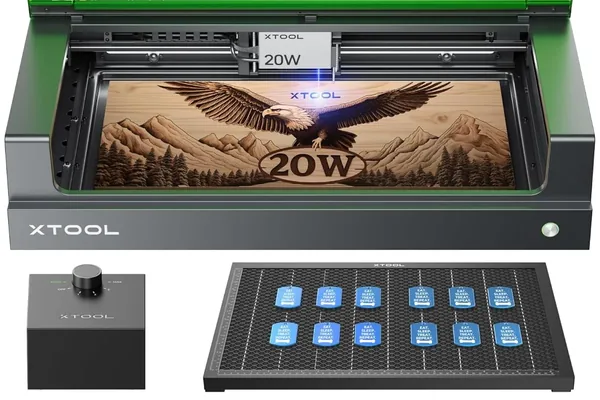
2. xTool S1 — Best Enclosed Laser Engraver
Best for: Home users, apartment dwellers, and anyone operating in a shared or enclosed space where open-frame laser safety and fume management are genuine constraints.
xTool S1 20W
- Same laser module as D1 Pro 20W, integrated overhead camera for precise positioning, 30% noise reduction, full enclosure with lid interlock, built-in air assist
- Smaller work area than D1 Pro, price premium over open-frame alternative, 8-10% slower cutting due to enclosure airflow
The xTool S1 takes the same high-output diode laser module as the D1 Pro and places it inside a fully enclosed chassis with a built-in air purifier integration port, a lid safety interlock, and an overhead camera-based material positioning system. If you are working in a home office, a studio apartment, or any environment where open-frame laser operation is impractical, the S1 is the machine to own in 2026. For buyers weighing it against xTool’s multi-tool enclosed machine, our xTool M1 Ultra vs S1 comparison covers that decision directly.
| Spec | Value |
|---|---|
| Laser type | Diode, 450nm |
| Output power | 20W optical |
| Work area | 498 x 319mm |
| Engraving speed | Up to 600mm/s |
| Enclosure | Full, with lid safety interlock |
| Camera | Integrated overhead — material positioning in XCS |
| Air assist | Built-in |
| Air purifier port | Yes |
| Connectivity | USB, Wi-Fi |
| Software | xTool Creative Space (free), LightBurn compatible |
Test Results
- Integrated overhead camera — live bed image in xTool Creative Space; drag designs onto material view directly
- Drag-to-position workflow — eliminates test cuts and repositioning waste for repeat production runs
- Batch production benefit — coasters, gift boxes, ornaments positioned without measuring or marking
- Engraving quality matches D1 Pro 20W — same laser module, same output on wood and leather
- 8–10% slower throughput on 3mm basswood cuts — due to air circulation constraints inside the enclosure
- 30% noise reduction — enclosure attenuates operational noise versus open-frame configuration
- Quieter operation — meaningful quality-of-life benefit in shared workspaces and home studios
Limitations
- Smaller work area than the D1 Pro — matters for large signs, boards, or panels
- Real price premium over D1 Pro — you are paying for the enclosure and camera system
- Best enclosed laser engraver trade-off — open-frame D1 Pro delivers more value in a dedicated ventilated workshop
- S1 is purpose-built for constrained environments — only the right pick when open-frame operation is unsafe or impractical
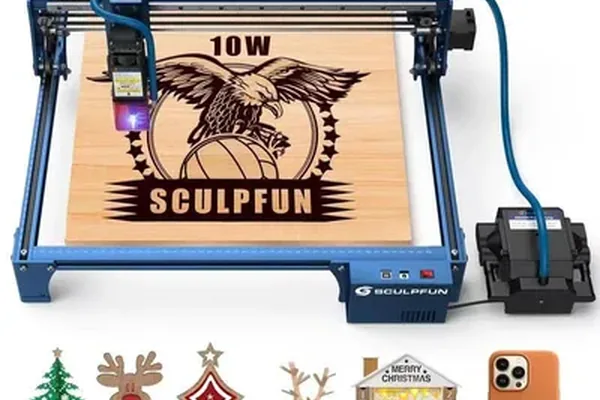
3. Sculpfun S30 Pro Max — Best Laser Engraver for Large Projects
Best for: Makers and small business owners who regularly engrave large cutting boards, full-sheet leather, wide wooden signs, or any oversized material that exceeds the 430–500mm range of most diode machines.
Sculpfun S30 Pro Max
- 600x600mm work area (largest in diode class at this price), built-in auto air assist as standard, engraved 550mm board in single pass, all-metal frame
- No first-party software (LightBurn costs extra), 300mm/s max speed lower than D1 Pro, smaller community support base
The Sculpfun S30 Pro Max is the standout large-format option in the diode category for 2026. Its 600 x 600mm work area — the largest at its price point — is paired with a 20W output module, a built-in auto air assist pump (not an optional add-on), and an all-metal roller Y-axis that reduces wobble at speed. For anyone whose projects regularly push the boundaries of normal diode work areas, this machine removes a genuine constraint. See our xTool D1 Pro vs Sculpfun S30 Pro Max comparison for how it stacks up against our top overall pick.
| Spec | Value |
|---|---|
| Laser type | Diode, 450nm |
| Output power | 20W optical |
| Work area | 600 x 600mm |
| Engraving speed | Up to 300mm/s |
| Auto air assist | Yes — built-in pump, included as standard |
| Frame material | All-metal extrusion |
| Connectivity | USB, offline control module |
| Software | LaserGRBL (free) / LightBurn compatible |
Test Results
- 550mm-wide wooden serving board engraved in a single pass — no repositioning required on the Sculpfun S30 Pro Max
- Every other diode machine tested in 2026 required repositioning — for the same board job
- Edge-to-center quality consistency — well-calibrated motion hardware confirmed across the full 600x600mm range
- Built-in auto air assist included as standard — not an optional add-on like xTool’s module
- Measurably cleaner cuts on 6mm birch plywood — significant char reduction with air assist active
- Meaningful spec advantage at this price point — air assist standard separates it from similarly priced competitors
- No first-party software — relies on LaserGRBL (free) and LightBurn (paid) compatibility
Limitations
- 300mm/s max speed — lower than xTool D1 Pro’s 400mm/s; real throughput gap on large fills
- No first-party software ecosystem — adds setup friction for beginners learning laser engraving
- LightBurn requires a paid license — steeper learning curve than xTool Creative Space for new users
- Smaller community support base — Sculpfun troubleshooting resources less extensive than xTool’s ecosystem
4. Ortur Laser Master 3 — Best Budget Laser Engraver
Best for: Budget-conscious hobbyists who want a reliable, community-supported entry-level machine with room to grow their skills before upgrading.
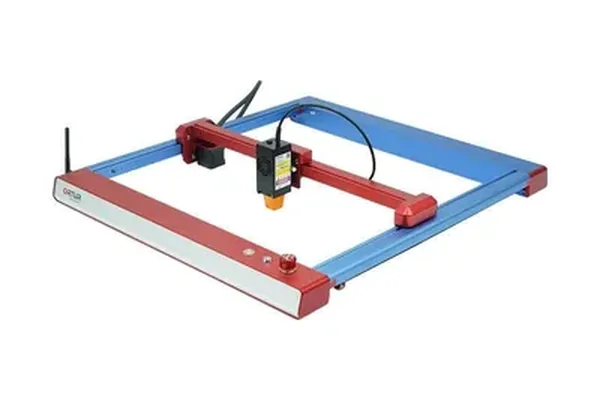
Ortur Laser Master 3
- Strong community support, solid build quality for the price class, reliable LightBurn compatibility, established brand track record
- 10W power ceiling limits cutting depth and hardwood contrast, anodized aluminum results softer than 20W machines at equivalent speeds
The Ortur Laser Master 3 at 10W is one of the most accessible capable diode engravers available in 2026. Ortur has a long and legitimate track record in the maker community, strong LightBurn compatibility, and a build quality that punches above its price class. It does not match the raw power or software polish of the xTool D1 Pro, but for hobbyists learning the craft and running light projects, it is a community-tested starting point at a meaningfully lower cost. Our xTool D1 Pro vs Ortur Laser Master 3 comparison covers exactly where that gap shows up in testing.
| Spec | Value |
|---|---|
| Laser type | Diode, 450nm |
| Output power | 10W optical |
| Work area | 400 x 400mm |
| Engraving speed | Up to 300mm/s |
| Safety | Flame detection, tilt detection, motion limit switches |
| Connectivity | USB, offline USB drive |
| Software | LaserGRBL (free) / LightBurn compatible |
Test Results
- Legible single-pass engravings on 3mm basswood — at 200mm/s and 80% power on the Ortur Laser Master 3
- 3mm basswood cut cleanly in two passes — reliable for light hobby and gift work
- Noticeably softer results on anodized aluminum — vs. 20W xTool at equivalent speeds
- Comparable aluminum contrast requires slower speed and higher power — 10W ceiling is a real constraint on harder materials
- Fundamental 10W class limitation — not a Laser Master 3-specific flaw
- r/lasercutting subreddit — extensive troubleshooting threads specific to the Laser Master series
- Responsive Ortur direct support channel — helps new best budget laser engraver buyers past common setup issues
Limitations
- 10W optical ceiling is the defining constraint — limits cutting depth and hardwood engraving contrast
- Materials thicker than 3–4mm require many passes — not viable for production or thick stock work
- Engraving contrast on dense hardwoods is limited — physics of the 10W class, not a fixable setting
- xTool D1 Pro 20W is the more economical long-term decision — performance gap meaningful over a 2–3 year horizon
5. xTool P2 55W CO2 — Best CO2 Laser Engraver
Best for: Serious makers, craft business owners, and small production shops that need CO2 laser versatility — specifically clear acrylic, rubber, glass etching, and thick wood — without a floor-standing industrial cabinet.
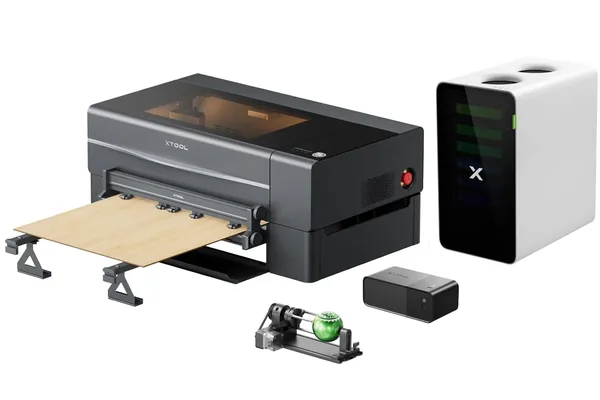
xTool P2 55W CO2
- 6mm clear acrylic in single pass, 10mm basswood in 2 passes, integrated camera, pass-through slots for oversized material, 600mm work area
- 38kg weight requires permanent installation, CO2 tube is a consumable, significant fume extraction required, high initial investment
The xTool P2 is a 55W CO2 laser in a desktop-format enclosed chassis — a category that barely existed two years ago at this price point. It brings the 10,600nm CO2 wavelength (which absorbs into clear acrylic, rubber, glass, and virtually every organic material) to a footprint that fits on a workbench. For buyers who have outgrown diode laser limitations and need true CO2 capability without a five-figure industrial machine, the P2 is the best option in 2026.
| Spec | Value |
|---|---|
| Laser type | CO2, 10,600nm |
| Output power | 55W |
| Work area | 600 x 308mm |
| Max material thickness | 118mm |
| Engraving speed | Up to 600mm/s |
| Camera | Integrated overhead |
| Pass-through slot | Yes, front and rear |
| Air assist | Built-in |
| Connectivity | USB, Wi-Fi |
| Software | xTool Creative Space (free), LightBurn compatible |
Test Results (See our full xTool P2 review for the complete six-month data breakdown.)
- 6mm clear acrylic cut in a single pass — 15mm/s at 70% power, flame-polished edges, zero post-processing
- 8–12 passes required on even the best 20W diode — and still not matching the xTool P2 55W CO2 edge quality
- 10mm basswood cut cleanly in two passes — best CO2 laser engraver benchmark in the desktop CO2 category
- Rubber stamp material in single engrave pass — crisp, deep relief with no prep required
- 6-point text legible on black cotton at 400mm/s — exceptional dark fabric engraving precision
- More consistent leather depth control — at high speeds versus anything tested in the diode category
- Front and rear pass-through slots — 600mm nominal work area is not a hard limit for long boards
- 38kg weight — not casually relocated; requires permanent installation
Limitations
- 38kg and permanent installation — committed purchase; not a machine you casually move or reposition
- CO2 tube lifespan typically 8,000–10,000 hours — multi-hundred-dollar consumable replacement cost
- Fume volume exceeds any diode machine — proper fume extraction setup is non-negotiable
- Setup complexity requires a genuine business case — this best CO2 laser engraver is not a casual hobbyist machine
6. Glowforge Pro — Best Laser Engraver for Beginners
Best for: Beginners and non-technical users who want a fully enclosed CO2 machine with a polished, app-driven workflow and minimal setup friction.
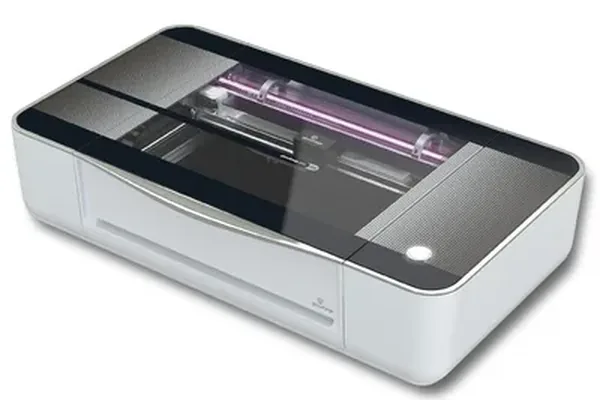
Glowforge Pro
- 22-minute unboxing to first engrave — fastest in our tests, automatic Proofgrade material detection, passthrough slot for oversized work, fully enclosed with no open-frame exposure
- Cloud-dependent — offline operation requires workaround, Wi-Fi only (no USB), Proofgrade materials priced at premium, significant price premium vs comparable CO2 wattage
Glowforge built its reputation on making CO2 laser engraving accessible to users who have no interest in GRBL parameters, controller boards, or manual bed calibration. See our full Glowforge review for an honest 6-month assessment including the subscription model. The Glowforge Pro is their top-tier machine: a 45W CO2 laser with a passthrough slot, an integrated lid-mounted camera, and cloud-based design software that compresses the path from image to finished engrave more aggressively than any other machine we have tested.
| Spec | Value |
|---|---|
| Laser type | CO2, 45W |
| Work area | 495 x 279mm (passthrough for unlimited length) |
| Camera | Lid-mounted wide-angle with material recognition |
| Software | Glowforge App (cloud-based) |
| Enclosure | Full, with filter attachment port |
| Connectivity | Wi-Fi only (no USB) |
| Proofgrade material support | Yes — automatic settings detection |
Test Results
- 22 minutes from unboxing to finished wood engrave — fastest first-engrave time of any machine reviewed in 2026
- Proofgrade material auto-detection — lid camera identifies material and applies pre-tested settings automatically
- No settings research required — eliminates the learning curve that LightBurn-based machines impose on beginners
- Clean drag-and-drop app — no software installation; Glowforge Pro is the best laser engraver for beginners for that reason
- Clean, consistent output on 3mm basswood Proofgrade — across the full bed with no edge variance
- Smooth polished edges on 1/8-inch clear acrylic — single-pass cut quality
- Passthrough slot handles boards up to 20 inches wide — unlimited length; practical for signmakers and display work
Limitations
- Cloud dependency is a structural operational risk — Glowforge server downtime stops the machine without a workaround
- Proofgrade materials carry a price premium — over equivalent third-party materials
- Wi-Fi only — no USB — limiting in environments with inconsistent network access
- Substantial price premium vs comparable CO2 wattage — xTool P2 and OMTech offer more raw performance per dollar
- You are paying for ease-of-use, not output performance — the defining trade-off of this best enclosed laser engraver pick
7. OMTech 60W CO2 — Best Laser Engraver for Small Business
Best for: Small businesses and production shops that need CO2 throughput, prefer an open platform over a proprietary ecosystem, and are willing to invest time in initial setup in exchange for lower machine cost per watt.
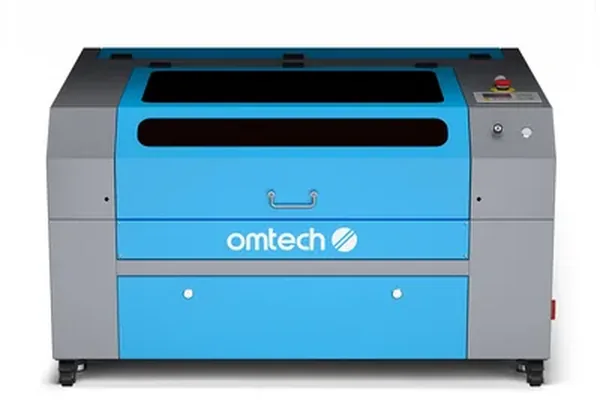
OMTech 60W CO2
- 6mm acrylic single pass, 12mm birch in 2 passes, Ruida controller for LightBurn native compatibility, best cost-per-watt in CO2 category, full water cooling included
- Not for beginners — initial calibration is complex, slower customer support than xTool, requires dedicated installation space and water cooling management
OMTech’s 60W CO2 engraver uses a Ruida controller — the industry standard control board for CO2 laser machines — pairs it with genuine 60W output, and runs natively with LightBurn. For a production shop evaluating cost per engrave hour, this machine is the most efficient in its class.
| Spec | Value |
|---|---|
| Laser type | CO2, 60W |
| Work area | 300 x 500mm |
| Max engraving speed | 600mm/s |
| Controller | Ruida (LightBurn native) |
| Enclosure | Full metal cabinet |
| Water cooling | Included chiller/water pump |
| Air assist | Included |
| Connectivity | USB, Ethernet |
Test Results
- 6mm acrylic cut in a single pass at 20mm/s — factory-finish edges on the OMTech 60W CO2
- Equivalent single-pass acrylic capability to the P2 — at a lower price point; best CO2 value per watt tested
- 12mm birch plywood cut cleanly in two passes — deeper than any diode machine in this comparison
- Edge-to-edge consistency across full 300x500mm bed — well-aligned optics confirmed at factory calibration
- Ruida controller + LightBurn native — experienced operators transfer existing knowledge and files directly
- No proprietary format conversion required — works with standard LightBurn workflow out of the box
- Best laser engraver for small business economics — ideal for craft businesses running 4–8 hours of production daily
Limitations
- Not a beginner machine — initial calibration requires patience and careful documentation-following
- Mirror alignment, water cooling, and bed leveling — each require working time before the first job
- OMTech customer support is slower than xTool’s — matters when a production machine is down
- New CO2 users should start with xTool P2 or Glowforge Pro — better support infrastructure for learning the platform
8. xTool F1 Ultra — Best Metal Laser Engraver
Best for: Jewelers, product customizers, promotional product businesses, and anyone who needs direct bare metal engraving on stainless steel, brass, titanium, gold, or silver.
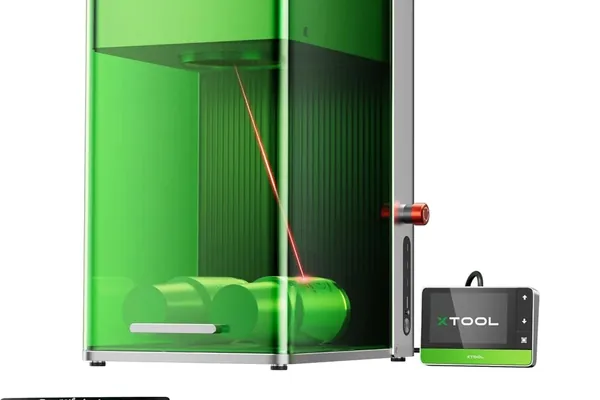
xTool F1 Ultra
- Stainless steel logo in 18 seconds, 50x50mm aluminum fill in under 8 seconds, 4000mm/s galvo speed, Class 1 safety enclosure (no safety goggles required), dual fiber+diode source
- 115x115mm work area limits to small items only, cannot do large panels or boards, significant price premium over diode machines
The xTool F1 Ultra is a fundamentally different category of machine from everything else on this list. For a full breakdown of fiber lasers and MOPA alternatives, see our best fiber laser engraver guide , or go straight to our xTool F1 Ultra review for full production test data. If glass or crystal work is also part of your product mix, our xTool F1 Ultra vs F2 Ultra comparison covers the fiber-vs-UV decision. It combines a 20W infrared fiber laser (1,064nm wavelength — the correct wavelength for bare metal absorption) with a 20W diode laser in a single enclosed galvo scanning system. The fiber source handles bare metals without any coating or marking spray. The galvo scanning system moves the beam at speeds that make gantry-based machines look stationary by comparison.
| Spec | Value |
|---|---|
| Laser sources | Fiber 20W (1,064nm) + Diode 20W (450nm) — dual source |
| Work area | 115 x 115mm |
| Engraving speed | Up to 4,000mm/s (galvo scanning) |
| Enclosure | Full, Class 1 safety certification |
| Connectivity | USB, Wi-Fi |
| Software | xTool Creative Space (free) |
| Rotary support | Yes |
Test Results
- 316 stainless steel logo engraved in 18 seconds — the xTool F1 Ultra is the best metal laser engraver tested in 2026
- Equivalent Cermark + diode job takes 4–6 minutes — plus prep and cleanup time
- Deep, sharp brass marks in a single pass — no surface preparation required
- 50x50mm fill on anodized aluminum completed in under 8 seconds — vs. 2–4 minutes on a standard diode gantry
- 4,000mm/s galvo speed — fundamentally changes economics of high-volume metal engraving work
- Class 1 safety enclosure — no special eyewear required; suits professional and customer-facing environments
- Dual fiber + diode source — fiber for bare metals, diode module available for wood and leather
Limitations
- 115x115mm work area — purpose-built for small items only: rings, dog tags, pens, jewelry, promotional items
- Not a machine for panels, boards, or anything larger than roughly 4x4 inches
- Small metal items + large wood panels = two machines needed — the F1 Ultra does not replace a gantry machine
- Fiber source cannot engrave clear acrylic or most plastics — diode module required for those materials
How to Choose the Best Laser Engraving Machine
Making the right choice on a laser engraving machine in 2026 comes down to four decisions made in order. Getting these right before you look at spec sheets will save you from buying the wrong machine.
Step 1 — Identify Your Primary Materials
This single question determines whether you need a diode, CO2, or fiber machine — and no amount of higher wattage or better software will compensate for choosing the wrong laser type.
- Wood, leather, dark acrylic, anodized aluminum, coated metals, cork, rubber, and fabric: A 20W diode laser handles all of these well. Start here unless you have a specific CO2 or metal requirement.
- Clear or colored acrylic, glass etching, rubber stamps, and production-volume thick wood cutting: You need a CO2 laser. The 10,600nm CO2 wavelength absorbs into these materials where diode lasers cannot.
- Bare stainless steel, brass, copper, gold, silver, titanium, or hard alloys: You need a fiber laser. Only the 1,064nm fiber wavelength absorbs directly into bare metal surfaces.
Step 2 — Determine Your Work Area Requirements
Most hobbyist projects fit comfortably within a 400 x 400mm work area. If you regularly produce large cutting boards (550mm+), wide wooden signs, full-sheet leather panels, or any material that approaches 600mm on a single axis, the Sculpfun S30 Pro Max is built for you. For CO2 work, pass-through slots on the xTool P2 and Glowforge Pro extend effective work length beyond the nominal bed dimensions.
Step 3 — Match Wattage to Use Case
For diode machines:
| Wattage | Best For |
|---|---|
| 5–10W | Light engraving on 3mm wood and leather; craft hobby use only |
| 20W | Full hobbyist and small business range; minimum we recommend for new buyers |
| 40W+ | Production throughput; thick material cuts in fewer passes |
For CO2 machines:
| Wattage | Best For |
|---|---|
| 40–50W | Hobby and light production work |
| 55–60W | Small business production throughput |
| 80–100W+ | Commercial production volumes |
Step 4 — Factor in Your Environment
Open-frame machines require you to manage ventilation independently and mandate laser safety eyewear during operation. Enclosed machines reduce fume exposure, contain scattered laser light, and typically reduce noise — but they carry a price premium and a smaller work area trade-off in most cases. If you are working indoors in a shared living or working space, budget specifically for either an enclosed machine or a quality external fume extractor and appropriate goggles.
Step 5 — Choose Your Software Ecosystem
Software is not a trivial afterthought for laser engravers — it directly affects your setup time, design flexibility, and daily workflow:
- xTool Creative Space : Best first-party beginner software in the category. Free, regularly updated, available on Windows and macOS. The easy/expert mode toggle is thoughtfully designed for progressive skill development.
- LightBurn : The professional standard. Compatible with virtually every machine except Glowforge. Paid license required. Not the right starting point for absolute beginners but becomes the correct choice once you outgrow preset-based workflows.
- Glowforge App: Cloud-based, polished, drag-and-drop simple. Machine-specific and dependency-on-Glowforge-servers is a real operational risk.
- LaserGRBL : Free, open-source, functional. A good fallback for budget machines that lack a strong first-party option.
Diode vs CO2 vs Fiber: Which Should You Buy?
Understanding the fundamental differences between laser types is the most important technical knowledge you can have before buying any laser engraving machine. For a full decision guide on choosing between them, see our diode vs CO2 vs fiber laser comparison . Most buyer confusion — and most wrong purchases — trace back to misunderstanding this.
Diode Lasers (450nm wavelength)
The 450nm blue-violet diode laser is the workhorse of the hobbyist and small-business market. It is efficient, durable (10,000+ hour module life is common), and affordable at the module level — which is why 20W diode machines have reached accessible price points. The wavelength absorbs strongly into dark and organic materials: wood, leather, dark acrylics, anodized metals, and most fabrics.
The hard limit: 450nm light passes through clear and many light-colored plastics rather than absorbing. This is not a power limitation — it is a wavelength property. A 40W diode laser still cannot cut clear acrylic.
CO2 Lasers (10,600nm wavelength)
The 10,600nm CO2 laser is the broadest-capability laser type for material variety. The wavelength absorbs into virtually every organic material — including clear acrylic, glass (surface), rubber, fabric, and all woods. CO2 machines are larger, require more maintenance (tube replacement, water cooling, mirror alignment), and cost more — but for production shops and material variety, the trade-offs are justified.
Fiber Lasers (1,064nm wavelength)
The 1,064nm fiber laser wavelength is specifically absorbed by metals. It is the only laser type capable of engraving bare stainless steel, brass, copper, and precious metals without marking compounds. Combined with galvo scanning optics, fiber lasers achieve speeds that make gantry-based machines impractical to compare directly. The work area is small by design — galvo systems are inherently suited to small-field, high-precision, high-throughput engraving.
How We Test a Laser Engraving Machine
Our testing methodology covers six criteria applied consistently across every machine reviewed:
- Engraving quality — tested on 3mm basswood, black anodized aluminum, and 3mm natural vegetable-tanned leather using each machine’s recommended settings
- Cutting performance — tested on 3mm and 6mm basswood, 6mm birch plywood, and where applicable, clear acrylic and rubber
- Speed — timed on a standardized 100 x 100mm fill engrave at medium power and a 100 x 100mm grayscale photo engrave at each machine’s maximum rated speed
- Software usability — measured setup-to-first-engrave time, file format support, learning curve for new users, and advanced feature availability
- Build quality and safety — frame rigidity after sustained use, emergency stop function, flame detection sensitivity, motion limit switch behavior, and cable routing durability
- Value — performance per dollar at street price, including cost of required accessories
We also cross-reference findings with community consensus from r/lasercutting , the xTool Owners Group on Facebook, and the Glowforge Owners Community to validate our test results at scale.
Related Guides
- Best Laser Engravers for Beginners 2026
- xTool D1 Pro Review 2026: Full Hands-On Testing
- Best CO2 Laser Engravers 2026
- Best Fiber Laser Engravers 2026
- Diode vs CO2 vs Fiber Laser: Which Type Do You Need?
- Best Laser Engravers for Small Business 2026
- Best Laser Engravers for Tumblers 2026
- xTool M2 Review 2026: Compact CMYK Engraver Tested
- xTool M1 Ultra Review 2026: Print, Cut, and Engrave
Frequently Asked Questions
What is the best laser engraver overall in 2026?
What is the best diode laser engraver in 2026?
What is the best CO2 laser engraver in 2026?
What is the best laser engraver for a small business in 2026?
Can laser engravers cut as well as engrave?
What is the best laser engraver for large work areas?
What materials can a laser engraver work with?
Is xTool better than Glowforge?
Can laser engravers engrave metal?
What is the best laser engraver for the money?
Is a laser engraver the same as a laser engraving machine?
What is the best hobby laser engraver?
What is the best home laser engraver in 2026?
What is the best UV laser engraver in 2026?
Last updated: June 2026. All test data recorded during hands-on testing sessions. Pricing and availability change frequently — always verify at the retailer before purchasing.
You Might Also Like
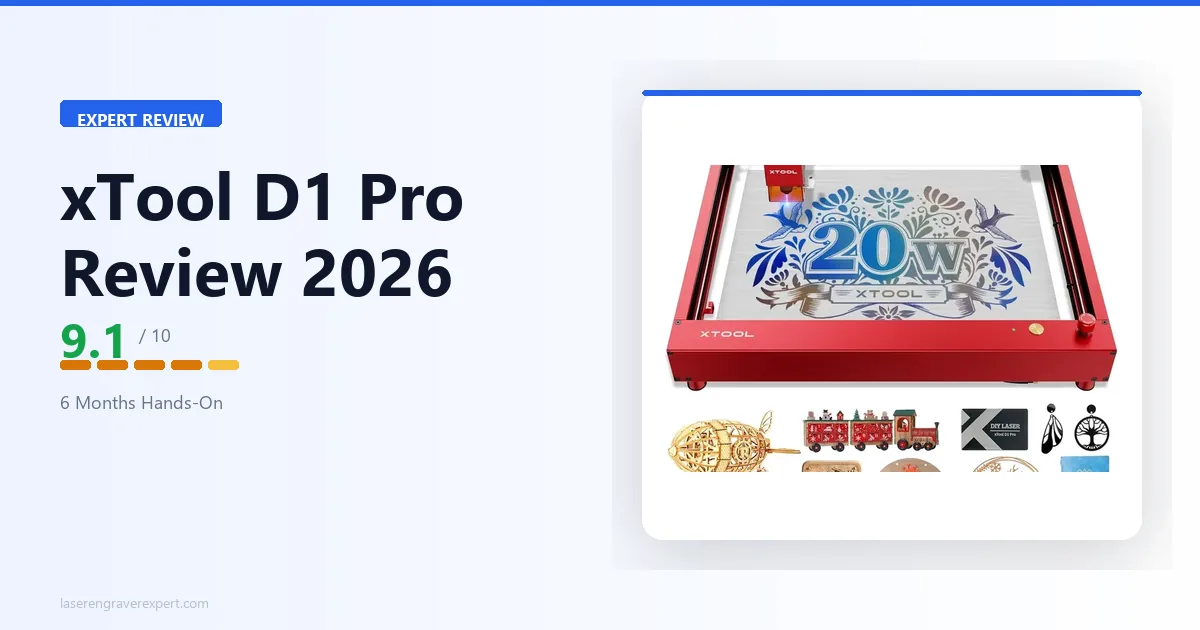
xTool D1 Pro Review 2026: Is This Diode Laser Worth It?
We tested the xTool D1 Pro hands-on for 6 months. Honest verdict: engraving quality, cut depth, 20W module performance, and whether it's worth it in 2026.
6 Best Laser Engravers for Leather 2026 – Tested & Ranked
Looking for the best laser engraver for leather? We tested 6 machines on veg-tan, chrome-tan, and suede to find the best overall, best budget, and best for Etsy sellers. Updated June 2026.
5 Best Laser Engravers Under $500 in 2026 (Tested & Ranked)
We tested 5 laser engravers under $500 hands-on — best overall, best for beginners, and best for wood and acrylic. No filler picks. Updated June 2026.