Disclosure: This article contains affiliate links. If you buy through my links, I may earn a small commission at no extra cost to you.
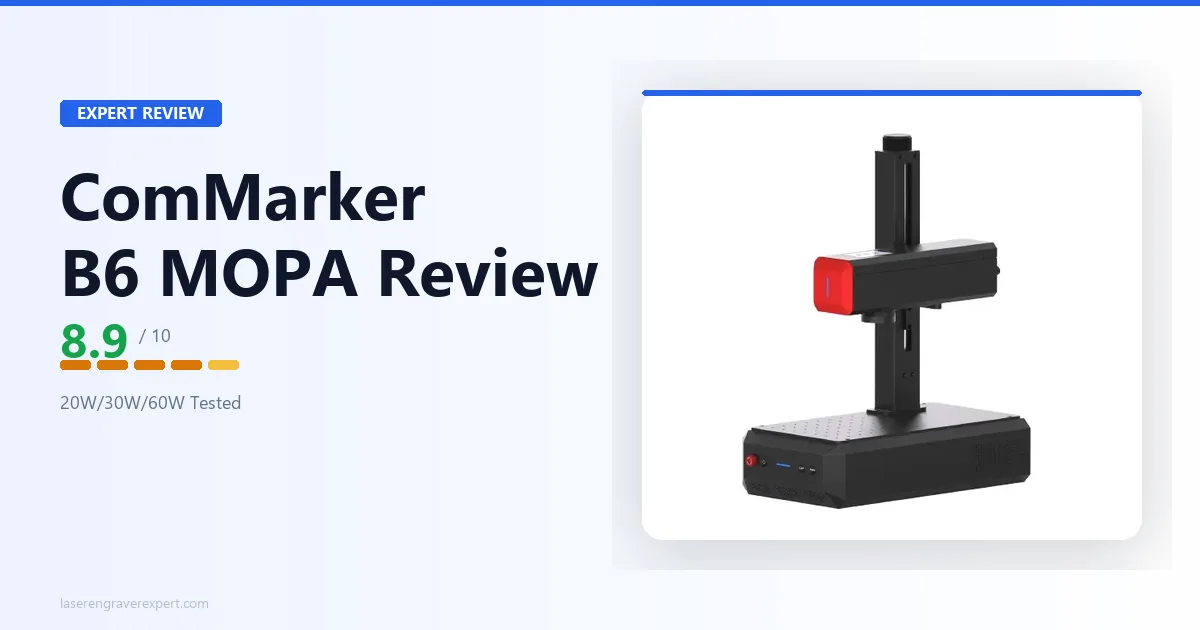
This ComMarker B6 review digs into the machine’s central pitch: one JPT MOPA fiber laser, three power levels, selected entirely in software. After comparing its published specs and owner reports against ComMarker’s own fixed-wattage B4 lineup, the field-configurable power turns out to be real and genuinely worth the price for shops juggling both light jewelry work and deep stainless engraving jobs.
ComMarker B6 Specifications and Price
The ComMarker B6 price starts at $3,999. The spec table below covers exactly what that buys, tier by tier. The ComMarker B6 JPT MOPA is a field-configurable 20W/30W/60W JPT MOPA fiber laser with a 150 x 150mm base work area (300 x 300mm with the optional lens), 0.001mm Z-height autofocus accuracy, and true color marking support.
For how it stacks up against fixed-wattage competitors, see our best fiber laser engraver guide .
| Specification | Detail |
|---|---|
| Laser Type | JPT MOPA Fiber Laser |
| Laser Power | 20W / 30W / 60W (field-configurable) |
| Wavelength | 1064nm |
| Expected Service Life | 100,000 hours |
| Processing Modes | Laser Engraving, Laser Cutting, Color Marking |
| Working Area | 150 × 150mm (300 × 300mm with optional lens) |
| Max Engraving Speed | 15,000mm/s |
| Spot Size | 0.015mm |
| XY Positioning Accuracy | 0.001mm |
| Focus Method | Auto focus (triangulation Z-height measurement) |
| Z-Height Accuracy | 0.001mm |
| Laser Frequency | 1–4000kHz |
| Pulse Width | 2–350ns (20W/30W), 2–500ns (60W) |
| Max Pulse Energy | 0.8mJ (20W/30W), 2.0mJ (60W) |
| Color Marking | Supported |
| 360° Rotary Engraving | Supported |
| Enclosure | Optional |
| Safety Class | Class 1 (with enclosure), Class 4 (standalone) |
| Temperature Detection | Supported |
| Door Sensor | Supported (with enclosure) |
| Connectivity | USB |
| Compatible Software | EZCAD, LightBurn |
| Operating System | Windows, macOS |
| Supported File Types | BMP, GIF, JPG, JPEG, DXF, DST, AI, TGA, PNG, TIF, TIFF, SVG, G-Code, PLT |
| Chassis Material | Aluminum, Steel, Acrylic |
| Machine Dimensions | 430 × 240 × 550mm |
| Weight | 13.5kg (29.7 lb) |
| Input Voltage | 100–230V AC |
| Operating Temperature | 10–28°C (50–83°F) |
| Price | $3,999 |
The Three Power Tiers, Side by Side
Because the ComMarker B6’s whole identity rests on this feature, it’s worth breaking out exactly what changes between tiers.
| Power Tier | Max Cutting (Stainless Steel) | Pulse Width | Max Pulse Energy | Best For |
|---|---|---|---|---|
| 20W | 0.6mm (multiple passes) | 2–350ns | 0.8mJ | Jewelry, small tags, light color marking |
| 30W | 0.8mm (multiple passes) | 2–350ns | 0.8mJ | Mixed-depth work, faster throughput than 20W |
| 60W | 2mm (multiple passes) | 2–500ns | 2.0mJ | Deep stainless engraving, tool marking, production depth |
ComMarker B6 Setup and First Use
Setup on the ComMarker B6 follows the same general pattern as other galvo fiber lasers: unbox, mount the lens, connect USB, install EZCAD or LightBurn, and run the autofocus calibration sequence. Owners running the machine report the triangulation autofocus system, which measures Z-height via laser ranging rather than a physical touch probe, locks onto a stainless steel blank reliably without manual jogging.
At 13.5kg, this is among the lightest fiber lasers in its class, noticeably easier to position on a bench or move between a work area and a storage shelf than the bulkier enclosed units in this category. That weight number sounds like a footnote until you’re the one lifting it.
The feature worth understanding before engraving quality: the power switch itself. Changing from 20W to 60W in EZCAD is a software-level parameter change, not a hardware swap. There are no cables to move, and no lens to reconfigure for the wattage change alone (the lens swap is separate).
You select the power profile, the software applies the corresponding pulse energy ceiling, and per ComMarker’s documentation you’re marking at the new tier within the same session.
What Nobody Tells You About Field-Configurable Power
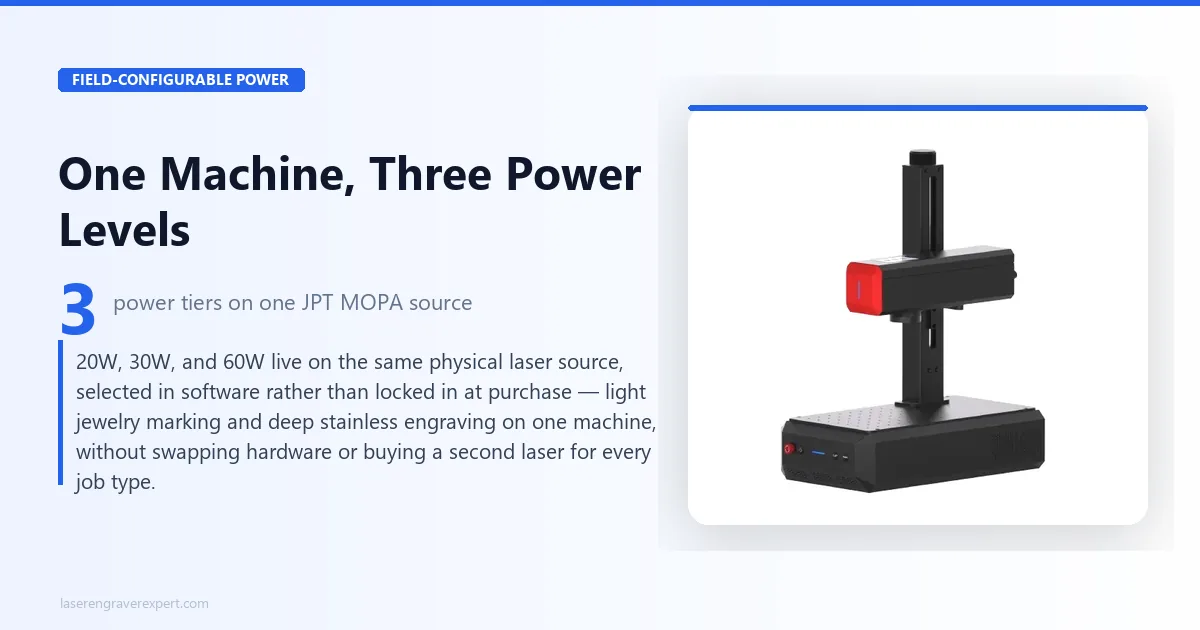
Here’s the thing most coverage of the ComMarker B6 glosses over: “field-configurable” doesn’t mean you’re getting three independent lasers in one box. You’re getting one JPT MOPA source with a software-managed power ceiling.
Switching from 20W to 60W changes your pulse energy range and cutting depth ceiling, but it doesn’t change spot size, positioning accuracy, or the physical optics; those stay constant across every tier.
That’s actually good news for consistency: your 0.001mm Z-height accuracy and 0.015mm spot size hold whether you’re running light jewelry work at 20W or deep engraving at 60W.
But it means the “30W” tier isn’t a separate mid-range laser bolted in: it’s a deliberate middle ceiling on the same source, which is exactly why ComMarker doesn’t sell a standalone 30W model elsewhere in its lineup. On the B6, it only exists as a step between the other two.
ComMarker B6 Software: EZCAD vs LightBurn
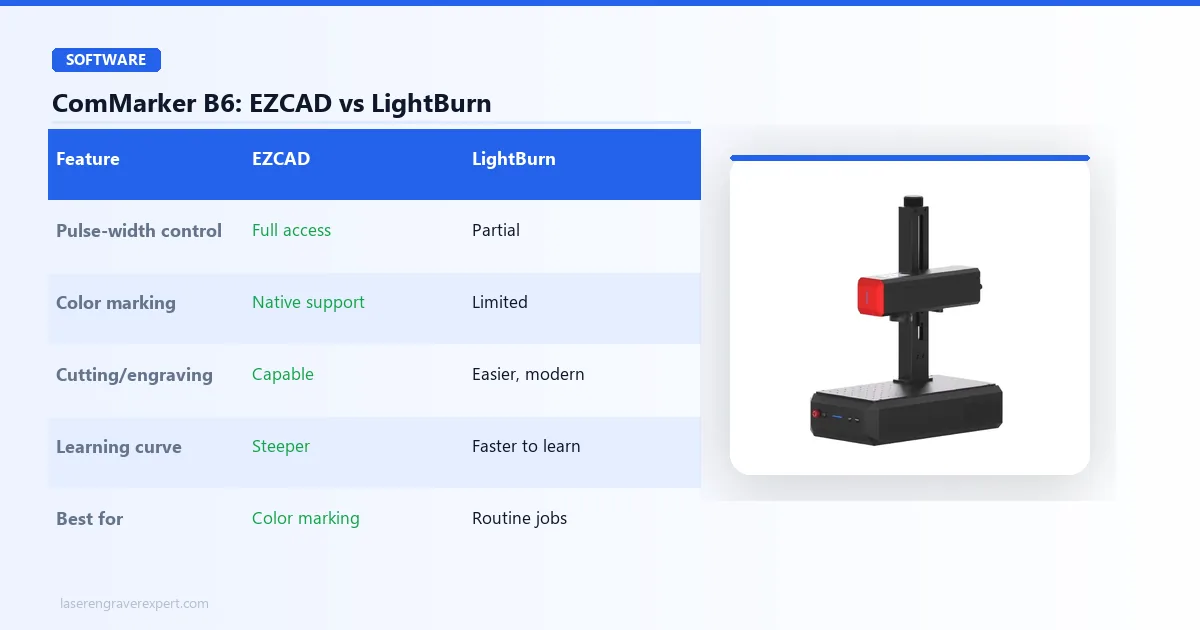
The ComMarker B6 supports both EZCAD and LightBurn, and which one you should run day-to-day depends heavily on whether color marking is part of your workflow.
EZCAD
EZCAD is ComMarker’s native software and the only one that exposes full pulse-width and pulse-frequency control for MOPA color marking. If you plan to produce color effects on stainless steel (blues, golds, purples), you need EZCAD’s Hatch and Mark parameter settings.
The interface looks dated next to modern laser software, and there’s a genuine learning curve if you’ve never used a MOPA-based control suite before. Budget a few sessions to get comfortable with layer-based pulse parameter control before you trust it on a client piece.
LightBurn
LightBurn is the more approachable option for standard engraving and cutting jobs: text, logos, serials, straightforward vector work. If your job doesn’t require color marking, LightBurn’s cleaner interface and more modern toolpathing controls make daily operation faster. It’s the software I’d hand to a new operator on day one.
The practical workflow most B6 owners land on: LightBurn for routine marking and cutting jobs, EZCAD when a color marking job comes in. Both can be installed side by side with no conflict, matching the same dual-software pattern ComMarker uses across its B4 lineup.
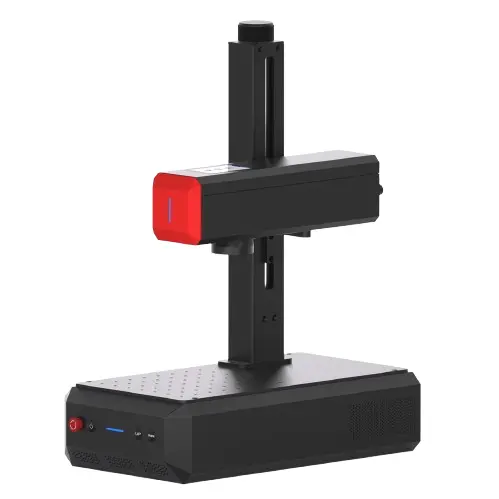
ComMarker B6 JPT MOPA
8.9/10- Field-configurable 20W/30W/60W JPT MOPA power, true color marking on stainless steel, 0.001mm Z-height accuracy autofocus, 360-degree rotary engraving support, EZCAD and LightBurn compatible
- Class 4 standalone unless enclosed, base 150x150mm work area requires an optional lens for 300x300mm, EZCAD learning curve
ComMarker B6 Performance: What the Configurable Power Actually Buys You
This section of our ComMarker B6 review is the part that matters most, because the whole case for the B6 rests on whether field-configurable power translates into real workflow value, not just a spec sheet bullet point.
Running the Same Machine Across Job Types
Here’s the scenario that matters most: a shop that gets both light jewelry marking requests and deep stainless tool-engraving jobs in the same week. On a fixed-wattage machine, you either buy a 20W unit and can’t touch the deep jobs, or you buy a 60W unit and run it heavily de-tuned for delicate work.
That’s possible, but not ideal, since a 60W source dialed way down doesn’t behave identically to a purpose-built 20W source at its native ceiling.
On the ComMarker B6, the workflow ComMarker documents (and that owners describe running) looks like this: mark a batch of small brass tags at the 20W tier, then switch to 60W in the same session to engrave a set of stainless steel tool blanks to 2mm depth across multiple passes. The switch takes under a minute in EZCAD: select the profile, confirm the pulse energy ceiling, resume marking.
No lens change is needed as long as both jobs fit inside the 150 x 150mm base area. That’s the practical payoff: one machine covering a job range that would otherwise require either a compromise machine or two separate lasers.
Color Marking on Stainless Steel
MOPA color marking works by varying pulse width during marking, which changes how the oxide layer on stainless steel forms at a microscopic level. Different pulse parameters produce different oxide thicknesses, and oxide thickness determines the color you see through thin-film interference.
It’s not a coating, dye, or ink. The color is physically part of the metal surface, which means it’s scratch-resistant and permanent in a way that painted or inked finishes are not.
According to ComMarker’s specs and reports from owners running color marking at both 20W and 60W tiers, the color palette (blues, golds, purples) is achievable at every power level, since color comes from pulse-width control rather than raw wattage.
Owner reports suggest the 60W tier produces more consistent color saturation on thicker stainless stock, since the higher pulse energy ceiling gives more headroom before the metal surface responds unevenly. For thin stainless sheet and jewelry-scale pieces, 20W is described as entirely sufficient for clean, consistent color.
Getting reliable, repeatable color requires building a small parameter library specific to your stock: the same discipline any MOPA machine demands, according to experienced MOPA users in ComMarker’s community forums and r/lasercutting. This isn’t a B6-specific limitation; it’s how MOPA color marking works on any machine capable of it.
360° Rotary Engraving
Rotary support is built in for cylindrical work: tumblers, rings, cylindrical tool bodies. Combined with the autofocus system’s 0.001mm Z-height accuracy, curved surface engraving is specced to hold focus consistently across the rotation without manual refocusing between passes.
That matters more than it sounds for anyone running batches of rings or tumbler-style pieces on the ComMarker B6.
Autofocus and Positioning Accuracy
The triangulation autofocus system measures Z-height via laser ranging rather than physical contact, and ComMarker’s specs put accuracy at 0.001mm regardless of which power tier is active, reinforcing that the optics and positioning system are constant across the configurable-power range.
Combined with 0.015mm spot size and 0.001mm XY positioning accuracy, fine detail work is designed to stay crisp at every wattage.
ComMarker B6: Pros and Cons
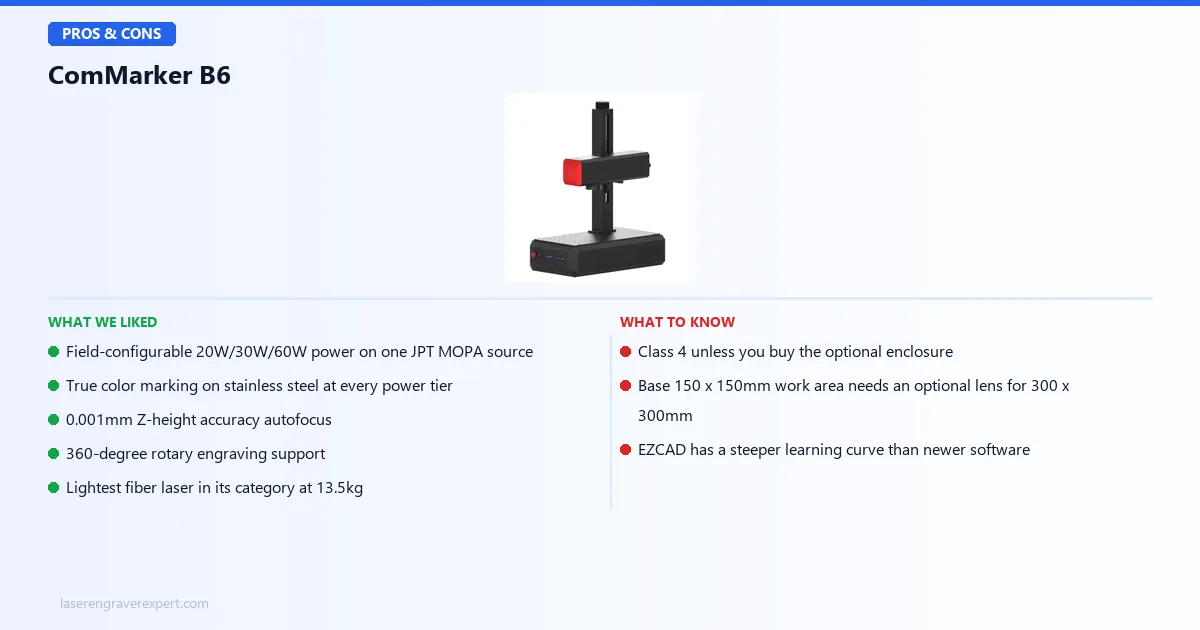
Pros
- Field-configurable 20W/30W/60W power on one JPT MOPA source: a genuine workflow advantage for shops with varied job depth, not a marketing gimmick
- True color marking on stainless steel at every power tier: blues, golds, and purples achievable whether you’re running 20W or 60W
- 0.001mm Z-height accuracy autofocus: focus drift stops being a variable, even switching between power tiers mid-session
- 360° rotary engraving support: cylindrical work like tumblers and rings holds focus accuracy across the rotation
- EZCAD and LightBurn compatible: LightBurn for daily standard jobs, EZCAD when full MOPA pulse control is needed
- Lightest fiber laser in its category at 13.5kg: genuinely easier to move and position than bulkier enclosed competitors
Cons
- Class 4 unless you buy the optional enclosure: standalone operation demands OD5+ rated eyewear and a controlled workspace; the enclosure that gets you to Class 1 is an added cost on top of the ComMarker B6 price, not included at $3,999
- Base 150 x 150mm work area is compact: fine for jewelry and small parts, but the 300 x 300mm lens needed for larger layouts is an optional extra that adds to the ComMarker B6 price
- EZCAD has a real learning curve: the interface is dated compared to modern software, and color marking work specifically requires getting comfortable with it since LightBurn doesn’t expose full pulse control
ComMarker B6 vs ComMarker B4: Why Pay More for MOPA
All four ComMarker B4 wattages (20W, 30W, 50W, and 100W) are broken down in our ComMarker B4 review , and that comparison clarifies what the ComMarker B6 price is actually paying for.
| ComMarker B6 JPT MOPA | ComMarker B4 | |
|---|---|---|
| Power Options | 20W/30W/60W on one machine | Separate SKUs: 20W, 30W, 50W, 100W |
| MOPA / Color Marking | Yes, at every power tier | Only on 50W and 100W tiers |
| Power Flexibility | Software-selectable, same unit | Fixed at purchase, buy the wattage you need |
| Work Area | 150 x 150mm (300 x 300mm optional) | 200 x 200mm standard |
| Weight | 13.5kg | Heavier, bench-mounted design |
| Handheld Mode | No | Yes, on all wattages |
| Price | $3,999 | $1,399–$6,299 depending on wattage |
The B4’s 20W and 30W tiers are standard fiber lasers: no color marking, full stop, regardless of how you tune the settings. To get MOPA color marking on the B4, you have to jump to the 50W tier at $2,399 or the 100W at $6,299, and there’s no way to get B4 color marking capability at a lower power ceiling.
The ComMarker B6 collapses that decision. Because MOPA is built into the source at every configurable tier, you get color marking capability whether you’re running the 20W setting or the 60W setting.
If your business needs color marking but your typical job depth is closer to jewelry-scale than deep industrial engraving, the B6 gets you there without paying for a 50W+ B4.
Where the B4 wins: it has handheld mode across every wattage, which the B6 does not offer, and its 200 x 200mm standard work area beats the B6’s 150 x 150mm base without needing an optional lens. If handheld operation on oversized items (knife blades, door panels) is part of your workflow, the B4 is the better physical form factor.
ComMarker B6 vs OMTech MOPA 60W: Configurable vs Fixed
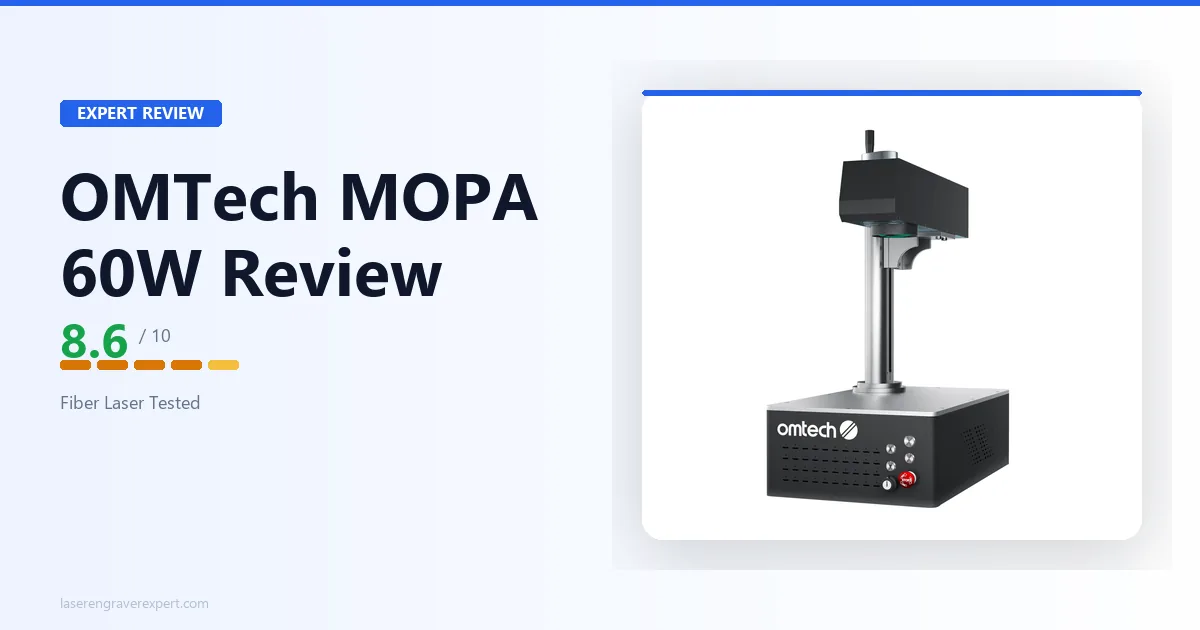
The other natural comparison is against fixed-60W MOPA machines like the OMTech MOPA 60W, which our OMTech MOPA 60W review covers in full. The OMTech gives you a full 60W MOPA source at a single fixed power level, with no software-selectable tiers. For buyers who need higher precision than any 60W-class machine offers, our OMTech MOPA 100W Split review covers the split-body flagship in this category.
If your work is consistently deep (stainless tool marking, industrial parts, thick metal engraving every day), a fixed 60W machine gives you that ceiling without the added complexity of managing power profiles.
But if your job mix varies, running a fixed-60W machine on delicate jewelry work means dialing far down from the source’s native operating range, which isn’t the same as a purpose-tuned lower-power pass on the B6.
The B6’s advantage is flexibility across a job range; the trade-off is a smaller base work area than some fixed-power competitors offer out of the box.
Who Should Buy the ComMarker B6 JPT MOPA
Buy the ComMarker B6 if:
- The shop with varied job depth. If your weekly work genuinely spans light jewelry marking and deep stainless engraving, the B6’s field-configurable power removes the need to either compromise on one machine or own two. This is the single strongest use case that comes up throughout this ComMarker B6 review.
- Anyone who wants color marking without buying into a fixed 50W+ tier. Because MOPA color capability exists at every power setting on the B6, you don’t have to pay for the B4’s 50W jump just to unlock color effects.
- Buyers who value a light, movable machine. At 13.5kg, the B6 is easier to reposition, store, or transport between job sites than most fiber lasers in its power class.
Look elsewhere if:
- You need handheld mode or a large base work area: the B4 or a fixed-power competitor with a bigger native bed may suit you better than the ComMarker B6 price justifies
ComMarker B6 Buying Guide: MOPA vs Standard Fiber, and What “Configurable Power” Really Means
MOPA vs Standard Fiber Lasers
Standard fiber lasers tie pulse width and pulse frequency together as fixed characteristics of the laser architecture; you control power and speed, but not the pulse shape itself. MOPA (Master Oscillator Power Amplifier) architecture decouples those parameters, letting you set pulse width and frequency independently.
That’s what makes color marking on stainless steel possible: different pulse widths change how the surface oxide layer forms, producing different visible colors through thin-film interference, not through any coating or dye.
If color marking, or fine control over engraving depth and surface finish, is part of your work, MOPA is the architecture you need. If you’re doing straightforward black marking on metal with no color requirement, a standard fiber laser like the ComMarker B4’s 20W or 30W tiers is a lower-cost path to the same basic marking quality.
What Field-Configurable Power Actually Changes in Your Workflow
The B6’s headline feature only pays off if your actual job mix uses more than one power tier. If you know with certainty you’ll only ever run one wattage (say, you’re strictly doing light jewelry work and will never need to cut 2mm stainless), a fixed lower-wattage machine will likely cost less than the ComMarker B6 price for the same result.
The value of configurable power scales with how varied your job list actually is.
Practically, switching tiers is a software action, not a hardware reconfiguration, so there’s no meaningful downtime cost to using the flexibility. The only physical change you’d make separately is swapping to the 300 x 300mm lens if a job needs the larger work area; that’s independent of which power tier you’re running.
Red Flags to Avoid When Shopping for MOPA Fiber Lasers
- Listings claiming “MOPA” without specifying pulse width range: a genuine MOPA source should list a pulse width range (like the B6’s 2-350ns/2-500ns), not just a wattage
- No stated Z-height or positioning accuracy figures: autofocus quality varies significantly between machines and directly affects fine detail results
- Enclosure not mentioned or unclear about safety class: verify whether a listed price includes an enclosure, since that determines whether you’re buying a Class 1 or Class 4 machine
- Color marking claimed without EZCAD or equivalent pulse-control software support: color marking is not achievable through basic power/speed controls alone
ComMarker B6 Final Verdict: Here’s How to Choose
This ComMarker B6 review comes down to whether the $3,999 ComMarker B6 price for configurable power is the right call for your shop.
Here’s the simple version:
- If your job mix genuinely spans light and deep work, or you want color marking without paying for a fixed 50W+ machine, the ComMarker B6 JPT MOPA is the right call. The field-configurable power is real and it solves an actual workflow problem.
- If you know your work will always sit at one fixed depth and color marking isn’t a requirement, the ComMarker B4 20W or 30W will save you money for equivalent results at that single tier.
- If your work is consistently deep and you don’t need tier flexibility, a fixed 60W MOPA machine like the OMTech MOPA 60W or the Monport GM60 MOPA Pro may suit you just as well at a different price point.
- If you’re still deciding between fiber laser options broadly, our best fiber laser engraver guide ranks the B6 against every other machine in this category, including the xTool F2 Ultra and Monport GM60 MOPA Pro.
For shops that actually need the range, light jewelry one day and deep stainless the next, the ComMarker B6 JPT MOPA is the cleanest way to get there without owning two machines.
Ready to buy?
Check Price on Amazon →ComMarker B6: Frequently Asked Questions
What does 'JPT' mean in ComMarker B6 JPT MOPA?
JPT is the manufacturer of the laser source inside the ComMarker B6: JPT Opto-electronics, a well-established maker of MOPA fiber laser modules used across the industrial and hobbyist fiber laser market.
“JPT MOPA” on the spec sheet tells you specifically which MOPA source is powering the machine, since MOPA fiber lasers from different manufacturers can vary in pulse-width range and reliability. The ComMarker B6 JPT MOPA name is the full designation: a ComMarker-built machine running a JPT-manufactured MOPA fiber laser source, field-configurable across 20W, 30W, and 60W.
What does field-configurable power mean on the ComMarker B6?
It means the same physical laser source can run at 20W, 30W, or 60W depending on what you select in the control software; you are not buying three different machines or swapping hardware.
A single JPT MOPA source handles light jewelry marking at 20W and deep stainless engraving at 60W, with 30W as a middle setting in between. This is different from most fiber lasers, which ship at one fixed wattage for the life of the machine.
Can the ComMarker B6 JPT MOPA do color marking on stainless steel?
Yes. The B6 supports true color marking using MOPA’s adjustable pulse width control, which changes how the oxide layer on stainless steel forms during marking, producing blues, golds, and purples without any ink, dye, or coating.
This is a MOPA-specific capability that standard (non-MOPA) fiber lasers, including ComMarker’s own B4 at 20W/30W, cannot replicate.
Is the ComMarker B6 safe to use without an enclosure?
The B6 is Class 4 when run standalone without an enclosure, meaning the beam and reflections are hazardous to skin and eyes at the point of operation. OD5+ rated eyewear for 1064nm and a controlled work area are mandatory.
With ComMarker’s optional enclosure installed, the machine is rated Class 1, meaning the enclosure fully contains the beam and no eyewear is required during normal operation. The enclosure is not included at the base price.
ComMarker B6 vs ComMarker B4: which one should I buy?
The B4’s 20W and 30W tiers are standard fiber lasers with no color marking capability, while the B4 50W and 100W add MOPA.
The B6 folds all of that into one machine: 20W, 30W, and 60W are all available on the same JPT MOPA source, all with color marking capability at every tier, because MOPA is built in regardless of which power level you’re running.
If you know you’ll only ever need one fixed wattage and don’t want color marking, the B4 20W is cheaper. If you want the flexibility to run light jobs and deep jobs on one machine, or you want color marking without paying for a 50W+ tier, the B6 is the better buy.
Does the ComMarker B6 work with LightBurn?
Yes, the B6 is compatible with both EZCAD and LightBurn. EZCAD is ComMarker’s native software and gives you full access to MOPA pulse parameters for color marking work.
LightBurn is more modern and easier to learn for standard engraving and cutting jobs, but color marking workflows are best handled in EZCAD where the pulse-width controls are fully exposed.
What is the ComMarker B6 JPT MOPA's work area?
That’s the full picture from our ComMarker B6 review. Not sure the ComMarker B6 is the right fiber laser for your shop? Browse our full best fiber laser engraver guide for a wider comparison across every power tier and budget.