Disclosure: This article contains affiliate links. If you buy through my links, I may earn a small commission at no extra cost to you.
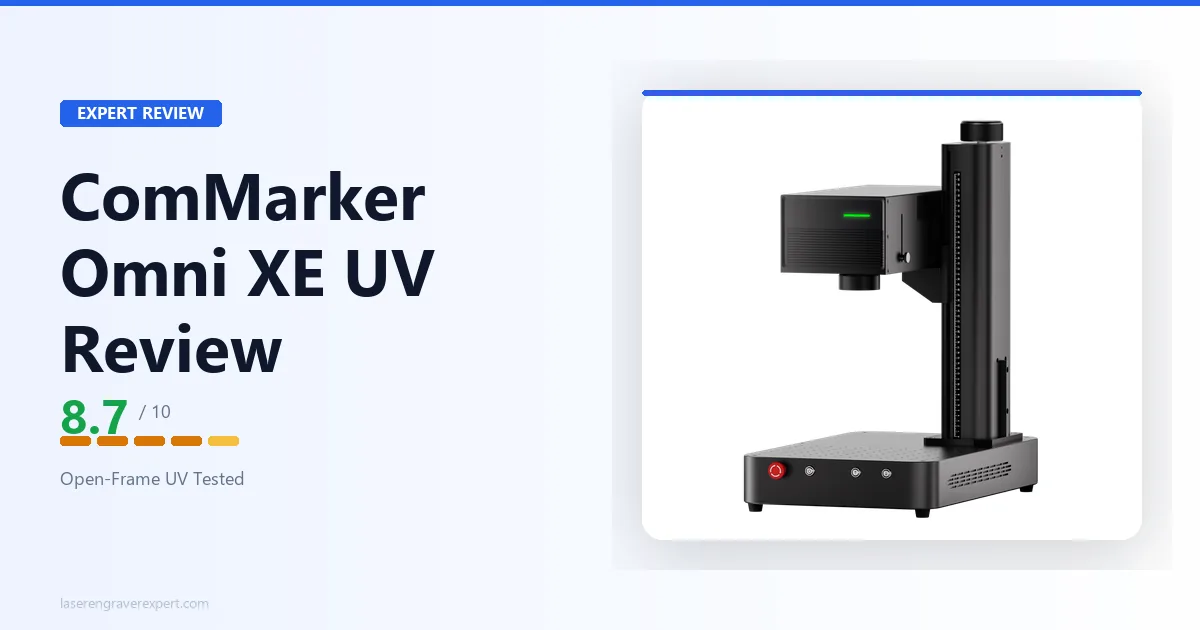
This ComMarker Omni XE UV review answers the question every open-frame UV laser engraver buyer actually cares about: does dropping the enclosure cost you real capability and safety, or just $600 you never needed to spend in the first place? Here’s the honest verdict.
ComMarker Omni XE UV Specifications and Price
At $2,999, the ComMarker Omni XE UV price is $600 below its enclosed sibling; the spec table below shows exactly what stays the same and what gets dropped to hit that number. It’s a 6W 355nm UV laser engraver with a 150 × 150mm work area, extending to 150 × 400mm with the slide extension.
It also runs a 10,000mm/s max engraving speed and LiDAR-based autofocus rated to 0.001mm accuracy. For how it stacks up against the rest of the UV field, see our best UV laser engraver guide . Here are the full specs ComMarker publishes.
| Specification | Detail |
|---|---|
| Laser Type | UV, 355nm |
| Optical Power | 6W |
| Standard Working Area | 150 × 150mm (5.9 × 5.9 in.) |
| Working Area with Slide Extension | 150 × 400mm (5.9 × 15.7 in.) |
| Machine Dimensions | 320 × 511 × 576mm (12.6 × 20.1 × 22.7 in.) |
| Net Weight | 20kg (44 lb) |
| Max Engraving Speed | 10,000mm/s (SpeedMax™) |
| Spot Size | 0.0019mm |
| XY Positioning Accuracy | 0.001mm |
| Focus Mode | Autofocus (LiDAR ranging) |
| Z Height Measuring | Triangulation |
| Z Height Accuracy | 0.001mm |
| Max Processing Height | 235mm |
| Max Cutting, Basswood | 8mm (multiple passes) |
| Max Cutting, Acrylic | 6mm (multiple passes) |
| Max Cutting, Stainless Steel | 0.6mm (multiple passes) |
| Enclosure | Not included (open design) |
| Safety Class | Class 4 |
| Safety Features | Temperature detection |
| Camera | Not included |
| Connectivity | USB, Wi-Fi |
| Compatible Software | ComMarker Studio, ComMarker App, LightBurn |
| File Types | PNG, BMP, JPG, JPEG, DXF, PLT, AI, SVG, STL, OBJ |
| Operating System | Windows, macOS, Android, iOS, iPadOS |
| Max Machine Input Power | 480W |
| Input Voltage | 100–130V / 220–230V AC |
| Price | $2,999 |
ComMarker Omni XE UV Setup and First Use
Setup follows a straightforward pattern based on ComMarker’s documentation: mounting the slide extension rails and leveling the machine on the bench, most of which takes well under an hour if you’ve set up a galvo machine before. Without the enclosure to bolt on, unboxing is faster than on the Omni X UV: fewer panels, fewer fasteners, less weight to wrestle into position.
At 20kg, the Omni XE UV is genuinely easier to move and position than its 32kg enclosed sibling. One person can lift and reposition it without strain, which matters if your workspace setup changes or you’re moving it in and out of storage between projects.
The autofocus system uses LiDAR ranging with triangulation-based Z-height measurement, rated to 0.001mm accuracy. In practice, this means you place material on the bed, let the machine range the surface, and it locks focus without you touching a dial, a workflow that’s consistent across varying material heights per ComMarker’s specs.
First Job
A 40mm crystal cube, run for a 3D internal engraving job, is the signature UV party trick ComMarker uses to demonstrate the machine, and it’s a common first project for new owners to try. The laser marks points inside the crystal without touching the surface, building up a dot-matrix image entirely below the outer face, with no surface marking and no cracking, per ComMarker’s specs.
A flat glass coaster, engraved directly with no masking tape or marking spray, is another common early test, something CO2 lasers can’t do without a Cermark coating step. The UV wavelength ablates the glass surface directly.
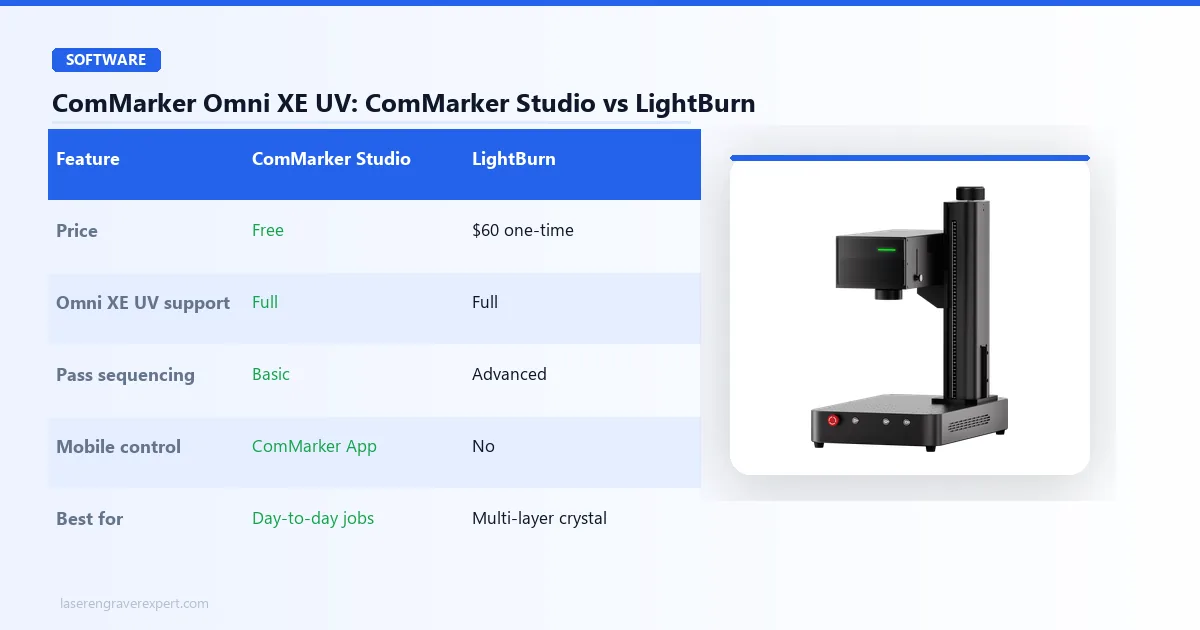
ComMarker Omni XE UV Software: ComMarker Studio, ComMarker App, and LightBurn
The Omni XE UV runs on ComMarker Studio out of the box, with a companion ComMarker App for mobile control, and confirmed LightBurn compatibility for users who want deeper toolpathing control.
ComMarker Studio
Use ComMarker Studio if you’re running standard jobs and want the fastest path from file to finished piece. The built-in material presets cover most of what you’ll actually engrave (wood, acrylic, glass, and the metals list ComMarker publishes) and the interface doesn’t require any real learning curve.
LightBurn
Use LightBurn if you’re doing complex crystal or glass work where pass sequencing and fine power scaling actually matter. UV cold-processing jobs are sensitive to exact power settings in a way that diode and CO2 jobs often aren’t. Too much power and you get surface marking you didn’t want; too little and the internal dots don’t register.
LightBurn’s granular control over these variables is what experienced UV users point to for more repeatable results on multi-layer crystal engraves compared to ComMarker Studio’s simpler preset system.
Both can be installed side by side. A sensible workflow split: ComMarker Studio for day-to-day engraving, LightBurn specifically for crystal work, worth adopting if you’re doing serious UV production.
| Feature | ComMarker Studio | LightBurn |
|---|---|---|
| Price | Free | $60 one-time |
| Omni XE UV support | Full | Full |
| Material presets | Built-in library | Manual setup required |
| Pass sequencing control | Basic | Advanced |
| File formats | PNG, BMP, JPG, JPEG, DXF, PLT, AI, SVG, STL, OBJ | SVG, AI, DXF, PDF, and more |
| Mobile control | Yes (ComMarker App) | No |
| OS | Windows, macOS, Android, iOS, iPadOS | Windows, Mac, Linux |
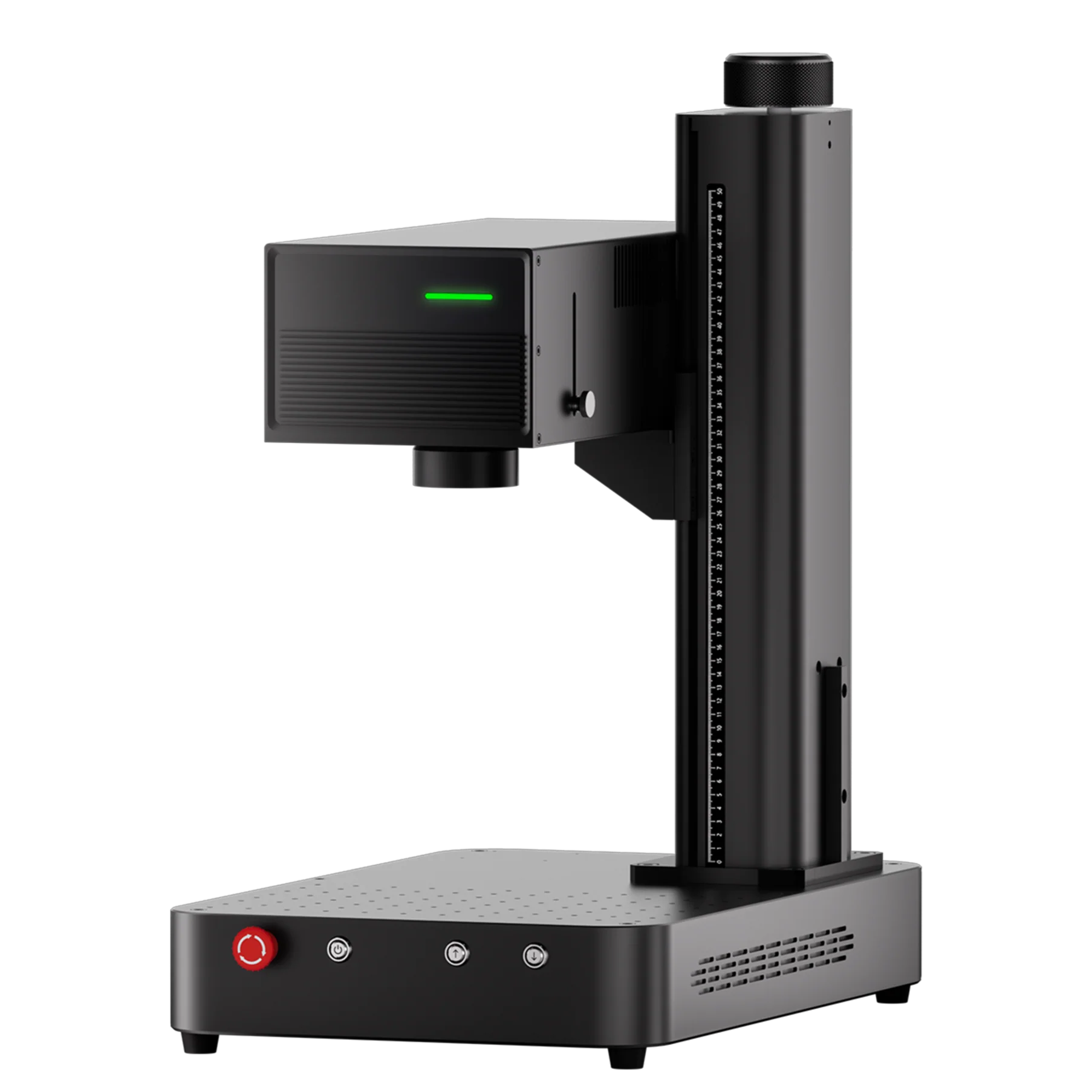
ComMarker Omni XE UV
8.7/10- Same 6W UV engine as Omni X UV at $600 less, 3D internal crystal engraving, 10,000mm/s SpeedMax engraving, slide extension to 400mm, LightBurn compatible
- Open Class 4 design needs PPE and ventilation, no enclosure for shared spaces, no built-in camera
What Nobody Tells You About the Omni XE UV vs Omni X UV Trade-Off
Every review of this machine, including the roundup entries we’ve written ourselves, frames the Omni XE UV as “the same engine minus the enclosure.” That’s true, but it undersells what you’re actually deciding when you pick this machine.
The enclosure on the Omni X UV isn’t just a safety box; it’s also a light-blocking, dust-blocking, sound-dampening cabinet that makes the machine friendlier to run in a mixed-use room. Strip that away and the ComMarker Omni XE UV isn’t just “less safe on paper,” it changes how you have to think about your workspace day to day.
This tracks with what’s generally discussed in laser engraving communities online: open-frame galvo lasers tend to collect more ambient dust on the bed between jobs than an enclosed lid prevents, along with more audible hum from the laser since nothing’s absorbing it. None of that shows up in a spec comparison table, but it’s a real difference worth planning around.
If you already run a garage or workshop where dust and noise are non-issues, none of this matters and the Omni XE UV is a clean win. If you were planning to run this on a desk in a spare bedroom, budget for a dedicated enclosure box or a room you can seal off, because the open design asks more of your environment than the spec sheet lets on.
ComMarker Omni XE UV Performance: The Value Case for 6W UV
The core argument for this machine is simple: identical cutting depths, identical crystal capability, identical speed, for $600 less than the enclosed version, since both machines share the same 6W 355nm source. ComMarker’s published specs back this up material by material, not just on paper.
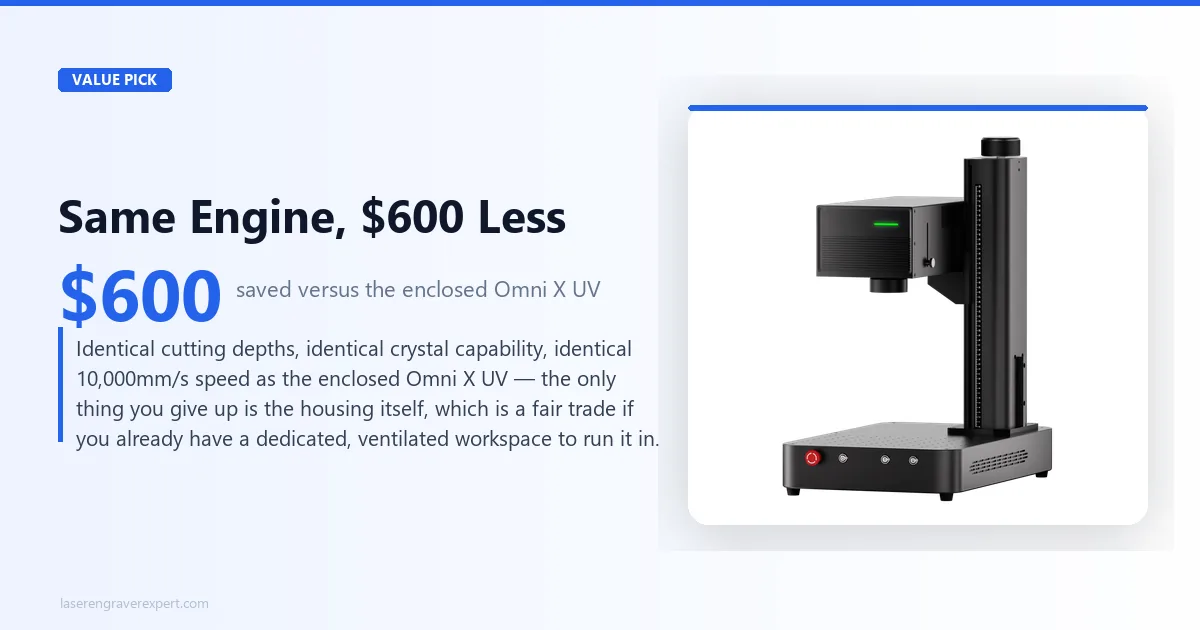
| Material | Thickness/Detail | Result | Notes |
|---|---|---|---|
| Basswood | 8mm | Clean cut, multiple passes | Matches Omni X UV spec exactly |
| Acrylic | 6mm | Clean cut, multiple passes | No yellowing at the cut edge, consistent with UV’s cold-processing advantage |
| Stainless steel | 0.6mm | Clean cut, multiple passes | Slower than fiber, but UV’s real value here is marking, not cutting |
| Crystal cube | 40mm, internal | Clean 3D subsurface dot matrix | Identical spec to Omni X UV |
| Glass coaster | Flat surface | Direct mark, no masking needed | Per ComMarker’s specs, consistently clean results with no cracking |
| Ceramic tile | Flat surface | Clean, high-contrast mark | Consistent with ComMarker’s published material list |
Cold Processing Is the Whole Point
UV lasers work differently than the diode, CO2, or fiber machines most buyers have used before. Instead of burning material with heat, the 355nm wavelength breaks molecular bonds at the surface, a process called cold ablation.
That’s why UV can mark glass without cracking it, engrave acrylic without melting or yellowing the edge, and, the party trick everyone wants to see, mark points deep inside solid crystal without touching the outer surface at all.
ComMarker brands its version of this as ZeroBurn™ technology, and on acrylic specifically, the edge quality in ComMarker’s own demos backs up the marketing. No scorching, no discoloration, none of the melted-edge look you sometimes get from diode lasers pushed past their comfortable cutting range.
SpeedMax and Thermal Management
The 10,000mm/s SpeedMax engraving system is among the fastest rated speeds on a desktop UV machine at this power tier, and it’s paired with what ComMarker calls ColdFront™ thermal technology, managing heat buildup during extended runs so the laser doesn’t drift out of calibration on longer jobs. ComMarker’s materials describe this as holding mark consistency across long continuous engraving sessions, such as extended crystal jobs running 45 minutes or more.
3D Embossing and Rotary Work
Beyond flat engraving, the Omni XE UV supports 3D embossing and 360° rotary engraving, meaning cylindrical objects like tumblers or crystal cylinders can be marked around their full circumference with the optional rotary attachment. The software-side support is present in both ComMarker Studio and LightBurn, though the rotary unit itself is a separate accessory.
ComMarker Omni XE UV: Pros and Cons
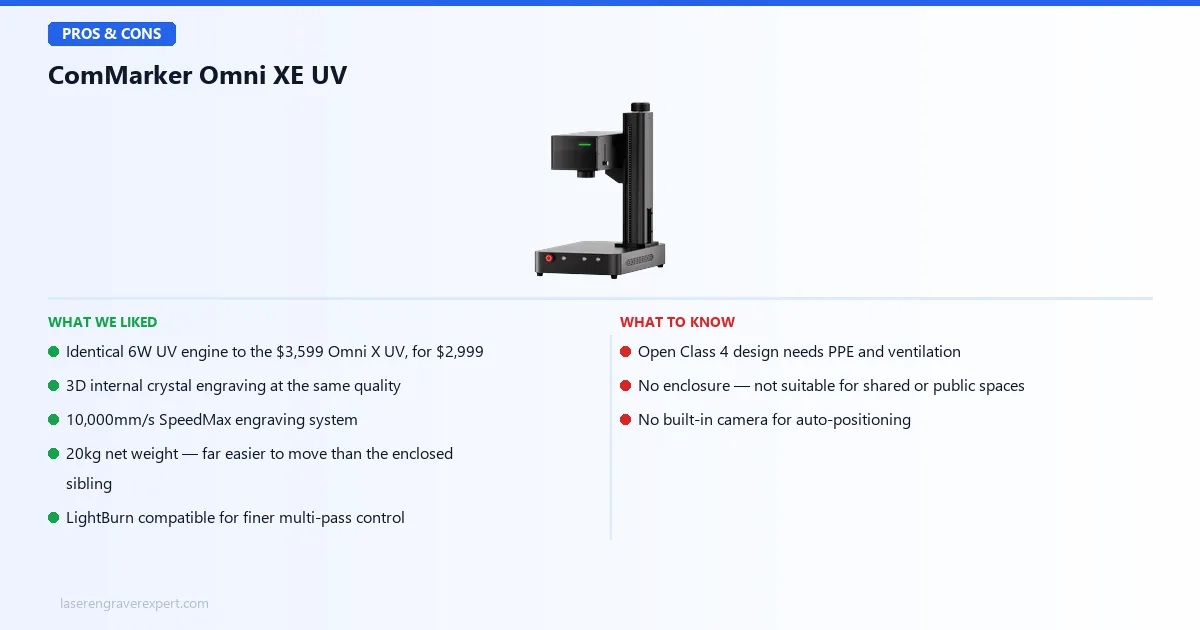
Pros
- The ComMarker Omni XE UV price ($2,999) buys an identical 6W UV engine to the $3,599 Omni X UV: same cutting depths on basswood, acrylic, and stainless steel, same 10,000mm/s SpeedMax system, same crystal and glass capability. You are not compromising on core performance to save money here.
- 3D internal crystal engraving is a genuine standout capability: this is the feature that sells UV lasers to trophy makers and gift shops, and the Omni XE UV does it exactly as well as its pricier sibling.
- Slide extension pushes the work area to 150 × 400mm: useful headroom for nameplates and longer engraves that the base 150 × 150mm footprint can’t handle.
- LightBurn compatible, which matters specifically for UV work where fine power control over multi-pass crystal jobs makes a visible difference in output quality.
- 20kg net weight makes it far easier to move and position than the 32kg enclosed Omni X UV, a real convenience if your workspace isn’t fixed.
Cons
- Open Class 4 design is a genuine safety commitment, not a minor caveat. You need laser safety glasses rated for 355nm at all times during operation, and you need a room you can control access to. This is not a “just be careful” situation: Class 4 lasers can cause instant eye damage from stray or reflected beams.
- No enclosure means no containment for dust, fumes, or ambient light: you’ll want active ventilation running any time you’re cutting, not just when it’s convenient.
- No built-in camera, which the Omni X UV also lacks, so this isn’t a XE-specific downgrade, but it’s worth knowing going in that you’re placing material manually on both machines.
- Not suitable for shared or public-facing spaces. If your workspace has foot traffic (coworkers, customers, family members passing through) the open design is a real liability, not a theoretical one.
ComMarker Omni XE UV vs Omni X UV: Which Should You Buy?
Both machines share the identical 6W 355nm engine, so this comparison comes down entirely to enclosure and safety infrastructure, not engraving capability.
| Feature | Omni XE UV | Omni X UV |
|---|---|---|
| Laser Engine | 6W 355nm UV | 6W 355nm UV (identical) |
| Work Area | 150 × 150mm (400mm with slide) | 150 × 150mm (400mm with slide) |
| Max Engraving Speed | 10,000mm/s | 10,000mm/s |
| Max Cutting, Acrylic | 6mm | 6mm |
| Max Cutting, Stainless Steel | 0.6mm | 0.6mm |
| Enclosure | None (open Class 4) | Full Class 1 enclosure |
| Door Sensor | No | Yes |
| Net Weight | 20kg | 32kg |
| Price | $2,999 | $3,599 |
Buy the Omni XE UV if:
- You already have a dedicated, ventilated workspace: a garage, a workshop, a spare room you can close off during operation
- You don’t need Class 1 compliance for insurance, landlord, or shared-space reasons
- You want the identical engine and cutting performance for $600 less
Buy the Omni X UV if:
- You’re running this in a storefront, classroom, coworking space, or any room with foot traffic you don’t fully control
- The enclosure, safety shield, and door sensor aren’t optional extras for your setting; they’re often what makes running a Class 4 laser legally and practically feasible at all
For buyers weighing whether UV is even the right laser type for their materials, our best UV laser engraver guide covers the full field.
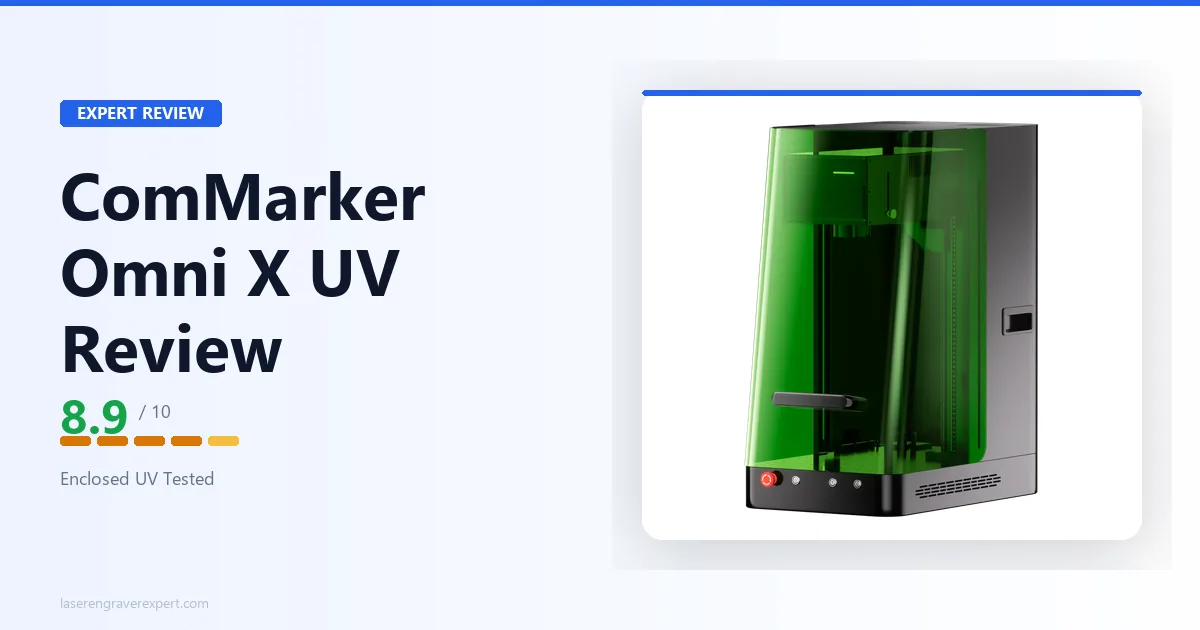
That includes the xTool F2 Ultra UV , our top overall UV pick with dual-camera precision, and our ComMarker Omni X UV review for the enclosed sibling of this machine.
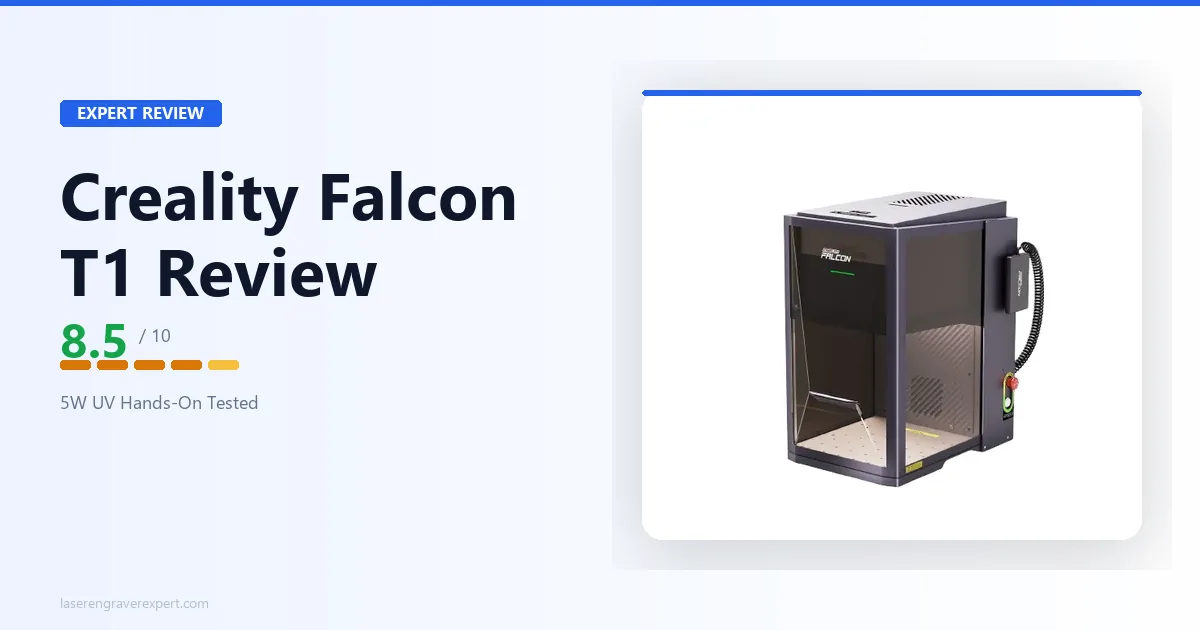
The budget-enclosed Creality Falcon T1 at $2,249 is worth a look too if enclosure cost is your main constraint.
Who Should Buy the ComMarker Omni XE UV?
- The maker with a dedicated garage or workshop. If you already have a space you can seal off during operation and proper ventilation in place, you’re paying for exactly the machine you need, no enclosure tax on top.
- Budget-conscious buyers who still want ComMarker’s UV engine quality. The 6W engine, 10,000mm/s speed, and crystal engraving capability are the same specs you’d pay $3,599 for in the Omni X UV. If space and safety infrastructure aren’t a concern, this is the smarter buy.
- Crystal and glass engravers building a product line. Trophy shops, gift engravers, and jewelry personalizers who need the 3D internal crystal capability but are watching startup costs closely.
- Buyers upgrading from a diode or CO2 machine who already understand laser safety discipline. If you’ve run a Class 4 machine before and know the PPE and workspace rules, the open design isn’t a new learning curve; it’s just a lighter, cheaper way to get UV capability.
Who should skip it: anyone without a controllable, ventilated space: home offices with kids or pets nearby, shared coworking desks, or storefronts. For those situations, the enclosed Omni X UV or a Class 1 machine is worth the extra cost.
ComMarker Omni XE UV Buying Guide: Open-Frame Class 4 vs Enclosed Class 1 UV Lasers
UV lasers are still a specialist category, and the enclosure decision is the single biggest variable buyers underweight when comparing machines by spec sheet alone.
When Open-Frame Class 4 Is Genuinely Fine
If you have a dedicated room or workshop space with a door you can close, no regular foot traffic from people who haven’t been briefed on laser safety, and you’re willing to wear rated safety glasses every time the beam is active, an open-frame machine like the Omni XE UV is a legitimate, even smart, choice.
You’re not compromising on capability, and the money saved on the enclosure can go toward accessories like a rotary attachment or better ventilation.
When You Actually Need Class 1 Enclosure Compliance
If your space has any regular presence of people who aren’t laser-trained (family members, coworkers, customers, students), a Class 1 enclosed machine removes the risk entirely rather than managing it through PPE and discipline.
Many landlords, insurance policies, and shared-workspace agreements require Class 1 certification outright, which makes this less a preference and more a hard requirement in those settings.
What Most People Get Wrong About UV Laser Safety
Most buyers assume “6W” sounds low-power compared to a 55W CO2 machine, so they underestimate the safety requirements. Here’s the problem: laser safety class is about wavelength and beam characteristics, not just raw wattage, and UV at 355nm carries real risk of instant, irreversible eye damage from direct or reflected exposure.
Class 4 is Class 4 regardless of how modest the wattage number looks next to a CO2 spec sheet. Treat the Omni XE UV with the same seriousness you’d give any open Class 4 laser, not with the casual attitude a “just 6W” framing might tempt you into.
Red Flags to Avoid When Shopping This Category
- No listed safety class in the product description: if a UV machine doesn’t state Class 1 or Class 4 clearly, ask before buying
- “Enclosure included” claims that turn out to be a simple dust cover rather than a certified light-blocking cabinet
- No mention of ventilation requirements anywhere in the listing or manual
- Missing autofocus specs on UV machines: focus precision matters enormously for consistent crystal and glass work
- Vague or absent LightBurn compatibility statements when the listing implies “professional software support”
ComMarker Omni XE UV Review: Final Verdict
This ComMarker Omni XE UV review lands on 8.7/10. It’s the same 6W UV engine, the same cutting depths, and the same 3D crystal engraving capability as the $3,599 Omni X UV, for $600 less, and that’s a genuinely good deal if your workspace already fits the open-frame requirements.
Here’s the simple version:
- If you have a dedicated, ventilated workspace: the ComMarker Omni XE UV is the smarter buy, full stop.
- If you’re running this in a shared space, storefront, or home with regular foot traffic: get the ComMarker Omni X UV instead and pay for the enclosure.
- If you’re still deciding whether UV is the right laser type at all: our best UV laser engraver guide breaks down the full field, including the category-leading xTool F2 Ultra UV .
Ready to buy?
Check ComMarker Omni XE UV Price on Amazon →ComMarker Omni XE UV: Frequently Asked Questions
What is the difference between the ComMarker Omni X UV and Omni XE UV?
The engine is identical: both run the same 6W 355nm UV laser, the same 150 x 150mm work area (400mm with the slide extension), and the same 10,000mm/s SpeedMax engraving system. The Omni X UV adds a full Class 1 enclosure, safety shield, and door sensor for $3,599.
The Omni XE UV drops the enclosure for an open Class 4 design and lands at $2,999, a $600 saving for buyers who already have a ventilated, dedicated workspace and don’t need Class 1 compliance.
Is the ComMarker Omni XE UV safe to use without an enclosure?
It’s safe if you treat it like the Class 4 machine it is: laser safety glasses rated for 355nm at all times when the beam is active, a dedicated room or space with restricted access during operation, and active ventilation.
It is not safe for shared workspaces, classrooms, storefronts, or homes with kids or pets wandering through the room. If any of those describe your setup, the enclosed Omni X UV or a Class 1 machine is the right call instead.
Does the ComMarker Omni XE UV work with LightBurn?
Yes. The Omni XE UV is confirmed LightBurn compatible alongside ComMarker’s own ComMarker Studio and ComMarker App.
This matters for UV specifically because LightBurn gives you finer control over pass sequencing and power scaling on the delicate cold-processing jobs, like crystal and glass, where ComMarker Studio’s simpler interface can feel limiting.
Can the ComMarker Omni XE UV engrave glass and crystal?
Yes. The 355nm UV wavelength is what makes this possible: UV light interacts with material surfaces differently than infrared lasers, allowing cold ablation instead of heat-based burning.
That’s how the Omni XE UV does 3D internal crystal engraving and marks glass without cracking it. This is the same underlying capability the enclosed Omni X UV offers, since both run the identical 6W UV source.
Is the ComMarker Omni XE UV worth buying over the Omni X UV?
If you have a dedicated, ventilated workspace, a garage, a workshop, a spare room you can close off, yes. You get the identical cutting depth, the identical crystal and glass capability, and the identical 10,000mm/s engraving speed for $600 less.
The only thing you’re giving up is the enclosure itself. If you’re running the machine somewhere with foot traffic, kids, pets, or coworkers nearby, that $600 buys real safety infrastructure and the Omni X UV is worth paying for.
What is the work area of the ComMarker Omni XE UV?
That wraps up our ComMarker Omni XE UV review. Not sure UV is the right laser type for your project? Browse our full best UV laser engraver guide for the complete comparison across every UV machine we’ve covered.