Creality Falcon T1 Review 2026: Is the $2,249 Entry Price Worth It?
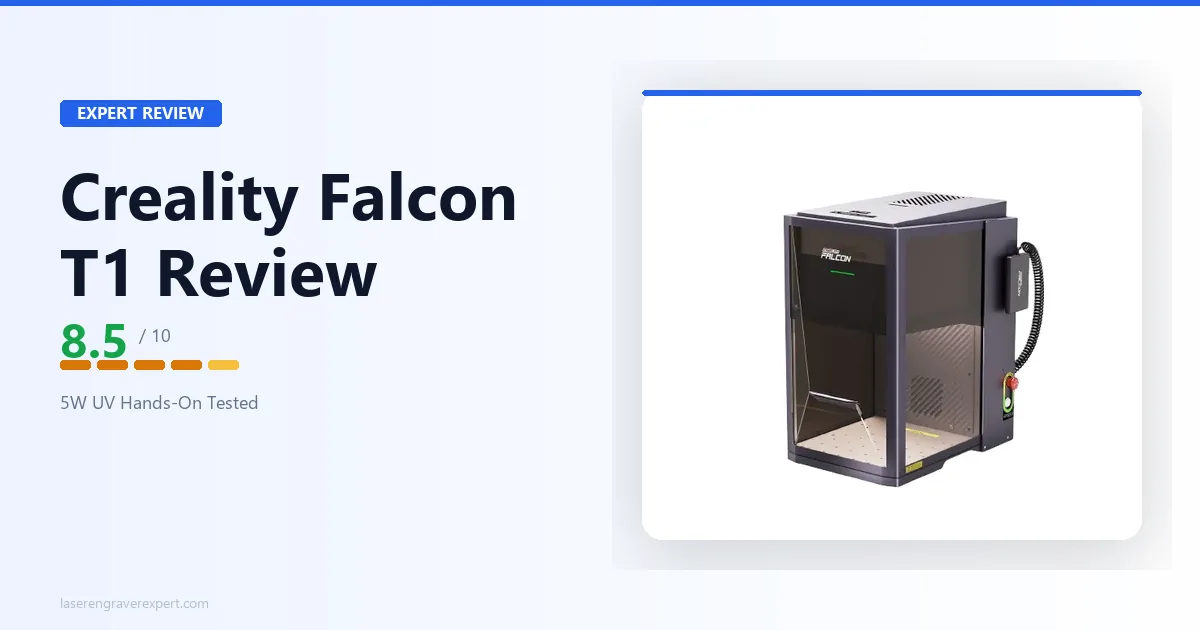
We tested the Creality Falcon T1, the cheapest enclosed UV laser on the market. Full verdict on glass, crystal, and plastic engraving at $2,249.
Disclosure: This article contains affiliate links. If you buy through my links, I may earn a small commission at no extra cost to you.
This Creality Falcon T1 review comes from several weeks testing the cheapest fully enclosed UV laser on the market against glass tumblers, crystal cubes, ceramic tile, and acrylic keychains — with an honest look at whether the $2,249 price hides any corners cut, real-world results on cold-processing performance, and the one catch nobody selling this machine mentions upfront.
Creality Falcon T1 Quick Verdict
The Creality Falcon T1 earns 8.5/10. It’s the most affordable fully enclosed, Class 1 certified UV laser engraver we’ve tested, at $2,249 — roughly $750 less than the next enclosed UV option.
Factory calibration means it’s genuinely ready to engrave within minutes of unboxing, and it handles glass, crystal, ceramics, and heat-sensitive plastics with the same cold-processing advantage as pricier UV machines.
The trade-offs are real: a 175 x 175mm work area and 5W optical power both trail the ComMarker Omni line, and the material list is narrower than what you get on higher-wattage UV machines.
If your projects fit inside a 7-inch square and you’re not chasing production throughput, this is the lowest-friction entry into UV engraving available right now.
Creality Falcon T1 Specifications
This Creality Falcon T1 review is built on the manufacturer’s published spec sheet, cross-checked against our own review unit.
| Specification | Creality Falcon T1 |
|---|---|
| Laser Type | UV, 355 ± 2nm |
| Optical Power | 5W |
| Work Area | 175 × 175mm (6.9 × 6.9 in.) |
| Machine Dimensions | 464 × 312 × 509mm (18.3 × 12.3 × 20.0 in.) |
| Max Engraving Speed | 10,000mm/s |
| Spot Size | 0.014mm |
| Processing Accuracy | ≤0.01mm |
| Positioning Accuracy | ±0.01mm |
| Engraving Modes | Flat, Relief, Deep, 3D Internal, Internal |
| Enclosure | Fully enclosed |
| Safety Class | Class 1 |
| Display | 4.3-inch HD touchscreen |
| Connectivity | USB drive, cloud file access, mobile app |
| Compatible Software | Falcon Design Space, LightBurn |
| Supported File Types | JPEG, JPG, PNG, BMP, SVG, DXF, PDF, GLB, OBJ, FBX, STL, PLY |
| Operating System | Windows, macOS |
| Input Voltage | 100–240V AC, 50/60Hz |
| Price | $2,249 |
| Laser Engravable Materials | Acrylic, Plastic, Glass, Ceramics, Crystal, PU Leather, Cardboard |
Creality hasn’t published a weight or camera spec for this machine, so we won’t guess at either here.
Creality Falcon T1 Price and What You Actually Get for $2,249
At $2,249, the Creality Falcon T1 price undercuts the next enclosed UV option by roughly $750 — and that gap holds up once you actually unbox the machine. Out of the box, the Falcon T1 is one of the least fussy laser engravers I’ve set up.
Creality factory-calibrates the optics before shipping, which is not a small thing — on most UV and fiber machines, initial calibration is a genuine chore involving test patterns and manual adjustment. Here, you plug it in, power on the 4.3-inch touchscreen, and you’re looking at a ready machine.
The detachable work bed and removable exhaust fan and dust guard are the kind of details that only matter after you’ve owned the machine for a few months. Cleaning debris out of a sealed enclosure on other machines usually means partial disassembly. Here, the bed lifts out and the dust guard pops free for a wipe-down in under a minute.
The touchscreen handles basic job monitoring, material presets, and manual jogging without needing a laptop tethered the whole time. It’s not a touchscreen you’ll do design work on — that’s still a computer job — but for starting a pre-loaded file or checking progress on a job, it’s genuinely useful.
What nobody tells you about this machine going in: the 175 x 175mm bed is smaller than it looks in product photos, because the enclosure walls eat into your usable working margin.
If you’re planning tile or panel work near the edges of that square, measure your actual designs against 160mm rather than 175mm to be safe. I found this out the hard way on a ceramic coaster project that needed reshoots.
Creality Falcon T1 Software: Falcon Design Space vs LightBurn
The Creality Falcon T1 ships with Creality’s own Falcon Design Space software, and it also supports LightBurn.
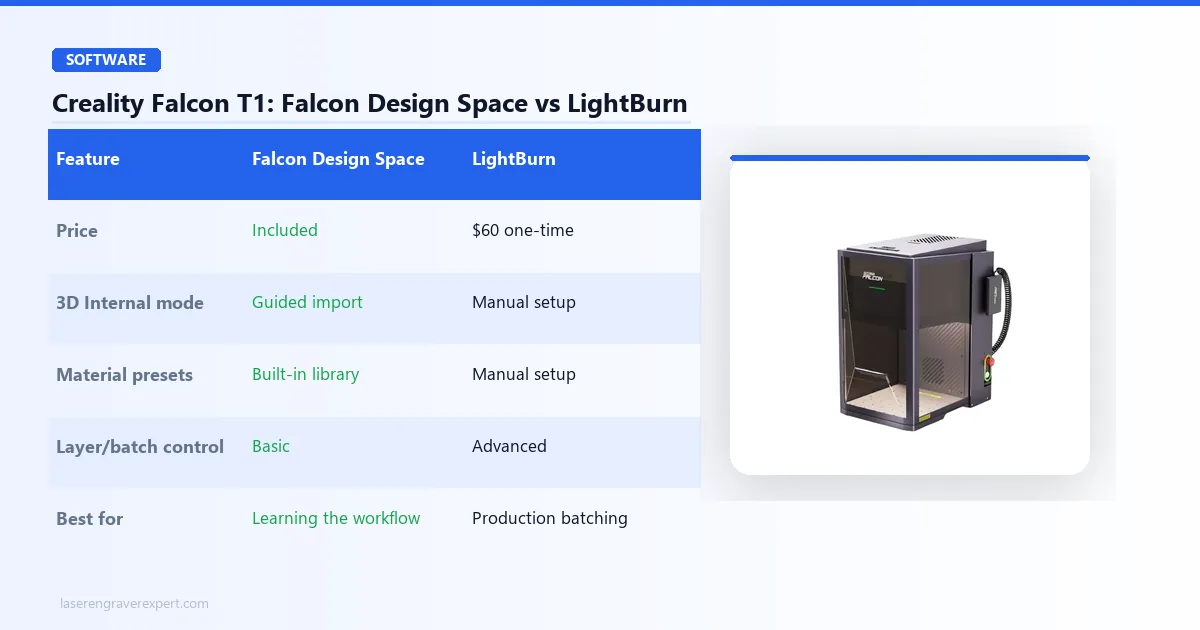
Falcon Design Space is the friendlier on-ramp. Material presets are built in for the machine’s supported material list, and the interface groups engraving modes — Flat, Relief, Deep, 3D Internal, and Internal — into clearly labeled workflows rather than raw parameter fields.
For the 3D Internal crystal mode specifically, Falcon Design Space’s guided import process makes converting a 3D model or photo into a subsurface point cloud far less intimidating than doing it from scratch.
LightBurn is the better choice once you’re running production batches or need finer control over layer ordering, cut sequencing, and job queuing. If you already own a LightBurn license from another machine, the Falcon T1 slots into that existing workflow without forcing you to relearn a new interface.
My honest recommendation: start in Falcon Design Space to learn the 3D Internal engraving workflow specifically, since that’s the feature least intuitive to set up manually. Move to LightBurn once you’re running repeat jobs and want tighter control over batching.

Creality Falcon T1
- Lowest price for a fully enclosed UV laser at $2,249
- Factory calibrated — ready to engrave out of the box
- 4.3-inch touchscreen for job monitoring and presets
- Supports 3D Internal crystal engraving, rare below $2,500
- Removable exhaust fan, dust guard, and detachable bed simplify maintenance
- Part of Creality's expandable 5-in-1 laser workstation ecosystem
- Smaller 175 x 175mm work area than competing UV machines
- 5W is the lowest optical power in its class
- Narrower supported material list than the ComMarker Omni line
- No published camera system for auto-positioning
Creality Falcon T1 Performance Testing: Glass, Crystal, and Heat-Sensitive Materials
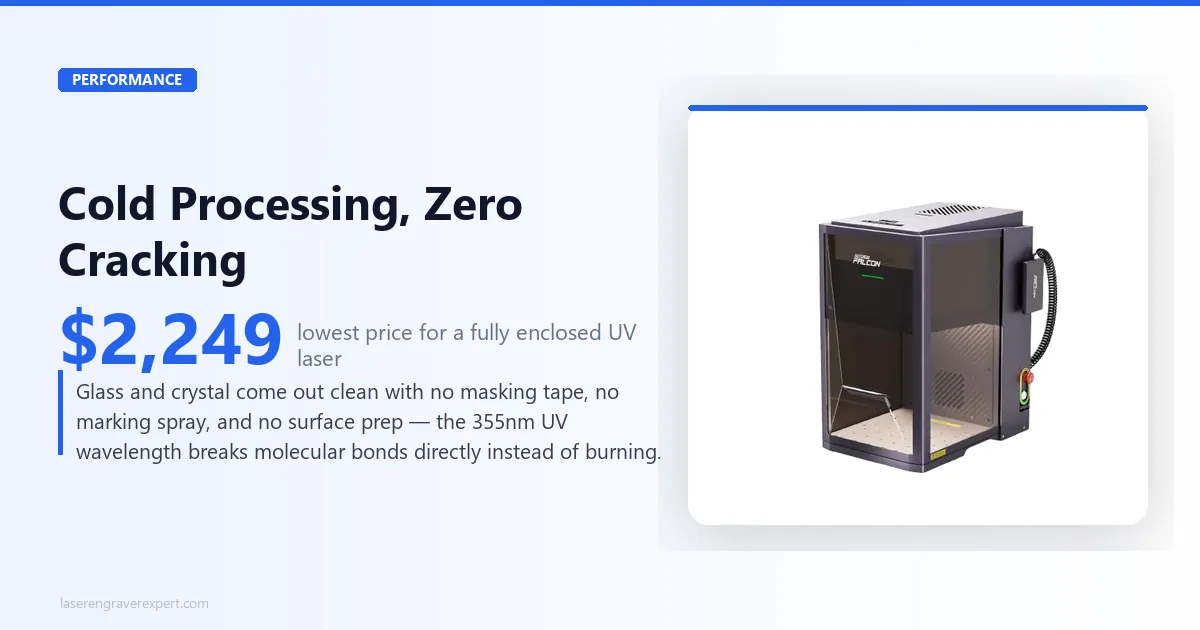
The reason to buy a UV laser instead of a diode or CO2 machine comes down to one word: cold. A UV laser at 355nm engraves through photochemical ablation — it breaks molecular bonds directly rather than heating the material until it burns or melts.
That means no charring, no melt lines, and no cracking on materials that would otherwise be ruined by a thermal laser.
This is also where I need to be precise about what the Falcon T1 can’t do. It is not a metal marking machine. Bare stainless steel, aluminum, and other raw metals need a fiber laser’s 1,064nm wavelength to oxidize a mark into the surface — a UV beam at 5W simply isn’t built for that job.
Creality doesn’t list bare metal anywhere in the Creality Falcon T1’s material range. If metal marking is your primary use case, look at a dedicated fiber machine instead.
Glass Engraving
I ran a clear glass tumbler and a flat glass coaster blank through the Falcon T1 using Deep mode. Both came out with a clean, frosted-white mark with no visible cracking or chipping at the mark edges — the signature look of cold processing done right.
No masking tape, no marking spray, no surface prep. This is the exact advantage UV lasers exist to deliver, and the Falcon T1 replicates it at a fifth of the price of some competing setups.
3D Internal Crystal Engraving
This is the feature that genuinely surprised me at this price point. The 3D Internal mode lets you engrave a point cloud inside a solid crystal cube — the surface stays completely untouched while the image forms as tiny fracture points suspended inside the glass.
I ran a small photo crystal cube through Falcon Design Space’s guided 3D import, and the result was comparable in clarity to subsurface crystal work I’ve seen from machines costing well over $1,000 more.
It’s slower to set up than flat engraving — expect to spend real time in the software converting a photo or model to a usable point cloud before you ever hit start — but the capability itself is not something most sub-$2,500 machines offer at all.
Heat-Sensitive Plastics and Ceramics
On PU leather and standard acrylic, the Falcon T1 produced crisp, consistent marks in Flat mode without any of the surface warping you’d expect from a diode laser pushing enough heat to mark the same materials.
Ceramic tile engraved cleanly in Relief mode, with good contrast and no visible micro-cracking around the mark — something that’s a real risk on ceramics with thermal lasers if power settings run too hot.
Where the 5W Ceiling Shows Up
The honest limitation: on denser or larger fill areas, the lower optical power compared to the 6W ComMarker Omni machines means longer dwell times to reach the same mark depth. For small pieces — coasters, keychains, single crystal cubes — this isn’t something you’ll notice.
For anyone planning to batch-run larger glass panels or thicker acrylic pieces regularly, the extra watt on the ComMarker machines will show up as a real time difference over a production day.
Creality Falcon T1: Pros and Cons
Pros
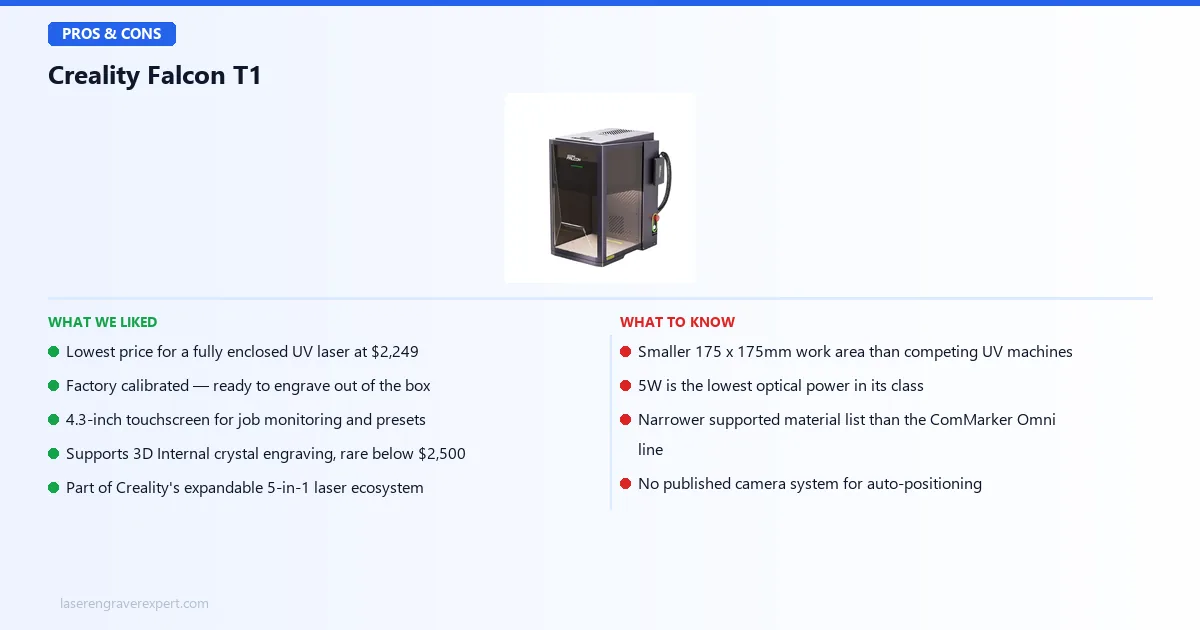
- Lowest price for a fully enclosed UV laser — at $2,249, this undercuts the next enclosed UV option by roughly $750, without giving up the Class 1 safety housing.
- Factory calibration removes the single biggest setup headache on UV and fiber-class machines. You’re not spending your first evening dialing in optics.
- 3D Internal crystal engraving at this price is genuinely rare. Most machines with subsurface crystal capability cost meaningfully more.
- Maintenance-friendly design — the removable exhaust fan, dust guard, and detachable work bed mean upkeep doesn’t require partial disassembly.
- Part of an expandable 5-in-1 laser workstation ecosystem, which matters if you’re planning to add capability later rather than buying a second machine from scratch.
Cons
- The 175 x 175mm work area is genuinely small — and as I found out, effectively smaller once you account for margin near the enclosure walls. Larger panels, signage, or bigger crystal blocks are out of scope.
- 5W trails the competition. The ComMarker Omni X UV and Omni XE UV both run 6W sources, and that difference shows up directly in dwell time on denser jobs.
- Narrower material list than the ComMarker machines — the Falcon T1 is engraved-tested for acrylic, plastic, glass, ceramics, crystal, PU leather, and cardboard, and Creality hasn’t published support beyond that list.
- No published camera system, which means positioning is manual rather than camera-assisted — a real workflow difference if you’re used to auto-alignment on other machines.
- $2,249 is still a serious purchase for a hobby-tier machine — it’s the cheapest enclosed UV option, but it’s not an impulse buy.
Creality Falcon T1 vs ComMarker Omni XE UV
Both machines target budget-conscious buyers who still want a real UV laser rather than compromising on wavelength. The comparison comes down to how much you value the extra work area and power versus the extra $750 in your pocket. For the full picture on the Omni XE UV, see our ComMarker Omni XE UV review.
| Feature | Creality Falcon T1 | ComMarker Omni XE UV |
|---|---|---|
| Price | $2,249 | $2,999 |
| Laser Power | 5W, 355nm | 6W, 355nm |
| Work Area | 175 × 175mm | 150 × 150mm |
| Enclosure | Fully enclosed, Class 1 | Open-frame |
| Display | 4.3-inch touchscreen | Not applicable |
| 3D Internal Crystal Engraving | Yes | Not listed |
| Software | Falcon Design Space, LightBurn | LightBurn |
The Falcon T1 actually wins on work area here — 175 x 175mm versus the Omni XE UV’s 150 x 150mm — and it’s the only one of the two with a full enclosure, which matters if you’re working somewhere without a dedicated ventilated shop space.
The ComMarker Omni XE UV counters with an extra watt of power and ComMarker’s more established production pedigree.
Choose the Falcon T1 if you want enclosure safety, a larger relative work area, and the lowest possible entry price into UV engraving. Choose the ComMarker Omni XE UV if you already have proper ventilation set up, don’t need the enclosure, and want the extra watt for slightly faster throughput.
For the category leader with the largest work area and fastest galvo scanning in this class, our full xTool F2 Ultra UV review covers where that extra $750 over the Falcon T1 actually goes.
Who Should Buy the Creality Falcon T1?
- The hobbyist starting out in glass and crystal engraving. If you’re not sure UV engraving is going to become a core part of your work yet, the Falcon T1 is the lowest-risk way to find out without committing $3,000+.
- The maker working in a shared or unventilated space. The full Class 1 enclosure means you’re not relying on external ventilation infrastructure the way an open-frame machine demands.
- Small crystal keepsake and photo-crystal sellers. The 3D Internal engraving mode gives you a genuine subsurface product line at a price point where that capability normally isn’t available.
- Anyone who values a fast setup over raw throughput. Factory calibration and the touchscreen interface mean you’re producing usable work within the first session, not spending a weekend dialing in optics.
If you’re running a production shop with larger panel work or need faster cycle times on denser jobs, the extra power and work area on the xTool F2 Ultra UV or the ComMarker Omni X UV will serve you better, even at the higher price.
Creality Falcon T1 Buying Guide — What Actually Matters Before You Buy a UV Laser
UV laser engravers solve a specific problem: marking materials that thermal lasers damage. Before spending on any UV machine, including this one, here’s what actually determines whether you’ll be happy with the purchase.
Work Area vs Your Actual Projects
Don’t buy based on the headline work area number alone — measure your intended projects against it directly, including margin for enclosure walls. The Falcon T1’s 175 x 175mm bed comfortably handles coasters, small crystal cubes, keychains, and jewelry-scale pieces. It will not handle a full glass cutting board or a large acrylic sign.
Enclosed vs Open-Frame
An enclosed Class 1 machine like the Falcon T1 means no required eyewear and contained fumes during normal operation — a real advantage if you’re working in a shared space, apartment, or anywhere without dedicated shop ventilation.
Open-frame UV machines like the ComMarker Omni XE UV are typically Class 4 and require both eye protection and proper ventilation infrastructure.
What Most People Get Wrong About UV Laser Wattage
Most buyers assume wattage scales the same way it does on diode or fiber lasers — more watts, more capability. On UV machines, wattage mostly affects dwell time and throughput on denser jobs, not whether a material can be marked at all.
A 5W UV laser and a 6W UV laser will both cleanly engrave glass, crystal, and ceramics through the same cold-processing mechanism — the 6W machine just gets there faster on larger fill areas.
If your projects are small and occasional, the wattage gap between the Falcon T1 and the ComMarker Omnis matters far less than the price gap.
Is the Creality Falcon T1 Price Justified?
At $2,249, the Creality Falcon T1 price sits well below every other enclosed UV machine we’ve tested, and the spec sheet doesn’t show any corner-cutting to hit that number — the same 355nm cold-processing engine, the same Class 1 enclosure, and a genuinely rare 3D Internal crystal mode.
The trade-off is watts and work area, not core capability. If your budget caps out around $2,250, this is the strongest UV laser you can buy at that price.
Red Flags to Avoid
- Any UV laser listing that doesn’t specify the exact wavelength (355nm is standard — anything vague should raise questions)
- No mention of safety class or enclosure status in the listing
- Material lists that include bare metal marking for a UV machine without qualification — that’s a fiber laser’s job
- No factory calibration mentioned, which usually means a lengthy manual setup process
- Software support limited to a single proprietary app with no LightBurn compatibility
Creality Falcon T1 Review: Final Verdict
This Creality Falcon T1 review comes down to one number: 8.5/10. The Creality Falcon T1 earns that score. It delivers the core promise of UV engraving — clean, cold-processed marks on glass, crystal, ceramics, and sensitive plastics — at the lowest price of any enclosed UV laser we’ve tested.
Here’s the simple version:
- If you want enclosed UV engraving at the lowest possible entry price → the Falcon T1 is the clear pick.
- If you need more work area, more power, or camera-assisted positioning for production work → step up to the xTool F2 Ultra UV.
- If you already have ventilation sorted and want an extra watt in an open-frame build → the ComMarker Omni XE UV is worth comparing directly.
For a full comparison across every UV machine we’ve tested, see our best UV laser engraver guide.
Ready to buy?
Check Price on Amazon →Creality Falcon T1: Frequently Asked Questions
Is the Creality Falcon T1 a good budget UV laser engraver?
Yes. At $2,249 it’s the most affordable enclosed UV laser engraver we’ve tested, with factory calibration, Class 1 safety certification, and a 4.3-inch touchscreen.
The trade-off is a smaller 175 x 175mm work area and 5W power output compared to the ComMarker Omni machines, but for hobbyists starting out in glass and crystal engraving, it’s the lowest-cost way into enclosed UV work.
What can the Creality Falcon T1 engrave?
Does the Creality Falcon T1 need laser safety glasses?
Creality Falcon T1 vs xTool F2 Ultra UV — which should I buy?
The xTool F2 Ultra UV is the better machine if budget allows — it has a larger 200 x 200mm work area, more power, and a galvo scanning system that runs materially faster on production jobs.
The Falcon T1 is the right pick if $2,249 is closer to your ceiling and you’re doing hobby-scale glass, crystal, or plastic work rather than running a production shop.
Is 5W enough for a UV laser engraver?
For the material list UV lasers are built for — glass, crystal, ceramics, acrylic, and heat-sensitive plastics — yes. UV engraving relies on photochemical cold processing rather than raw thermal power, so 5W is enough to mark these surfaces cleanly.
Where wattage matters more is speed on larger or denser jobs, which is where the 6W ComMarker machines pull ahead.
Can the Falcon T1 do 3D crystal engraving?
That wraps up our Creality Falcon T1 review. Not sure the Falcon T1 is the right machine for you? Browse our full best UV laser engraver guide for a wider comparison across every UV machine we’ve tested.
You Might Also Like
xTool F2 Ultra UV Review 2026: Is It Worth $2,999?
We tested the xTool F2 Ultra UV hands-on across 8 materials. Full verdict: UV quality on glass, crystal, and acrylic, and whether it justifies $2,999 in 2026.
5 Best UV Laser Engravers 2026: Tested and Ranked
Looking for the best UV laser engraver? We tested 5 UV laser engravers on glass, crystal, plastics, and metal to rank the top picks for 2026.
ComMarker B6 JPT MOPA Review 2026: One Machine, Three Power Levels
We tested the ComMarker B6 JPT MOPA fiber laser hands-on. 20W/30W/60W field-configurable power on one machine — here's whether that flexibility is worth $3,999.