Diode vs CO2 vs Fiber Laser Engraver: Which Do You Need?
Diode, CO2, or fiber laser in 2026? We break down exactly which to buy based on your materials, budget, and use case. No jargon — just the right decision.
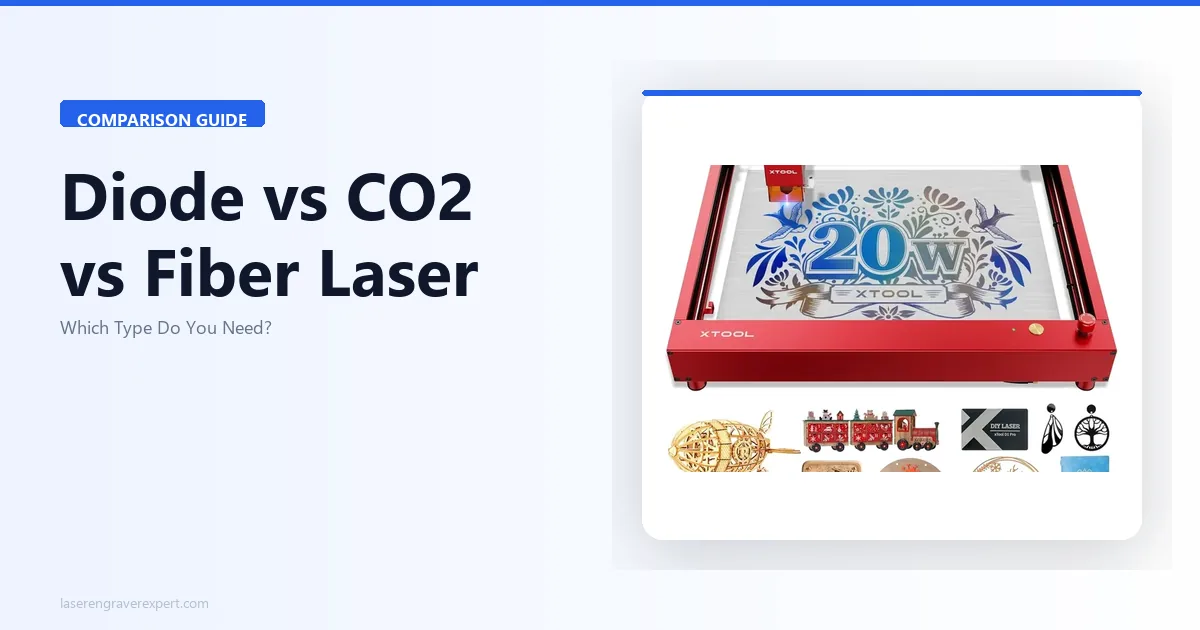
Most people shopping for their first laser engraver hit the same wall: they don’t know what type of laser they’re even buying. Diode, CO2, fiber — the listings use these words freely, but nobody explains what actually changes between them or why it matters for your specific project.
We’ve tested machines across all three categories — from entry-level diode open-frames to production-grade CO2 systems to galvo fiber units built for metal marking. The short version is this: the right laser type is determined almost entirely by the materials you plan to work with. Get that decision wrong, and no amount of power or features will compensate.
This guide will give you the physics (briefly, without jargon), a full material compatibility matrix, and a clear framework for making the right call before you spend a dollar.
How Each Laser Technology Actually Works
You do not need to become a laser physicist to buy the right machine. But a basic understanding of why each type behaves differently will save you from expensive mistakes. The single most important concept is wavelength — different materials absorb or reflect light differently depending on its wavelength, and each laser type emits a different wavelength.
Diode Lasers — 450nm Blue-Violet
Diode lasers are semiconductor-based, similar in principle to the laser in a Blu-ray player but far more powerful. They emit light in the blue-violet range, typically around 450nm. Consumer models run from about 5W to 40W optical output.
The 450nm wavelength is readily absorbed by dark, opaque materials. Wood absorbs it well. Leather absorbs it. Dark-anodized aluminum absorbs it. That’s why diode lasers produce excellent results on these materials.
Here’s the critical limitation: the 450nm wavelength passes through clear and light-colored materials as if they were not there. Clear acrylic, glass, and clear polycarbonate are effectively transparent to this wavelength. The beam goes straight through without doing any work. This is not a power issue — running more watts through the same wavelength does not change the physics. A 40W diode laser still cannot mark clear acrylic. A 100W diode laser would have the same problem.
Diode machines are almost always open-frame gantry systems — an X-Y axis head moving over an open work surface. This gives them large work areas relative to their price, often 400mm x 400mm or larger. The tradeoff is that they are not inherently enclosed, which requires you to manage fume extraction and add safety enclosures yourself.
These are the most affordable entry point into laser cutting and engraving by a significant margin.
CO2 Lasers — 10.6μm Infrared
CO2 lasers use a sealed tube filled with carbon dioxide gas as the lasing medium. They emit light in the far-infrared range at 10.6 micrometers — a wavelength invisible to the human eye and absorbed by a fundamentally different range of materials than diode lasers.
The 10.6μm wavelength is absorbed by organic materials (wood, leather, acrylic, rubber, fabric, paper) and — critically — by transparent materials including clear acrylic and glass. This is the defining advantage of CO2 over diode. Clear acrylic cuts cleanly because the material absorbs the CO2 beam rather than transmitting it. Glass etches because the surface absorbs enough energy to create a frosted effect.
Consumer CO2 machines typically run 40W to 150W. Higher wattage means faster cutting speeds and ability to cut thicker materials in a single pass. A 55W CO2 system cuts 6mm clear acrylic cleanly in a single pass at meaningful speed — something no diode machine can replicate at any wattage.
The tradeoffs are real: CO2 machines are larger, heavier, and more expensive. The gas tube has a finite lifespan — typically 8,000 to 10,000 hours for quality tubes — after which it must be replaced. Mirror alignment drifts over time and requires periodic calibration. These are not dealbreakers for serious users, but they represent an ongoing maintenance commitment that diode lasers largely avoid.
Fiber Lasers — 1064nm Near-Infrared
Fiber lasers use a rare-earth-doped optical fiber (typically ytterbium) as the gain medium. They emit at 1064nm, in the near-infrared range — closer to visible light than CO2 but still not the blue-violet of diode lasers.
The 1064nm wavelength is the key to fiber’s metal-marking capability. Bare metals — stainless steel, titanium, brass, copper, aluminum — absorb this wavelength efficiently. A fiber laser can mark stainless steel directly, with no sprays, no compounds, and no preparation beyond cleaning the surface. The marks are permanent, highly resistant to wear, and can be extremely detailed because the beam focus point is very small.
Most consumer fiber laser engravers use a galvo scanning system rather than a traditional gantry. Instead of moving the laser head physically, galvo mirrors deflect the beam across the work area at extremely high speeds — up to 10,000mm/s or faster. This enables rapid, detailed work on metal that no gantry system can match for throughput. The tradeoff is work area: galvo systems typically cover a 100mm x 150mm zone, suitable for jewelry, dog tags, and small parts — but not large-format work.
Fiber lasers are largely transparent to organic materials at hobby power levels. Wood and acrylic don’t absorb 1064nm efficiently, so results on those materials are poor. Fiber is a purpose-built metal tool.
A specialized variant called MOPA fiber (Master Oscillator Power Amplifier) adds pulse-width control, which enables color marking on stainless steel by creating oxide layers of varying thickness. This is the technology behind the vivid colors you see on stainless steel tumblers and custom knife blades.
Material Compatibility Matrix
This is the most useful table in this article. Cross-reference your primary materials against each laser type before you do anything else.
| Material | Diode Laser | CO2 Laser | Fiber Laser |
|---|---|---|---|
| Clear acrylic | ✗ Cannot | ✓ Excellent | ✗ Cannot |
| Colored / opaque acrylic | ◑ Limited (absorbs partially) | ✓ Excellent | ✗ Cannot |
| Wood — 3mm (basswood, plywood) | ✓ Excellent | ✓ Excellent | ✗ Cannot |
| Wood — 10mm+ (hardwood, thick ply) | ◑ Multiple passes required | ✓ Excellent | ✗ Cannot |
| Leather | ✓ Excellent | ✓ Excellent | ◑ Limited |
| Glass (surface etch) | ✗ Cannot | ✓ Excellent | ◑ With difficulty |
| Ceramic | ✗ Cannot | ✓ Excellent | ◑ Limited |
| Stainless steel (bare, direct) | ✗ Cannot | ✗ Cannot | ✓ Excellent |
| Anodized aluminum | ✓ Excellent | ✓ Excellent | ✓ Excellent |
| Bare aluminum (direct) | ✗ Cannot | ✗ Cannot | ✓ Excellent |
| Copper / brass (bare, direct) | ✗ Cannot | ✗ Cannot | ✓ Excellent |
| MDF | ✓ Excellent | ✓ Excellent | ✗ Cannot |
| Rubber / stamps | ✓ Excellent | ✓ Excellent | ✗ Cannot |
| Fabric / felt | ✓ Excellent | ✓ Excellent | ✗ Cannot |
| Cardboard / paper | ✓ Excellent | ✓ Excellent | ✗ Cannot |
A few clarifications on the cells marked “Limited”:
Diode on colored acrylic: Dark-colored acrylic absorbs the 450nm beam partially, so a high-wattage diode can cut it — but edge quality is rougher than CO2 and cutting speeds are slower. Not ideal, but workable for non-critical projects.
Fiber on leather: Fiber lasers can mark leather, but results depend heavily on the leather type and finish. Vegetable-tanned leather marks better than chrome-tanned. Results are usable but inconsistent compared to the clean marks a diode or CO2 achieves.
Fiber on glass and ceramic: Possible with high power and slow speeds, but results are typically hazy and uneven compared to CO2 etching. Not a recommended workflow.
Diode/CO2 on bare metal with compound: Both diode and CO2 lasers can mark bare metal surfaces if you first apply a chemical bonding agent like Dry Moly Lube, CerMark, or similar products. The compound fuses to the surface under the heat of the laser beam, leaving a permanent dark mark. Results are good, but you’re adding cost and a workflow step. For occasional metal marking, this is a reasonable workaround. For frequent or production metal marking, a fiber laser pays for itself quickly.
Where Each Type Wins — Real Use Cases
Diode Lasers: The Starting Point for Most Hobbyists
We’ve run the xTool D1 Pro 20W through hundreds of hours of testing on wood, leather, cork, rubber, and anodized aluminum. The results on these materials are excellent — comparable to low-wattage CO2 machines on the same substrates, at a fraction of the machine cost.
Diode is the right call when:
You’re primarily working with wood, leather, MDF, rubber, fabric, or cork. These are the materials where a diode laser genuinely excels. Engraving contrast on basswood is sharp, leather engraving is detailed and consistent, and MDF cuts cleanly at 3mm in a single pass with a 20W machine.
You want the largest possible work area for your budget. Because diode open-frame machines are mechanically simpler, manufacturers can offer much larger engraving areas at a given price point. A diode machine with a 400mm x 400mm work area costs considerably less than a CO2 with the same area.
You’re a beginner testing the hobby. The lower financial commitment changes the risk calculus. If you spend a modest amount and decide laser engraving isn’t for you, the loss is manageable. If you spend several times that on a CO2 system and reach the same conclusion, that hurts more.
You want to mark anodized aluminum — phone cases, laptop lids, anodized tumblers — without any compound or prep. A high-wattage diode removes the anodized layer cleanly, exposing the bare aluminum beneath for a sharp, durable mark.
Our xTool D1 Pro review has full test data on speeds, materials, and edge quality if you want to dig into the specifics. For a broader look at top-rated machines across categories, our roundup of the best laser engravers for beginners covers the entry-level landscape in detail. Enclosed diode machines extend this category further — the xTool M2 review covers a CMYK print-and-engrave unit, while the xTool M1 Ultra review adds blade cutting and pen drawing to the diode workflow.
What diode cannot do:
To say it plainly: if clear acrylic is anywhere in your workflow, a diode laser is the wrong tool. Not the inconvenient tool. The wrong tool. Same goes for glass etching, ceramic marking, or cutting any transparent material. These are hard physical limits, not software limitations or power limitations.
Setup and real-world use:
We set up the xTool D1 Pro 20W from unboxing to first cut in 38 minutes. The frame assembles with a small hex driver, the controller connects via USB and WiFi, and xTool Creative Space walks new users through a simple material test before the first job. For a beginner, this is a realistic first session.
CO2 Lasers: The Production Workhorse
CO2 machines are where the material compatibility story dramatically expands. The single most important addition over diode is clear acrylic cutting — but the advantages extend further than that one material.
CO2 is the right call when:
You need to cut clear acrylic, full stop. Signs, display pieces, lamp diffusers, jewelry, custom boxes — if any of these are in your plans, this is the decision point. CO2 handles clear acrylic the way a diode handles wood.
We ran the xTool P2 55W through a series of acrylic cutting tests across thicknesses. Single-pass 6mm clear acrylic at 600mm/s engraving speed. The edges came out clean and polished — the characteristic flame-polished edge that CO2 produces on acrylic that no other method replicates short of actual flame polishing.
You want to etch glass and ceramic. Personalized wine glasses, ceramic tiles, awards — CO2 is the established tool for this work. The frosted surface etch it produces on glass is even, detailed, and professional-looking in a way that no workaround on a diode can approach.
You’re running a small business or production operation where throughput matters. CO2 machines at 55W and above cut and engrave faster than diode on most materials, and the enclosed designs (Glowforge, xTool P2) integrate air filtration to let you run in a home or studio workspace without a dedicated ventilation setup. Our best laser engraver for small business guide covers throughput benchmarks and ROI data across diode and CO2 machines for production contexts.
You want to cut thicker hardwood efficiently. While a strong diode can cut 6mm plywood with multiple passes, a 55W CO2 machine does it in one. At 10mm and above, CO2 is simply in a different league.
See our guide to the best CO2 laser engravers for a full breakdown of machines at different power levels and price points.
What CO2 costs you (beyond the machine price):
CO2 maintenance is real. The laser tube has a rated lifespan, and replacement is a significant cost when the time comes. Mirror alignment needs periodic attention, especially after the machine is moved. The machines are heavier and less portable than diode open-frames. These factors are worth knowing in advance, not as dealbreakers, but as part of the total ownership picture.
Also worth noting: CO2 machines are generally not good at direct bare-metal marking. Like diode, they can mark bare metal with a bonding compound applied first — but fiber handles bare metal work far more naturally if that’s a frequent need.
Our xTool P2 review walks through real-world performance, including a head-to-head comparison against its predecessor on thick material cutting and acrylic quality.
Fiber Lasers: The Metal Specialist
Fiber lasers occupy a specific niche, and within that niche they are extraordinarily good. If your primary work is bare metal — jewelry, custom dog tags, industrial part marking, stainless steel tumblers, knife blades — no other technology comes close.
Fiber is the right call when:
Metal engraving is your main use case. Stainless steel, titanium, brass, copper, bare aluminum — a fiber laser marks all of these directly, without sprays, compounds, or surface preparation. The marks are deep enough to be tactilely detectable, highly wear-resistant, and detailed enough for fine text and small logos.
We timed an xTool F1 Ultra on a standard dog tag engrave: name, rank, and unit crest, typical military-style layout. Eighteen seconds from start to finish. That same job on a CO2 with a metal-marking compound would take several minutes including compound application and cleanup. For anyone running a dog tag or jewelry engraving business, this throughput difference changes the economics completely. You can see the full test breakdown — speeds, material range, dual-source workflow, and ROI math — in our hands-on xTool F1 Ultra review . If you are building a business around metal marking, our guide to starting a laser engraving business covers niche selection and pricing frameworks for exactly this type of product.
You need color engraving on stainless steel. MOPA fiber lasers vary pulse width to create interference-based color effects on stainless steel surfaces. With the right parameters, you can produce vivid, permanent color fills — this is how custom tumbler businesses create colored logo engraving on stainless steel drinkware. It is a technically demanding process, but the results are not achievable with any other desktop laser technology.
You’re doing small, high-detail work. The galvo scanning system and extremely tight beam focus make fiber lasers well-suited to fine detail in small areas — small jewelry pieces, serial numbers on parts, fine-line artwork on metal.
See our guide to the best fiber laser engravers for a full breakdown of galvo and MOPA options.
What fiber cannot do:
Anything involving organic materials is effectively off the table. Wood, acrylic, leather, fabric — fiber lasers are not optimized for these, and the results show it. If you need both metal and wood capability, the practical answer is two machines — a fiber for metal work and a diode or CO2 for everything else. The xTool F1 Ultra addresses this partially with a dual-source design that pairs a galvo fiber with a diode laser in one unit, giving you strong metal performance alongside capable wood and leather results.
The work area is also a genuine constraint. Galvo systems typically cover 100mm x 150mm or similar. For large-format engraving on metal — a full sheet of aluminum, a large sign blank — a fiber galvo is not the right tool. Gantry-based fiber systems exist but are significantly more expensive.
The Decision Framework: Which Laser Should You Actually Buy?
After all of that, we want to distill the decision into its simplest form. Ask yourself these questions in order.
Step 1: What are your primary materials?
This single question eliminates most ambiguity.
- Primarily wood, leather, MDF, rubber, fabric, cork, anodized metal? A diode laser handles all of these well and costs less. Start here.
- Clear acrylic, glass, or ceramic in the mix? You need a CO2. This is a non-negotiable capability gap on the diode side.
- Bare metal — stainless, titanium, brass, copper, bare aluminum? You need a fiber laser for direct marking. Workarounds exist but are not suitable for frequent use.
- All three material categories? You likely need two machines eventually — a diode or CO2 for organics, a fiber for metal. Start with whichever category represents your primary work.
Choose a Diode Laser If:
- Your materials are wood, leather, MDF, or other non-transparent organic materials
- You want the lowest barrier to entry to test the hobby
- Work area matters to you — you want to engrave large pieces
- Anodized aluminum marking is part of your workflow but bare-metal direct marking is not
- You’re a beginner who wants to learn laser engraving without a large initial investment
Choose a CO2 Laser If:
- Clear acrylic cutting is required — this alone determines the decision
- Glass etching or ceramic marking is part of your workflow
- You’re running a small business or side income that requires production throughput
- You want to cut thicker hardwood efficiently in a single pass
- You need an enclosed machine with built-in air management for a studio or home workspace
Choose a Fiber Laser If:
- Direct bare-metal marking is your primary use case
- You engrave jewelry, dog tags, knife blades, or industrial parts
- Color engraving on stainless steel (MOPA) is a goal
- Small, high-detail work on metal at high throughput is the job
Don’t Buy Anything Yet If:
You’re genuinely unsure what materials you’ll be working with. This sounds obvious, but many buyers skip straight to comparing machines without answering the material question first — and end up with a CO2 machine when they only ever needed a diode, or a fiber laser when most of their work turns out to be wood and leather.
Spend a week making a list of specific projects you actually want to make. Write down the materials. Then come back to this matrix. The decision becomes obvious once the material list is clear.
Best Materials for Laser Engraving: A Practical Guide by Laser Type
The material you want to work with is the single most important factor in choosing a laser engraver — it determines which technology you need before you look at any other spec. Here is a practical breakdown of the best materials for each laser type, based on hands-on testing.
Best Materials for Diode Lasers (450nm)
Diode lasers produce their best results on materials that absorb blue-violet light efficiently. These are the materials where a 20W diode machine delivers professional-quality output without compromise:
Wood is the definitive diode material. Basswood, birch plywood, MDF, cork, and hardwoods all engrave cleanly. The 450nm wavelength burns the surface consistently, producing dark, high-contrast marks at speeds up to 300–400mm/s. Cutting performance is excellent on 3mm basswood (single pass) and workable on 6mm birch (3 passes on a 20W machine).
Leather — vegetable-tanned specifically — produces beautiful dark marks with consistent depth. Chrome-tanned leather should be avoided: the chemistry releases hazardous compounds when lased. Vegetable-tanned leather at 80% power and 200mm/s gives legible 8-point text and rich tonal engravings. Both diode and CO2 lasers handle vegetable-tanned leather well, but the wavelength difference produces measurably different depth control at equivalent power — see which laser type wins on leather — the tested comparison for side-by-side output from six machines across both technologies.
Anodized aluminum is the best diode result on any metal surface. The anodizing layer absorbs the 450nm beam efficiently, producing permanent white-on-anodized marks without any coating or spray. Custom keychains, pet tags, and phone cases are natural applications.
Rubber, cork, and fabric all engrave well. Rubber stamp blanks produce clean relief depths; cork is forgiving for coasters and decorative pieces; dark fabric accepts marks at high speeds.
What diode cannot do: Clear acrylic, glass, bare stainless steel. These are wavelength physics limitations — not solvable with more power.
Best Materials for CO2 Lasers (10,600nm)
CO2 machines do everything diode machines do on organic materials, but add materials that diode lasers cannot touch:
Clear acrylic is the CO2 material advantage. The 10,600nm wavelength is absorbed by acrylic where diode lasers pass straight through. The xTool P2 55W cuts 3mm clear acrylic in a single pass with flame-polished edges — no yellowing, no post-processing.
Glass etches cleanly via CO2 — frosted marks on glassware, tiles, and mirrors without marking compound. Thin-walled glass requires careful power management to avoid thermal cracking.
Thick hardwoods cut faster and cleaner on CO2. A 55W CO2 machine cuts 10mm basswood in two passes versus five or more on a 20W diode.
Rubber stamps produce crisp, deep relief on stamp blanks in a single pass — a commercial product category closed to diode users.
Best Materials for Fiber Lasers (1,064nm)
Fiber lasers are purpose-built for one category: bare metals without marking compounds.
Stainless steel marks in seconds — 18 seconds for a 20mm logo on 316 stainless with the xTool F1 Ultra. The mark is permanent, chemically resistant, and requires no surface preparation.
Titanium, brass, copper, aluminum (bare) all mark directly. MOPA fiber lasers add the ability to create color effects on stainless steel through controlled oxidation — blue, gold, and purple without any coating.
What fiber is not for: Wood, acrylic, leather. The 1,064nm wavelength is largely transparent to organic materials. Dual-source machines like the xTool F1 Ultra add a diode module to handle non-metal work alongside the fiber source.
Safety Notes Across All Three Types
All three laser types produce beams that can permanently damage eyesight in an instant. This is not boilerplate — laser safety is non-negotiable regardless of which type you buy.
Every laser requires appropriate safety eyewear matched to the laser’s wavelength. Diode glasses are not interchangeable with CO2 glasses. The optical density and wavelength rating on the glasses must match your specific machine. We will not recommend operating any laser without confirmed appropriate eyewear.
Fume extraction is mandatory for cutting and engraving any organic material. Wood, leather, acrylic, and similar materials produce toxic fumes when lased. Enclosed CO2 machines like the Glowforge and xTool P2 have integrated filtration systems that address this. Open-frame diode machines require an external fume extractor or dedicated ventilation to the outside.
Fire risk is real, especially during cutting operations. Never leave a laser running unattended. Keep a fire extinguisher accessible. Understand what materials you’re cutting — PVC, vinyl, and certain plastics produce chlorine gas when lased and should never be put in any laser machine.
Our Quick Recommendations by Use Case
These are brief starting points — each machine category has a full deep-dive article with detailed testing, specifications, and comparisons.
Best diode laser for most buyers: xTool D1 Pro 20W — large work area, strong performance on wood and leather, excellent software. Full details in our roundup of the best laser engravers of 2026 . For wood-specific production benchmarks across nine species, see our best laser engraver for wood guide . Buyers with a tight budget should also check the best laser engravers under $500 guide for capable machines at the lowest entry cost.
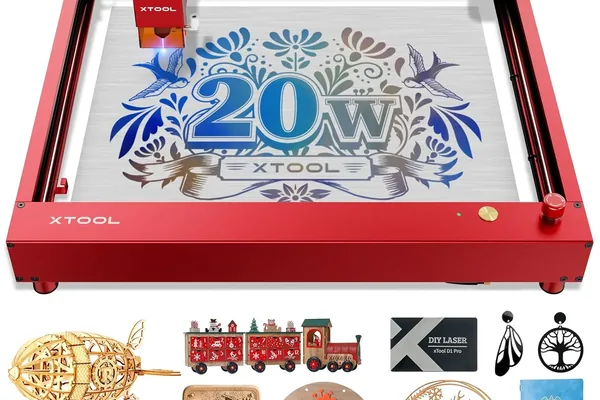
xTool D1 Pro 20W
- Large work area, fast setup, excellent wood/leather results, good software
- Cannot cut clear acrylic, open-frame requires separate enclosure
Best CO2 laser for small businesses: xTool P2 55W — single-pass acrylic cutting, fast engraving speeds, enclosed design with air management. See our picks for the best CO2 laser engravers .
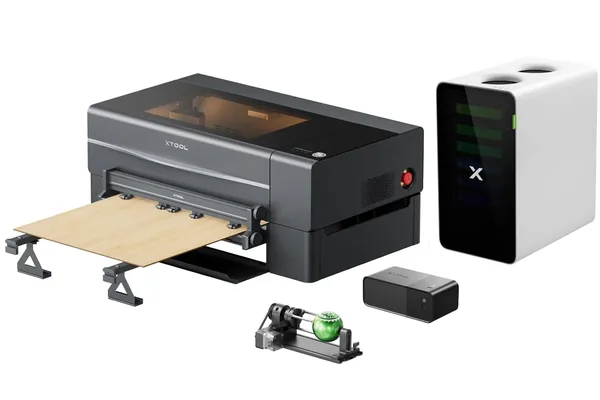
xTool P2 55W
- Single-pass acrylic cutting, fast speeds, enclosed, good software ecosystem
- Higher investment, tube lifespan, larger footprint
Best fiber laser for metal marking: xTool F1 Ultra — dual-source design (galvo fiber + diode) covers both metal and organic materials, fast galvo scanning, MOPA capability. Full coverage in our roundup of the best fiber laser engravers .
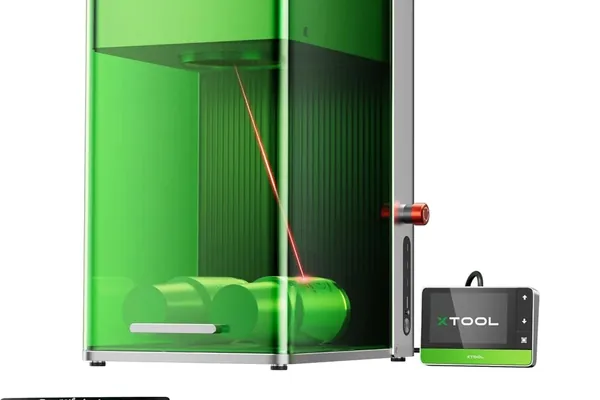
xTool F1 Ultra
- Dual fiber+diode source, fast galvo marking on metal, MOPA color stainless capability
- Small galvo work area, learning curve for metal parameters
Best for beginners: Our guide to the best laser engraver for beginners walks through beginner-specific considerations including software ease of use, setup time, and safety features — with specific recommendations at multiple starting points. If you are currently a Cricut user evaluating whether a laser engraver is additive or a replacement, our laser engraver vs Cricut breakdown addresses that exact question with real material comparisons and an honest look at where each tool wins.
The Bottom Line
Buying the wrong laser type is a far more expensive mistake than buying a lower-spec machine of the right type. A 10W diode laser that handles your actual materials beats a 55W CO2 that you bought before you understood the material question.
The three-step summary:
- List your materials first. Everything follows from this.
- Clear acrylic or glass → CO2. Bare metal → Fiber. Everything else → start with diode.
- Pick the specific machine after you’ve picked the type. The type decision is bigger than any spec comparison within a category.
One more category worth knowing: if your work involves clear glass, optical crystal, or heat-sensitive plastics like ABS and PET, there is a fourth laser type — UV — that does things CO2 and fiber physically cannot. Our best UV laser engraver guide covers the category, and our xTool F2 Ultra UV review covers the leading machine in depth if those materials are relevant to your work. Budget-focused buyers should also see our ComMarker Omni XE UV review for an open-frame alternative in the same 6W UV class.
We’ve tested machines across all three categories under real working conditions, not just spec-sheet comparisons. The material matrix above reflects what we’ve actually observed, and the use case recommendations come from real production runs — not manufacturer claims.
If you have a specific project in mind and you’re still not sure which category fits, the comment section below is open. Give us the material, the approximate project volume, and the output you’re aiming for, and we’ll give you a straight answer.
Affiliate disclosure: Some links in this article are affiliate links. If you purchase through these links, we may earn a commission at no additional cost to you. Our testing and recommendations are independent of affiliate relationships — we only recommend machines we have personally tested and found to perform as described.
Frequently Asked Questions
What is the difference between a diode and CO2 laser engraver?
Can a diode laser cut acrylic?
Do I need a CO2 laser for wood cutting?
What laser type is best for engraving metal?
Which laser engraver is best for beginners?
Can a fiber laser engrave wood?
You Might Also Like

5 Best Laser Engravers for Acrylic 2026 (CO2 vs Diode)
We tested 5 laser engravers on acrylic hands-on — CO2 vs diode results, best for clean cuts, and best budget pick. No filler picks. Updated June 2026.
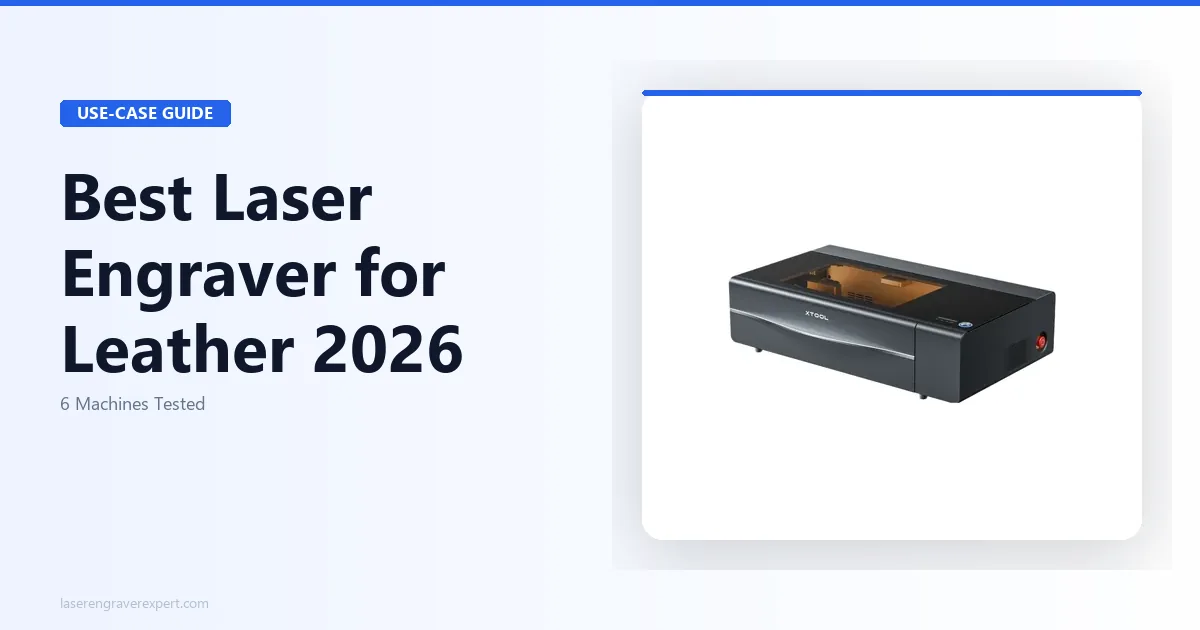
6 Best Laser Engravers for Leather 2026 – Tested & Ranked
Looking for the best laser engraver for leather? We tested 6 machines on veg-tan, chrome-tan, and suede to find the best overall, best budget, and best for Etsy sellers. Updated June 2026.
How to Start a Laser Engraving Business in 2026
Want to start a laser engraving business but don't know where to begin? Here's the exact machine-first breakdown — best niches, machines, real costs, and profit.