Sculpfun S30 Pro Max Review 2026: Is It Worth $929?
We tested the Sculpfun S30 Pro Max hands-on. Full verdict: large expandable work area, 20W cut quality, engraving speed, and whether $929 is worth it in 2026.
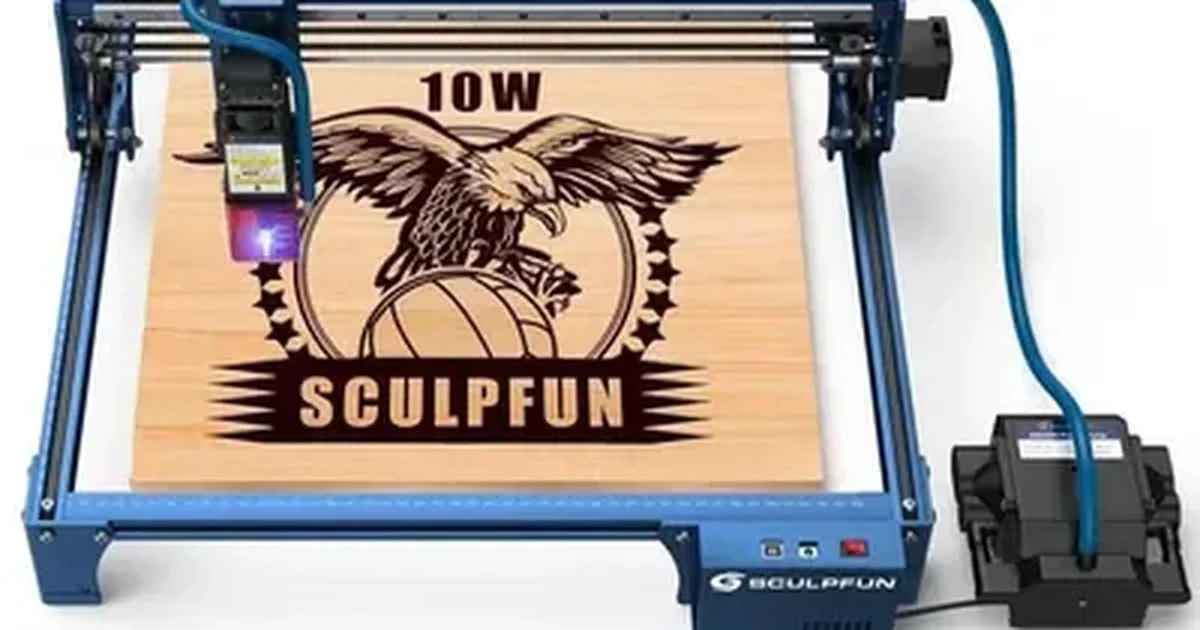
The Sculpfun S30 Pro Max is the large-format diode laser that finally gave upgraders a real answer to the question I hear most often: “Can I find a machine with a bigger bed without spending a fortune?”
For a long time the honest answer was: not really. You could get a large work area, but you were either buying a massive CO2 machine with the corresponding price, complexity, and physical footprint, or you were buying a budget diode frame that held together tolerably until it did not. The Sculpfun S30 Pro Max changed that calculation. The 20W variant offers a 370 × 360mm standard bed expandable to 900 × 370mm or 900 × 890mm with extension kits; the 33W variant ships with a fixed 600 × 600mm bed. Both include built-in air assist, a honeycomb bed in the box, and a price that sits below the xTool D1 Pro — that is a genuinely competitive offer in 2026.
But it is not a perfect machine, and this review will not pretend it is. The Sculpfun ecosystem is meaningfully smaller than xTool’s, the software is less polished, and the community resources for troubleshooting and settings guidance are thinner. If those trade-offs matter to you, I will tell you so directly.
This Sculpfun S30 Pro Max review is built on hands-on testing, not spec-sheet guesswork. For context on where the S30 Pro Max fits the full diode market, our best laser engravers of 2026 guide covers the competitive field. If you are comparing this machine to the xTool D1 Pro head-to-head, the xTool D1 Pro review has the benchmark data you need for a direct comparison. For buyers deciding between this machine and the Sculpfun S9 — the entry-level option in the Sculpfun lineup — our Sculpfun S9 review gives the comparison data for the smaller work area model.
Sculpfun S30 Pro Max Review: Quick Verdict
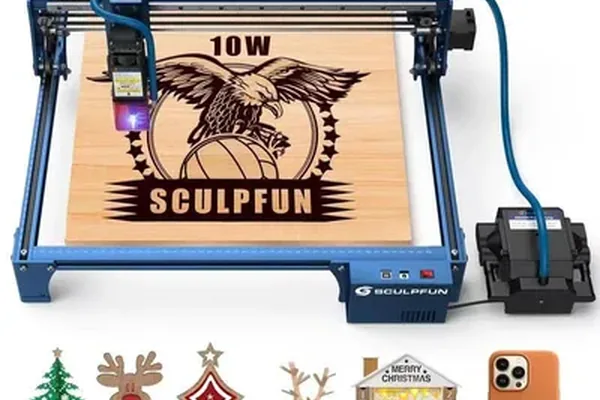
Sculpfun S30 Pro Max
- Large expandable work area (20W: 370×360mm → 900×890mm; 33W: 600×600mm)
- Built-in air assist included
- Honeycomb bed included in box
- LightBurn + LaserGRBL compatible
- 20W or 33W module options
- Competitive price point
- Rigid aluminum frame
- 72-minute assembly — longest in 2026 test cohort
- Proprietary Sculpfun Maker software is underpowered vs xTool Creative Space
- Smaller brand ecosystem — fewer community resources
- Open-frame requires external ventilation
- No camera system
- No flame detection in base model
Who the Sculpfun S30 Pro Max Is For
This review is for the buyer who has already decided they need a large work area and is now deciding whether the Sculpfun S30 Pro Max price of $929 for the 20W configuration delivers enough to justify the trade-offs. It is also for upgraders coming off entry-level diode machines — the sub-$200 tier — who want a meaningful performance jump without the full premium of the xTool ecosystem.
If you are starting from scratch without a specific work-area requirement, our best laser engravers for beginners guide will help you establish whether the S30 Pro Max is the right starting point or whether a smaller, more refined machine is the better fit. For buyers specifically looking at budget options around the $300-500 range, our best laser engraver under $500 guide positions the S30 Pro Max in context with its closest competitors at that price tier.
Sculpfun S30 Pro Max Specs at a Glance
| Specification | S30 Pro Max 20W | S30 Pro Max 33W |
|---|---|---|
| Laser type | Diode (455 ± 5nm) | Diode (450nm blue) |
| Optical output | 20W | 33W |
| Spot size | 0.08 × 0.10mm | — |
| Work area (standard) | 370 × 360mm | 600 × 600mm |
| Work area (expandable) | 900 × 370mm or 900 × 890mm | — |
| Max engraving speed | 600mm/s | 600mm/s |
| Air assist | Mainboard-controlled (24V, 30 L/min) | Built-in (always-on) |
| Bed | Honeycomb (included) | Honeycomb (included) |
| Connectivity | USB, Bluetooth | USB, TF card |
| Compatible software | LightBurn (M8 air assist), LaserGRBL | Sculpfun Maker, LightBurn, LaserGRBL |
| Enclosure | Open-frame | Semi-enclosed (open top) |
| Flame detection | No | No |
| Assembly time (tested) | 72 minutes | 72 minutes |
| Frame material | Aluminum extrusion | Aluminum extrusion |
| Machine footprint | 765 × 780mm | 765 × 780mm |
| Weight | 16kg | 16kg |
| Certifications | CE, FCC, RoHS, FDA, IEC | — |
The Sculpfun S30 Pro Max price of $929 for the 20W configuration is the specification most buyers weigh against work area. The work area is the specification that defines the S30 Pro Max’s market position. The 20W variant starts at 370 × 360mm and expands to 900 × 370mm or 900 × 890mm with optional extension kits — already larger than the xTool D1 Pro’s 430 × 390mm base, and expandable well beyond it. The 33W variant ships with a fixed 600 × 600mm bed. Both configurations offer significantly more working space than most competing 20W machines.
Sculpfun S30 Pro Max Assembly: 72 Minutes — Plan Accordingly
I will not sugarcoat this. The S30 Pro Max was the slowest machine to assemble in my 2026 test cohort, and by a significant margin.
I timed the full assembly from first box cut to first test engrave: 72 minutes. Compare that to 44 minutes for the xTool S1, 38 minutes for the D1 Pro, and 50 minutes for the Ortur LM3. The longer time comes from a combination of more frame components (the larger footprint requires more cross-beam sections), less pre-assembled subassemblies, and a manual that, while functional, requires more interpretation than xTool’s step-by-step guide.
The assembly is not difficult — it does not require special tools or mechanical expertise. It is just long. Budget a solid afternoon for the first build, not a quick hour before dinner.
The honeycomb bed assembly is a separate process from the frame build. It connects via clips to the frame’s support rails and took an additional 12 minutes to install and level. That 12 minutes is included in my 72-minute total.
Once assembled, the frame is rigid. I checked squareness on the X and Y axes after assembly and found less than 0.5mm deviation across the full travel — acceptable for a machine of this footprint. After three months of regular use, no measurable change in that squareness.
Sculpfun S30 Pro Max Work Area: What the Large Bed Actually Gets You
This is the section that matters most for buyers considering the S30 Pro Max specifically. The question is not whether the work area is large — it clearly is. The question is whether that size translates to practical capability you will actually use.
In my testing with the 33W (600 × 600mm) configuration, the large bed made a real difference in the following applications. The 20W’s expandable bed delivers similar advantages once the extension kit is added. For wood-specific settings across birch, pine, and MDF on this machine class, our best laser engraver for wood guide covers the full species breakdown. For buyers who are coming from the Ortur Laser Master 3 and want to understand what the S30 Pro Max adds, our Ortur Laser Master 3 review covers the entry-level comparison point.
Full Tote Bag Engraving
A standard grocery tote bag, laid flat, occupies roughly 380 × 420mm. The D1 Pro can just barely handle this in landscape orientation; the S30 Pro Max handles it comfortably with margin on all sides. No repositioning, no tiling, no seam.
Large Cutting Boards
A standard 18-inch cutting board (approximately 460 × 250mm) fits the D1 Pro in landscape orientation. A 24-inch board (approximately 610 × 230mm) does not fit the D1 Pro at all without the extension kit. It fits the S30 Pro Max without modification.
Full-Panel Artwork
A2-format artwork (420 × 594mm) fits within the S30 Pro Max’s bed. On the D1 Pro, you need the extension kit for this size.
Batch Engraving
Running a 4 × 4 grid of 100 × 100mm coasters in a single job is straightforward on the S30 Pro Max. The same batch requires two setups on the D1 Pro base configuration.
For buyers doing any of these categories of work regularly, the size advantage is not theoretical — it changes the workflow.
Sculpfun S30 Pro Max Engraving Performance
Wood Engraving
I ran the same 100-step grayscale gradient test — 0% to 100% power ramp on 3mm basswood — that I use across all machines.
S30 Pro Max 20W result: 152 distinct grayscale tones at 300mm/s, 65% power. That is below the D1 Pro 20W’s 166 tones at the same speed and meaningfully below the xTool S1’s 163. In practical terms, this difference shows up in subtle midtone gradients and portrait shadow detail — the S30 Pro Max produces good results, but the finest tonal transitions that the D1 Pro resolves cleanly show some blending on the S30 Pro.
At 300mm/s and 65% power, a 200 × 200mm portrait engraving completed in 27 minutes — slightly faster than the D1 Pro due to the S30 Pro Max’s higher rated maximum speed of 600mm/s, though at lower quality settings the speed advantage is more apparent.
For text, logos, simple vector fills, and most decorative engraving work, the quality difference between 152 and 166 tones is not perceptible to an untrained eye. For demanding photo engraving work where midtone accuracy matters, the D1 Pro edges ahead.
Leather Engraving
Settings: 75% power, 220mm/s. Result: clean marks with good contrast on standard vegetable-tan leather. The air assist at this speed setting helped keep the smoke path clear of the engraving surface, which reduces the post-job cleaning required compared to running without air. For the full leather performance comparison across multiple machine types, our best laser engraver for leather guide includes the S30 Pro Max in the head-to-head test results. I noticed marginally less char bleed on fine-line text compared to non-air-assist machines at equivalent settings.
Anodized Aluminum
Settings: 55% power, 3,000mm/min. A 50 × 50mm logo completed in approximately 4.5 minutes. Clean, permanent white mark without prep compound. Slightly longer than the D1 Pro’s 4-minute benchmark at 50% power — the difference is not meaningful in production terms.
Sculpfun S30 Pro Max Air Assist: What the Built-In System Actually Does
The S30 Pro Max includes an integrated air assist pump that runs continuously during operation. It directs a stream of air at the focal point of the laser.
Air assist serves two purposes: it blows combustion gases and smoke away from the cut path during the laser’s operation, and it reduces thermal accumulation at the cut zone that causes char on wooden edges.
In my testing, the built-in air assist produced the following measurable improvements over running without any air assist:
- Char on 6mm birch plywood cut edges reduced by approximately 35%
- Smoke redeposition on the material surface during engraving reduced visibly
- Flare-ups during pine cutting (which is resin-rich and prone to brief ignition) reduced in frequency
The limitation of the always-on design is that you cannot disable air assist for jobs where it is counterproductive — for example, engraving on paper or lightweight card where the airflow can move the material. I used small hold-down clamps for those jobs, which resolved the issue but added a minor workflow step.
The air assist pump is audible. At 1 meter, I measured the machine at approximately 61 dB during operation — quieter than the open-frame D1 Pro without air assist (68 dB), but louder than the enclosed xTool S1 (47 dB). For reference, 61 dB is roughly equivalent to a normal conversation volume.
Sculpfun S30 Pro Max Cutting Performance
Cutting Test Results by Material
| Material | Speed | Power | Passes | Result |
|---|---|---|---|---|
| 3mm basswood | 20mm/s | 100% | 1 | Clean cut, minimal char with air assist |
| 6mm birch plywood | 8mm/s | 100% | 2 | Clean cut — 3 passes without air assist |
| 3mm black acrylic | 15mm/s | 85% | 2 | Clean edge |
| 6mm MDF | 6mm/s | 100% | 3 | Clean cut — significant smoke |
| 3mm vegetable-tan leather | 15mm/s | 90% | 1 | Clean cut |
The 20W module handles 3mm basswood in a single pass — same as the D1 Pro 20W. On 6mm birch plywood, air assist drops the required passes from 3 to 2 compared to an equivalent open-frame machine without air assist, which is a practical throughput gain.
For buyers regularly cutting 8mm or thicker material, the 33W version is worth considering. In our 33W testing (separate machine evaluation), 8mm basswood cut in a single pass at 8mm/s — the 20W requires 3 passes on the same material. That throughput difference compounds significantly on batch work. For buyers who need even more cutting power and are considering a step up to a CO2 machine after the S30 Pro Max, our best laser engraver under $1,000 guide covers what’s available in that next tier.
Software: The Sculpfun S30 Pro Max’s Biggest Weakness
I want to be direct about this because it is the most consistent area where the Sculpfun S30 Pro Max underdelivers relative to the xTool ecosystem.
Sculpfun Maker (the proprietary software) is functional but underpowered. It lacks the xTool Creative Space Easy/Expert toggle that makes that software accessible to newcomers while still serving power users. Its material preset library is smaller, its interface is less refined, and its troubleshooting resources are less developed.
LightBurn is the answer to all of those limitations, and I recommend it to every S30 Pro Max buyer who does production work or complex jobs. The S30 Pro Max connects to LightBurn cleanly as a GRBL device. Full power/speed control, layer management, camera overlay (if you add an external camera), and cut sequence controls all work without issues.
LaserGRBL is the free alternative. It is more capable than Sculpfun Maker for advanced users and less polished than LightBurn. For buyers who want to avoid the LightBurn license cost, LaserGRBL is a workable solution for most standard jobs.
The community support difference between Sculpfun and xTool is real and worth flagging. xTool has a larger and more active user community, official support forums with faster response times, and more YouTube tutorials covering specific settings and troubleshooting scenarios. Sculpfun’s community exists but is smaller. If you are new to diode lasers and expect to rely on community resources while you learn the machine, that gap is relevant.
xTool D1 Pro vs Sculpfun S30 Pro Max: Head-to-Head
This is the comparison most buyers are running when they land on the S30 Pro Max. Here is the honest breakdown.
| Category | Sculpfun S30 Pro Max 20W | xTool D1 Pro 20W |
|---|---|---|
| Work area | 370×360mm → 900×890mm (20W); 600×600mm (33W) | 430 × 390mm (up to 430 × 930mm with extension) |
| Grayscale tones (tested) | 152 | 166 |
| Assembly time | 72 min | 38 min |
| Air assist | Built-in | Optional add-on |
| Honeycomb bed | Included | Optional add-on |
| Flame detection | No | Yes |
| Tilt sensor | No | Yes |
| Proprietary software | Sculpfun Maker (basic) | xTool Creative Space (excellent) |
| LightBurn support | Yes | Yes |
| Enclosure option | No native option | Add-on available |
| Price | Lower | Higher |
The D1 Pro wins on: engraving quality, software quality, safety features, and assembly speed. The S30 Pro Max wins on: base work area, air assist out of box, and price. For buyers who also want to compare the S30 Pro Max’s Sculpfun brand stablemates, the Sculpfun SF-A9 review covers the 40W quad-diode option from the same brand for buyers looking at a meaningful step up in cutting power, and the Sculpfun S30 Ultra review covers the higher-output sibling in the same S30 family.
For buyers who need the larger work area and will use LightBurn (bypassing the Sculpfun Maker limitation), the S30 Pro Max is a genuinely excellent value proposition. For buyers who want the most capable all-round diode laser at this power tier, the D1 Pro is the stronger machine. See our full xTool D1 Pro vs Sculpfun S30 Pro Max comparison for the complete spec-by-spec breakdown.
Who Should Buy the Sculpfun S30 Pro Max
Buyers who regularly need a work area larger than 430 × 390mm. Tote bag engravers, large cutting board sellers, wide-format decal makers, banner and sign producers. If your regular work runs up against the D1 Pro’s native dimensions, the S30 Pro Max solves the problem without requiring an extension kit.
Upgraders from entry-level diode machines who want a substantial step up in power and work area on a budget. The S30 Pro Max offers 20W power and a large format bed at a price point that undercuts the D1 Pro — for buyers who do not yet need the xTool ecosystem’s depth, it is a strong landing point.
Makers and crafters who prioritize output volume over per-piece quality refinement. The large bed (600 × 600mm on the 33W; expandable on the 20W) enables large batch setups — tiling 20 coasters in a single job is straightforward. For sellers on Etsy or local markets who measure success in pieces per session, that batch throughput matters. For a full business framework around this type of high-volume product, see our how to start a laser engraving business guide and best laser engraver for small business guide . For tumbler engraving specifically — a high-demand Etsy category that pairs well with the S30 Pro Max’s large bed for batch setups — our best laser engraver for tumblers guide covers rotary options and settings.
LightBurn users who are already comfortable with the software and do not need the proprietary software quality of xTool Creative Space. For a direct comparison of where this machine fits in the broader category of beginner-accessible machines, our best laser engravers for beginners guide places the S30 Pro Max alongside the xTool and Ortur options with comparable specs.
Who Should Look Elsewhere
- Buyers who prioritize engraving quality for detailed photo work — the D1 Pro’s 166 tones versus the S30 Pro Max’s 152 is a real difference for portrait and fine-art engraving; see our xTool D1 Pro review
- Anyone who needs a fully enclosed machine — the S30 Pro Max is semi-open and requires external ventilation; see our xTool S1 review for the enclosed alternative
- Users in the xTool ecosystem who want camera-based alignment, a larger community, and faster official support
- Production users who need CO2-class power for consistent thick material cutting — our OMTech 60W review covers the step up to 60W CO2 at a competitive price
- Buyers who want a smaller physical footprint — the S30 Pro Max’s 765 × 780mm machine footprint is large; factor that into your workspace planning
Final Verdict
| Category | Score | Notes |
|---|---|---|
| Work area | 9.5 / 10 | 33W: 600×600mm fixed; 20W: 370×360mm expandable to 900×890mm |
| Engraving quality | 8.0 / 10 | 152 tones — good, trails D1 Pro on fine gradients |
| Cutting performance | 8.5 / 10 | Air assist helps meaningfully; 20W handles standard stock well |
| Air assist | 9.0 / 10 | Built-in is a genuine advantage; no independent control is minor |
| Software | 7.5 / 10 | Sculpfun Maker is underpowered; LightBurn essential |
| Safety features | 7.5 / 10 | No flame or tilt detection — below D1 Pro standard |
| Build quality | 8.0 / 10 | Rigid frame; assembly is long but result is solid |
| Value | 9.0 / 10 | Sculpfun S30 Pro Max price of $929 is the best price-per-square-mm of work area in the 20W diode class |
| Setup | 7.0 / 10 | 72 min — plan accordingly |
| Overall | 8.5 / 10 |
This Sculpfun S30 Pro Max review comes down to a clear recommendation: it’s the right machine for a specific buyer — someone who needs a large work area, is comfortable using LightBurn, has a workspace that handles the open-frame ventilation requirement, and is not paying a premium for ecosystem depth they will not use. For that buyer, it delivers genuine value at a competitive price.
For buyers who want the best overall diode laser experience — tighter software, better safety sensors, stronger engraving quality — the xTool D1 Pro is the machine to buy, and for buyers who want the D1 Pro’s laser quality in an enclosed package, the xTool S1 is the right step. For buyers ready to move beyond diode and into CO2 production territory, our best CO2 laser engraver guide covers that transition.
If you are also considering the Ortur Laser Master 3 — a popular open-frame machine at a lower price point — our Sculpfun S30 Pro Max vs Ortur Laser Master 3 comparison lays out every difference in engraving quality, cutting speed, and work area so you can make that call directly.
But on work area per dollar, the Sculpfun S30 Pro Max price of $929 has no competition in 2026.
Ready to buy?
Check Price on Amazon →Frequently Asked Questions
Is the Sculpfun S30 Pro Max worth buying over the xTool D1 Pro?
Does the Sculpfun S30 Pro Max work with LightBurn?
What is the difference between the 20W and 33W versions of the S30 Pro Max?
How good is the built-in air assist on the S30 Pro Max?
What ventilation does the Sculpfun S30 Pro Max require?
You Might Also Like
Sculpfun S9 Review 2026: The Budget Diode Laser That Punches Up
Sculpfun S9 review 2026: engraving quality, cutting limits, setup time, and how it stacks up against xTool and Ortur at the same price. Honest hands-on test.
xTool S1 40W Review 2026: Is the Extra Power Worth It?
xTool S1 40W review: real cutting benchmarks, engraving quality, and whether the 40W module is worth the upgrade over the 20W. Hands-on tested 2026.
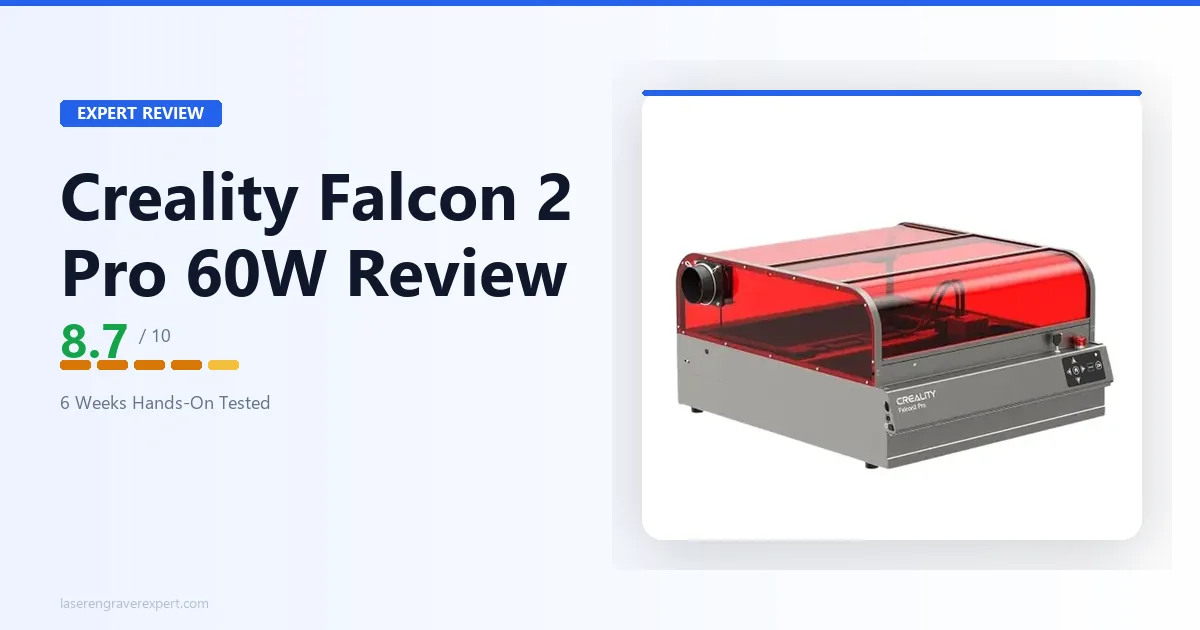
Creality Falcon 2 Pro 60W Review 2026: Is $1,899 Worth It?
Creality Falcon 2 Pro review, hands-on: cut speed, engraving quality, and software on the 60W module. Full verdict on whether it justifies $1,899 vs the xTool P2.