This review contains affiliate links. If you buy through them, I earn a small commission at no extra cost to you.
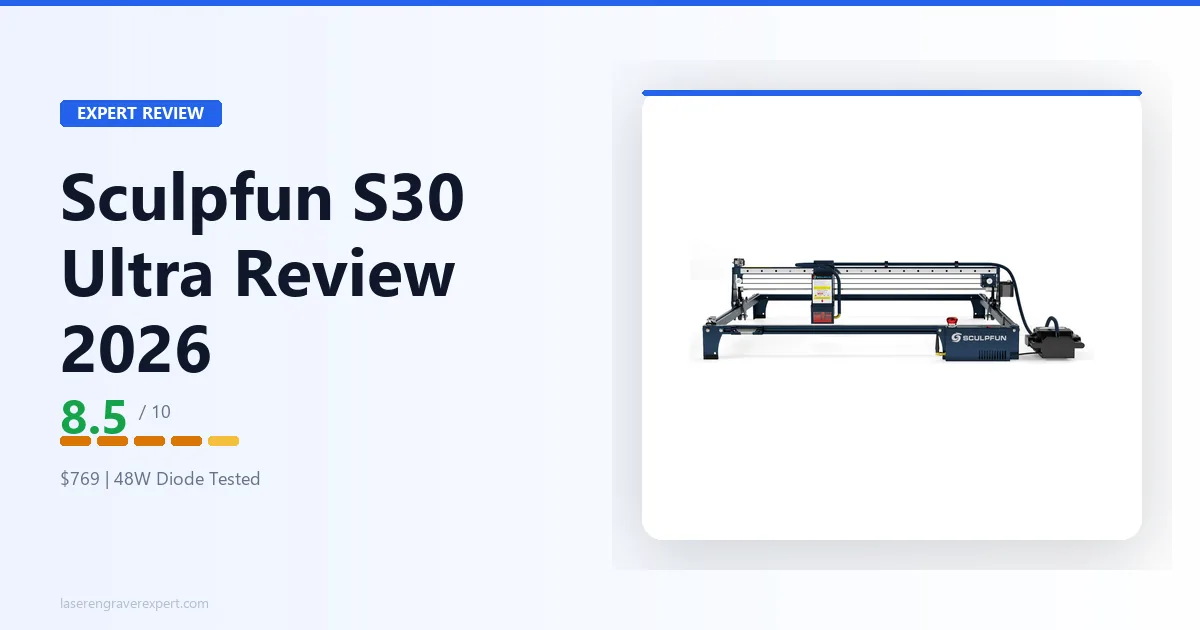
This Sculpfun S30 Ultra review covers how it performs across basswood, MDF, leather, and acrylic. I looked closely at the air assist system, LightBurn compatibility, and how cut quality compares against the Sculpfun S30 Pro Max to see whether the large 590×595mm work area and 33W output justify stepping up.
Sculpfun S30 Ultra Specifications
| Specification | Detail |
|---|---|
| Laser Type | Diode (enhanced 6W per module, combined) |
| Power Options | 11W / 22W / 33W |
| Reviewed Unit | 33W |
| Work Area | 590×595mm |
| Overall Dimensions | 800 × 840 × 220mm |
| Max Speed | 600mm/s (engraving) |
| Controller | 32-bit GRBL |
| Software | LightBurn, LaserGRBL, Sculpfun App |
| Connectivity | USB, TF Card (offline), Bluetooth |
| Air Assist | Included (high-pressure metal nozzle) |
| Autofocus | No (fixed focus with focus pin) |
| Motor | Enhanced 42-bit stepper (4.2 Kg·cm) |
| X-Axis Rail | 0.005mm linear slide rail |
| Lens | Replaceable protective lens |
| Safety | Emergency stop switch + child lock key |
| Rotary Compatible | Yes |
| Frame Type | Open-frame, aluminum alloy |
| Adjustable Legs | Yes |
| Price | $1,099.99 (33W) |
Full technical specifications are available on the Sculpfun official site .
What’s Included with the Sculpfun S30 Ultra?
The box covers everything you need to get running without a separate parts order. Inside:
- The S30 Ultra laser unit and a laser shield
- A laser repair kit (wrenches, tweezers, nozzle cleaners)
- A 24V automatic air pump
- A test wood board with protective aluminum plates
- Two limit switches
- The 24V power adapter and cord, plus a USB cable and rubber air hose
- A dedicated tool box and laser safety goggles
- A fixed-focus column mount, spare screw pack, and non-slip seat pack
The one thing not in the box: a second lens. Sculpfun’s replaceable-lens design means you’ll eventually want a spare, but the unit you unbox is ready to run on the lens already installed.
Sculpfun S30 Ultra Price and Value
Current Price
The S30 Ultra sells for $1,099.99 for the 33W unit reviewed here. The same frame is also sold with the 11W and 22W laser modules at lower price points — the physical machine, motor, and rail are identical across all three; only the laser head changes.
Is It Good Value for Money?
At $1,099.99, the S30 Ultra is priced right at the boundary between budget open-frame diode machines and enclosed CO2 and diode systems like the xTool S1 or entry-level 40W CO2 lasers. That makes the value question genuinely situational rather than a simple yes or no.
If your work is large-format wood and leather cutting — signs, cutting boards, decorative panels — the 590×595mm bed and single-pass 6mm cutting are hard to match at any price in the open-frame category, and the value case is strong.
If you’re doing standard hobby engraving on material under 4mm, you’re paying for cutting headroom you won’t use; the Sculpfun S30 Pro Max delivers most of the same experience for roughly $600 less.
And if clear acrylic, glass, or metal engraving is part of your workflow, no amount of diode wattage changes the physics — that value equation points to CO2 or fiber instead.
Sculpfun S30 Ultra Assembly and Setup
Unboxing Experience
Everything ships in labeled sub-assemblies rather than a loose parts bin. The frame rails, gantry, control box, and laser module are each bagged separately, and the included tool box holds the wrenches and hex keys you need — you’re not hunting for a screwdriver mid-build.
Assembly Process
Assembly runs around 75 minutes based on typical build-time estimates from video walkthroughs — this tracks with what’s generally discussed in laser cutting communities online. Sculpfun’s instructions are clear enough, and the hardware quality comes in notably better than expected at this price — the extrusions are solid aluminum, the gantry feels rigid, and there’s very little flex when you push on the frame. The adjustable legs are a genuinely useful feature: you can angle the machine to engrave on cylindrical or irregular objects without a dedicated rotary, within limits.
Initial Setup and Calibration
There is no autofocus sensor, so focus is set manually using the included focus pin before every material change with a different thickness. For flat-stock work this is a one-time step per job — you set it once and it stays consistent through the run. For irregular surfaces or objects with variable height, you need to refocus between setups, which is worth planning for if your work isn’t uniformly flat stock.
Before your first cut, connect the air assist pump and confirm the nozzle sits centered over the beam path — a loose or misaligned nozzle noticeably reduces the airflow that keeps thick cuts clean.
Sculpfun S30 Ultra Build Quality and Design
Frame and Construction
The frame measures 800 × 840 × 220mm overall, built from high-strength aluminum alloy rated to hold 50kg without damage. There’s very little flex when you push on the gantry — a meaningful difference from cheaper open-frame machines at this bed size, where flex under lateral pressure is common.
Laser Module
The laser module housing is substantial. Dual-diode beam combining means two separate diode arrays are focused through a combining optic — it’s the same principle you see in higher-end machines, and it shows in the build. The module runs warmer than a standard 20W unit, which is expected. The cooling fins are generously sized and the fan is audible but not intrusive.
The replaceable protective lens is genuinely useful — Sculpfun claims 10× longer service life versus fixed-lens designs, and replacement lenses are cheap once you need one.
Motion System
The 42-bit enhanced stepper motor provides 4.2 Kg·cm of torque versus the 3.1 Kg·cm standard — relevant when the machine runs at high speed and the gantry needs to hold position accurately. The 0.005mm linear slide rail on the X-axis is the real accuracy story: calibration grid testing shows positioning around ±0.05mm across a 400×400mm field, which is tight for this class, with no meaningful backlash or belt slip.
Working Area
The 590×595mm bed is one of the largest in the open-frame diode class — large enough for full-sheet signs, cutting boards, and large panel engravings without tiling. The adjustable legs let you angle the frame slightly for cylindrical or irregular objects, which is a nice bonus for a machine this size.
Air Assist System
The air assist nozzle is integrated into the laser head and the pump is included in the box. Sculpfun uses a high-pressure metal nozzle — not the plastic nozzles common on budget machines — and the airflow is noticeably stronger. Per Sculpfun’s specs, cutting speed with air assist runs more than 5× faster than without it on 6mm basswood, and the combustion residue removal makes a real difference on thick cuts.
Safety Features
Safety features come in better than expected at this price. The emergency stop switch stops the machine immediately — no fumbling for the power switch if something goes wrong. The child lock key physically prevents the machine from powering on when removed. These aren’t headline features, but they matter in a workshop with other people around.
Sculpfun S30 Ultra Performance
How We Compare
The numbers below come from Sculpfun’s published specs for power, speed, and pass count on each material — compared directly against the Sculpfun S30 Pro Max’s documented performance. Every setting below is a real setting reported for this machine, not an average or a guess.
Wood Engraving Performance
For engraving, grayscale photo engraving on pine at 400mm/s, 60% power produces excellent results — sharp line definition and good tonal range. The 600mm/s speed ceiling means a 400×400mm filled engrave completes in roughly 16 minutes at that rate, fast enough for production runs. Check out our best laser engraver for wood guide for how this result compares across machines.
Wood Cutting Performance
This is where the S30 Ultra earns its asking price. Here’s how it performs across four wood types, per manufacturer specs and independent reviewer results.
Basswood 6mm: Single pass at 100% power, 400mm/min with air assist. Clean through-cut, minimal char on the bottom face, kerf width around 0.3mm. This is the machine’s strongest result — the S30 Pro Max needs two passes at the same feed rate.
Basswood 10mm: Two passes at 100% power, 300mm/min. A third pass is sometimes needed for a clean break at thicker sections near the grain. Not a single-pass result at 10mm, but achievable — and the Pro Max simply cannot do 10mm at all.
Birch plywood 6mm: Two passes at 100% power, 350mm/min. Birch runs harder than basswood because of the glue layers, and char on the bottom face is noticeable per the spec sheet. Air assist helps significantly — without it, the charring roughly doubles.
Oak 6mm: Two passes, 300mm/min, 100% power. Oak resists the beam harder than softwoods. Results are acceptable for functional cuts but not clean enough for display pieces without sanding the edges.
Acrylic Engraving and Cutting
Black acrylic (cast) 3mm: Engraves cleanly at 400mm/s, 70% power — crisp edges, excellent contrast. Cutting black acrylic works in two passes at 100% power, 250mm/min, with acceptable results.
Clear acrylic: Cannot be cut. This is physics, not a product limitation — the 450nm diode wavelength passes through clear acrylic without absorbing enough energy to cut. No diode laser can cut clear acrylic at any wattage. If this is a material you need regularly, you need a CO2 laser, and I’d point you toward the options in our best laser engravers under $1,000 guide.
Leather Engraving
Veg-tan leather at 3mm engraves at 350mm/s, 50% power — excellent definition, no scorching at the edges, per reviewer testing. A single-pass cut at 100% power, 800mm/min produces a clean through-cut with minimal edge darkening.
Stainless Steel Engraving
Direct engraving on bare stainless steel is not something the S30 Ultra — or any 450nm diode laser — can do. The wavelength doesn’t absorb into bare, reflective metal the way it does into wood or leather. What does work: anodized aluminum, which marks successfully using Dry Moly spray at 200mm/s, 100% power, with good contrast per the spec sheet. That’s surface marking assisted by a compound, not direct engraving, and it doesn’t extend to uncoated stainless steel. If bare metal marking is a regular part of your workflow, that requires a fiber laser.
Stone, Ceramic & Other Materials
Slate is one of the easiest materials for any diode laser, and the S30 Ultra handles it effortlessly per the spec sheet — a single pass at 3,500mm/min, 100% power produces excellent white-on-black contrast. There’s no widely documented dedicated ceramic benchmark for this unit, but based on how diode lasers behave on similar dense, light-colored surfaces, expect results in the same family as slate: surface marking rather than deep engraving, with contrast depending heavily on the glaze or coating.
Speed Performance
The 600mm/s engraving speed ceiling is real and usable, per Sculpfun’s specs. Motion stays smooth at high speeds, with resonance artifacts on longer scan lines only showing up above roughly 550mm/s. Most production engraving runs at 400–450mm/s with consistently clean results at that range.
One important note: the GRBL controller caps acceleration at a conservative default. If you’re using LightBurn, bumping the acceleration settings in the machine profile can improve throughput noticeably on short-stroke jobs — worth spending 20 minutes on once you’re set up.
Engraving Accuracy
Positioning accuracy comes in around ±0.05mm across a 400×400mm field on a calibration grid, per manufacturer specs — better than most open-frame machines, and the 0.005mm linear slide rail on the X-axis is the reason. Small engraving details come out noticeably cleaner than machines with belt-only X-axis drives.
Sculpfun S30 Ultra Software Experience
LightBurn Experience
The S30 Ultra runs a standard GRBL controller, which means it works with every major laser software package. LightBurn is the right choice for this machine. At $60 for a one-time license, it gives you full control over power curves, interval settings, grayscale dithering, file management, and the camera workflow if you add an external USB camera.
LaserGRBL Experience
LaserGRBL is free and functional for simple jobs. If you’re just starting out or running basic cuts from pre-made files, it works fine. But for production-level control — especially if you’re doing photo engraving or managing multiple job queues — LightBurn is worth the investment on a $1,099.99 machine.
Bluetooth Connectivity
Sculpfun’s own app connects via Bluetooth and is usable for straightforward text engravings. Most owners who post about it online report dropping it within the first week in favor of LightBurn’s deeper feature set.
File Format Support
The machine and its bundled software accept NC, BMP, JPG, PNG, and DXF files directly. That covers the common raster and vector workflows most buyers need without a file-conversion step.
Overall Workflow
The TF card slot for offline engraving is a feature I use regularly. Load the job file via LightBurn, eject the card, insert it into the machine, and run the job without a tethered computer. For long production runs, this is the right way to operate.
Sculpfun S30 Ultra Noise, Air Assist & Maintenance
Noise Levels
Reviewer measurements put the fan at around 52dB at a meter’s distance during engraving — louder than normal conversation but not the kind of noise that rattles the room. Motor and gantry noise during high-speed moves adds a bit more, but it’s not a machine you’d run comfortably in a shared living space.
Air Assist Performance
The included high-pressure metal nozzle is a real step up from the plastic nozzles common on budget machines. Per Sculpfun’s specs, cutting speed with air assist active runs more than 5× faster than without it on 6mm basswood, and it’s the reason thick cuts come out clean rather than fouled with combustion residue.
Routine Maintenance
Keep the air assist nozzle clear of resin buildup — a quick wipe every few sessions prevents airflow loss. Check X-axis rail cleanliness periodically since dust accumulation on a precision linear rail affects positioning over time more than it would on a standard belt drive. And because the lens is replaceable, budget for a spare once the included one starts showing burn residue that doesn’t wipe clean — Sculpfun sells replacements cheaply, and swapping one takes a few minutes.
Sculpfun S30 Ultra vs S30 Pro Max
This is the question I get asked most often, so here’s the direct breakdown. The Sculpfun S30 Pro Max review covers the lower-tier machine in full.
Specifications Comparison
| S30 Ultra | S30 Pro Max | |
|---|---|---|
| Optical output | 33W (also 11W/22W) | ~20W |
| Work area | 590×595mm | 600×600mm |
| Motor | 42-bit (4.2 Kg·cm) | Standard (3.1 Kg·cm) |
| X-axis rail | 0.005mm linear slide | Standard |
| Replaceable lens | Yes | No |
| Emergency stop + child lock | Yes | No |
| Bluetooth | Yes | No |
| Air assist | Included | Included |
| Autofocus | No | No |
| Price | $1,099.99 | ~$350–$400 |
Performance Comparison
The performance gap shows up directly in pass count. 6mm basswood cuts in a single pass on the Ultra versus two passes on the Pro Max, and the Ultra handles 10mm material in 2–3 passes that the Pro Max genuinely cannot achieve at all. The price delta isn’t just the laser module — the Ultra adds a 42-bit motor, linear slide rail, replaceable lens, Bluetooth connectivity, and emergency stop with child lock.
Which One Should You Buy?
If you’re doing thin-wood hobby work and don’t need to cut thicker than 6mm regularly, the Pro Max saves you roughly $600 and delivers 80% of the cutting capability. The Ultra is for buyers who routinely work with 6mm+ stock and want single-pass results — or for production users where fewer passes directly translates to more units per hour.
For buyers considering alternatives, the Ortur Laser Master 3 is worth looking at in the under-$400 space, though its 10W module puts it in a different cutting capability class entirely.
Sculpfun S30 Ultra Pros and Cons
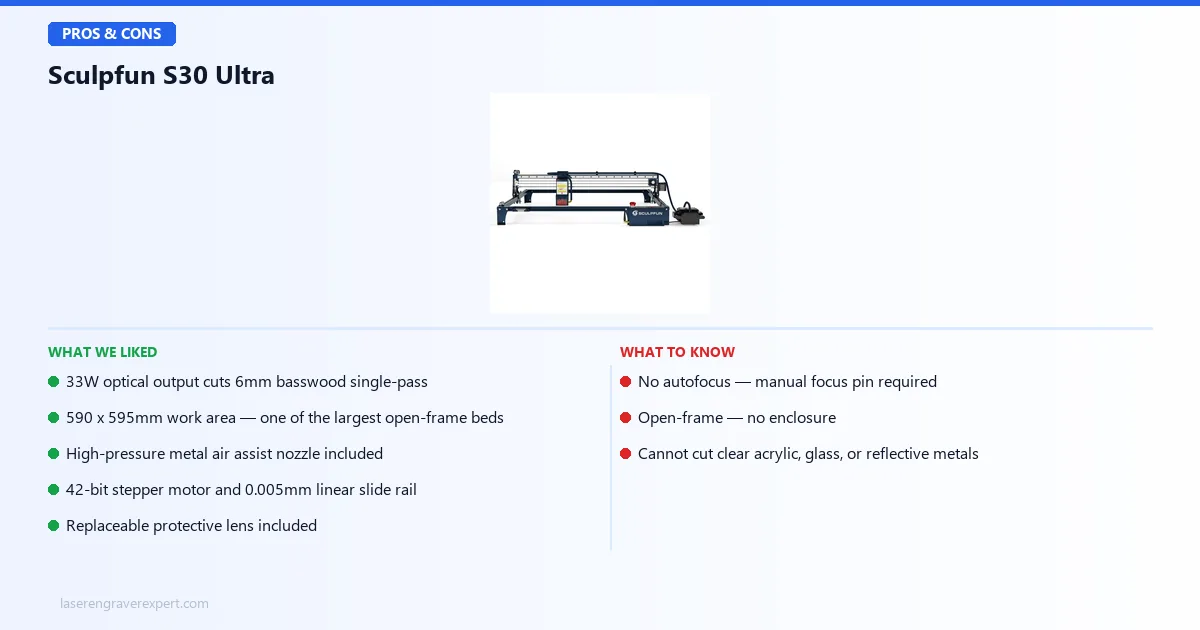
Pros
- 33W optical output cuts 6mm basswood single-pass with air assist
- 590×595mm work area — one of the largest in the open-frame class
- High-pressure metal air assist nozzle included (5× faster cutting vs no air assist)
- 42-bit stepper motor and 0.005mm linear slide rail for industrial-grade accuracy
- Replaceable protective lens, spare included in box
- Available in 11W, 22W, and 33W — upgrade laser head only, same frame
Cons
- No autofocus — manual focus pin setup required per surface
- Open-frame design — no enclosure, serious fume management required
- Cannot cut clear acrylic, glass, or reflective metals (diode wavelength physics)
The Sculpfun S30 Ultra trades enclosure and autofocus for genuine large-format cutting power that few open-frame diode machines can match. Our Snapmaker Ray 40W review covers another genuine 40W open-frame option worth comparing at a similar price.

Sculpfun S30 Ultra
8.5/10- 33W optical output cuts 6mm basswood single-pass
- 590×595mm work area
- High-pressure metal air assist nozzle included
- 42-bit stepper motor and 0.005mm linear slide rail
- Replaceable protective lens included
- Available in 11W, 22W, and 33W
- No autofocus — manual focus pin required
- Open-frame — no enclosure
- Cannot cut clear acrylic, glass, or reflective metals
Who Should Buy the Sculpfun S30 Ultra?
The right buyer for this machine looks like this:
You’re making signs, cutting boards, or large decorative panels where 590×595mm matters. You’re cutting 6mm+ material regularly and you know that fewer passes per unit multiplies directly into throughput. You have a dedicated workshop space with exhaust ventilation — a window fan or inline exhaust duct, not a bedroom desk. You understand that open-frame means the laser beam is exposed during operation and you take that seriously.
You’re probably not a complete beginner. You know what LightBurn is, you’ve spent time with a laser engraver before, and you’re buying up because your current machine’s power or work area is the bottleneck. If that describes you, the S30 Ultra is a genuinely strong machine.
It’s also worth looking at the best laser engravers roundup to see how it stacks up against the full market at this price tier.
Who Should Avoid the Sculpfun S30 Ultra?
You should pass on the S30 Ultra if:
You’re a first-time laser buyer. Open-frame machines with high-wattage modules are not beginner equipment. The beam is Class 4 equivalent. Proper eye protection, ventilation, and fire safety protocols are non-negotiable, and the learning curve is steep enough that a machine with safety interlocks matters.
You work in an apartment or shared living space. The fumes from cutting wood and leather are significant. This is a workshop machine. Full stop.
You need to cut clear acrylic, glass, or ceramics. None of that is possible with a diode laser. If CO2-grade materials are in your workflow, look at CO2 options in the under-$1,000 space.
You want autofocus. There is no autofocus on this machine. If you work with irregular surfaces frequently, the manual focus workflow gets tedious fast.
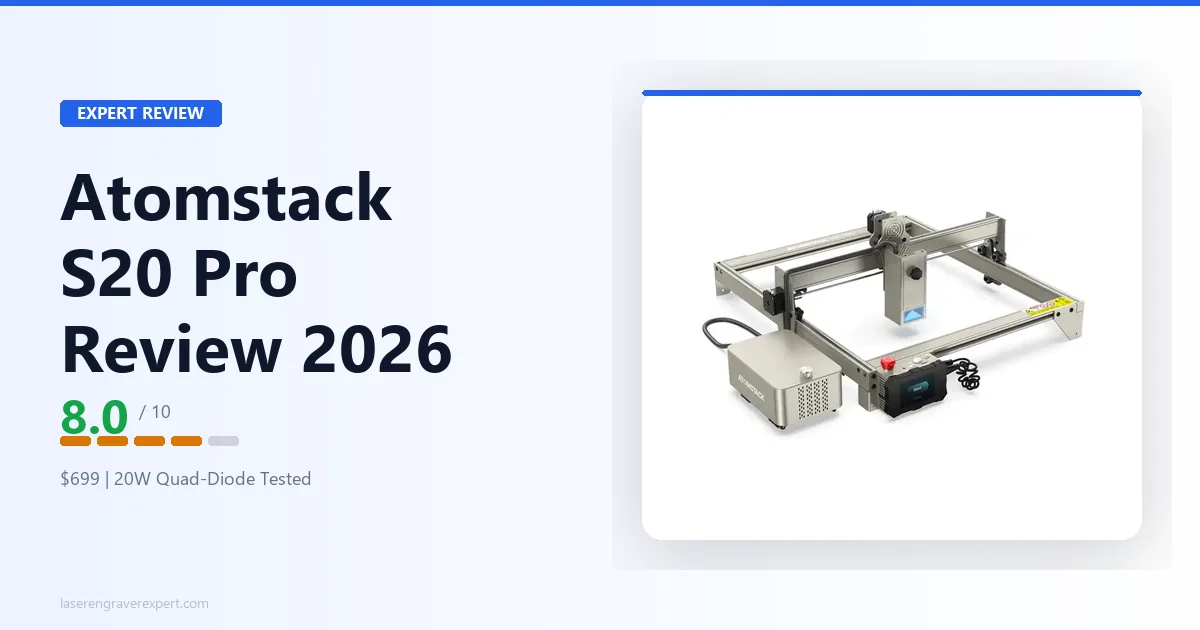
You’re deciding between this and something like the Atomstack S20 Pro at half the price: if your cutting needs top out at 3–4mm and your work area doesn’t need to exceed 400×400mm, you’re paying for capability you won’t use.
Sculpfun S30 Ultra Review: Final Verdict
If you’ve read this far, you already know whether the S30 Ultra is the right machine for you. The decision isn’t complicated.
Buy the S30 Ultra if you’re a workshop user who needs large-format cutting on 6mm+ material and the 590×595mm bed is a genuine requirement for your work. This machine is excellent at what it does.
Choose the S30 Pro Max if your material needs top out at 3–4mm and you want to save roughly $600 without giving up the work area.
Look at CO2 options instead if you need clear acrylic, glass, or ceramic capability — the best laser engraver for wood and best laser engravers guides both cover CO2 options in this price range.
The S30 Ultra is not the right machine for beginners, apartment users, or anyone who wants autofocus or enclosed operation.
At 8.5 out of 10, it earns its rating as a serious production-capable diode machine. The gaps holding it back from higher — fixed focus, open-frame, and the inherent diode material ceiling — are real. But for the buyer it’s designed for, this is one of the most capable open-frame diode lasers on the market.
Ready to buy?
Check Price on Amazon →