xTool P2 vs P2S: Is the Camera Worth the Upgrade?
xTool P2 vs P2S: same 55W CO2 laser, one adds a 16MP camera. Here's exactly when the upgrade is worth it, and when it isn't, based on xTool's specs.
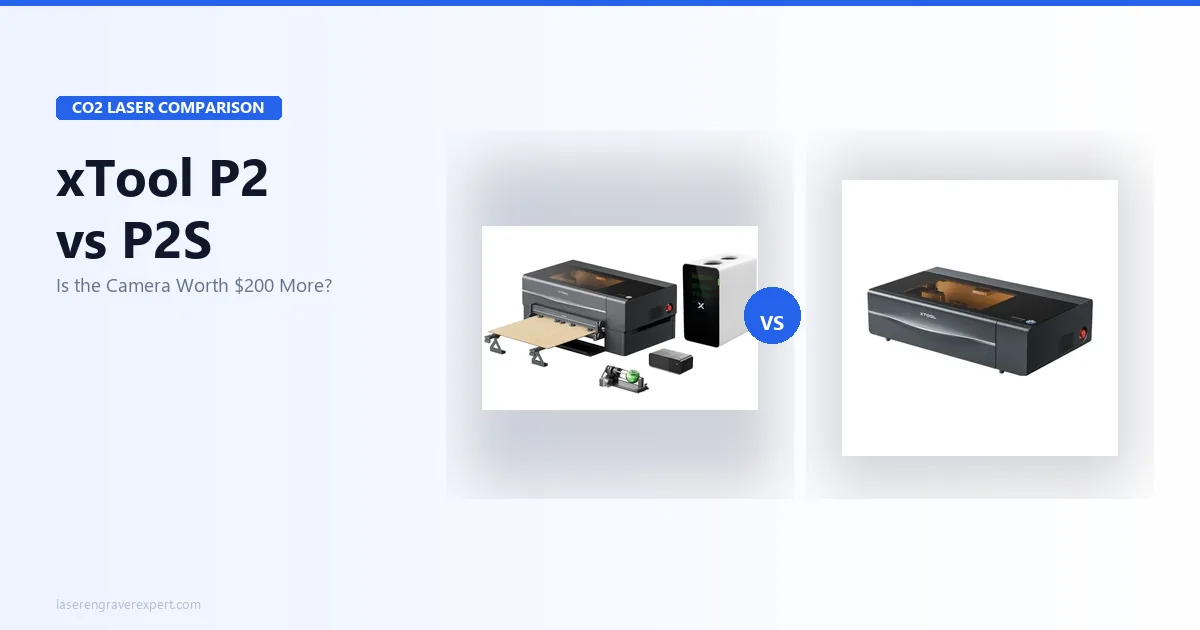
The xTool P2 vs xTool P2S decision comes down to one question: will you actually use a camera in your workflow? Both are 55W CO2 lasers with the identical laser tube, 600×305mm work area, passthrough slot, and LightBurn support. xTool changed exactly one thing on the xTool P2S, adding a 16MP camera with batch engraving and 20% faster processing, which makes this one of the cleaner buying decisions in the CO2 laser space right now. I’ve dug into the full spec sheets on both machines; here’s exactly when that camera earns its premium, and when the xTool P2 is the smarter buy. (Still deciding whether CO2 is right over diode or fiber? Our diode vs CO2 vs fiber laser guide covers the material capabilities of each type, and if you work with leather, our best laser engraver for leather guide ranks the xTool P2 and xTool P2S alongside diode options.)
Quick Verdict
xTool P2 vs xTool P2S: What Actually Changed?
Most reviews frame this as “new vs old.” That misses the point entirely.
The xTool P2 isn’t being discontinued. xTool is still selling it, still supporting it, and it still cuts exactly as well as the xTool P2S. The laser tube is the same 55W CO2. The work area is the same 600×305mm. The passthrough slot is on both machines. LightBurn works with both.
The real question is workflow: does the camera change anything meaningful about how you do your work? For some people the answer is a clear yes. For others it’s an expensive irrelevance. That’s the comparison worth making.
xTool P2 vs xTool P2S: Key Differences
1. Camera System
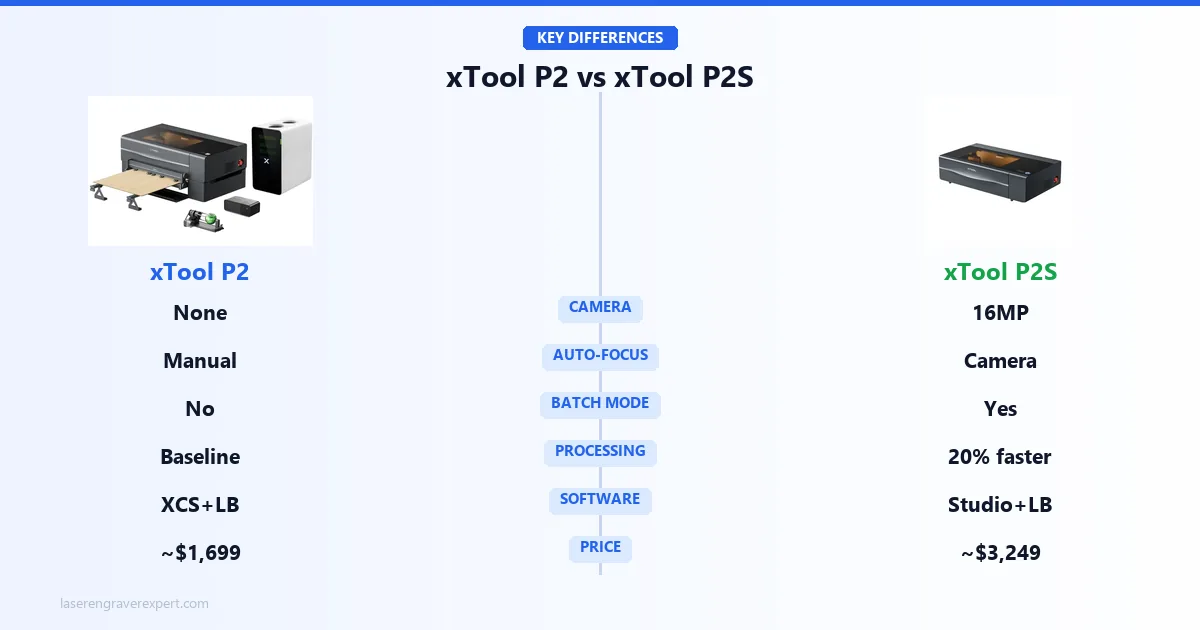
The xTool P2 has no camera. The xTool P2S has a 16MP overhead camera mounted inside the lid.
That sentence sounds simple. The implications are not.
With the xTool P2S camera, you place a piece of material on the bed, the software takes a photo, and you position your design visually right on top of the image. No measuring. No test burns. No wasted material figuring out where your art lands on an irregular piece of wood.
For engraving irregular blanks (slabs with natural edges, cutting boards that aren’t perfectly square, found pieces of hardwood), this matters enormously. Owners coming from manual-positioning machines commonly describe spending 10–15 minutes per piece measuring and test-burning; the camera reportedly cuts that to under 2 minutes.
It also handles auto-focus. The xTool P2S uses the camera to detect material thickness and adjust focus automatically. The xTool P2 requires manual focus with a dial. Not difficult, but slower.
If 80% of your work is cutting standard-sized sheet stock in repeating layouts, you’ll barely touch the camera. If any significant portion of your work involves one-off pieces or irregular stock, the camera is the upgrade.
2. Batch Engraving
The xTool P2S camera enables something the xTool P2 simply cannot do: true batch mode.
Place 12 keychains on the bed. The camera detects each one, maps their positions, and the software lays your design onto every piece automatically, even if they’re not perfectly aligned in a grid. This is the feature production sellers have been asking for.
Owner demos of this workflow describe placing 20 irregular wood ornaments loosely on the xTool P2S bed: the camera identifies each one, the user confirms the layout, and the machine runs the whole batch without a single positioning error.
On the xTool P2, you’d need to place every piece against registration marks, which works fine, but requires physical jigs and more setup time per run.
3. Processing Speed
The xTool P2S processes files 20% faster than the xTool P2. This isn’t about laser speed during the job; both machines run the same motion system. It’s the time between hitting “start” and the laser actually moving.
On complex vector files with hundreds of nodes, this difference is perceptible. On simple jobs, it’s negligible. It won’t change your throughput dramatically, but it is real.
4. Price Difference
The xTool P2 sits at approximately $1,699. The xTool P2S is approximately $3,249.
That gap is meaningful. The question is simply: will you use the camera and batch features enough to justify it? If yes, the xTool P2S earns its premium. If no, the xTool P2 is the more rational purchase.
xTool P2 vs xTool P2S: Specifications Comparison
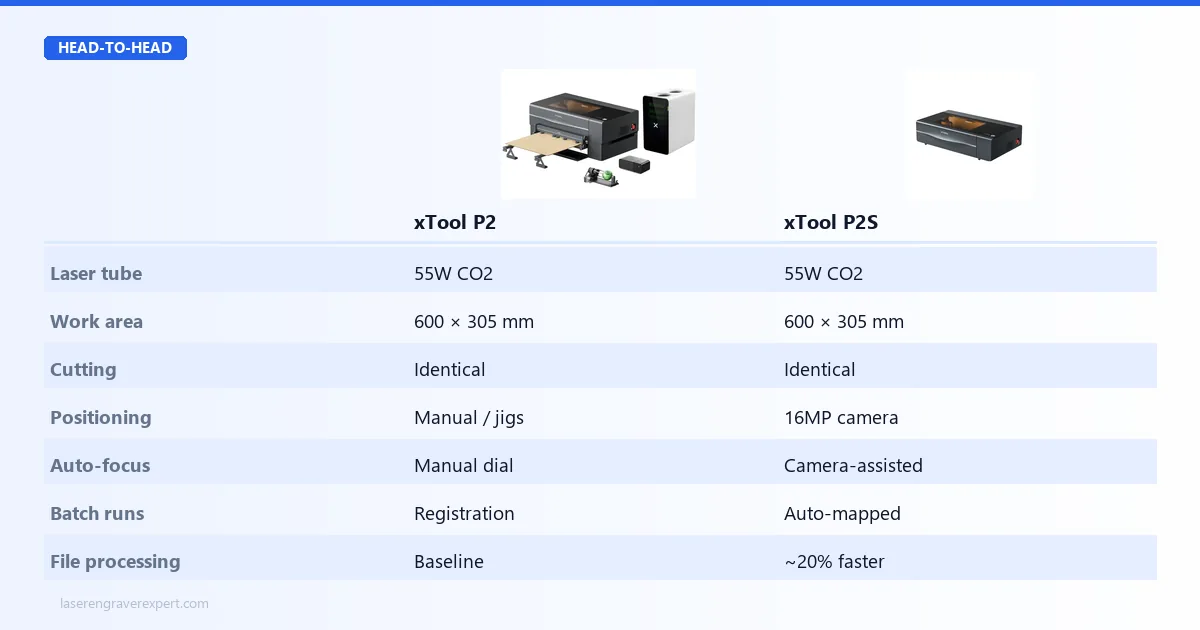
Here’s how the xTool P2 and xTool P2S line up on the specs that matter: everything is shared except the camera, focus, batch mode, processing speed, and price. Skim the table, then read on for what each difference means in practice.
| Feature | xTool P2 | xTool P2S |
|---|---|---|
| Laser Power | 55W CO2 | 55W CO2 |
| Work Area | 600 × 305mm | 600 × 305mm |
| Passthrough Slot | Yes | Yes |
| Built-in Camera | No | 16MP |
| Auto-Focus | Manual | Camera-assisted |
| Batch Engraving Mode | No | Yes |
| Processing Speed | Baseline | ~20% faster |
| Software | xTool Creative Space + LightBurn | xTool Studio + LightBurn |
| Price (approx.) | ~$1,699 | ~$3,249 |
xTool P2 vs xTool P2S: Performance Comparison
Both machines use the same 55W CO2 laser tube, so xTool’s specs show identical results across material tests on both machines.
| Material | Result |
|---|---|
| 18mm pine | Clean single-pass cut |
| 10mm acrylic | Clean single-pass cut, polished edge |
| 6mm Baltic birch plywood | Single-pass cut |
| 3mm MDF | Single-pass cut |
| Leather (3mm) | Clean cut, minimal char |
| Anodized aluminum | Engraving only (no cutting) |
| Glass | Surface engraving |
The laser performance is not a differentiator here. If you’re choosing between these two machines based on what they can cut or how deeply they engrave, you’re looking at the wrong column. They are the same machine from the tube down. For a comparison of how the xTool P2S cutting performance compares against the Glowforge in wood and acrylic applications, our Glowforge review covers the competing enclosed CO2 platform with a cloud-based software model.
Where they differ is in how efficiently you can feed work through them.
xTool P2 vs xTool P2S: Software Comparison
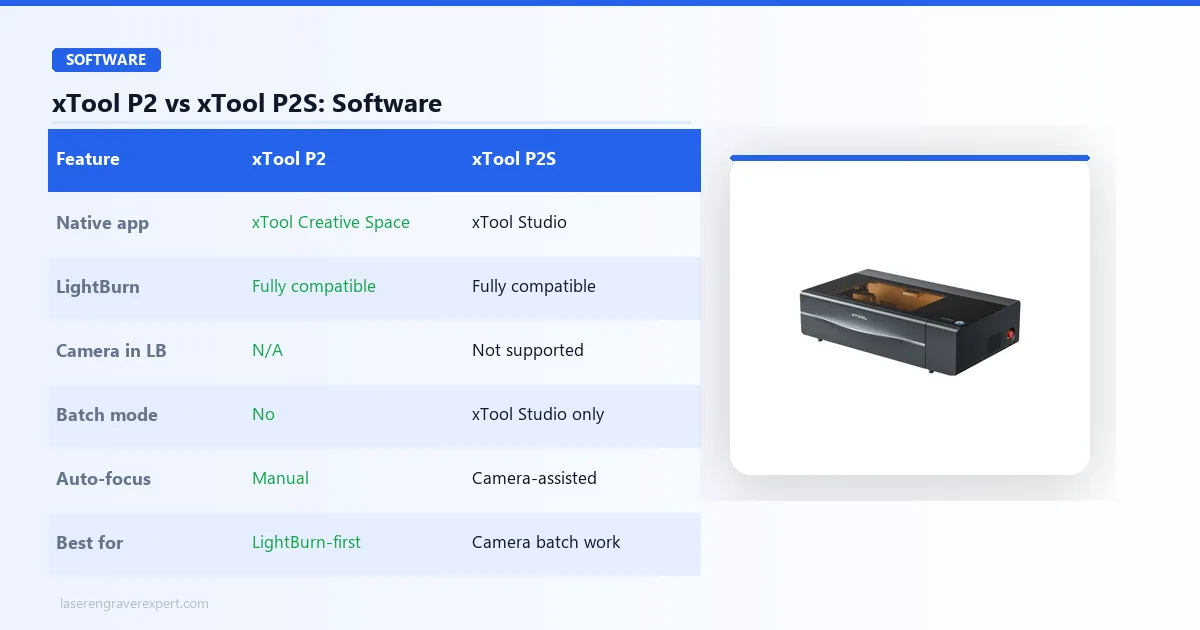
Both machines are compatible with LightBurn. The xTool P2 uses xTool Creative Space; the xTool P2S uses xTool Studio. If you’re already a LightBurn user, neither machine is going to disrupt your workflow.
The xTool P2S camera features are primarily accessed through xTool Studio. LightBurn doesn’t currently leverage the camera for positioning or batch mode. If camera-assisted batch engraving is your reason for choosing the xTool P2S, plan to do that work inside xTool Studio. For everything else (speed settings, power curves, custom gcode), LightBurn is still the better tool.
Who Should Buy the xTool P2S

xTool P2S
9.2/10- 16MP camera for visual positioning
- Batch engraving mode for production runs
- Camera-assisted auto-focus
- 20% faster processing
- Same 55W CO2 cutting power as the xTool P2
- Priced at a premium over the xTool P2
- Camera workflow requires xTool Studio, not LightBurn
- Large footprint: needs dedicated space
The xTool P2S is the right machine if any of the following sound like your work:
You do batch production. Sellers on Etsy, craft fair vendors, anyone running 20+ identical pieces per session will feel the batch mode immediately. The time savings on positioning alone will recover the premium within weeks. If you are building around this machine, our guide on how to start a laser engraving business walks through the production workflow decisions worth making early. For buyers evaluating the xTool P2S in a dedicated small-business context, our best laser engraver for small business guide covers throughput benchmarks and product selection for CO2 machines at this price point.
You work with irregular blanks. Slabs, found wood, non-standard shapes: anything where measuring to a registration mark is tedious. The camera lets you see exactly where your design will land before the laser fires. For wood engraving specifically, our best laser engraver for wood guide covers how the xTool P2S camera feature affects real-world wood workflow compared to diode machines without cameras.
You want the newest machine. The xTool P2S launched in 2024. It’s the current generation. If you’re spending close to $2,000 on a CO2 laser, buying the more current model makes sense for longevity.
Who should NOT buy the xTool P2S: If you’re cutting standard-sized sheet stock in predictable, repeating layouts (plywood squares, acrylic sheets, anything with consistent dimensions), the camera adds nothing to your workflow. You’ll use it once, realize your work doesn’t need it, and feel like you paid a premium for a gadget.
Who Should Buy the xTool P2
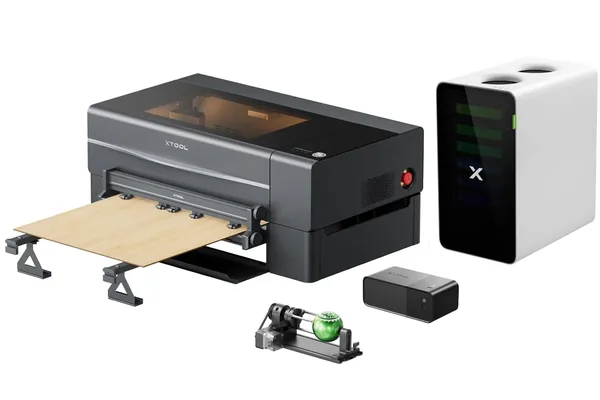
xTool P2
9.0/10- Same 55W CO2 laser as the P2S
- Full 600×305mm work area with passthrough
- LightBurn + xCS compatible
- Lower entry price for a capable CO2 machine
- Passthrough handles oversized material
- No camera: manual positioning and focus only
- No batch engraving mode
- Older model: may see less future software development
The xTool P2 makes sense if you know you won’t use the camera.
You’re a LightBurn-first user. If LightBurn is your entire workflow (and for most serious hobbyists and small production shops it is), the xTool P2S camera features don’t surface in LightBurn at all. You’d be paying a premium for something you never access. For context on what the xTool P3 offers at the next step up in the CO2 lineup, our xTool P3 review covers the higher-power option for buyers who eventually outgrow the 55W tube.
You cut sheet materials. Plywood, acrylic sheets, MDF panels: materials with consistent thickness and predictable dimensions. Manual focus takes 30 seconds with a focus gauge. Registration jigs take 10 minutes to set up once and work for every job after.
You’re budget-conscious in the $1,500–$2,000 range. The xTool P2 is still an excellent machine. The 55W CO2 tube cuts everything the xTool P2S cuts. If the price difference matters to your buying decision, the xTool P2 is not a compromise; it’s a rational choice.
xTool P2 vs xTool P2S Buying Guide: What Actually Matters
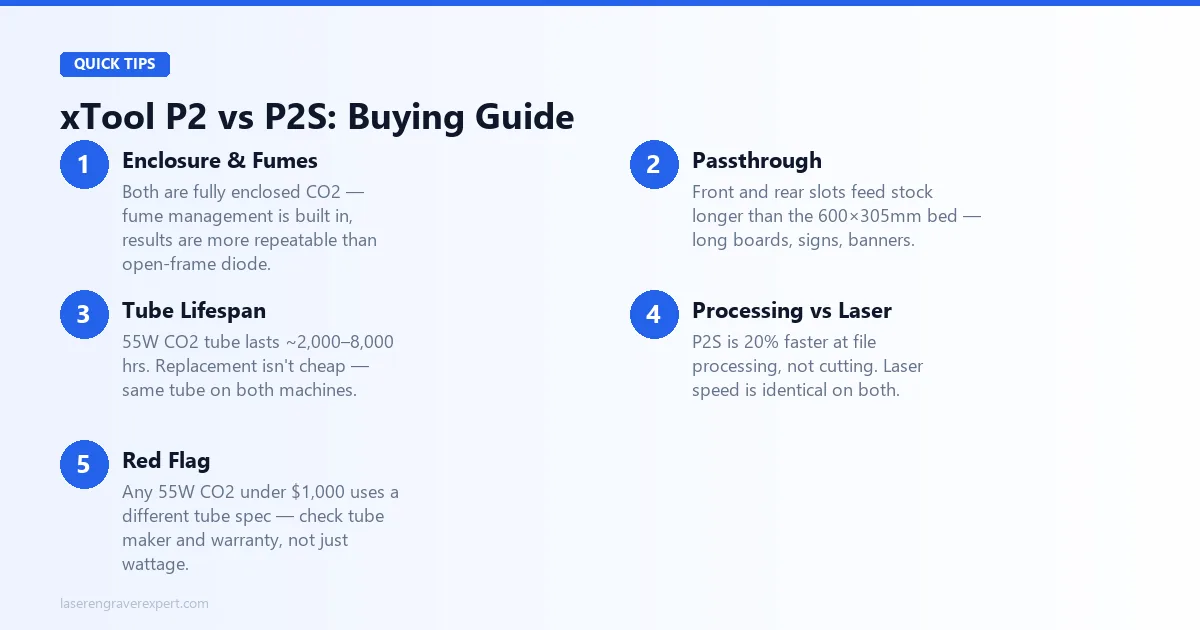
Before you spend close to $2,000 on a CO2 laser, here are the things worth thinking through that most buying guides skip.
Enclosure and Fume Management
Both machines are fully enclosed CO2 lasers, so fume management is built in. If you’re upgrading from an open-frame diode laser, this is a significant quality-of-life change: not just for fumes, but for consistency: no airflow variables, no ambient light interference, more repeatable results.
If you’re currently on a budget diode and want to understand the full upgrade path before reaching the xTool P2 price tier, our best laser engraver under $500 shows what you’d be stepping up from. And if you’re weighing the xTool M2, xTool’s enclosed diode machine, before committing to CO2, our xTool M2 vs xTool P2 comparison covers what the CO2 upgrade gets you.
Passthrough for Long Stock
A 600×305mm work area sounds limiting until you realize the passthrough slot lets you feed longer stock through. Long boards, signs, banners: the passthrough extends your practical working length significantly. Neither machine is missing this.
CO2 Tube Lifespan
CO2 laser tubes don’t last forever. Typical lifespan on a 55W tube is around 2,000–8,000 hours depending on usage and maintenance, and replacement tubes exist but aren’t cheap. Factor this into your long-term cost of ownership; both machines use the same tube, so this consideration is equal for both.
Processing Speed vs Laser Speed
The xTool P2S is 20% faster at processing files, but the laser motion and engraving speed are identical on both machines. If you read “20% faster” and imagined cutting time cut by a fifth, that’s not what’s happening.
What Most People Get Wrong
Buyers optimize for the largest work area and miss the more important question: how quickly can I set up and run a job? For production work, throughput per hour matters more than peak work area, and the xTool P2S camera and batch mode directly improve throughput.
If that’s relevant to you, the premium makes sense. If your bottleneck is somewhere else (design time, material sourcing, fulfillment), neither machine will fix it. Our best laser engravers guide places both machines in the full landscape across all technologies and budgets.
Red Flags to Avoid
Any CO2 laser under $1,000 claiming 55W is almost certainly using a different tube spec than what xTool is shipping. The xTool P2 and xTool P2S are premium machines, and the tube quality is part of what you’re paying for; don’t compare on wattage alone across brands without checking tube manufacturer and warranty terms.
For a full view of where the best CO2 machines compare (including the OMTech 60W as a lower-cost alternative), our best CO2 laser engravers guide benchmarks the category clearly. For deeper dives, read our full xTool P2 review , full xTool P2S review , and Glowforge Pro vs xTool P2S comparison .
Final Verdict
Digging through both machines’ specs makes the decision framework pretty clear.
If you do production work, handle irregular blanks, or want batch engraving without physical jigs, get the xTool P2S. The camera is genuinely useful in those workflows. Not a gimmick. The price gap closes fast when you’re saving 10 minutes of setup per batch job.
If you’re a LightBurn-first operator cutting predictable sheet stock, get the xTool P2 and bank the difference. You’re getting the same laser, the same work area, the same cut quality. The camera doesn’t surface in LightBurn and won’t change your day-to-day workflow at all.
There’s no bad choice here. Both are excellent 55W CO2 machines with honest cutting capability and solid software support. The decision is purely about whether the camera workflow fits how you work, and now you have enough information to answer that honestly.
Ready to buy?
Check xTool P2S Price →Ready to buy?
Check xTool P2 Price →Frequently Asked Questions
What is the main difference between the xTool P2 and P2S?
Is the xTool P2S worth the extra cost over the xTool P2?
Can both the xTool P2 and P2S cut acrylic and wood?
Is the xTool P2 still worth buying in 2026?
You Might Also Like
Glowforge Pro vs xTool P2S (2026)
Glowforge Pro ($7,999) vs xTool P2S ($3,249): 45W vs 55W CO2, different ecosystems. Speed, software, cut quality, and real ownership costs compared.
Glowforge Pro vs xTool P2: Honest CO2 Laser Comparison for 2026
Glowforge Pro vs xTool P2: power, speed, subscription costs, and offline capability compared with real test data. Which CO2 laser is worth it in 2026?
xTool M1 Ultra vs xTool S1 (2026): Which Is Right for You?
xTool M1 Ultra vs xTool S1: 4-in-1 multi-tool vs dedicated laser. Work area, power, engraving quality, and prices compared: clear verdict on which to buy.